
1. Okwu mmalite
This user manual provides detailed instructions for the installation, operation, and maintenance of your Rettru 4K Wireless WiFi Camera, Model Q18. Please read this manual thoroughly before using the product to ensure proper functionality and safety. This camera is designed for indoor and outdoor surveillance, offering high-resolution video and advanced detection features.
2. Ihe ngwugwu
Nyochaa na etinyere ihe niile edepụtara n'okpuru na ngwugwu gị. Ọ bụrụ na ihe ọ bụla na-efu ma ọ bụ mebie, biko kpọtụrụ nkwado ndị ahịa.
- 1 x Rettru Q18 Camera
- 1 x Igwe Ọdụdọ
- 1 x Micro SD kaadị Reader
- 1 x eriri USB
- 1 x Akwụkwọ ntuziaka onye ọrụ
3. Ngwaahịa gafereview
The Rettru Q18 camera is a compact and versatile surveillance device. It features a 4K (2560x1440) resolution lens, a 160-degree wide-angle view, and an 1800mAh built-in battery for extended operation. Its small size allows for discreet placement.
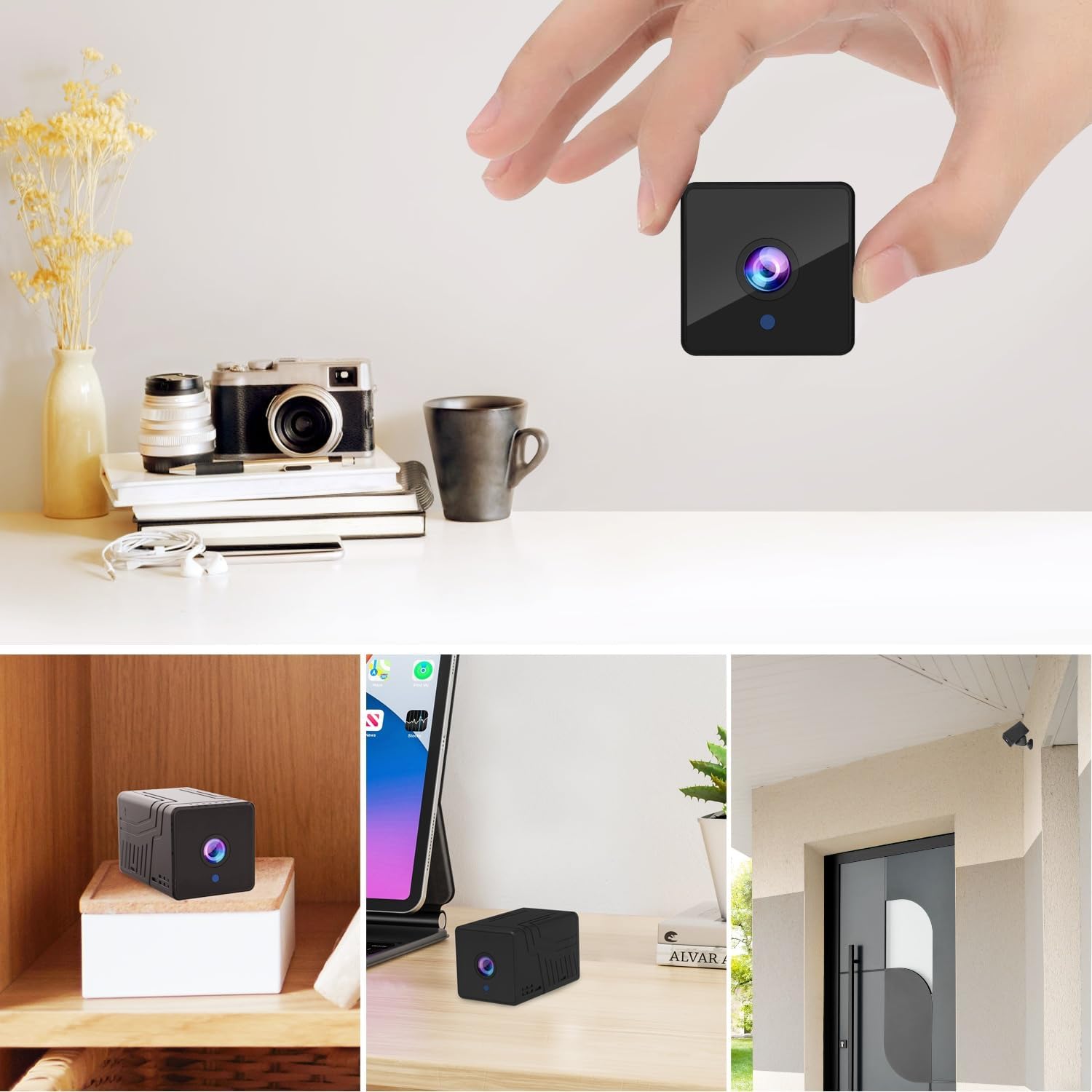
Foto 3.1: N'ihu view of the Rettru Q18 camera with its magnetic base. This image highlights the compact design and the lens of the camera.

Foto 3.2: The Rettru Q18 camera shown in different indoor and outdoor settings, demonstrating its small size and ease of concealment. The image illustrates its "Super Tiny, Easy to Hide" characteristic.
4. Nhazi ntuziaka
4.1 Nchaji izizi
Before first use, fully charge the camera using the provided USB cable and a standard 5V USB power adapter (not included). The built-in 1800mAh battery provides approximately 6 hours of continuous recording or up to 100 days of standby time.

Foto 4.1: Graphic illustrating the 1800mAh battery capacity of the Rettru Q18 camera, highlighting its 6-hour continuous recording and 100-day ultra-long standby capabilities.
4.2 Ngwa nbudata na njikọ
To operate the camera and access its features, you need to download the "V380 Pro" application on your smartphone.
- Budata ngwa: Chọọ maka "V380 Pro" in your smartphone's app store (Google Play Store for Android or Apple App Store for iOS) and install it.
- Ike Na Igwefoto: Turn on the Rettru Q18 camera. Refer to the camera's physical buttons for power control.
- Jikọọ na Wi-Fi: Soro ntuziaka in-ngwa iji jikọọ igwefoto na netwọk Wi-Fi nke ụlọ gị. Mara: The camera only supports 2.4GHz Wi-Fi networks. Ensure your router is configured for 2.4GHz or has a mixed mode enabled.
- Dị ndụ View: Once connected, you can access the live video feed and control the camera through the V380 Pro app.
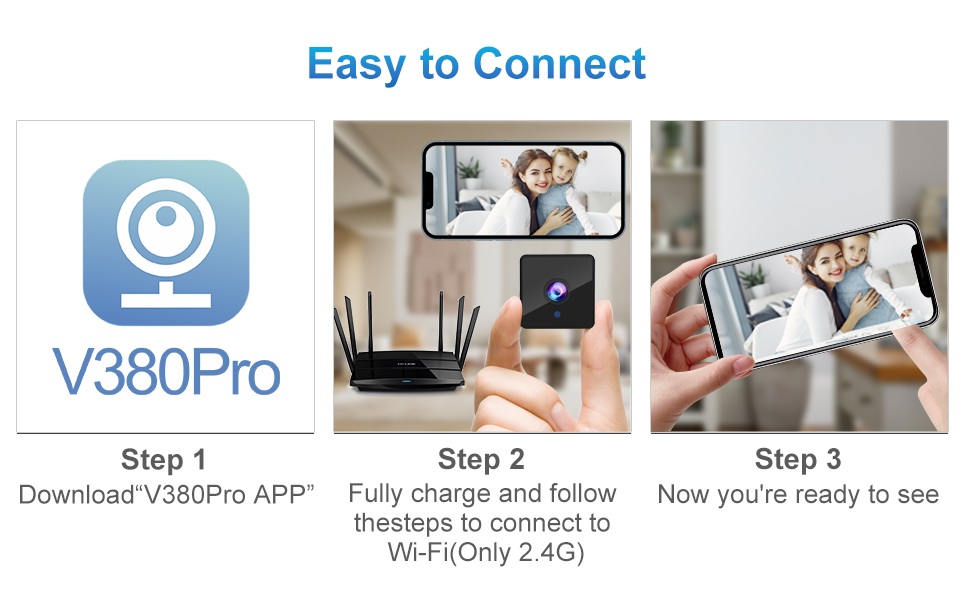
Foto 4.2: Visual guide for connecting the Rettru Q18 camera using the V380 Pro app, showing steps for app download, charging, and Wi-Fi connection.
5. Ntuziaka ọrụ
5.1 Nlekota Vidiyo Dị Ndụ
Open the V380 Pro app on your smartphone. Select your camera from the device list to view the live 2K Ultra HD video feed. You can pan, tilt, and zoom digitally within the app if supported by the camera's software.
5.2 Ndekọ na Nchekwa
The camera supports local storage via a Micro SD card (up to 128GB). Insert the Micro SD card into the designated slot on the camera. The camera will automatically begin recording based on your settings (e.g., continuous recording, motion-activated recording). Recorded video files are in AVI format. Mara: Due to Amazon's policy, recorded videos do not include audio.
5.3 Ọhụụ abalị
The Rettru Q18 camera is equipped with 8 straw hat 940nm infrared lights for automatic night vision. The IR-CUT feature ensures clear black and white video in low-light conditions, with a night vision range of up to 28 feet. The camera automatically switches between day and night modes.
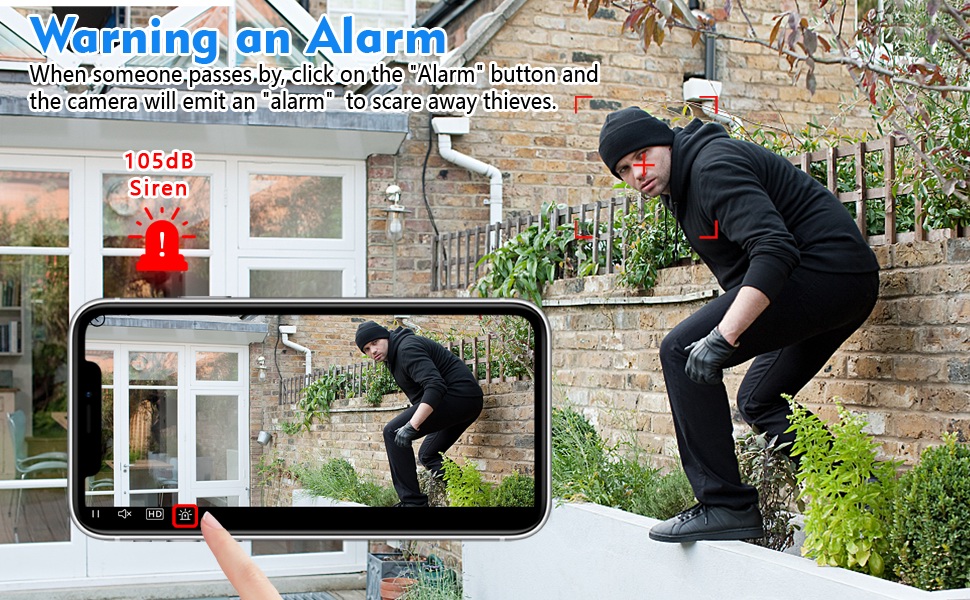
Foto 5.1: Comparison of day and night vision capabilities of the Rettru Q18 camera, showing automatic IR ON/OFF and enhanced night vision up to 26ft.
5.4 Nchọpụta na Ịdọ Aka Ná Ntị
The camera features AI Human Detection, which can distinguish human movement from other motions, reducing false alarms. When motion is detected, the camera can send alert notifications to your smartphone via the V380 Pro app. You can also activate a built-in 105dB siren through the app to deter intruders.
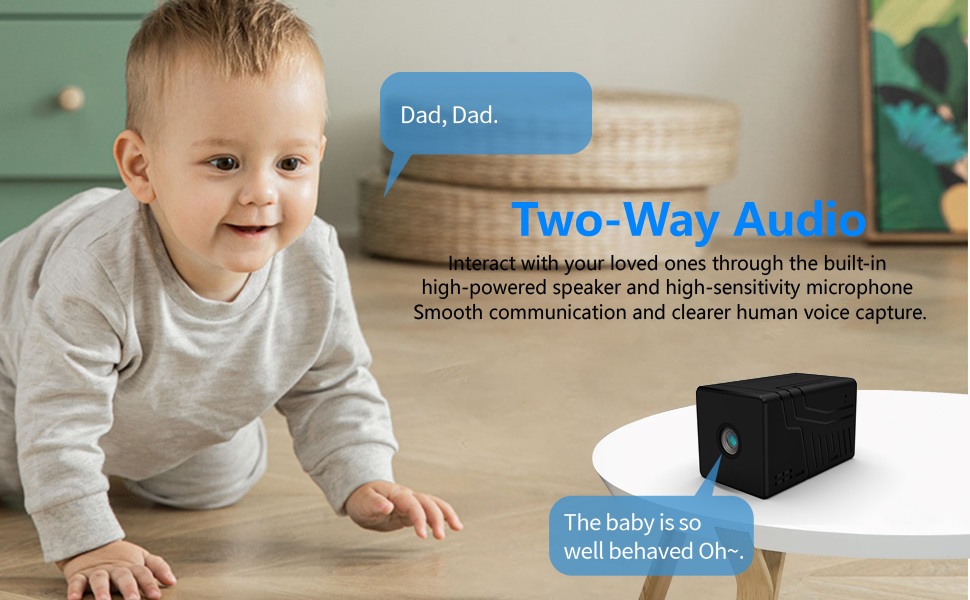
Foto 5.2: Illustration of the camera's alarm function, showing a user activating a 105dB siren via the app to deter a potential intruder.
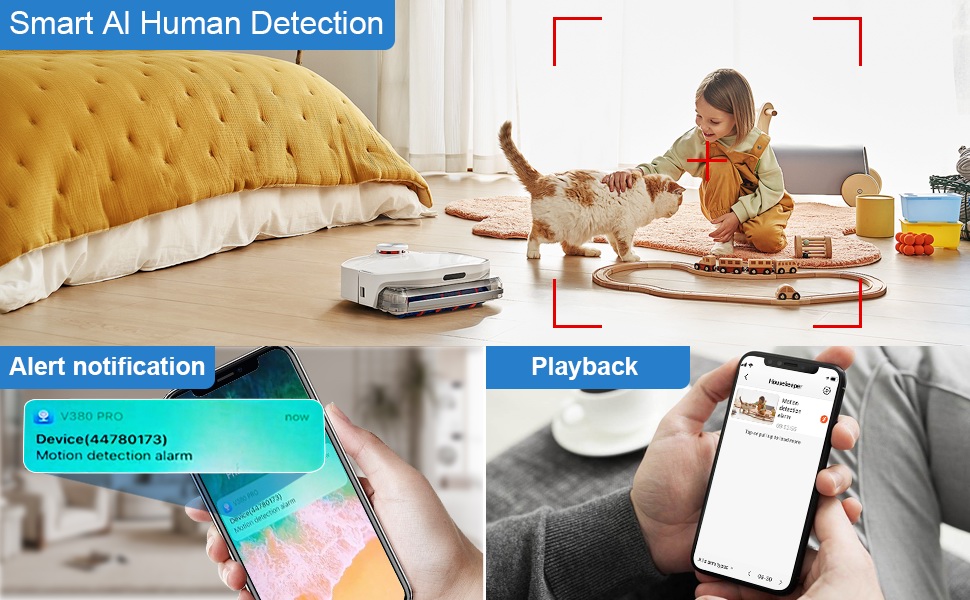
Foto 5.3: Depiction of the Smart AI Human Detection feature, showing how the camera identifies human movement and sends alert notifications to the V380 Pro app.
5.5 Nkwurịta Okwu n'Ụzọ Abụọ
The camera supports two-way communication through its built-in high-powered speaker and high-sensitivity microphone. This allows you to interact with individuals near the camera via the V380 Pro app. Please note that while two-way communication is supported, recorded video files do not contain audio.

Foto 5.4: An image illustrating the two-way audio capability of the Rettru Q18 camera, showing communication between a parent and a child.
6. Atụmatụ igodo
- Mkpebi 2K Ultra HD: Records video at 2560x1440 (5 Megapixels) for clear and detailed footage.
- Obosara Viewn'akuku n'akuku: 160-degree lens captures a broad area.
- Ogologo ndụ batrị: Equipped with an 1800mAh dual lithium battery, offering up to 6 hours of continuous recording or 100 days of standby.
- Ọhụụ abalị emelitere: Automatic IR-CUT with 940nm infrared lights provides clear night vision up to 28 feet without a visible red glow.
- Nchọpụta mmadụ AI: Intelligent motion detection reduces false alarms by focusing on human shapes.
- Instant Alerts & Siren: Receive smartphone notifications upon motion detection and activate a 105dB siren remotely.
- Nkwukọrịta ụzọ abụọ: Speak and listen through the camera via the V380 Pro app (recorded video is without audio).
- Nchekwa mpaghara: Supports Micro SD cards up to 128GB for video storage.
- Nhazi kọmpat: Small and lightweight, suitable for discreet placement indoors or outdoors (IP65 rated).
- Njikọ Wi-Fi: Connects to 2.4GHz Wi-Fi networks for remote access.
7. Nlekọta
7.1 Ihicha igwefoto
To maintain optimal performance, regularly clean the camera lens and body. Use a soft, dry cloth to wipe away dust and smudges. For stubborn dirt on the lens, use a lens cleaning solution specifically designed for optical surfaces. Avoid using harsh chemicals or abrasive materials.
7.2 Nlekọta batrị
To prolong battery life, avoid exposing the camera to extreme temperatures. If storing the camera for an extended period, ensure it is partially charged (around 50%) and recharge it every few months to prevent deep discharge.
7.3 Mmelite firmware
Periodically check the V380 Pro app for available firmware updates. Keeping your camera's firmware up-to-date ensures you have the latest features, security enhancements, and bug fixes.
8. Nchọpụta nsogbu
| Nsogbu | Ngwọta enwere ike |
|---|---|
| Igwefoto anaghị agba ọkụ. | Ensure the camera is fully charged. Connect it to a power source using the USB cable and check if the charging indicator light is on. |
| Enweghị ike ijikọ na Wi-Fi. |
|
| Ọdịdị vidiyo adịghị mma ma ọ bụ oge adịghị. |
|
| Anataghị ọkwa nchọpụta mmegharị. |
|
| Kaadị SD anaghị edekọ. |
|
9. Nkọwapụta
| Njirimara | Nkọwa |
|---|---|
| Nọmba nlereanya | Q18 |
| Mkpebi ịse vidiyo | 2K (2560x1440) |
| Mkpebi ka dị irè | 5 MP |
| Viewna n'akuku | 160 ogo |
| Protocol Njikọta | Wi-Fi (naanị 2.4GHz) |
| Ụdị njikwa | Ngwa V380 Pro |
| Isi Iyi Ike | Battery Powered (1800mAh Lithium Ion) |
| Ndụ batrị | Approx. 6 hours continuous recording, 100 days standby |
| Oke ọhụụ abalị | Ruo n'ụkwụ 28 |
| Nchekwa | Kaadị Micro SD (ruo 128GB, etinyeghị ya) |
| Usoro Nseta vidiyo | AVI |
| Rtdị Alert | Motion Only (AI Human Detection) |
| Ogo nchekwa mba ụwa | IP65 |
| Ibu Ibu | 75 grams (2.65 ounces) |
| Akụkụ ngwaahịa | 21.6 x 13.3 x 13.3 inches (packaging dimensions, actual camera is smaller) |
| Onye nrụpụta | Rettru |
10. Ozi nchekwa
- Do not expose the camera to extreme temperatures, direct sunlight for prolonged periods, or excessive moisture.
- Jiri naanị eriri USB enyere maka ịchaji.
- Keep the camera and its accessories out of reach of children and pets.
- Agbalịla ịgbasa ma ọ bụ gbanwee igwefoto ahụ. Nke a ga-eme ka akwụkwọ ikike ahụ ghara ịdị irè ma nwee ike imebi ya.
- Ensure the camera is installed securely to prevent it from falling.
- Respect privacy laws and regulations when using surveillance equipment.
11. Akwụkwọ ikike na nkwado
For warranty information or technical support, please refer to the contact details provided with your purchase or visit the official Rettru websaịtị. Debe nnata nzụta gị dị ka ihe akaebe nke ịzụrụ ihe maka akwụkwọ ikike ọ bụla.