
DOQAUS NDỤ 4
DOQAUS LIFE 4 Over-Ear Bluetooth Headphones User Manual
Brand: DOQAUS | Model: LIFE 4
Okwu mmalite
This manual provides comprehensive instructions for the DOQAUS LIFE 4 Over-Ear Bluetooth Headphones. It covers essential information regarding setup, operation, maintenance, and specifications to ensure optimal use of your device. The LIFE 4 headphones are designed for extended listening with a focus on comfort, sound quality, and versatile connectivity.
Atụmatụ igodo
- Ogologo oge egwuregwu: Ruo awa iri anọ nke ndụ batrị n'otu chaji.
- Ụda enwere ike ịhazi ya: Three professional EQ modes (Normal, Bass Boost, Vocal/Treble Boost) for tailored audio experiences.
- Kpochapụ nzikọrịta ozi: Built-in HD microphone for crystal-clear calls.
- Comfort-Focused Design: Plush memory foam ear cups and an adjustable, lightweight headband for prolonged wear.
- Njikọta abụọ: Seamless connection to two devices simultaneously via Bluetooth 5.3.
- Ojiji agbanwe agbanwe: Supports both wireless Bluetooth and wired 3.5mm audio connections.
- Enwere ike ibugharị: Foldable earcups for easy storage and transport.
Kedu ihe dị na Igbe ahụ
Upon opening your DOQAUS LIFE 4 headphones package, you will find the following items:
- 1 x DOQAUS LIFE 4 Over-Ear Headphone
- 1 x eriri USB
- 1 x Aux Audio Cable (3.5mm)
- 1 x Akwụkwọ ntuziaka onye ọrụ
- 1 x Exquisite Package (packaging material)

Image: Contents of the DOQAUS LIFE 4 headphone package, including the headphones, charging cable, AUX cable, and user manual.
Ntuziaka nhazi
Vidiyo: Efereview of unboxing, setting up, and key features of the DOQAUS LIFE 4 headphones.
1. Ịchaji ekweisi
Before initial use, fully charge your DOQAUS LIFE 4 headphones. A full charge takes approximately 2.5 hours and provides up to 90 hours of playtime. A quick 10-minute charge can provide 5 hours of music playback.
- Connect the provided USB charging cable to the USB-C port on the headphone.
- Connect the other end of the USB cable to a compatible USB power source (e.g., computer USB port, wall adapter).
- The LED indicator on the headphone will show charging status (refer to the LED indicator section in the physical manual for specific light patterns).
- Ozugbo chajịrị chaja zuru oke, kwụpụ eriri nchaji.

Image: DOQAUS LIFE 4 headphones in use, highlighting the extended 90-hour playtime.
Video: Demonstration of the DOQAUS LIFE 4 headphones' 90-hour battery life and charging process.
2. Njikọ Bluetooth
The LIFE 4 headphones utilize Bluetooth 5.3 for stable and fast wireless connections.
- Hụ na ekweisi ndị ahụ agbanyụrụ ma gbanyụọ ha.
- Press and hold the Power button on the headphone until the LED indicator flashes blue and red, indicating pairing mode.
- Na ngwaọrụ gị (smartphone, tabletị, kọmpụta), mee ka Bluetooth nwee ike wee chọọ ngwaọrụ dị.
- Select "DOQAUS LIFE 4" from the list of devices.
- Once connected, the LED indicator will turn solid blue or flash blue slowly.

Foto: nso nso view of the DOQAUS LIFE 4 headphones, highlighting the Advanced Bluetooth 5.3 wireless technology.
Vidiyo: Ofeview of Bluetooth 5.3 connectivity and stable connection features of the DOQAUS LIFE 4 headphones.
3. Dual Device Connectivity
The headphones can connect to two Bluetooth devices simultaneously.
- Jikọọ ekweisi na ngwaọrụ mbụ dịka akọwara n'elu.
- Disable Bluetooth on the first device. The headphones will re-enter pairing mode.
- Jikọọ ekweisi na ngwaọrụ nke abụọ.
- Re-enable Bluetooth on the first device. The headphones will automatically connect to both devices.
- Audio will play from the device that is actively playing media or receiving a call.

Image: A man enjoying music with DOQAUS LIFE 4 headphones connected wirelessly to his smartphone, illustrating stable Bluetooth connectivity.
Ntuziaka ọrụ
1. Njikwa bọtịnụ
The DOQAUS LIFE 4 headphones feature intuitive button controls located on the earcups for easy management of audio and calls.
- Bọtịnụ ike: Pịa ma jide ka ịgbanwuo/gbanyụọ ọkụ. Pịa obere oge iji kpọọ/kwụsịtụ egwu ma ọ bụ zaa/kwụsị oku.
- Elu elu/Egwu na-esote: Pịa obere oge maka elu olu. Pịa ogologo oge maka egwu na-esote.
- Egwu ala/Oge gara aga: Pịa obere oge maka mbelata olu. Pịa ogologo oge maka egwu gara aga.
- EQ bọtịnụ: Short press to cycle through the 3 EQ modes (Normal, Bass Boost, Vocal/Treble Boost).
2. Ụdị EQ
Enhance your listening experience with three distinct equalizer modes:
- Ụdị nkịtị: Provides a balanced audio profile suitable for most genres.
- Ụdị Mgbakwunye Bass: Amplifies low frequencies for a deeper, more impactful bass, ideal for workouts or bass-heavy music.
- Vocal/Treble Boost Mode: Enhances vocal clarity and high frequencies, perfect for podcasts, audiobooks, or acoustic music.

Image: Visual representation of the three EQ music modes available on the headphones.
Video: Demonstration of the 3 EQ modes for sound customization on the DOQAUS LIFE 4 headphones.
3. Njikọ eriri
For situations where Bluetooth is not available or preferred, use the included 3.5mm audio cable.
- Plug one end of the 3.5mm audio cable into the AUX port on the headphone.
- Tinye nsọtụ nke ọzọ n'ime ihe na-eme ka ụda 3.5mm dị na ngwaọrụ gị.
- The headphones will automatically switch to wired mode. Note that some controls may be limited in wired mode.

Image: DOQAUS LIFE 4 headphones demonstrating wireless and wired connection options.
4. Ịkpọ na ịnata oku
The built-in HD microphone ensures clear voice transmission during calls.
- Azịza/Kwụsị Oku: Obere pịa bọtịnụ Ike.
- Jụ oku: Pịa ogologo bọtịnụ Ike.
- Mee ka onye enyemaka olu rụọ ọrụ: Double-press the Power button (if supported by your connected device).
Nkasi obi na Nhazi
The DOQAUS LIFE 4 headphones are engineered for comfort and portability, featuring:
- Ihe mkpuchi isi nwere ike idozi: Easily customize the fit for various head sizes.
- Plush Memory Foam Earcups: Soft, breathable earcups provide comfort during extended listening sessions.
- Foldable and Swivel Design: Earcups can swivel 90 degrees and the headphones fold compactly for convenient storage and travel.
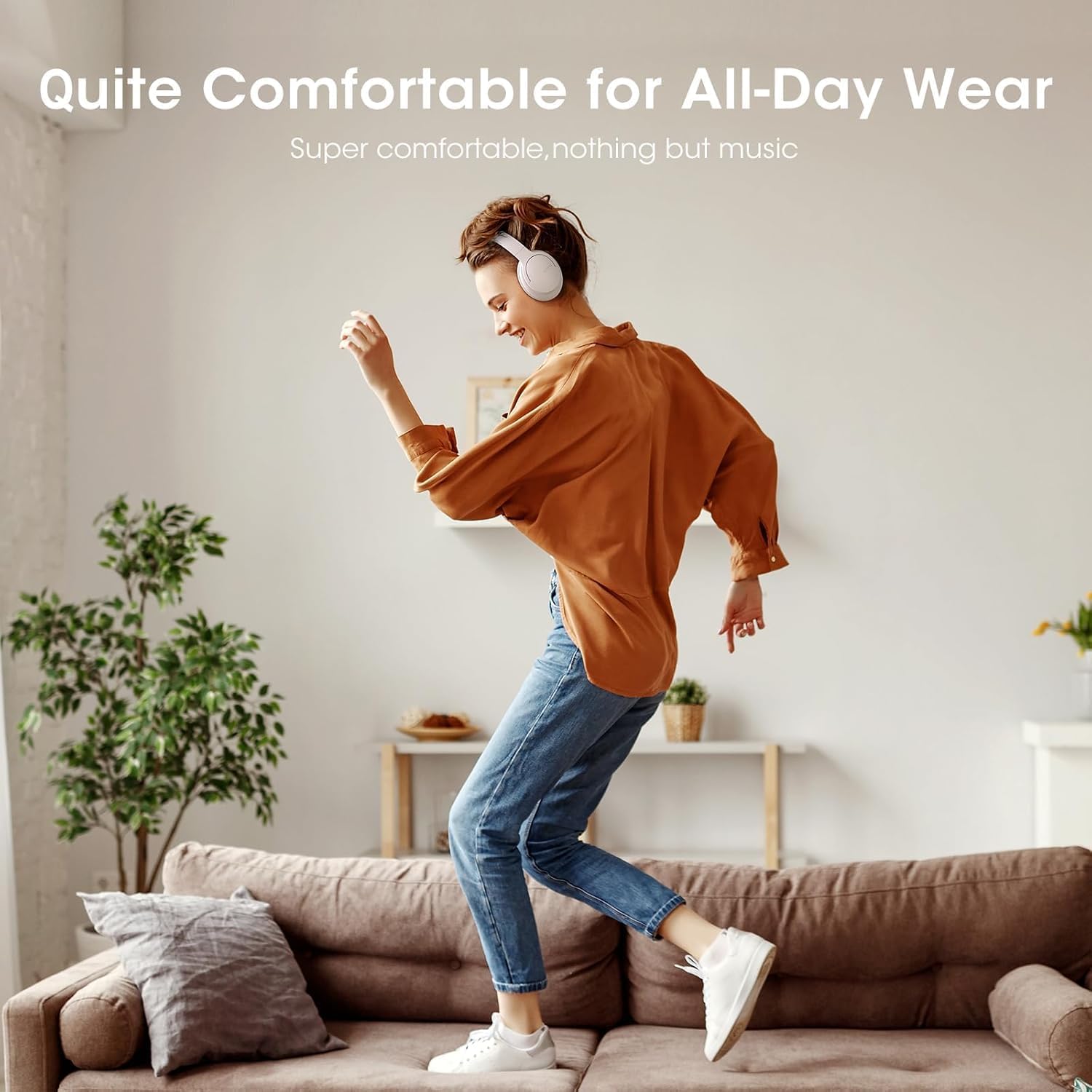
Image: Close-up of the plush memory foam earcups, highlighting the comfort-focused design.


Images: Details on adjustable headband, memory foam earcups, 90-degree swivel, and foldable design for enhanced comfort and portability.
Vidiyo: Ihe ọzọview focusing on the passive noise isolation and comfortable fit of the DOQAUS LIFE 4 headphones.
Vidiyo: Ihe ọzọview highlighting the all-day comfort and ergonomic design of the DOQAUS LIFE 4 headphones.
Nlekọta na nlekọta
To ensure the longevity and optimal performance of your DOQAUS LIFE 4 headphones, follow these care guidelines:
- Jiri ákwà dị nro ma kpọọ nkụ hichaa iko ntị na ihe mkpuchi isi mgbe niile.
- Zere ikpughe ekweisi na oke okpomọkụ, iru mmiri, ma ọ bụ ìhè anyanwụ kpọmkwem.
- Do not immerse the headphones in water. While water-resistant, they are not waterproof.
- Store the headphones in a cool, dry place when not in use, preferably folded to protect the earcups.
- Avoid using abrasive cleaners or solvents on the headphones.
Nchọpụta nsogbu
If you encounter any issues with your DOQAUS LIFE 4 headphones, try the following steps:
- Enweghị ike: Gbaa mbọ hụ na chajịrị ekweisi nke ọma.
- Enweghị ike ijikọ: Make sure the headphones are in pairing mode (flashing blue/red LED) and within range of your device. Try restarting both the headphones and your device.
- Enweghị ụda: Lelee ọkwa olu dị na ekweisi na ngwaọrụ ejikọrọ. Hụ na ahọpụtara ihe ọdịyo kwesịrị ekwesị na ngwaọrụ gị.
- Ogo ụda adịghị mma: Move closer to your connected device to improve Bluetooth signal. Try switching EQ modes.
- Njikọ na-adịte aka: Ensure no obstacles are between the headphones and your device. Avoid environments with high Wi-Fi or other wireless interference.
Nkọwapụta
| Njirimara | Nkọwa |
|---|---|
| Aha Nlereanya | NDỤ 4 |
| Ụdị | DOQAUS |
| Teknụzụ Njikọta | Waya, Igwe na-enweghị eriri (Bluetooth 5.3) |
| Ụdị Bluetooth | 5.3 |
| Oke Bluetooth | 32.8 ụkwụ (ihe dị ka mita 10) |
| Ndụ batrị | Awa 90 |
| Oge Nchaji | Awa 2.5 |
| Nha ọkwọ ụgbọ ala ọdịyo | 40 millimeters |
| EQ esdị | 3 (Normal, Bass Boost, Vocal/Treble Boost) |
| Igwe okwu | Built-in HD Microphone |
| Njikwa mkpọtụ | Sound Isolation (Passive) |
| Jack ekweisi | 3.5mm ọkpụrụkpụ |
| Ihe onwunwe | Plastic, Premium Memory Foam |
| Ibu Ibu | 0.32 Kilogram (11.3 ounces) |
| Ọkwa Nguzogide mmiri | Mmiri na-eguzogide |
| Atụmatụ pụrụ iche | Adjustable Headband, Lightweight, Foldable |
Akwụkwọ ikike na nkwado
For warranty information, technical support, or customer service inquiries, please refer to the contact details provided in the original product packaging or visit the official DOQAUS websaịtị.
Akwụkwọ ndị emetụtara - NDỤ 4
 |
DOQAUS DOPE 1 Mepee akwụkwọ ntuziaka onye ọrụ ntị ntị Akwụkwọ ntuziaka onye ọrụ maka DOQAUS DOPE 1 ntị ntị mepere emepe, na-ekpuchi ọdịnaya ngwugwu, ntuziaka njikọta, usoro nrụpụta, njikwa ngwaọrụ, parampat ngwaahịa na ozi nnabata. |
 |
DOQAUS LIFE 4 Akwụkwọ ntuziaka onye ọrụ ekweisi Bluetooth ikuku - Nkpọghachi elekere 80, ụda HiFi Akwụkwọ ntuziaka onye ọrụ zuru oke maka ekweisi Bluetooth ikuku ikuku DOQAUS 4. Mụta maka njirimara dị ka ndụ batrị nke awa 80, ụda stereo HiFi, ụdịdị EQ 3 na njikọta dị mfe. Gụnyere ntọlite, arụ ọrụ na ntuziaka nchọpụta nsogbu. |
 |
Akwụkwọ ntuziaka onye ọrụ ekweisi ikuku DOQAUS Akwụkwọ ntuziaka onye ọrụ maka ekweisi n'elu ntị Bluetooth ikuku DOQAUS. Gụnyere ozi na ọdịnaya ngwungwu, njikwa, nkọwapụta, njikọta Bluetooth, ọnọdụ waya, akpachapụ anya nchekwa na nchọpụta nsogbu. |
 |
Akwụkwọ ntuziaka onye ọrụ DOQAUS HM1 Digital Thermo-Hygrometer Akwụkwọ a na-enye nkọwapụta, ntuziaka ịrụ ọrụ, yana ihe ngosi ọkwa nkasi obi maka DOQAUS HM1 Digital Thermo-Hygrometer. Ọ na-akọwapụta oke okpomọkụ na iru mmiri, nnabata ziri ezi na usoro nhazi n'ọtụtụ asụsụ. |
 |
DOQAUS HM1 Max Humidity and Temperature Monitor User Manual User manual for the DOQAUS HM1 Max Humidity and Temperature Monitor, including specifications, setup instructions, and safety information. |
 |
Akwụkwọ ntuziaka onye ọrụ ekweisi Bluetooth DOQAUS LIFE 3 Akwụkwọ ntuziaka onye ọrụ maka ekweisi Bluetooth DOQAUS LIFE 3, njirimara mkpuchi, nkọwapụta, njikọta, ojiji, na nchọpụta nsogbu n'ọtụtụ asụsụ. |
Ask a question about this manual
Ask about setup, troubleshooting, compatibility, parts, safety, or missing instructions. Manuals+ will review the question and use this page’s manual context to help answer it.