
1. Ngwaahịa gafereview
The Jectse 2.4GHz 4-Channel RC Gyro Receiver is designed for remote control vehicles such as cars and boats. It features a single antenna bidirectional transmission system and integrates a high-performance gyroscope for enhanced control. This receiver is compatible with AFHDS 3 transmitters, including Flysky NB4, Noble Lite, and Noble Pro series.
Atụmatụ gụnyere:
- Bidirectional transmission with a single antenna.
- Support for PWM, PPM, i BUS2, S.BUS, and J BUS data output.
- Compatibility with AFHDS 3 protocol transmitters.
- Built-in high-performance gyroscope.
- Integrated BVD (Battery Voltage Detection) function.
- PPX6 splash-proof rating.
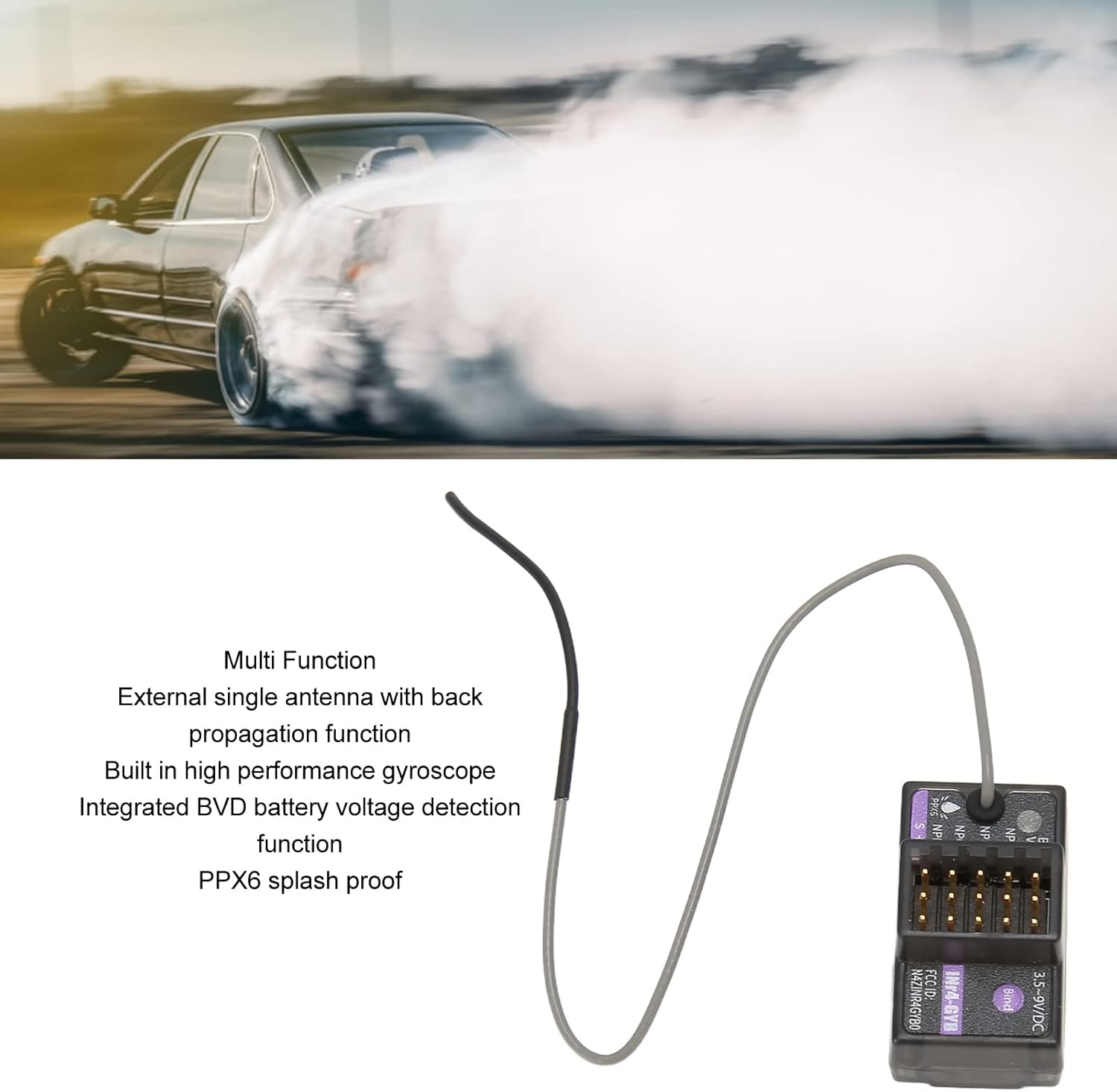
Image 1.1: The Jectse RC Gyro Receiver highlighting its multi-function capabilities, including external single antenna with back propagation, built-in high-performance gyroscope, integrated BVD battery voltage detection, and PPX6 splash-proof design.
2. Ihe ngwugwu
Biko chọpụta na agụnyere ihe niile edepụtara n'okpuru na ngwugwu gị:
- 1 x Gyro Receiver
- 1 x eriri njikọ
- 1 x Akwụkwọ ntuziaka (akwụkwọ a)
- 1 x Igbe plastik

Image 2.1: The Jectse RC Gyro Receiver shown alongside its included connection cable.
3. Nkọwapụta
| Ụdị ihe | Gyro nnata |
| Ihe onwunwe | ABS |
| Nnyefe dakọtara | AFHDS 3 (e.g., Flysky PL18, NB4, NB4 Lite, Noble series) |
| Suitable Machine Type | Cars (drift, recreational, F1, linear acceleration), Boats |
| Ọwa PWM | 4 |
| Ugboro ikuku | 2.4 GHz ISM |
| Protocol ikuku | AFHDS 3 |
| Ụdị antenna | Antenna otu |
| Ike ntinye | 3.5-9V DC |
| Mbupute data | PWM, PPM, i BUS2, S.BUS, J BUS |
| Oke okpomọkụ | -10°C ruo +60°C |
| Oke iru mmiri | 20%-95% |
| Nwelite ntanetị | Ee |
| Akụkụ | 8 x 6 x 4 cm |
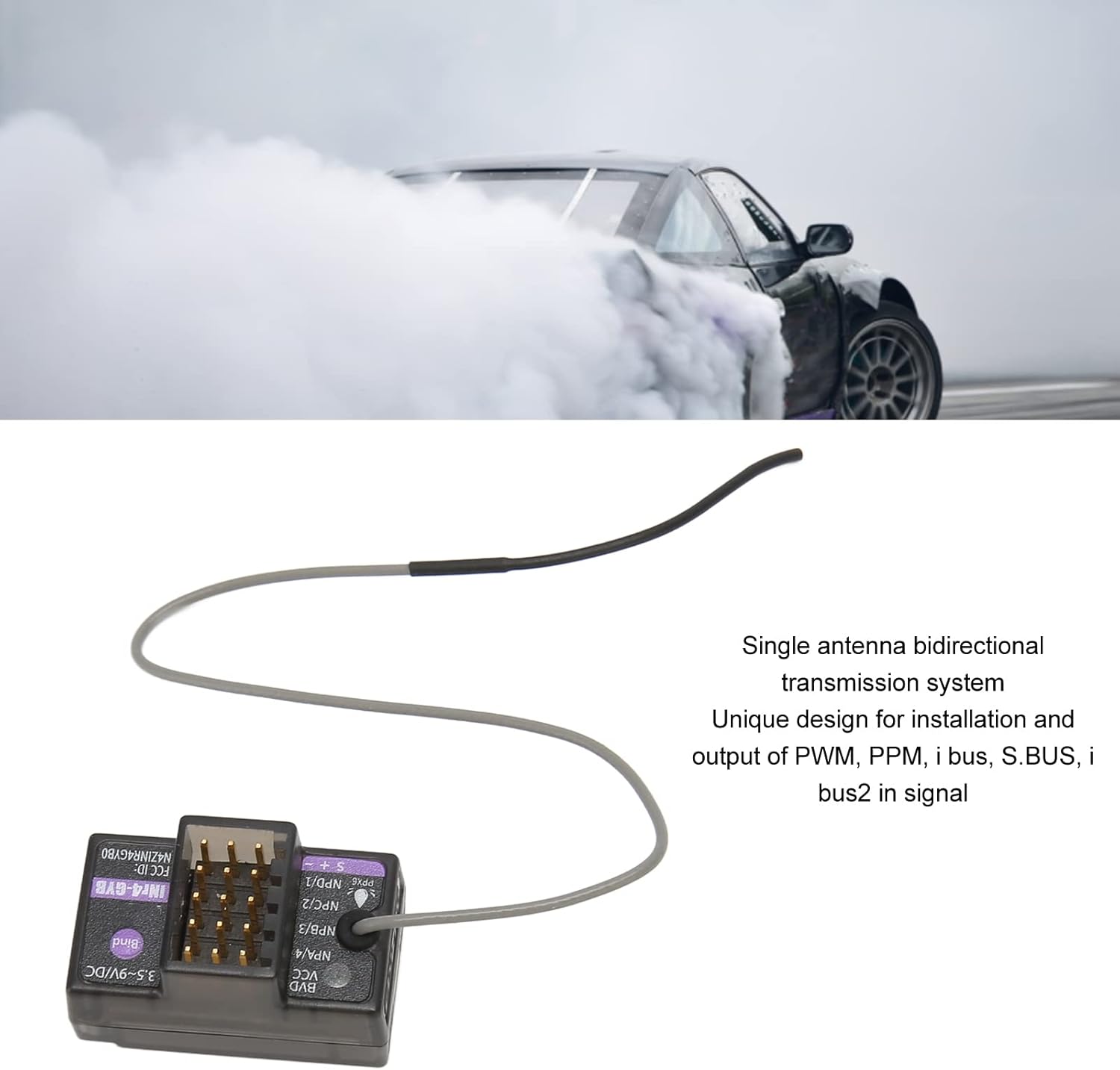
Image 3.1: The Jectse RC Gyro Receiver, illustrating its single antenna bidirectional transmission system and the various data output types supported (PWM, PPM, i BUS, S.BUS, i BUS2).
4. Ntọala na nwụnye
Follow these steps to properly install and set up your Jectse RC Gyro Receiver:
- Nwụnye anụ ahụ: Mount the receiver securely in your RC vehicle (car or boat), ensuring it is protected from excessive vibration and moisture.
- Njikọ ike: Connect the receiver to a power source within the specified input power range of 3.5-9 V DC.
- Ndakọrịta nke onye na-ebufe: Ensure your transmitter uses the AFHDS 3 protocol. Compatible transmitters include Flysky PL18, NB4, NB4 Lite, and other Noble series transmitters.
- Usoro nkwekọrịta:
- Ike na nnata.
- Pịa ma jide Kechie button on the receiver.
- Initiate the binding process on your AFHDS 3 compatible transmitter according to its specific instructions.
- Once bound, the receiver's indicator light will confirm a successful connection.
- Data Output Connections: Connect your servos, ESC, and other components to the appropriate PWM, PPM, i BUS2, S.BUS, or J BUS ports on the receiver.
- BVD Port Connection: If using the Battery Voltage Detection (BVD) function, connect the provided cable to the BVD port naanị. Do not connect other components to this port.
- Gyroscope Function (Noble Series): For Noble series transmitters, you may need to enable the gyroscope function (INr4 GYB) through your transmitter's settings menu. Refer to your transmitter's manual for detailed instructions.
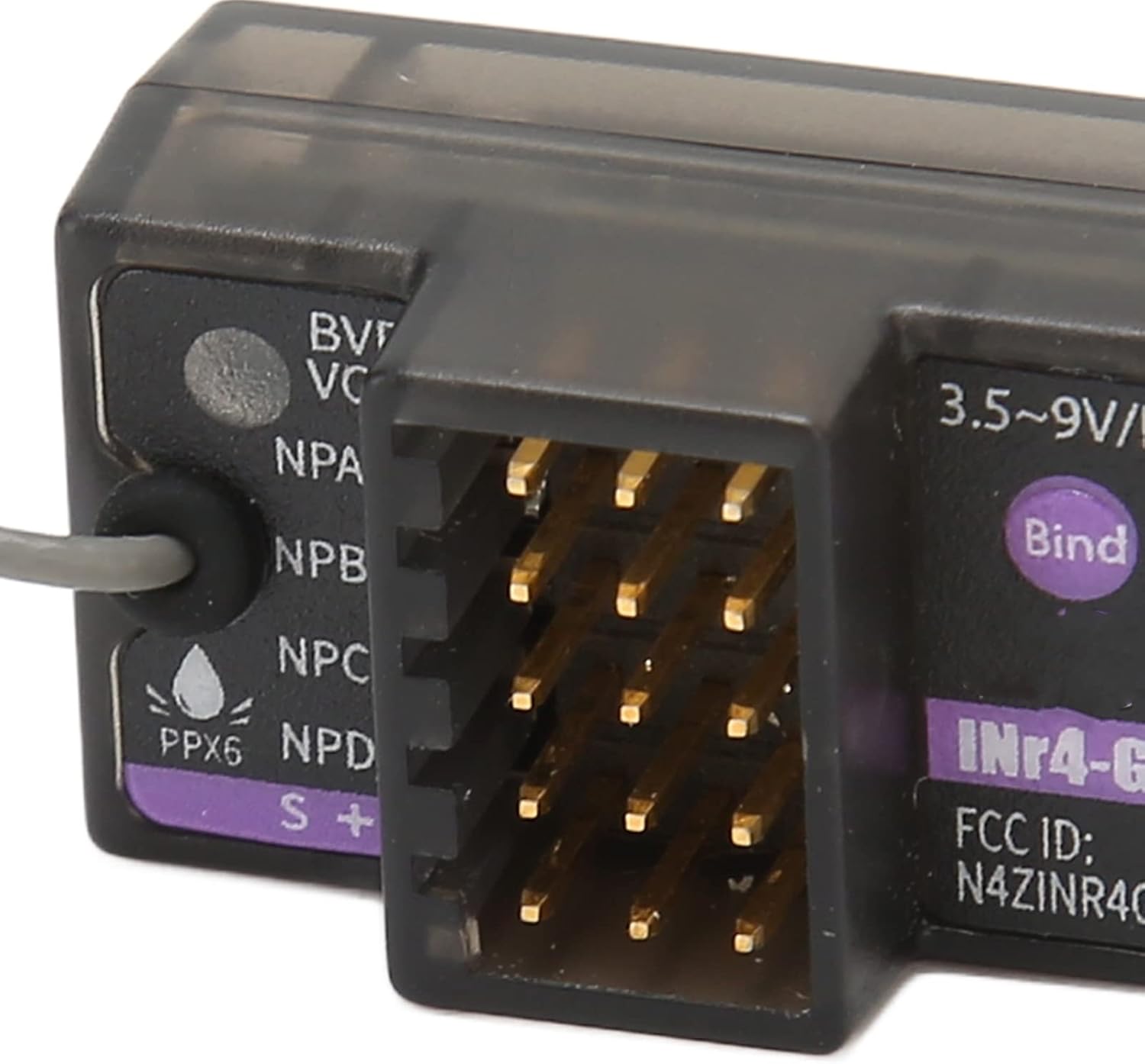
Foto 4.1: nso nso view of the Jectse RC Gyro Receiver, showing the various ports for connections and the "Bind" button for pairing with a transmitter.

Image 4.2: The connection cable, with a clear warning to connect it to the BVD port only for battery voltage nchọpụta.
5. Ntuziaka ọrụ
Once the receiver is successfully installed and bound to your transmitter, you can begin operation:
- Isi njikwa: Use your AFHDS 3 transmitter to control your RC vehicle. The receiver processes signals for steering, throttle, and other functions via the connected servos and ESC.
- Gyroscope Function: The built-in gyroscope provides stability and improved handling, especially for drift cars and other high-performance vehicles. Adjust gyroscope sensitivity via your transmitter if supported.
- Batrị Voltage Detection (BVD): If the BVD cable is connected, your transmitter can display the real-time battery voltage of your RC vehicle, allowing you to monitor power levels during operation.
- Mbupute data: The receiver supports various data output protocols. Ensure your connected devices (e.g., flight controllers, telemetry modules) are configured to receive data from the appropriate port (PWM, PPM, i BUS2, S.BUS, J BUS).

Image 5.1: The Jectse RC Gyro Receiver, detailing its compatibility with AFHDS 3 transmitters (PL18, NB4, NB4 Lite) and its suitability for various RC applications including drift cars, recreational vehicles, F1, and linear acceleration cars. It also notes the ability to enable gyroscope function for Noble series.
6. Nlekọta
Proper maintenance ensures the longevity and reliable performance of your receiver:
- Nhicha: Regularly clean the receiver with a soft, dry cloth. Avoid using harsh chemicals or solvents.
- Ọnọdụ gburugburu: Operate and store the receiver within the specified temperature range (-10°C to +60°C) and humidity range (20%-95%).
- Nchekwa mmiri: While the receiver is PPX6 splash-proof, avoid submerging it in water or exposing it to heavy rain. Ensure all connections are dry before powering on.
- Iguzosi ike n'ezi ihe njikọ: Periodically check all wire connections for looseness or damage. Secure any loose connections.
- Mmelite femụwe: The receiver supports online updates. Check the Jectse official website or your transmitter's manufacturer for available firmware updates to ensure optimal performance and access to new features.
7. Nchọpụta nsogbu
If you encounter issues with your receiver, refer to the following common troubleshooting steps:
- Enweghị ike:
- Check power source connection and battery charge.
- Gbaa mbọ hụ na ntinye voltage is within 3.5-9 V DC.
- Ọdịda nke Njikọta:
- Ensure both receiver and transmitter are in binding mode.
- Verify your transmitter is AFHDS 3 compatible.
- Move closer to the transmitter during the binding process.
- Lelee maka ndabichi sitere na ngwaọrụ 2.4GHz ndị ọzọ.
- Loss of Signal/Intermittent Control:
- Check antenna placement; ensure it is not obstructed or damaged.
- Verify the transmitter battery level.
- Ensure no strong interference sources are nearby.
- Gyroscope Not Functioning (Noble Series):
- Confirm the gyroscope function (INr4 GYB) is enabled in your transmitter's settings.
- Refer to your transmitter's manual for specific gyroscope calibration or adjustment procedures.
- Mmepụta data ezighi ezi:
- Verify that connected devices are configured for the correct data protocol (PWM, PPM, i BUS2, S.BUS, J BUS).
- Check wiring connections to ensure they are correctly plugged into the designated ports.
If problems persist, consult the support resources mentioned in the next section.
8. Akwụkwọ ikike na nkwado
For warranty information and technical support, please refer to the documentation provided with your purchase or contact Jectse customer service directly. Keep your proof of purchase for warranty claims.
Maka enyemaka ọzọ, ị nwekwara ike ịga na Jectse Store on Amazon.