
Okwu mmalite
This manual provides instructions for the safe and efficient operation of your iLiving 12-Inch Rechargeable Battery Operated Camping Floor Fan. Please read all instructions carefully before use and retain this manual for future reference.
Ntuziaka nchekwa dị mkpa
- Gbaa mbọ hụ na edobere fan ahụ n'elu kwụsiri ike, dịkwa larịị ka ọ ghara ịfetụ.
- Do not insert fingers or any objects through the fan grilles when the fan is operating.
- Keep the fan away from water or excessive moisture. This product has an IPx4 rating for indoor and outdoor use, but should not be submerged.
- Ejila eriri ma ọ bụ plọg mebiri emebi arụ ọrụ fan.
- Debe ụmụaka na anụ ụlọ n'ebe onye ofufe nọ n'oge ọrụ.
- Disconnect the power adapter when not in use or before cleaning.
- Jiri naanị nkwụnye enyere maka ịchaji.
Ihe ngwugwu
- iLiving 12-Inch Rechargeable Fan
- Ihe nkwụnye ọkụ
- Akwụkwọ ntuziaka onye nwe
Ngwaahịa gafereview
Familiarize yourself with the main parts of your iLiving fan.
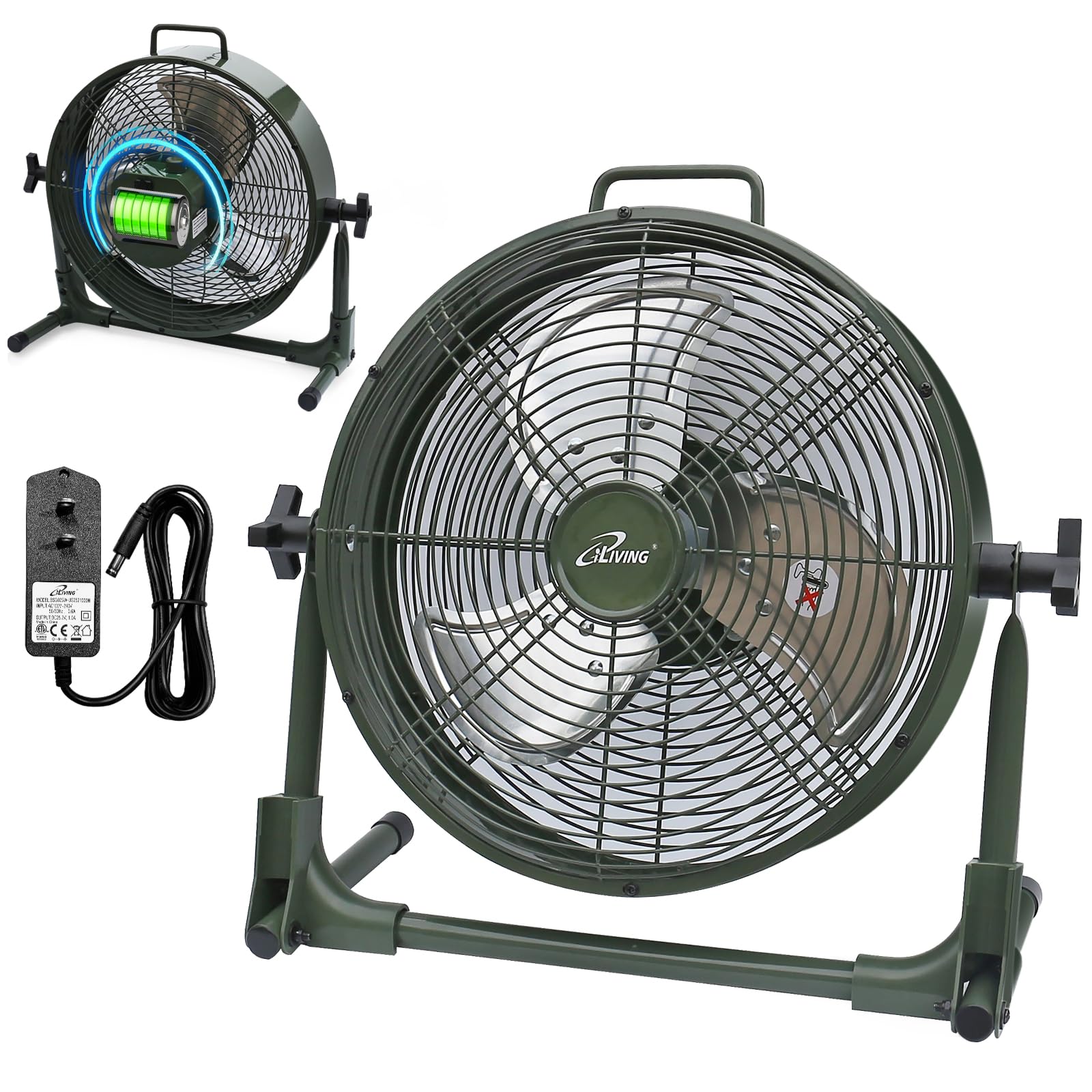
Melite
Your iLiving fan comes mostly pre-assembled. Follow these steps for initial setup:
- Unpack the fan and all accessories from the box.
- Tinye fan ahụ n'elu elu kwụ ọtọ ma dịkwa larịị.
- Adjust the fan head to your desired angle by loosening the side knobs, tilting the fan, and then tightening the knobs.
- Before first use, fully charge the fan using the provided power adapter. Connect the adapter to the charging port on the fan and plug it into a standard electrical outlet. The battery indicator lights will show charging progress.
Ntuziaka ọrụ
Turning On/Off and Adjusting Speed
The fan features a control knob located on the back for power and speed adjustment.
- To turn the fan on, rotate the control knob clockwise from the "OFF" position.
- Continue rotating the knob clockwise to increase the fan speed from "LOW" to "MAX".
- To decrease the fan speed, rotate the knob counter-clockwise.
- To turn the fan off, rotate the knob counter-clockwise until it reaches the "OFF" position.
Ihe ngosi batrị
The LED lights next to the control knob indicate the current battery level. When charging, these lights will illuminate to show progress.

Ọrụ Bank Power
Your iLiving fan can also function as a portable power bank to charge mobile devices.
- Locate the USB charging port on the back of the fan.
- Connect your mobile device's USB cable (not included) to this port.
- Press the "USB ON/OFF" button to activate the charging function.
- The fan's internal battery will provide power to charge your device.

Nlekọta
Nlekọta na nhicha
- Kwupuo fan mgbe niile tupu ihicha ya.
- Jiri nwayọọ, damp akwa iji hichaa elu elu nke fan.
- To clean the fan blades, carefully remove the front grille (if removable, otherwise use a vacuum cleaner with a brush attachment). Ensure the fan is completely off and unplugged.
- Ejila ihe na-ehicha ihe ma ọ bụ ihe mgbaze, n'ihi na ndị a nwere ike imebi njedebe nke fan.
- Chekwaa fan n'ebe dị jụụ, kpọrọ nkụ mgbe ọ naghị eji ya.
Nchọpụta nsogbu
Okwu ndị nkịtị
| Nsogbu | Ihe nwere ike ime | Ngwọta |
|---|---|---|
| Onye ofufe anaghị agbanwuo. | Enweghị ike ma ọ bụ obere batrị. | Ensure the fan is charged or plugged into a working outlet. Check the power adapter connection. |
| Fan runs slowly or weakly. | Low battery or obstruction. | Charge the battery fully. Check for any obstructions around the fan blades or grilles. |
| USB charging port not working. | USB function not activated or low fan battery. | Press the "USB ON/OFF" button. Ensure the fan has sufficient battery charge to power external devices. |
| Mkpọtụ na-adịghị ahụkebe n'oge arụ ọrụ. | Loose parts or foreign object. | Turn off and unplug the fan. Inspect for any loose parts or foreign objects within the fan grille. If the issue persists, contact customer support. |
Nkọwapụta ngwaahịa
| Njirimara | Nkọwa |
|---|---|
| Aha Nlereanya | ILG8RX12 |
| Ụdị | Ịdị ndụ |
| Akụkụ ngwaahịa | 7.25"D x 16"W x 15.25"H |
| Ibu Ibu | 6.4 pound |
| Isi Iyi Ike | Rechargeable Battery Operated |
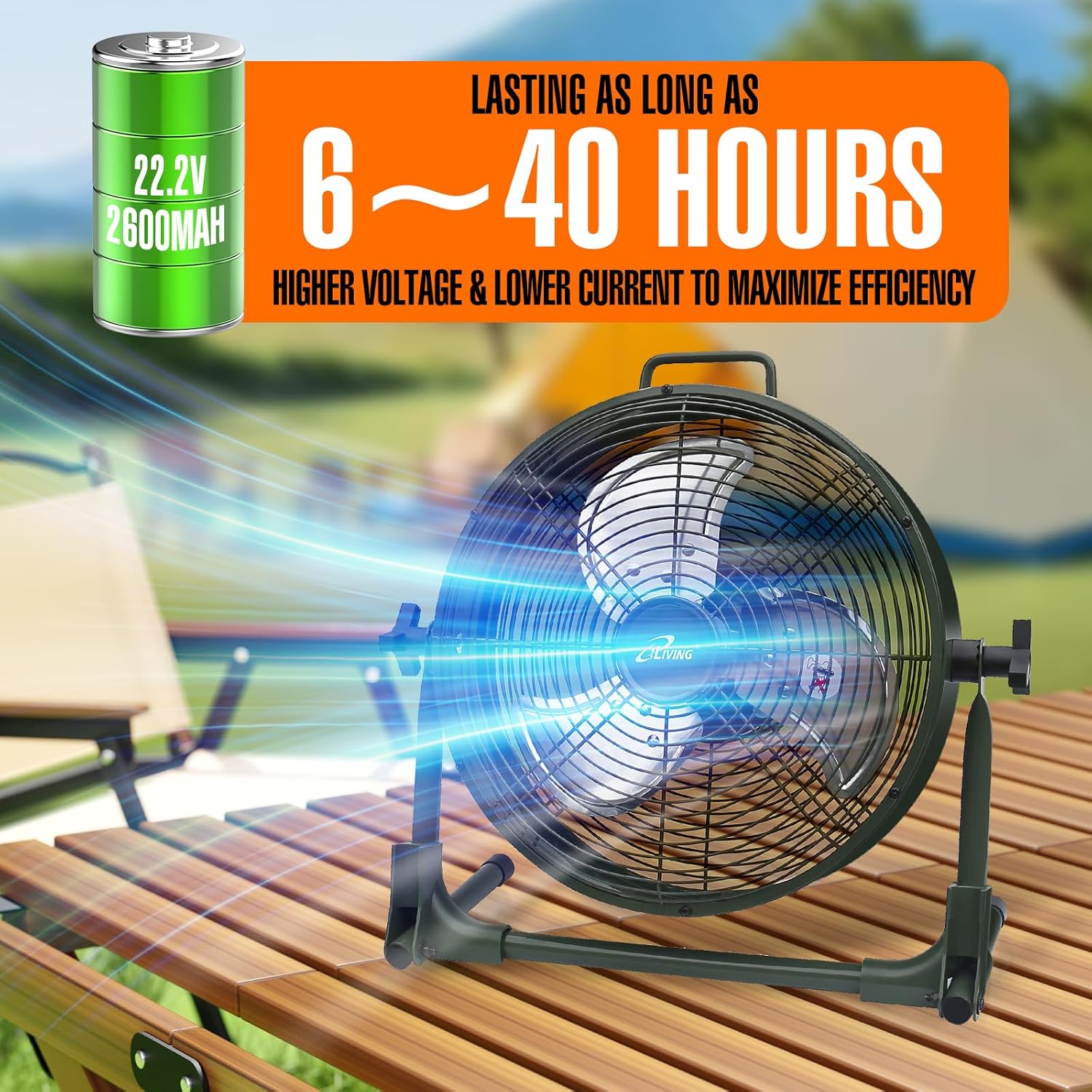
| Batrị | 22.2V, 2600mAh Lithium-ion |
| Wattage | 13 watt |
| Ọsọ | 1360 RPM |
| Ọkwa mkpọtụ | 58 decibel |
| Ihe onwunwe | Metal (casing), Plastic (blade) |
| Njirimara Pụrụ Iche | Adjustable Tilt, Power Bank Function |
| Ojiji ime ime/n'èzí | Ime ụlọ, n'èzí |
| Mmiri Nguzogide | IPx4 kwadoro |
| Ngwa gụnyere | Rechargeable Fan, Adapter, Owner's Manual |
| Asambodo | UL, UL |
Ozi akwụkwọ ikike
This iLiving product comes with a 1-Year Limited Component Warranty. For warranty claims or technical assistance, please contact iLiving customer service.
Nkwado ndị ahịa
For any questions, concerns, or support needs, please visit the official iLiving websaịtị ma ọ bụ kpọtụrụ ngalaba ọrụ ndị ahịa ha.
You can also leave a review for the product at Amazon Product Review Ibe.