
iJoy DHP2431
iJoy Disney Nightmare Before Christmas Sally Dress Bluetooth Headphones User Manual
Model: DHP2431 | Brand: iJoy
Okwu mmalite

Foto: The iJoy Disney Nightmare Before Christmas Sally Dress Bluetooth Headphones, showcasing their unique design.
Thank you for choosing the iJoy Disney Nightmare Before Christmas Sally Dress Bluetooth Headphones. These wireless over-ear headphones are designed to provide a rich audio experience with a unique Sally Dress design. They feature a built-in microphone for hands-free calling, a foldable design for portability, and versatile connectivity options. This manual will guide you through the setup, operation, and maintenance of your new headphones.
Melite
1. Ịchaji ekweisi
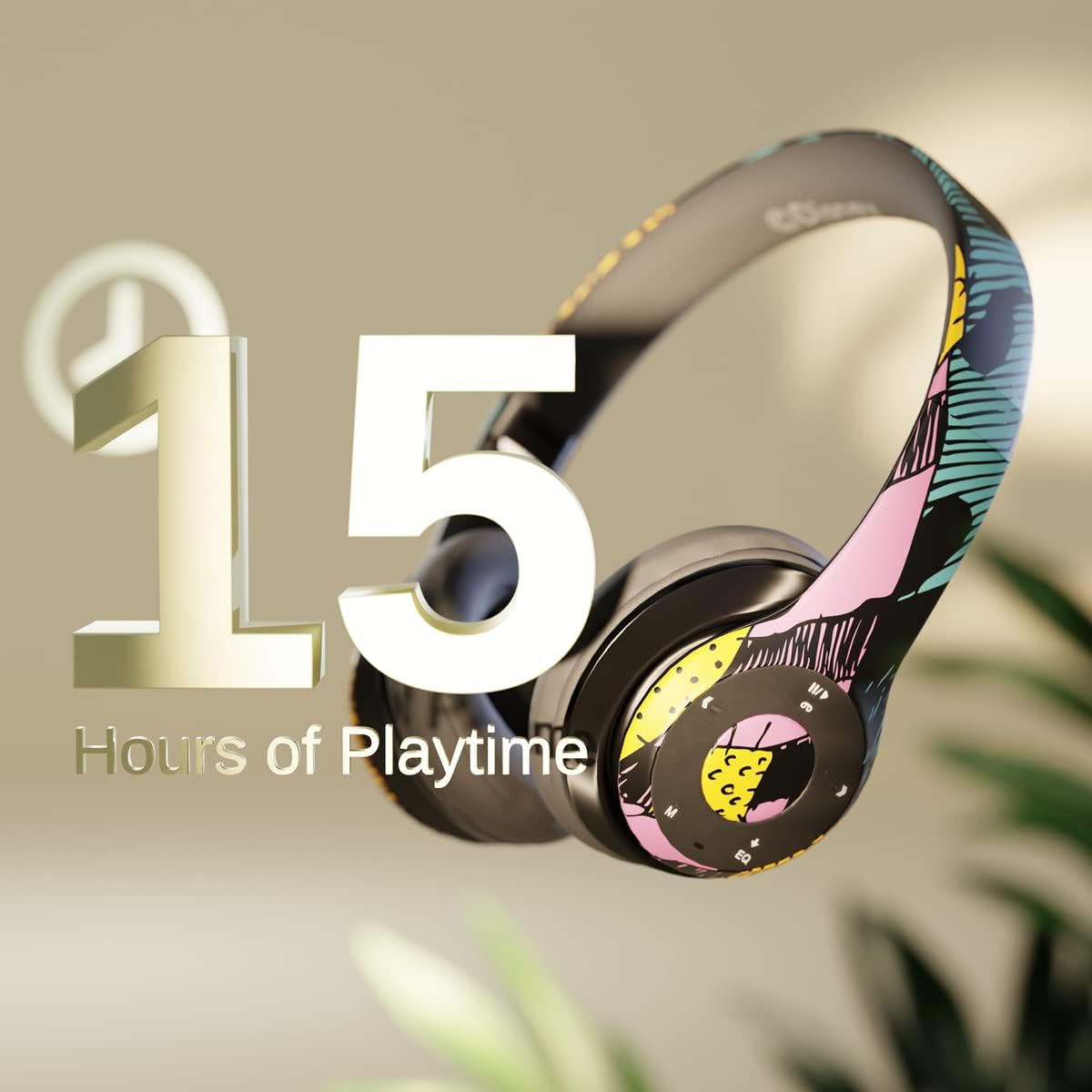
Foto: Graphic indicating 15 hours of playtime for the headphones, highlighting battery endurance.
Before first use, fully charge your headphones. Connect the provided charging cable to the charging port on the headphones and a USB power source. The LED indicator will show charging status and turn off when fully charged. A full charge provides approximately 15 hours of battery life.
2. Njikọ Bluetooth

Foto: The headphones with a graphic illustrating universal compatibility with both Apple and Android devices.
- Gbaa mbọ hụ na agbanyụrụ ekweisi.
- Pịa ma jide bọtịnụ ike ruo mgbe akara ọkụ ọkụ na-acha anụnụ anụnụ na ọbara ọbara, na-egosi ọnọdụ njikọ.
- On your Bluetooth-enabled device (smartphone, tablet, computer), go to Bluetooth settings and search for available devices.
- Select "iJoy DHP2431" (or similar name) from the list.
- Ozugbo ejikọrọ, ihe ngosi LED ga -eji nwayọ na -acha anụnụ anụnụ.
3. Using the Auxiliary Cable
For a wired connection, plug one end of the 3.5mm auxiliary cable into the headphone's audio jack and the other end into your audio device. This allows for continued listening even if the battery is depleted.
4. Mkpọghachi Kaadị Micro SD
Insert a Micro SD card with your favorite music into the designated slot on the headphones. The headphones will automatically switch to Micro SD card playback mode. Use the control buttons to manage your music.
Ntuziaka ọrụ
Gbanyụọ/ Gbanyụọ
- Iji gbanye: Pịa ma jide bọtịnụ ike ruo mgbe ihe ngosi LED na-enwu.
- Iji gbanyụọ: Pịa ma jide bọtịnụ ike ruo mgbe ihe ngosi LED gbanyụrụ.
5-Button Control System
The headphones feature a convenient 5-button control system located on the ear cup for easy management of audio and calls.

Foto: Zuru ezu view of the 5-button control panel on the headphone ear cup, indicating functions for volume, track navigation, equalizer, and call management.
- Play/Pause/Answer/Hang-up: Press the center button to play or pause music, or to answer/end a phone call.
- Elu elu/ Track na-esote: Press the '+' button to increase volume. Hold the '+' button to skip to the next track.
- Egwu ala / egwu gara aga: Press the '-' button to decrease volume. Hold the '-' button to go to the previous track.
- Mmepụta: Press the 'EQ' button to cycle through different equalizer presets.
- Ụdị Nhọrọ: Press the 'M' button to switch between Bluetooth, Micro SD card, and FM Radio modes.
Ịkpọ oku na-enweghị aka
With the built-in microphone, you can make and receive calls directly through your headphones when connected via Bluetooth to your smartphone. Use the center button to answer or end calls.
Nnata redio arụnyere n'ime ya
Switch to FM Radio mode using the 'M' button. The headphones will automatically scan and tune into available radio stations. Use the track navigation buttons to change stations.
Nhazi nke enwere ike idobe

Foto: The headphones are shown in their folded configuration, highlighting their compact and portable design for easy storage and transport.
The headphones feature a foldable design, allowing for easy storage and portability. Simply fold the ear cups inwards towards the headband to reduce their size for travel or storage in a backpack.
Noise Canceling Design

Foto: Ihe gbawara view of the headphone's ear cup, illustrating the internal speaker components and the connection point for the auxiliary cable, emphasizing the noise-canceling technology.
The over-ear cup design helps to isolate audio, providing a more immersive listening experience by reducing external noise interference.
Nlekọta
- Nhicha: Jiri akwa dị nro dị nro hichaa ekweisi. Ejila ihe nchacha abrasive ma ọ bụ ihe mgbaze.
- Nchekwa: When not in use, store the headphones in a cool, dry place. Utilize the foldable design for compact storage.
- Nlekọta batrị: Ka ịgbatị ndụ batrị ogologo, zere ịchaji ekweisi ugboro ugboro. Na-ana ha ebubo mgbe niile, ọbụlagodi na ọ bụghị iji ya mgbe niile.
- Nguzogide mmiri: These headphones are not water-resistant. Avoid exposure to liquids.
Nchọpụta nsogbu
- Enweghị ike: Gbaa mbọ hụ na chajịrị ekweisi nke ọma. Jikọọ na isi iyi ike wee lelee ihe ngosi nchaji.
- Enweghị ike ijikọ site na Bluetooth:
- Ensure the headphones are in pairing mode (LED flashing blue and red).
- Make sure Bluetooth is enabled on your device and it's within range (typically 10 meters).
- Forget the device from your phone's Bluetooth list and try pairing again.
- Malitegharịa ekwentị ma ekweisi na ngwaọrụ gị.
- Enweghị ụda:
- Lelee ọkwa olu dị na ekweisi na ngwaọrụ ejikọrọ gị.
- Ensure the headphones are properly connected via Bluetooth or auxiliary cable.
- If using an SD card, ensure the audio files dị n'ụdị dakọtara.
- Ogo ụda adịghị mma:
- Move closer to your Bluetooth device to avoid interference.
- Lelee isi iyi ọdịyo maka nsogbu dị mma.
- Ensure the ear cups are properly positioned over your ears for optimal sound isolation.
Nkọwapụta
| Aha Nlereanya | DHP2431 |
| Teknụzụ Njikọta | Ikuku (Bluetooth) |
| Teknụzụ nzikọrịta ozi ikuku | Bluetooth |
| Ngwa gụnyere | Headphones, Charging Cable, Auxiliary Cable |
| Ogologo afọ (Nkọwa) | Adult (suitable for kids) |
| Ihe onwunwe | Plastic, Metal, Fabric, Memory Foam |
| Eji akwadoro maka ngwaahịa | Egwu, ịkpọ oku |
| Ngwa dakọtara | Ngwa ndị enyere Bluetooth aka |
| Ụdị njikwa | Volume Control, Track Navigation, Equalizer, Mode Selector |
| Njirimara USB | Retractable, Without Cable (for wireless use) |
| Ibu Ibu | 0.26 Kilogram (9.1 ounces) |
| Ọkwa Nguzogide mmiri | Ọ bụghị mmiri na-eguzogide |
| Ụdị | Sally Dress |
| Usoro njikwa | Bọtịnụ |
| Ọnụọgụ nke ihe | 1 |
| Ndụ batrị | Awa 15 |
| Ụdị ọkwọ ụgbọ ala ọdịyo | Ọkwọ ụgbọala dị ike |
| Ụdị ntị | Ntị karịa |
| Ngwaọrụ Akụrụngwa | 3.5mm Audio |
| UPC | 842700197150 |
| Njirimara Pụrụ Iche | Built-in Radio Receiver, Foldable and Adjustable headband, Micro SD Card Plug-in, Microphone Included |
| Onye nrụpụta | iJoy |
| Akụkụ ngwugwu | 6.57 x 6.1 x 3.19 sentimita asatọ |
| Batrị | 1 batrị lithium polymer chọrọ (gụnyere) |
Akwụkwọ ikike
iJoy provides a 6-month exchange warranty for these headphones. If your headset breaks or is damaged for any reason within this period, iJoy will provide you with a free replacement.
Nkwado
For further assistance, troubleshooting, or warranty claims, please contact iJoy customer support. You can often find contact information on the product packaging or by visiting the official iJoy websaịtị.
Vidiyo ngwaahịa
iJoy Disney Nightmare Before Christmas Headphones Overview
Vidiyo: An official product video showcasing the iJoy Disney Nightmare Before Christmas Headphones, highlighting their design and features.
Ask a question about this manual
Ask about setup, troubleshooting, compatibility, parts, safety, or missing instructions. Manuals+ will review the question and use this page’s manual context to help answer it.