
1. Okwu mmalite
Welcome to the user manual for your Havit Gaming Mouse MS1032. This document provides essential information for setting up, operating, maintaining, and troubleshooting your device. Please read it carefully to ensure optimal performance and longevity of your mouse.
The Havit MS1032 is a gaming mouse featuring six adjustable DPI settings, a comfortable ergonomic design, and a non-slip surface. It is engineered for smooth and quiet operation, aiming to reduce fatigue during extended use.
2. Nhazi
Ihe ngwugwu 2.1
- Havit Gaming Mouse MS1032
- Akwụkwọ ntuziaka onye ọrụ
2.2 System chọrọ
- Operating System: Windows XP, Windows 7, Linux
- Ọdụ ụgbọ USB dị
2.3 Ijikọ òké
- Unpack the Havit Gaming Mouse MS1032 from its packaging.
- Chọta ọdụ ụgbọ mmiri USB dị na kọmputa gị.
- Fanye njikọ USB nke òké n'ọdụ ụgbọ mmiri USB.
- Sistemụ arụmọrụ gị kwesịrị ịchọpụta ma wụnye draịva dị mkpa na akpaghị aka. Usoro a nwere ike were obere oge.
- Once installation is complete, the mouse is ready for use.
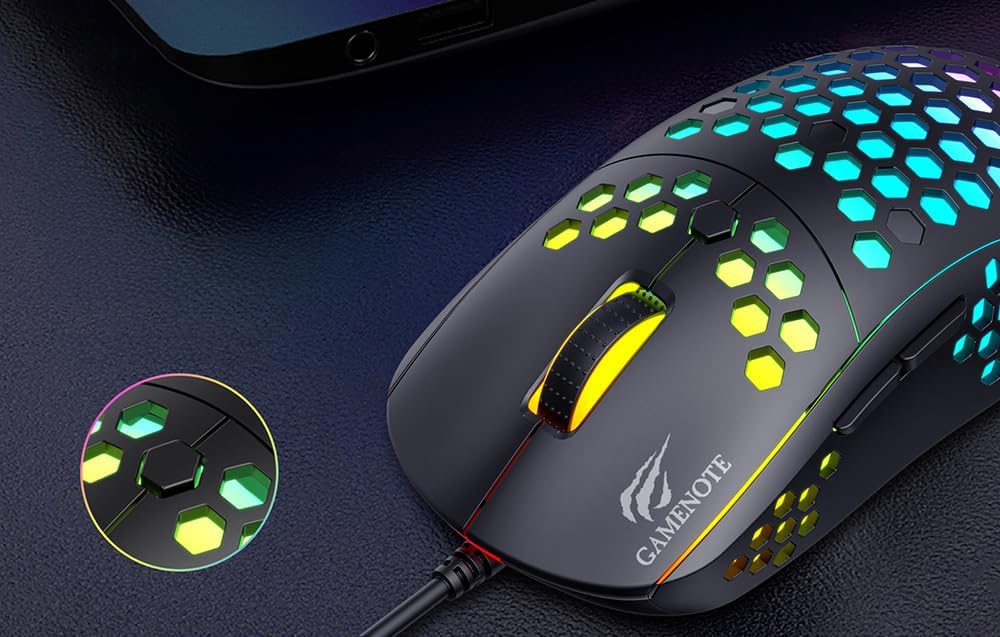
Figure 1: Havit MS1032 Gaming Mouse connected via USB.
3. Ntuziaka ọrụ
3.1 Ọrụ ndị bụ isi
- Pịa aka ekpe: Primary action, selection, activation.
- Pịa aka nri: Opens context menus, performs secondary actions.
- Mpempe akwụkwọ mpịakọta: Scrolls up/down documents or web ibe. Enwere ike pịa maka ịrụ ọrụ pịa etiti.
- Bọtịnụ akụkụ: Typically used for forward/backward navigation in web browsers or custom functions in games.
3.2 DPI mmezi
The Havit MS1032 features six adjustable DPI (Dots Per Inch) settings, allowing you to change the mouse sensitivity on the fly. This is useful for adapting to different tasks, such as precise aiming in games or fast navigation across multiple monitors.
To adjust the DPI, locate the DPI button, typically positioned behind the scroll wheel. Press this button to cycle through the available DPI settings. The LED lighting on the mouse may change to indicate the current DPI level, providing visual feedback for your selection.
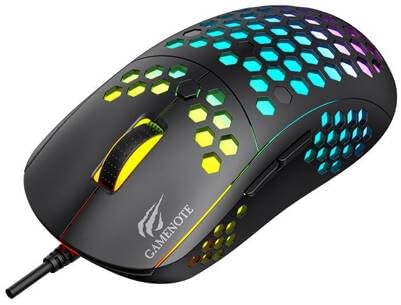
Figure 2: Location of the DPI button (behind the scroll wheel).
4. Nlekọta
4.1 Nhicha
Iji nọgide na-arụ ọrụ nke ọma ma na-adị mma, na-ehicha òké gị mgbe niile:
- Kwụpụ òké na kọmputa gị tupu ihicha.
- Jiri akwa dị nro na-enweghị ntụpọ dampejiri mmiri tinye ya ma ọ bụ ihe ngwọta dị nro na-adịghị emebi emebi.
- Gently wipe the surface of the mouse.
- For crevices and the optical sensor, use a cotton swab or compressed air to remove dust and debris.
- Avoid using harsh chemicals, abrasive cleaners, or excessive moisture, as these can damage the mouse's finish or internal components.
4.2 Nchekwa
When not in use, store the mouse in a clean, dry environment away from direct sunlight and extreme temperatures to prevent damage.
4.3 Nlekọta n'ozuzu
- Zere ịtụfu òké ahụ ma ọ bụ itinye ya n'ihe ike dị ukwuu.
- Do not attempt to disassemble the mouse, as this will void the warranty and may cause irreparable damage.
- Keep the mouse away from liquids to prevent electrical damage.
5. Nchọpụta nsogbu
If you encounter issues with your Havit Gaming Mouse MS1032, please refer to the following common solutions:
5.1 Òké Anaghị azaghachi
- Lelee njikọ USB: Hụ na eriri USB ahụ dị n'ime ọdụ USB na-arụ ọrụ nke ọma na kọmputa gị. Nwaa ọdụ USB ọzọ.
- Malitegharịa kọmputa: Mgbe ụfọdụ, ịmalitegharị kọmputa dị mfe nwere ike idozi nsogbu njikọ.
- Nwalee na Kọmputa ọzọ: Ọ bụrụ na o kwere mee, nwalee òké ahụ na kọmputa ọzọ iji chọpụta ma nsogbu ahụ ọ bụ òké ahụ ma ọ bụ ntọala kọmputa gị.
5.2 Mmegharị ihe nrụaka na-adịghị mma ma ọ bụ na-awụlikwa elu
- Ihe mmetụta dị ọcha: Hụ na ihe mmetụta anya dị n'ala òké ahụ dị ọcha ma ghara inwe uzuzu ma ọ bụ ihe mkpofu.
- Lelee elu: Use the mouse on a clean, non-reflective, and uniform surface (e.g., a mouse pad). Avoid glass or highly reflective surfaces.
- Adjust DPI: If the cursor is too fast or too slow, adjust the DPI setting using the DPI button.
Bọtịnụ 5.3 Adịghị arụ ọrụ
- Lelee maka ihe mgbochi: Gbaa mbọ hụ na etinyeghị ihe mkpofu n'okpuru bọtịnụ.
- Esemokwu ngwa ngwa: If you have custom mouse software installed, try uninstalling it temporarily to see if it resolves the issue.
5.4 Ọkụ LED anaghị arụ ọrụ
- Lelee njikọ: Ensure the mouse is properly connected to the computer.
- okirikiri ike: Disconnect and reconnect the mouse to reset its power.
6. Nkọwapụta

Figure 3: Havit MS1032 Gaming Mouse design overview.
| Njirimara | Nkọwa |
|---|---|
| Nlereanya | MS1032 |
| Ụdị | Havit |
| Akụkụ | 15 x 8 x 5.2 cm |
| Ibu | 200g |
| Ntọala DPI | 6 nhazi ọkwa |
| Sistemu eji arụ ọrụ | Linux, Windows 7, Windows XP |
| Njikọta | USB eriri |
| Batrị achọrọ | Mba |
7. Akwụkwọ ikike na nkwado
For detailed warranty information and technical support, please refer to the official Havit website or contact your local retailer where the product was purchased. It is recommended to keep your purchase receipt as proof of purchase for any warranty claims.
Onye nrụpụta: Havit
Nọmba nlereanya: MS1032