
1. Okwu mmalite
The VGR Professional Cordless Hair Clipper V-688 is designed for efficient and precise hair cutting. Featuring durable stainless steel self-sharpening blades, an intuitive LED display, and a powerful lithium-ion battery, this clipper offers a smooth and convenient grooming experience. It includes multiple guide combs and an adjustable taper lever for customized cutting lengths, making it suitable for various hair types and styles.
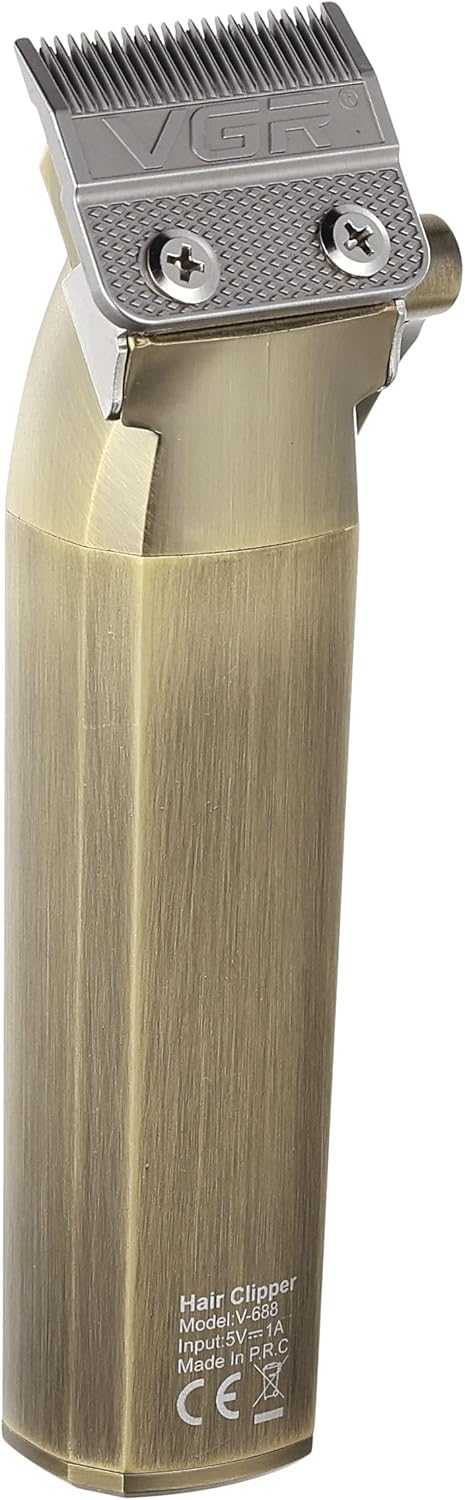
Image 1: The VGR Professional Cordless Hair Clipper V-688, showcasing nhazi na atụmatụ ya.
2. Ozi nchekwa
Please read all safety instructions carefully before using the VGR Professional Cordless Hair Clipper V-688 to ensure safe operation and prevent injury or damage.
- Always unplug the clipper before cleaning.
- Eminyela ihe nkedo n'ime mmiri.
- Keep blades away from your eyes and face during use.
- Ejila ya mee ihe maka ụmụ ọhụrụ ma ọ bụ ụmụaka na-enweghị nlekọta okenye.
- Always store the clipper out of reach of children and pets.
- Soro ntuziaka ihicha na mmezi enyere n'akwụkwọ ntuziaka onye ọrụ a.
- Do not attempt to disassemble or repair the clipper yourself. Contact customer support for assistance.
- Jiri naanị eriri USB chaja enyere.
3. Ihe ngwugwu
Nyochaa na etinyere ihe niile edepụtara n'okpuru na ngwugwu gị:
- 1x VGR Professional Hair Clipper V-688
- 4x Guide Combs (3mm, 6mm, 9mm, 12mm)
- USB USB Nchaji USB 1x
- 1x ahịhịa na-ehicha
- 1x Oil Bottle
- 1x mkpuchi mkpuchi
- 1x Akwụkwọ ntuziaka onye ọrụ

Image 2: The VGR V-688 Hair Clipper and its included accessories, such as guide combs, charging cable, and cleaning tools.
4. Nhazi
Follow these steps to prepare your hair clipper for first use:
- Ịkwapu: Carefully remove all components from the packaging and ensure they are present and undamaged.
- Ebube mbụ: Before first use, fully charge the hair clipper. Connect the USB charging cable to the clipper's charging port and a suitable USB power adapter (not included). The LED display will indicate the charging status and battery level. A full charge takes approximately 3.5 hours.
- Akara mmanu: Apply a small amount of the provided lubricating oil to the blades before the first use. Turn on the clipper for a few seconds to distribute the oil evenly. This ensures optimal performance and longevity of the blades.
5. Ntuziaka ọrụ
Learn how to use your VGR Professional Cordless Hair Clipper effectively:
- Lelee batrị: Ensure the clipper is sufficiently charged before use. The LED display shows the remaining battery percentage.
- Gbakwunye Comb ntuziaka: Select the desired guide comb (3mm, 6mm, 9mm, or 12mm) based on your preferred hair length and securely attach it to the clipper head. For precise trimming or a very close cut, you can use the clipper without a guide comb.
- Hazie Taper Lever: Use the adjustable taper lever on the side of the clipper to fine-tune cutting lengths between the comb settings. Moving the lever up shortens the cut, and moving it down lengthens it.
- Ike Na: Turn on the clipper using the power switch.
- Begin Cutting: For best results, cut hair against the direction of growth. Move the clipper smoothly and steadily through the hair.
- Gbanyụọ: After use, turn off the clipper and proceed to the cleaning and maintenance steps.
6. Nlekọta
Proper maintenance ensures the longevity and performance of your hair clipper:
- Akara Ọcha: After each use, turn off and unplug the clipper. Use the provided cleaning brush to remove loose hairs from the blades and inside the clipper head.
- Akara mmanu: Apply a few drops of the provided lubricating oil to the blades. Turn on the clipper for a few seconds to distribute the oil evenly. This helps maintain blade sharpness, reduces friction, and prevents rust.
- Nchekwa: Store the clipper in a dry place, away from direct sunlight and moisture. Use the protection cap to cover the blades when not in use to prevent damage.
7. Nchọpụta nsogbu
If you encounter any issues with your VGR Hair Clipper, refer to the following common problems and solutions:
| Nsogbu | Ihe nwere ike ime | Ngwọta |
|---|---|---|
| Clipper anaghị agbanye | Low battery or power switch not fully engaged. | Charge the clipper fully. Ensure the power switch is pushed completely to the ON position. |
| Clipper pulling hair | Blades are dull, dirty, or not properly oiled. Battery charge is too low. | Clean and oil the blades. Ensure the clipper is sufficiently charged. |
| Ebipụghị nke ọma | Guide comb not securely attached. Hair buildup under the comb or between blades. | Re-attach the guide comb firmly. Clean the blades and comb thoroughly. |
| Oke mkpọtụ ma ọ bụ ịma jijiji | Blades require cleaning and oiling. | Clean and oil the blades. If the issue persists, contact customer support. |
8. Nkọwapụta
Detailed technical specifications for the VGR Professional Cordless Hair Clipper V-688:
- Nọmba nlereanya: V-688
- Isi mmalite ike: Ejiri batrị rụọ ọrụ
- Ụdị batrị: 1 Lithium-ion battery (2000mAh, included)
- Oge nchaji: Ihe dị ka awa 3.5
- Oge ọrụ: Ruo nkeji 200 (ihe dị ka awa 3)
- Ihe agụba: Igwe anaghị agba nchara
- Ogologo oge ịkpụ: 3mm, 6mm, 9mm, 12mm (with guide combs)
- Taper lever nwere ike idozi: Ee
- Atụmatụ pụrụ iche: Self-sharpening blades, Cordless operation, LED display for battery status
- Akụkụ: 34.3 x 15 x 7.5 cm
- Arọ: 400 grams
- Ụdị njikọ: USB

Image 3: Diagram illustrating the dimensions of the VGR V-688 Hair Clipper.
9. Akwụkwọ ikike na nkwado
Your VGR Professional Cordless Hair Clipper V-688 comes with a commitment to quality and customer satisfaction.
- Akwụkwọ ikike: This product is covered by a 12-month quality warranty from the date of purchase.
- Nkwado ndị ahịa: If you encounter any issues or have questions regarding your product, please do not hesitate to contact our customer service team.
- Email kọntaktị: warranty@vgrindia.co
- Our customer service team aims to respond within 24 hours to provide assistance and solutions for all your inquiries.