
Okwu mmalite
Thank you for choosing the Dexnor Full Body Case for your Samsung Galaxy S23 Plus 5G. This case is designed to provide robust protection, combining a hard PC shell with a shockproof TPU bumper. It features a built-in screen protector and a convenient kickstand for enhanced functionality. This manual will guide you through the installation, usage, and maintenance of your new phone case.

The Dexnor Full Body Case for Samsung Galaxy S23 Plus 5G in Navy Blue.
Ntuziaka nwụnye
Your Dexnor case comes with two front frames: one with a built-in screen protector and one open frame. Choose the frame that best suits your preference. For optimal protection, we recommend using the frame with the built-in screen protector.

The case includes two front frames, offering a choice between a built-in screen protector or an open design.
Nwụnye nzọụkwụ site na nzọụkwụ:
- Separate the Case Components: Carefully detach the front frame from the back cover. You may need to gently pry them apart at the corners.
- Fanye ekwentị gị: Place your Samsung Galaxy S23 Plus 5G into your chosen front frame (with or without the built-in screen protector). Ensure all edges are securely seated within the frame.
- Attach the Back Cover: Align the front frame (with your phone inside) with the back cover. Press firmly around the edges until the two parts snap together securely. Ensure there are no gaps.
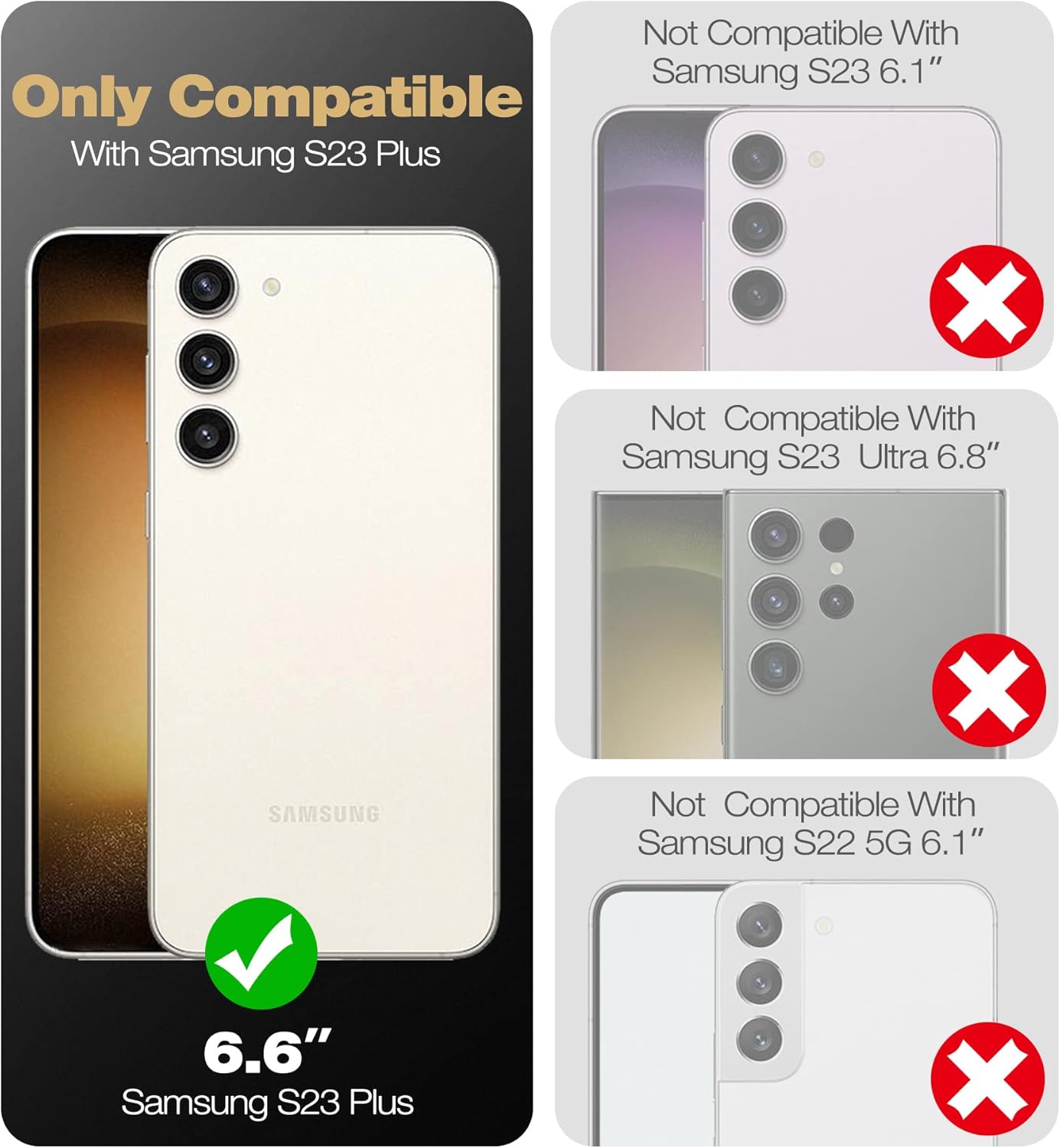
Ensure your device is the Samsung Galaxy S23 Plus (6.6 inches) for proper fit.
This video demonstrates the installation process for the Dexnor case, including how to assemble the double front frame with your Samsung phone.
Using Your Case
Kickstand Functionality:
The built-in kickstand allows for convenient hands-free viewing in both landscape and two different portrait angles. To use, gently pull out the kickstand from the back of the case until it locks into position. To retract, push it back into the case until it sits flush.

The integrated kickstand supports both vertical and horizontal viewọnọdụ ọnọdụ.
Nchaji ikuku:
The Dexnor case is designed to be fully compatible with wireless chargers. You do not need to remove the case for wireless charging functionality.
Enhanced Protection Features:
The case features raised lips around the screen and camera to provide additional protection against scratches and impacts. Reinforced corners are designed to absorb shock from drops and falls.

Zuru ezu view of the raised bezels protecting the camera and screen.
Nlekọta na nlekọta
To keep your Dexnor case clean, wipe it regularly with a soft, damp cloth. Avoid using harsh chemicals or abrasive cleaners, as these may damage the case material or the built-in screen protector.
Ịchọpụta nsogbu ndị a na-ahụkarị
Fingerprint Scanner Issues:
If you experience difficulty with the fingerprint scanner after installing the case with the built-in screen protector, try the following:
- Re-register Fingerprints: Delete your existing fingerprints and re-register them with the case installed. This allows the phone to recognize your fingerprint through the screen protector.
- Ensure Cleanliness: Make sure both your finger and the screen protector's fingerprint area are clean and dry.
- Alternative Front Frame: If issues persist, consider using the alternative front frame without the built-in screen protector, in conjunction with your preferred screen protector.
Stiff Kickstand:
If the kickstand feels stiff or difficult to open/close initially, gently operate it a few times. It may loosen slightly with regular use. Avoid excessive force to prevent damage.
Nkọwapụta ngwaahịa
| Njirimara | Nkọwa |
|---|---|
| Ụdị | Dexnor |
| Ụdị ekwentị dakọtara | Samsung Galaxy S23 Plus |
| Agba | Nevi blu |
| Ihe onwunwe | Polycarbonate, Thermoplastic Polyurethane |
| Ọkwa Nguzogide mmiri | Ọ bụghị mmiri na-eguzogide |
| Atụmatụ ndị ọzọ | Camera Protector, Heavy Duty Protection, Built-in Kickstand, Built-in Screen Protector |
| Nha ihuenyo | 6.6 sentimita asatọ |
| Ụdị Ihe | Ihe mgbochi |
| Nọmba nlereanya | S23 Plus |
| Akụkụ akụkụ | 6.5 x 6.42 x 0.59 sentimita asatọ |
Akwụkwọ ikike na nkwado
Dexnor products are designed for durability and reliability. This case is covered by a 10-year warranty for phone/tablet cases, ensuring long-term peace of mind. We also offer a 60-day return policy.
For any questions, support, or warranty claims, please visit the official Dexnor store or contact customer service through your purchase platform. Dexnor aims to respond to inquiries within 24 business hours and 48 hours on weekends/holidays.
You can find more information and other products at the Dexnor Store.