
1. Okwu mmalite
Thank you for choosing the fojep Wireless Earbuds BX28. These earbuds are designed to provide a high-quality audio experience with advanced features for daily use and sports activities. This manual will guide you through the setup, operation, and maintenance of your new earbuds.

Figure 1.1: fojep Wireless Earbuds BX28 with charging case. The earbuds feature an ergonomic design with earhooks for a secure fit, and the charging case has an LED digital display.
2. Ihe ngwugwu
Biko chọpụta na ihe niile dị na ngwugwu gị:
- fojep Wireless Earbuds (Left and Right)
- Charging Case with LED Digital Display
- USB Type-C Nchaji USB
- Eartips (3 sizes: S, M, L)
- Akwụkwọ ntuziaka onye ọrụ
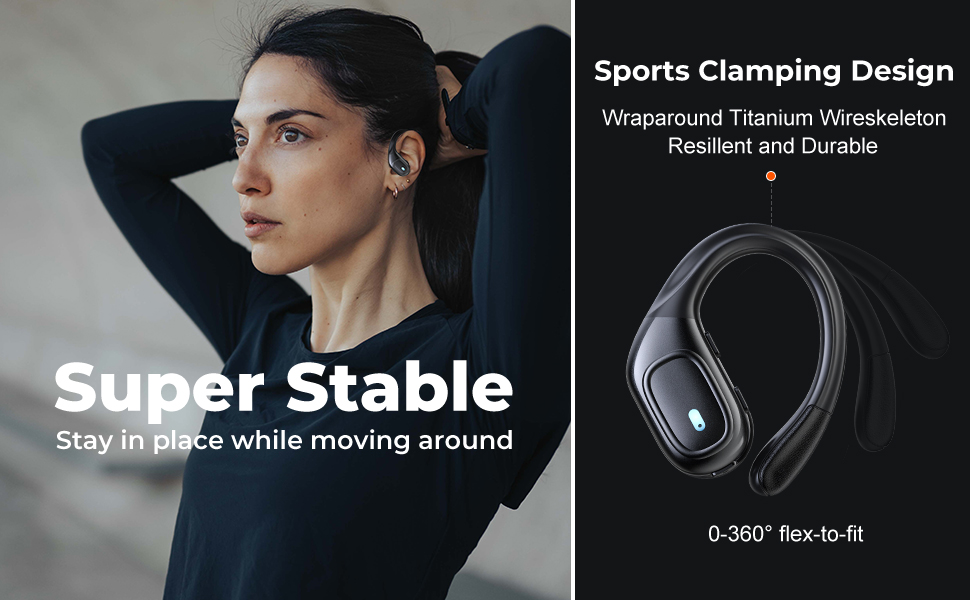
Figure 2.1: Illustration of the items included in the fojep BX28 earbud package, showing the earbuds, charging case, charging cable, and various eartip sizes.
3. Nhazi
3.1 Ịchaji ntị na akpa
Before first use, fully charge the earbuds and the charging case. The charging case features an LED digital display that shows the battery percentage of the case and individual battery status bars for each earbud.
- Place both earbuds into the charging case. Ensure they are correctly seated; the indicator lights on the earbuds will illuminate.
- Connect the USB Type-C charging cable to the charging port on the case and the other end to a USB power source (e.g., wall adapter, computer USB port).
- The LED display on the charging case will show the charging progress. A full charge typically takes approximately 1.5-2 hours.

Figure 3.1: The charging case displays the battery percentage for the case and individual charge levels for the left and right earbuds. The earbuds offer up to 7 hours of playtime, extended to 75 hours with the charging case.
3.2 Ijikọ na ngwaọrụ Bluetooth
The fojep BX28 earbuds feature one-step auto pairing for convenience.
- Mepee igbe nchaji. Igwe ntị ga-agbanye na-akpaghị aka wee banye ọnọdụ njikọta.
- On your device (smartphone, tablet, laptop), activate Bluetooth.
- Chọọ maka available Bluetooth devices. Select "BX28" site na ndepụta.
- Ozugbo ejikọtara ya, ị ga-anụ olu nkwenye, ekweisi ndị ahụ ga-adịkwa njikere maka ojiji.
Eriri ntị ndị a ga-ejikọghachi na ngwaọrụ ikpeazụ ejikọtara na akpa ahụ ozugbo ewepụrụ ha na akpa ahụ, ma ọ bụrụhaala na Bluetooth dị na ngwaọrụ ahụ.
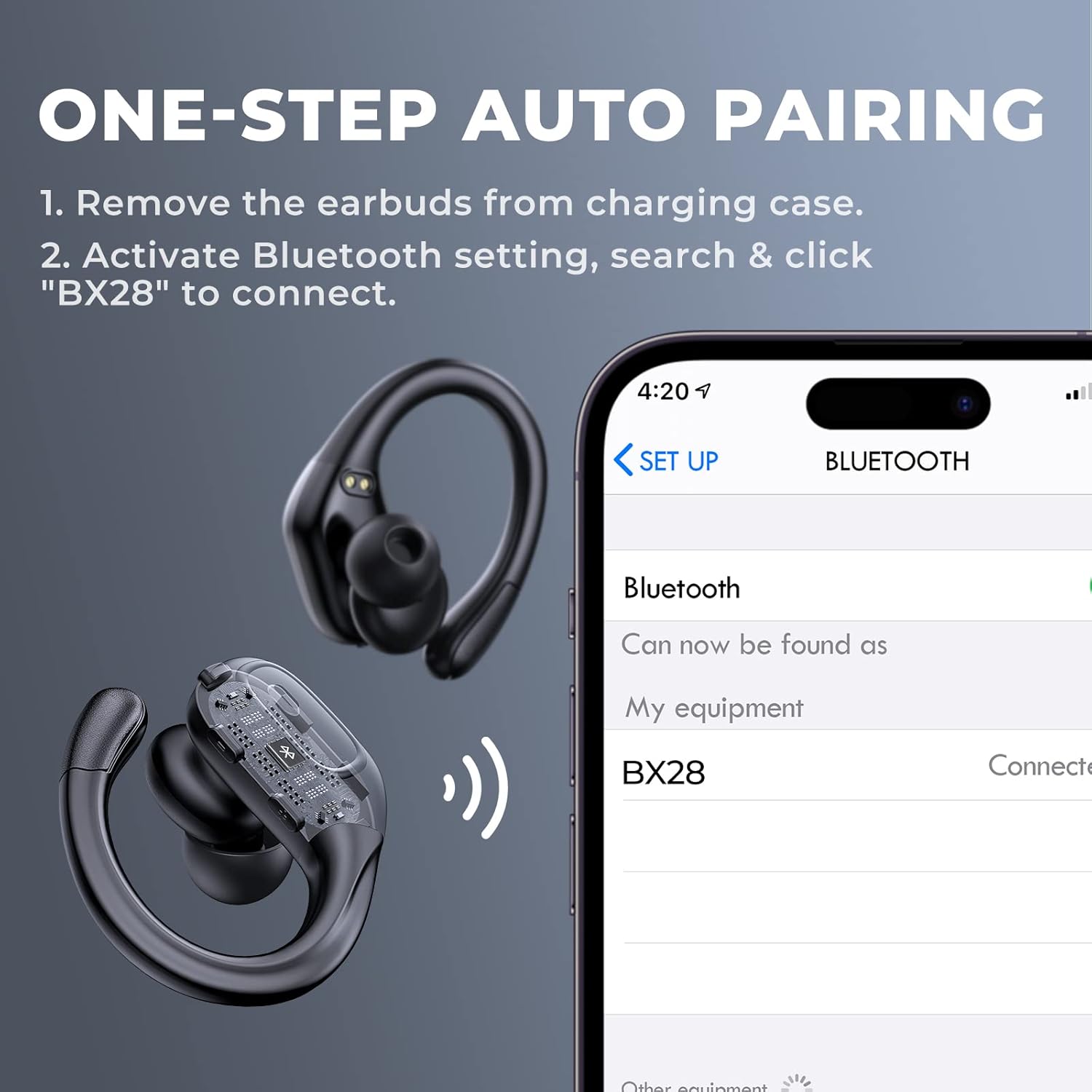
Figure 3.2: Visual guide for the one-step auto pairing process. Simply remove the earbuds from the charging case, and they will appear as "BX28" in your device's Bluetooth settings for connection.
3.3 Yiri ekwe ntị
For optimal sound quality and comfort, choose the correct size eartips and adjust the earhooks.
- Select the eartips (S, M, L) that provide a snug and comfortable fit in your ear canal. A good seal enhances bass response and noise isolation.
- Gently place the earbud into your ear, ensuring the earhook wraps securely around the back of your ear. The earhooks are flexible for a customized fit.

Figure 3.3: The ergonomic design of the fojep BX28 earbuds, featuring flexible earhooks and multiple eartip sizes (S/M/L) to ensure a comfortable and secure fit, especially during sports activities.
4. Ntuziaka ọrụ
The fojep BX28 earbuds feature intuitive touch controls on each earbud. The controls are mirrored on both earbuds, allowing for single-earbud use.
4.1 Njikwa ịkpọghachi egwu
| Omume | Ihe ntị aka ekpe | Nri ntị aka nri |
|---|---|---|
| Gwuo/kwụsịtụ | Otu mgbata | Otu mgbata |
| Abụ na-abịa | N/A | Pịa ugboro abụọ |
| Abụ gara aga | Pịa ugboro abụọ | N/A |
| Elu elu | N/A | Pịa ugboro atọ |
| Mpịakọta ọnụ | Pịa ugboro atọ | N/A |
4.2 Call Management Controls
| Omume | Ihe ntị aka ekpe | Nri ntị aka nri |
|---|---|---|
| Zaa oku | Otu mgbata | Otu mgbata |
| Kwụsị oku | Otu mgbata | Otu mgbata |
| Jụ oku | Pịa ogologo (2 sekọnd) | Pịa ogologo (2 sekọnd) |
4.3 Onye enyemaka olu
Activate your device's voice assistant (Siri, Google Assistant, etc.) by performing a specific tap gesture.
| Omume | Ihe ntị aka ekpe | Nri ntị aka nri |
|---|---|---|
| Mee ka onye enyemaka olu rụọ ọrụ | Pịa ogologo (2 sekọnd) | Pịa ogologo (2 sekọnd) |
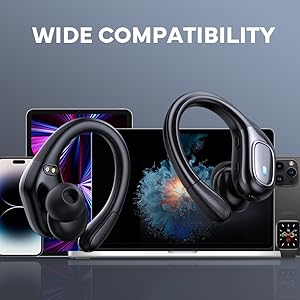
Figure 4.1: Detailed diagram of the touch controls for both left and right fojep BX28 earbuds, illustrating functions for music playback, call management, and voice assistant activation.
5. Nlekọta
Proper maintenance ensures the longevity and optimal performance of your fojep Wireless Earbuds BX28.
5.1 Nhicha
- Regularly clean the earbuds, especially the eartips and charging contacts, with a soft, dry, lint-free cloth.
- Maka unyi isi ike, ntakịrị dampen akwa na mmiri ma ọ bụ dị nwayọọ, na-adịghị abrasive Cleaner. Zere oke mmiri mmiri.
- Ejila kemịkalụ siri ike, mmanya na-aba n'anya, ma ọ bụ ihe na-emerụ ahụ.
- Gbaa mbọ hụ na ekwe ntị akpọnwụwo kpamkpam tupu ịdoghachi ya na igbe nchaji.
5.2 Nchekwa
- Mgbe ejighị ya, chekwaa earbuds n'ime akpa nchaji ha iji chebe ha ma debe ha ebubo.
- Debe n'ebe dị jụụ ma kpọọ nkụ, ebe okpomọkụ na anwụ na-anaghị apụta oke.
5.3 Mgbochi mmiri (IPX7)
The earbuds are rated IPX7 waterproof, meaning they can withstand submersion in up to 1 meter of water for 30 minutes. This makes them suitable for sweat resistance, rain, and splashes.
- Mara: The charging case is Ọ BỤGHỊ waterproof. Do not expose the charging case to water.
- After exposure to water or sweat, ensure the earbuds are completely dry before placing them back into the charging case to prevent damage to the charging contacts.

Figure 5.1: The fojep BX28 earbuds are IPX7 rated, providing protection against rain, sweat, and splashes, making them suitable for various activities.
6. Nchọpụta nsogbu
If you encounter issues with your fojep Wireless Earbuds BX28, refer to the following common solutions:
| Nsogbu | Ihe nwere ike ime | Ngwọta |
|---|---|---|
| Igwe ntị anaghị ejikọta/ejikọta | Bluetooth off, earbuds not in pairing mode, interference, previously paired device. |
|
| Naanị otu earbud na-arụ ọrụ | Low battery, not properly paired, earbud not connected to each other. |
|
| Obere olu ma ọ bụ ogo ụda adịghị mma | Incorrect eartip size, earwax buildup, low device volume, poor connection. |
|
| Nchaji anaghị akwụ ụgwọ | Faulty cable, power source issue, dirty charging port. |
|
7. Nkọwapụta
| Njirimara | Nkọwa |
|---|---|
| Nọmba nlereanya | BX28 |
| Ụdị Bluetooth | V5.3 |
| Oge egwu ntị | Ruo awa 7 (ụgwọ otu) |
| Oge Egwuregwu Nile (nwere igbe chaja) | Ruo awa iri abụọ |
| Ngosi nke enweghị mmiri | IPX7 (naanị ekwe ntị) |
| Usoro njikwa | Njikwa aka |
| Igwe okwu | Built-in, CVC Noise Cancelling |
| Nchaji ọdụ ụgbọ mmiri | USB Ụdị-C |
| Ihe onwunwe | Plastic |
| Agba | Ojii miri emi |

Figure 7.1: The fojep BX28 earbuds utilize advanced Bluetooth 5.3 technology, offering improved connection stability and efficiency compared to older versions.

Figure 7.2: The fojep BX28 earbuds are widely compatible with various Bluetooth-enabled devices, including smartphones, tablets, laptops, and smartwatches.
8. Akwụkwọ ikike & Nkwado
fojep products are designed with quality and reliability in mind. For warranty information and customer support, please refer to the following:
- Akwụkwọ ikike: Specific warranty terms and duration may vary by region and retailer. Please retain your proof of purchase for warranty claims.
- Nkwado ndị ahịa: If you experience any issues or have questions not covered in this manual, please contact fojep customer support through the platform where you purchased the product (e.g., Amazon Message Center).
- Akụrụngwa dị n'ịntanetị: For the latest information, FAQs, and additional support, visit the official fojep store page on Amazon: fojep Amazon Store.
Your satisfaction is important to us. We are committed to providing excellent service and support.