
1. Ngwaahịa gafereview
The XIAOVV Solar Wireless Outdoor Security Camera is designed to provide reliable outdoor surveillance with eco-friendly solar power. It features advanced motion detection, night vision capabilities, and remote access for comprehensive home security.

Image 1: XIAOVV Solar Wireless Outdoor Security Camera with integrated solar panel.
2. Ihe ngwugwu
- XIAOVV Solar Wireless Outdoor Security Camera (1 unit)
- Nkwado mgbakwasa na kposara
- Igwe nchaji USB
- Akwụkwọ ntuziaka onye ọrụ
- (Note: Micro SD card for local storage is not included and must be purchased separately.)
3. Akụrụngwa Ngwaahịa
- Solar Powered with 10000mAh Battery: Ensures continuous operation by recharging the built-in battery via solar panel.
- PIR Smart Detection: Triggers recording and alerts based on human body temperature, reducing false alarms.
- Spotlight and Voice Siren: Deters intruders with integrated light and sound alarms.
- Ihu igwe anaghị egbochi ya (IP65): Built to withstand various outdoor conditions, including rain, snow, and high temperatures.
- Pan & Tilt Functionality: Offers a 355° horizontal and 100° vertical rotation for wide area coverage.
- HD abalị ọhụụ: Provides clear visibility in low-light conditions and complete darkness.
- Nchọgharị ngagharị: Automatically follows detected moving objects within its monitoring range.
- Nchekwa nzuzo data: Utilizes military-grade encryption to protect user privacy and data.
- 1080p Video Resolution: Na-ewepụta foo vidiyo doro anya na zuru ezutage.
- Ikuku Njikọ: Na-ejikọ site na Wi-Fi 2.4GHz maka ohere na njikwa dị anya.
- Njikwa ngwa mkpanaaka: Compatible with Android and iPhone devices for live viewing, settings adjustment, and alerts.
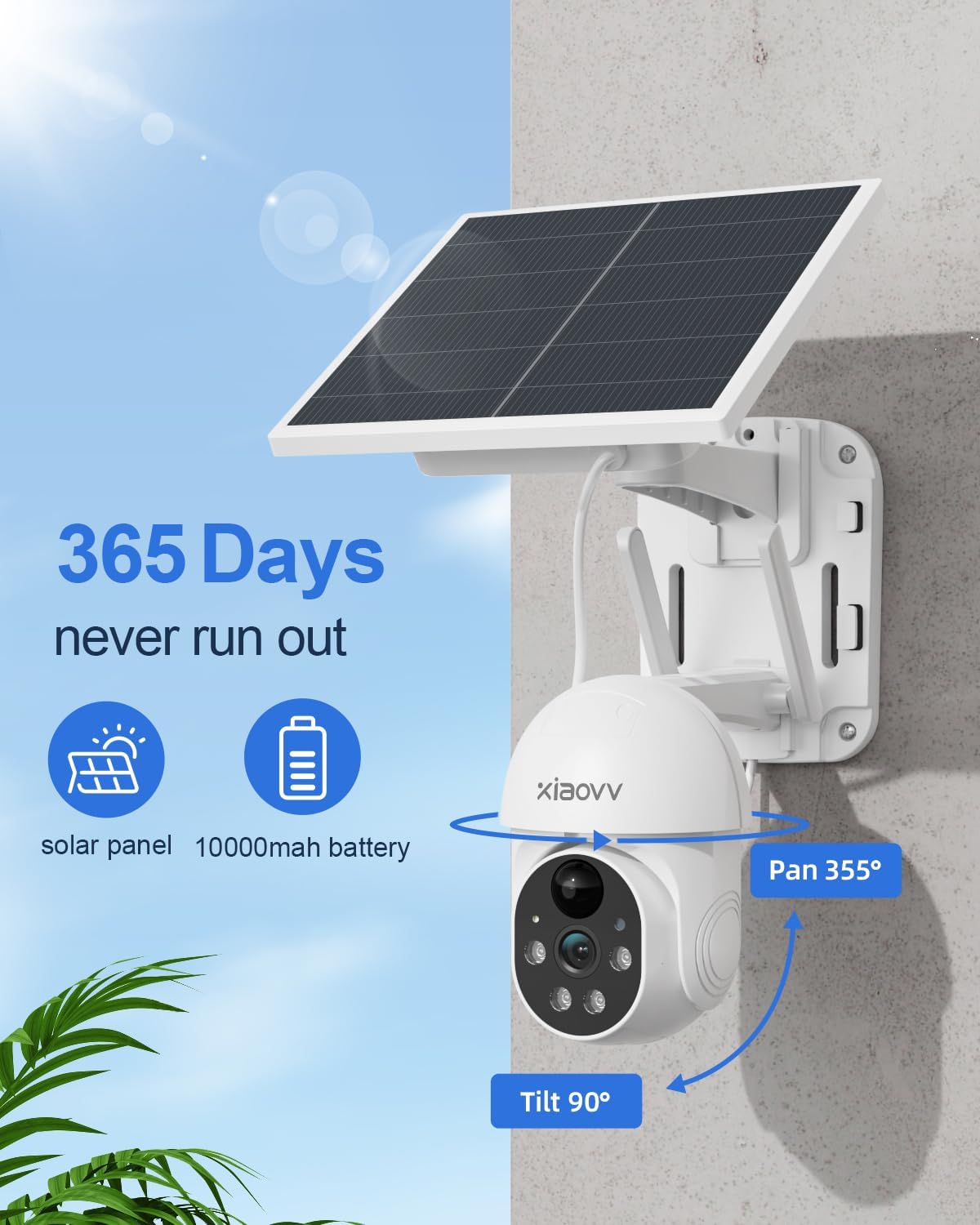
Image 2: Key features including 365-day power, 10000mAh battery, and Pan/Tilt capabilities.

Image 3: Night vision with spotlight and siren for intruder deterrence.
4. Ntuziaka Nhazi
4.1 Nchaji izizi
Before first use, fully charge the camera's built-in 10000mAh battery using the provided USB cable and a standard 5V/2A power adapter (not included). A full charge ensures optimal performance and solar charging efficiency.
4.2 Ngwa nwụnye
- Scan the QR code in the quick start guide or search for the "XIAOVV" app in your mobile device's app store (Google Play Store for Android, Apple App Store for iOS).
- Budata ma wụnye ngwa ahụ.
- Debanye aha akaụntụ ọhụrụ wee banye.
4.3 Camera Pairing
- Ike na igwefoto.
- Open the XIAOVV app and follow the on-screen instructions to add a new device.
- Ensure your mobile device is connected to a 2.4GHz Wi-Fi network. The camera does not support 5GHz Wi-Fi.
- Scan the QR code displayed on your phone with the camera lens, or follow alternative pairing methods if prompted.
- Once connected, you can name your camera and configure initial settings.
4.4 Nwụnye anụ ahụ
Họrọ ebe nwere ample direct sunlight for the solar panel and a clear view of the area you wish to monitor. The camera is designed for wall mounting.
- Mark the drilling positions using the mounting bracket as a template.
- Gwuo oghere ma tinye plọg mgbidi ma ọ bụrụ na ọ dị mkpa.
- Jiri skru kechie ihe nkwado ahụ na mgbidi.
- Gbakwunye igwefoto na nkwado nkwado.
- Adjust the camera angle to cover the desired area. Ensure the solar panel is positioned to receive maximum sunlight throughout the day.
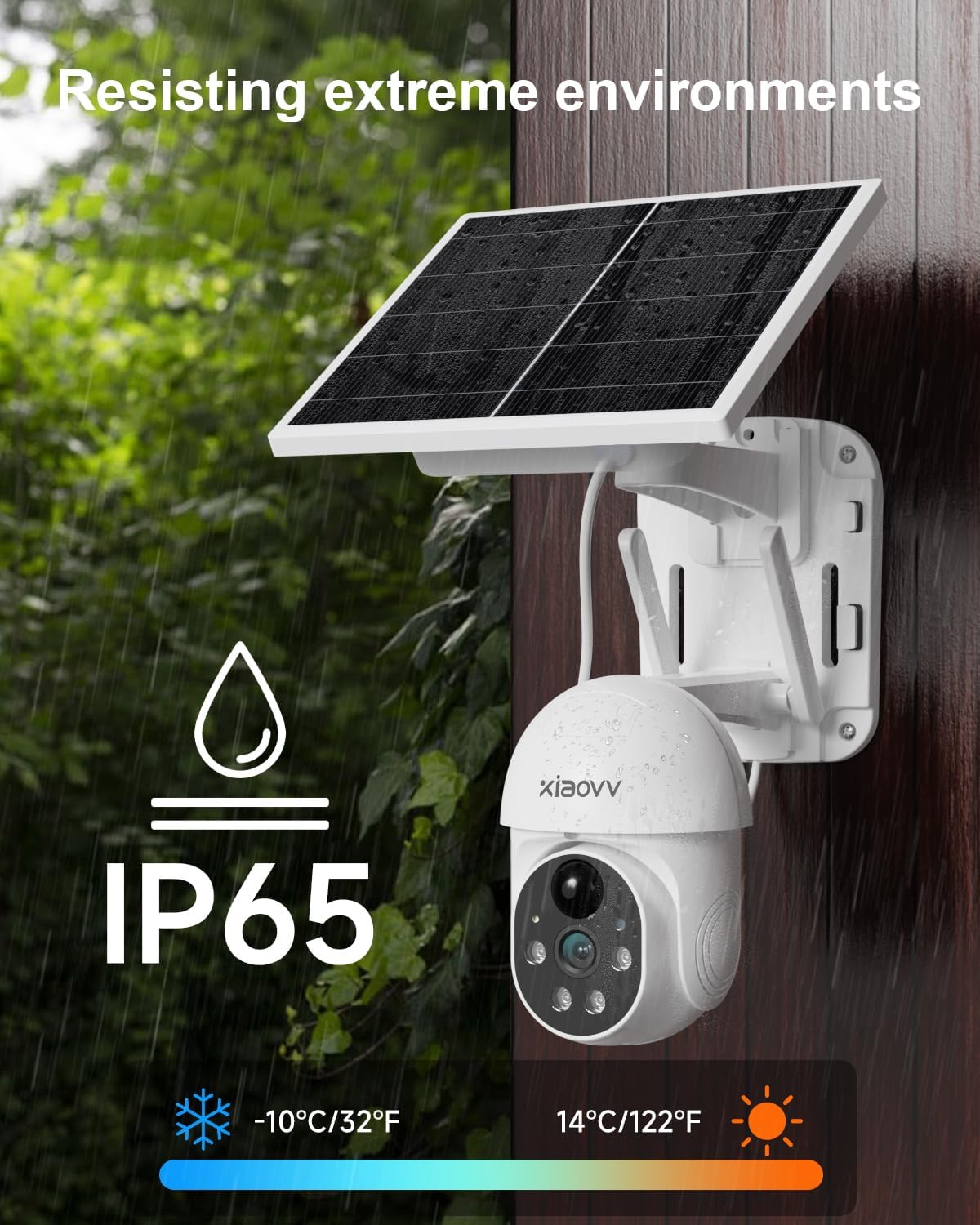
Image 4: Weatherproof design (IP65) for outdoor installation.
5. Ntuziaka ọrụ
5.1 Ndụ View
Open the XIAOVV app and select your camera to view ndu footage. You can switch between standard and HD resolution within the app.
5.2 Nchọpụta na Ịdọ Aka Ná Ntị
The camera uses PIR smart detection to identify human movement. Configure alert settings in the app to receive notifications on your phone when motion is detected. You can also enable the spotlight and voice siren to activate upon detection.

Image 5: PIR motion detection for accurate alerts.
5.3 Njikwa Pan/Tilt
Use the directional controls within the app to remotely adjust the camera's viewing angle (355° horizontal, 100° vertical). The motion tracking feature can automatically follow subjects.
5.4 Ọhụụ abalị
The camera automatically switches to HD night vision in low-light conditions, providing clear black and white footage. The integrated spotlight can be activated for color night vision or to deter intruders.
5.5 Nhọrọ nchekwa
The camera supports local storage via a Micro SD card (up to 128GB, not included) for continuous or event-triggered recording. Cloud storage subscription options may also be available through the app for secure off-site backup.

Image 6: Storage options including encrypted cloud and local SD card recording.
6. Nlekọta
- Hichaa oghere: Regularly wipe the camera lens with a soft, dry cloth to ensure clear image quality.
- Ogwe anyanwụ dị ọcha: Keep the solar panel free of dust, dirt, and debris to maximize charging efficiency.
- Lelee ọkwa batrị: Monitor the battery status via the app, especially during prolonged periods of low sunlight.
- Mmelite femụwe: Periodically check the app for available firmware updates to ensure optimal performance and security.
- Nkwanye echekwabara: Periodically check that the camera is securely mounted and adjust if necessary.
7. Nchọpụta nsogbu
| Nsogbu | Ngwọta |
|---|---|
| Igwefoto anaghị ejikọta na Wi-Fi | Ensure your Wi-Fi is 2.4GHz. Check Wi-Fi signal strength at the camera's location. Restart your router and camera. Re-attempt pairing through the app. |
| Imagedị mma adịghị mma | Clean the camera lens. Ensure there are no obstructions. Check your Wi-Fi connection speed. Adjust video resolution settings in the app. |
| Batrị anaghị achaji | Ensure the solar panel is receiving direct sunlight for several hours daily. Clean the solar panel. Check the USB charging cable connection. |
| Anataghị ịdọ aka ná ntị mmegharị | Check app notification settings on your phone. Ensure motion detection is enabled in the camera settings. Verify the camera has a stable internet connection. |
| Igwefoto na-anọghị n'ịntanetị | Check Wi-Fi connection and power supply. Restart the camera. If the issue persists, re-pair the camera with the app. |
8. Nkọwapụta
- Akara: XIAOVV
- Ụdị: Solar Wireless Outdoor Security Camera
- Njikọta: Ikuku (Wi-Fi 2.4GHz)
- Mkpebi vidiyo: 1080p
- Batrị: 10000mAh Lithium Ion (gụnyere)
- Isi mmalite ike: Solar Powered, USB Charger
- Ogologo Pan/Tilt: 355° kwụ ọtọ, 100° kwụ ọtọ
- Ọhụụ abalị: Yes (HD, Infrared, Spotlight)
- Nchọpụta ngagharị: PIR Smart Detection
- Ọnọdụ ihu igwe: IP65
- Ihe: Ọla
- Ngwa dakọtara: Smartphone (Android, iPhone), Tablet
- Ụdị nkwụnye: Ugwu mgbidi
- Ibu ihe: 1.63 n'arọ
- Ngwa gụnyere: Charger (USB cable)
9. Akwụkwọ ikike na nkwado
This XIAOVV Solar Wireless Outdoor Security Camera comes with a Akwụkwọ ikike onye nrụpụta afọ 2. For technical support, warranty claims, or further assistance, please contact XIAOVV customer service through the contact information provided in your product packaging or on the official XIAOVV websaịtị.
Nchedo nzuzo: XIAOVV prioritizes user privacy and employs military-grade data encryption to ensure the security of your personal data.

Image 7: Emphasizing encrypted data protection.