
Okwu mmalite
This user manual provides comprehensive instructions for the safe and efficient operation of your Lectron Portable Tesla Charger. Designed for convenience and versatility, this charger supports both Level 1 (12 Amp) and Level 2 (32 Amp) charging, making it compatible with all Tesla Model X, Y, 3, and S vehicles through its dual NEMA 5-15 and 14-50 plugs. Please read this manual thoroughly before first use to ensure proper setup and to maximize the lifespan of your device.
Ngwaahịa gafereview
The Lectron Portable Tesla Charger is a robust and adaptable charging solution for your Tesla vehicle. It features a durable construction and offers flexible charging options to suit various power outlets.

The Lectron Portable Tesla Charger, featuring its control box and Tesla-compatible connector.

The charger includes interchangeable NEMA 14-50 (Level 2, 32A, 240V) and NEMA 5-15 (Level 1, 12A, 110V) plugs for versatile charging.
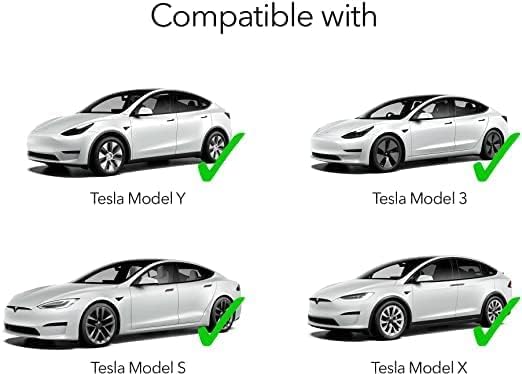
This charger is fully compatible with all Tesla models: Model Y, Model 3, Model S, and Model X.

Charging performance table indicating estimated miles of range per hour for various Tesla models using Level 1 (12 Amp) and Level 2 (32 Amp) charging.

The charger features a generous 21-foot long cable, providing ample reach for convenient charging.
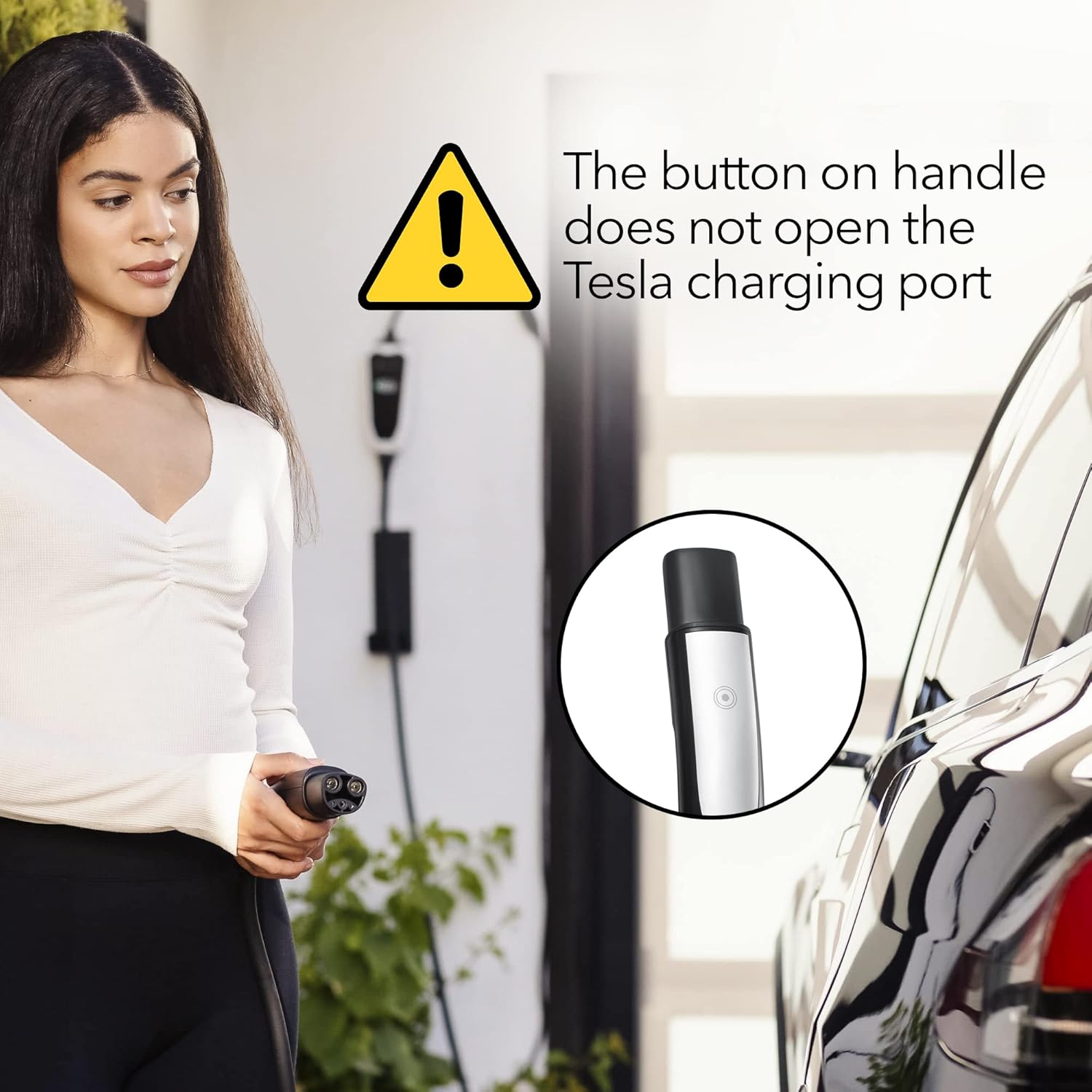
Important Note: The button on the charger handle does not open the Tesla charging port. The port must be opened via the vehicle's touchscreen or mobile app.

The compact design of the Lectron charger makes it portable and convenient for travel or on-the-go charging.
Melite
- Họrọ nkwụnye ziri ezi: Identify the appropriate NEMA plug for your power outlet. Use the NEMA 5-15 plug for standard 110V household outlets (Level 1 charging) or the NEMA 14-50 plug for 240V outlets (Level 2 charging).
- Connect the Plug: Securely attach the chosen NEMA plug to the charger's control box. Ensure a firm connection.
- Tinye n'ime oghere ọkụ: Insert the NEMA plug into the corresponding wall outlet. The charger's LED indicators will illuminate, signaling power is received.
- Jikọọ na ụgbọala: Open your Tesla's charge port (via the vehicle's touchscreen or mobile app). Insert the Tesla-compatible connector into the vehicle's charge port until it clicks securely into place.
- Nyochaa njikọ: The charger's LED indicators will change to a green, pulsating light, indicating that charging has begun. Confirm charging status on your Tesla's display.
Official product video demonstrating the setup and charging process of the Lectron Portable Tesla Charger. This video highlights the ease of switching NEMA plugs and connecting to your Tesla vehicle.
Ntuziaka ọrụ
- Ụgwọ Mmalite: Once the charger is plugged into a power source and connected to your Tesla, charging will typically begin automatically. The LED indicators on the control box will show the charging status.
- Ihe ngosi LED: The control box features LED lights that provide quick visual feedback on the charging status. A solid green light indicates power is connected, while a pulsating green light signifies active charging.
- Stopping Charge: To stop charging, first unlock your vehicle's charge port via the Tesla touchscreen or mobile app, then carefully remove the connector from the vehicle. Unplug the charger from the wall outlet.
- Ihe ndetu dị mkpa: The button located on the charger handle is for releasing the connector from the vehicle's charge port once unlocked. It does not open the charge port itself.
Nlekọta
To ensure the longevity and optimal performance of your Lectron Portable Tesla Charger, follow these maintenance guidelines:
- Nhicha: Regularly wipe down the charger's exterior, cable, and connectors with a dry, clean cloth. Avoid using harsh chemicals or abrasive materials that could damage the unit. Ensure the charger is unplugged before cleaning.
- Nchekwa: When not in use, store the charger in a cool, dry place, away from direct sunlight and extreme temperatures. Coil the cable neatly to prevent kinks or damage. The charger is designed for portability and comes with a carrying case for protection.
- Nyocha: Periodically inspect the cable and connectors for any signs of wear, cuts, or damage. If any damage is observed, discontinue use immediately and contact customer support.
Nchọpụta nsogbu
If you encounter issues with your Lectron Portable Tesla Charger, refer to the following common troubleshooting steps:
- chaja anaghị agba ọkụ:
- Ensure the NEMA plug is fully inserted into the wall outlet.
- Check the circuit breaker for the outlet to ensure it has not tripped.
- Verify that the chosen NEMA plug is correctly attached to the charger's control box.
- Vehicle Not Charging:
- Confirm that the Tesla-compatible connector is fully inserted into the vehicle's charge port.
- Ensure the vehicle's charge port is unlocked (check Tesla touchscreen or mobile app).
- Verify that the charger's LED indicators show an active charging status (pulsating green).
- If using a NEMA 14-50 outlet, ensure it is properly wired and providing 240V.
- Okwu ekpo oke ọkụ:
- If the charger or outlet feels excessively hot, immediately discontinue charging.
- Ensure the outlet and wiring are rated for the amperage being drawn (especially for 32 Amp Level 2 charging). Consult a qualified electrician if unsure.
- Avoid charging in direct sunlight or in poorly ventilated areas, which can contribute to heat buildup.
- If overheating persists, contact Lectron customer support.
- Nchaji nwayọ:
- Confirm you are using the correct NEMA plug for your desired charging speed (NEMA 14-50 for Level 2, 32 Amp).
- Check your Tesla's charging settings to ensure the amperage limit is not set too low.
- Environmental factors and vehicle battery condition can affect charging speed.
Nkọwapụta
| Njirimara | Nkọwa |
|---|---|
| Nọmba nlereanya | TSL-Uni-16-32ANN |
| Ụdị | Lectron |
| Ampoge | 12 Amps (Level 1), 32 Amps (Level 2) |
| Ntinye Voltage | 120 Volts (NEMA 5-15), 240 Volts (NEMA 14-50) |
| Teknụzụ Njikọta | Tesla proprietary connector |
| Ngwa dakọtara | Tesla Model X, Y, 3, S |
| Ngwa gụnyere | 1 x Lectron Battery Charger |
| Njirimara Pụrụ Iche | Charging Indicator LEDs |
| Agba | Nwa, Ọcha |
| Ibu Ibu | 9.66 pound |
| Akụkụ ngwugwu | 16.22 x 12.48 x 5 sentimita asatọ |
| Ụbọchị mbụ dị | Nọvemba 10, 2022 |
Akwụkwọ ikike na nkwado
For warranty information, technical support, or any inquiries regarding your Lectron Portable Tesla Charger, please contact Lectron customer service directly. Refer to the product packaging or the official Lectron websaịtị maka nkọwa kọntaktị kachasị ugbu a.
While protection plans are available for purchase separately, direct product support and warranty claims should be initiated through the manufacturer.