
PROSCAN PSP1678
Akwụkwọ ntuziaka onye ọrụ ọkà okwu Bluetooth PROSCAN PSP1678
Model: PSP1678
Okwu mmalite
Daalụ maka ịzụrụasing the PROSCAN PSP1678 LED Light Up Bluetooth Speaker. This manual provides essential information for the safe and efficient operation of your device. Please read it thoroughly before use and retain it for future reference.
The PSP1678 is a versatile portable speaker featuring Bluetooth connectivity, built-in FM radio, USB/TF card input, AUX input, and a microphone input, all complemented by dynamic LED lighting and a built-in rechargeable battery.
Ozi nchekwa
- Ewepụla ọkà okwu na oke okpomọkụ, ìhè anyanwụ kpọmkwem, ma ọ bụ oke iru mmiri.
- Zere idobe ma ọ bụ idobe ọkà okwu na mmetụta siri ike.
- Achịkọtala, rụkwaa ma ọ bụ gbanwee unit ahụ n'onwe gị. Kpọtụrụ ndị ọrụ ruru eru ọrụ niile.
- Debe ọkà okwu na mmiri na mmiri mmiri ndị ọzọ. Ngwaahịa a anaghị egbochi mmiri.
- Jiri naanị eriri nchaji akọwapụtara yana nkwụnye ọkụ.
- Jiri akwa dị nro hichaa ọkà okwu. Ejila ihe nchacha abrasive ma ọ bụ ihe mgbaze.
- Hụ na ikuku na-abata nke ọma mgbe ị na-arụ ọrụ na ọkà okwu.
Ihe ngwugwu
- Ọkà okwu Bluetooth PSP1678 PROSCAN
- Igwe nchaji USB
- Akwụkwọ ntuziaka (akwụkwọ a)
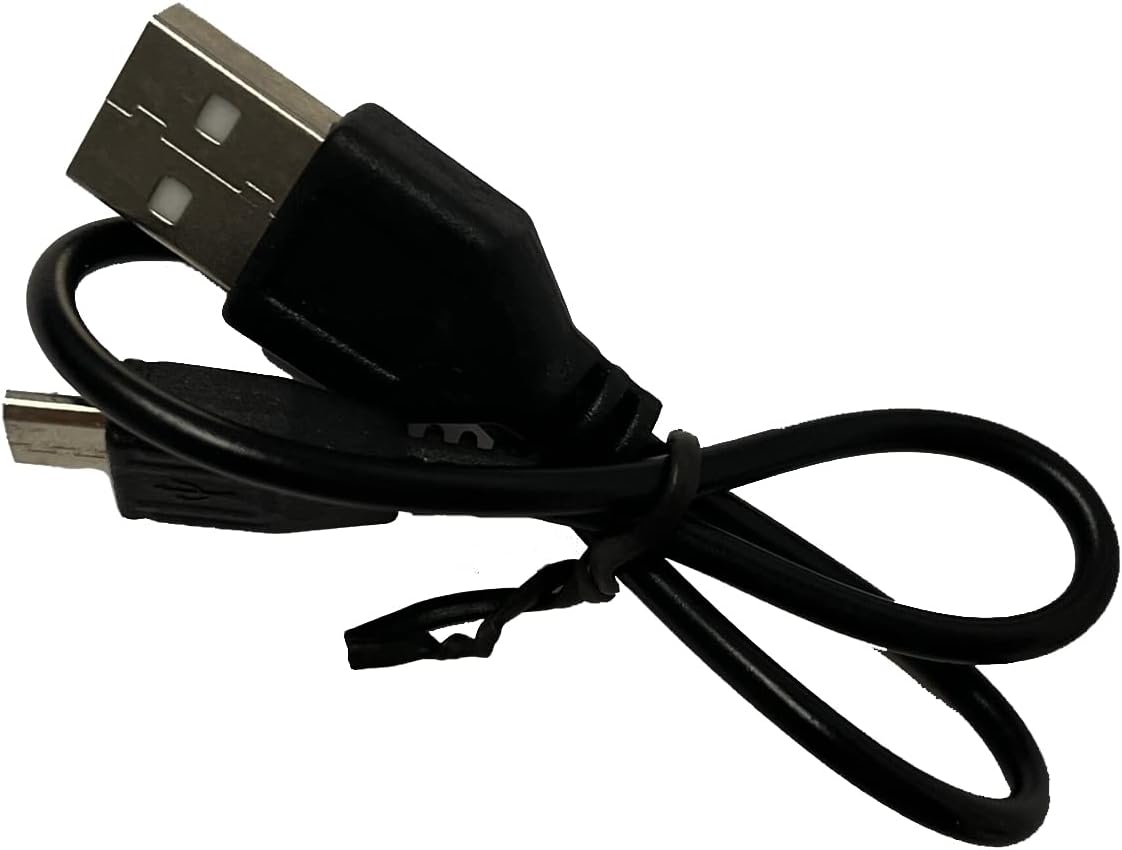
Image: Included USB Charging Cable. This cable is used to recharge the speaker's internal battery.
Ngwaahịa gafereview
Familiarize yourself with the various parts and controls of your PROSCAN PSP1678 speaker.

Foto: N'ihu view of the PROSCAN PSP1678 speaker, showcasing the dual 4-inch speakers with active LED lighting. The PROSCAN logo is visible between the speakers.

Image: Top panel of the PROSCAN PSP1678 speaker, showing the control buttons, USB port, TF card slot, AUX input, microphone input, and the main volume/mode knob.
Ọrụ Panel Control:
- Bọtịnụ ike: Pịa ma jide ka ịgbanwuo/ gbanyụọ ọkà okwu.
- Bọtịnụ ụkpụrụ: Short press to switch between Bluetooth, FM Radio, USB/TF, and AUX modes.
- Bọtịnụ Kwụsị/Kwụsị: In Bluetooth/USB/TF mode, press to play or pause. In FM mode, press to auto-scan and save stations.
- Previous/Volume Down Button: Pịa obere oge maka egwu/ọdụ gara aga. Pịa ogologo oge iji belata olu.
- Next/Volume Up Button: Pịa obere oge maka egwu/ọdụ na-esote. Pịa ogologo oge iji mee ka olu dịkwuo elu.
- Ọdụ ụgbọ mmiri USB: Maka ịkpọghachi draịva flash USB.
- Oghere TF Kaadị: Maka ịkpọghachi kaadị TF (MicroSD).
- Ntinye AUX: 3.5mm jaak maka ijikọ ngwaọrụ ọdịyo mpụga.
- Ntinye igweokwu: 6.35mm jakị maka ijikọ igwe okwu.
- DC 5V ọdụ ụgbọ mmiri: Maka ijikọ eriri USB chaja.
- Mpịakọta Mpịakọta: Rotates to adjust the master volume.
Melite
1. gingchaji Okwu Okwu
Before first use, fully charge the speaker. Connect the small end of the included USB charging cable to the DC 5V charging port on the speaker and the other end to a USB power adapter (not included) or a computer USB port. The charging indicator light will illuminate during charging and turn off when fully charged.
Oge Nchaji: Ihe dịka awa 3-4.
2. Ịgbanye / gbanyụọ
Pịa ma jide bọtịnụ ike on the control panel for approximately 3 seconds to turn the speaker On or Off.
Ntuziaka ọrụ
1. Ọnọdụ Bluetooth
- Turn on the speaker. It will automatically enter Bluetooth pairing mode, indicated by a flashing LED light and an audible prompt.
- Kwado Bluetooth na ngwaọrụ mkpanaka gị (smartphone, tabletị, wdg).
- Chọọ maka "PSP1678" in the list of available Bluetooth devices.
- Select "PSP1678" to connect. Once successfully paired, you will hear a confirmation sound, and the LED light will stop flashing.
- Ị nwere ike ugbu a kpọọ ụda site na ngwaọrụ gị site na ọkà okwu.
Rịba ama: Ọkà okwu ahụ ga-anwa ijikọghachi na ngwaọrụ ejikọtara ikpeazụ ozugbo mgbe agbanyere ya.
2. Ọnọdụ redio FM
- Turn on the speaker. Press the Bọtịnụ ọnọdụ ugboro ugboro ruo mgbe ị nụrụ mkpọtụ redio FM.
- To auto-scan and save available FM stations, short press the Bọtịnụ Kwụsị/ KwụsịỌkà okwu ahụ ga-enyocha ma chekwaa ọdụ na akpaghị aka.
- Jiri ihe Nke gara aga na Next Buttons iji agagharị n'etiti ọdụ echekwara.
3. Ịkpọghachi kaadị USB/TF
- Insert a USB flash drive or TF (MicroSD) card into the respective port.
- The speaker will automatically switch to USB or TF mode and begin playing audio files (MP3 format recommended). If it doesn't, press the Bọtịnụ ọnọdụ iji họrọ ụdị kwesịrị ekwesị.
- Jiri ihe Gwuo/kwụsịtụ, Nke gara aga, na Next Buttons iji chịkwaa ọkpụkpọ egwu.
4. Ụdị ntinye AUX
- Jikọọ otu njedebe nke eriri ọdịyo 3.5mm (anaghị etinye ya) na ọdụ ụgbọ mmiri AUX dị na ọkà okwu.
- Jikọọ nsọtụ nke ọzọ nke eriri ahụ na jaak mmepụta ọdịyo nke ngwaọrụ mpụga gị (dịka ọmụmaatụ, MP3 player, kọmputa).
- Pịa Bọtịnụ ọnọdụ ka ịgbanwee gaa na ọnọdụ AUX.
- Control audio playback from your connected external device.
5. Ntinye igwe okwu
Connect a wired microphone (not included) to the Microphone Input jack. The microphone audio will be mixed with the current audio playback. Adjust the main volume knob to control the overall sound level.
6. Njikwa ọkụ ọkụ LED
The LED lights on the speaker automatically activate when the speaker is powered on. There is no dedicated button to turn the lights off or change patterns. They are designed to enhance the audio experience.
Nlekọta
- Nhicha: Use a soft, dry, lint-free cloth to clean the speaker's exterior. Do not use liquid cleaners, aerosols, or solvents.
- Nchekwa: Mgbe a naghị eji ya eme ihe ruo ogologo oge, chekwaa ọkà okwu n'ebe dị jụụ, nke kpọrọ nkụ, na-adịghị na ìhè anyanwụ kpọmkwem na oke okpomọkụ.
- Nlekọta batrị: Ka ịgbatị ndụ batrị ogologo, zere ịchaji batrị ugboro ugboro. Tinyegharịa igwe okwu mgbe niile, ọbụlagodi na ejighị ya, iji kwado ahụike batrị.
Nchọpụta nsogbu
| Nsogbu | Ihe nwere ike ime | Ngwọta |
|---|---|---|
| Ọkà okwu anaghị agbanwuo. | Batrị dị ala ma ọ bụ mebie ya. | Charge the speaker fully using the provided USB cable. |
| Enweghị ụda. | Olu dị oke ala. ahọpụtara ọnọdụ ezighi ezi. Ejikọtaghị ngwaọrụ nke ọma. | Increase volume on speaker and connected device. Press Mode button to select correct input. Reconnect Bluetooth/AUX cable. |
| Enweghị ike ijikọ site na Bluetooth. | Ọkà okwu adịghị na ọnọdụ njikọta. Ngwaọrụ dị oke anya. Ntinye aka. | Ensure speaker is in Bluetooth mode (flashing LED). Move device closer to speaker. Turn off other Bluetooth devices. |
| Nnabata redio FM adịghị mma. | Mgbama na -adịghị ike. | Bugharịa ọkà okwu ahụ gaa ebe nnabata ka mma. Mee nyocha akpaaka ọzọ. |
| Kaadị USB/TF adịghị egwu. | ezighi ezi file usoro. Etinyeghị kaadị/draịva nke ọma. | Gbaa mbọ hụ files are in MP3 format. Reinsert the USB drive/TF card firmly. Press Mode button to select correct input. |
Nkọwapụta
| Njirimara | Nkọwa |
|---|---|
| Nọmba nlereanya | PSP1678 |
| Ike Ọkà Okwu | 5W x 2 |
| Nha Ọkà Okwu | 4 anụ ọhịa x 2 |
| Njikọta | Bluetooth, USB, Kaadị TF, AUX, Redio FM |
| Ntinye igweokwu | Ee |
| Isi Iyi Ike | Built-in Rechargeable Battery, Corded Electric (via USB) |
| Akụkụ ngwaahịa (D x W x H) | 6.25" x 16.25" x 7.75" |
| Ibu Ibu | 4 pound |
| UPC | 058465824457 |

Image: PROSCAN PSP1678 speaker with approximate dimensions indicated: 15.47 inches height, 7.28 inches width, and 5.9 inches depth.
Akwụkwọ ikike na nkwado
PROSCAN products are designed and manufactured to the highest quality standards. For warranty information or technical support, please refer to the warranty card included with your purchase or visit the official PROSCAN websaịtị. Debe ihe akaebe nke ịzụrụ maka akwụkwọ ikike.
For further assistance, you may contact PROSCAN customer service through their official channels. Please have your model number (PSP1678) and purchase details ready.
Rịba ama: Usoro na ọnọdụ akwụkwọ ikike nwere ike ịdị iche site na mpaghara.
Ask a question about this manual
Ask about setup, troubleshooting, compatibility, parts, safety, or missing instructions. Manuals+ will review the question and use this page’s manual context to help answer it.