
Okwu mmalite
Thank you for choosing the Panacare Smart Night Light. This device combines a night light, white noise machine, and smart alarm clock, designed to create a comfortable and soothing environment for babies, children, and adults. It features smart app control, voice control compatibility with Alexa and Google Assistant, and a baby cry detection function. Please read this manual carefully before use to ensure proper operation and to fully utilize all features.
Ozi nchekwa
- Debe ngwaọrụ ahụ pụọ na mmiri na mmiri.
- Akwụsịla ma ọ bụ nwaa ịrụkwa ngwaọrụ n'onwe gị.
- Use only the provided USB cable and a compatible DC5V/1A power adapter for charging.
- Ngwaahịa a abụghị ihe egwuregwu ụmụaka. Debe ebe ụmụaka na-agaghị erute.
- Gbaa mbọ hụ na ikuku ikuku dị na gburugburu ngwaọrụ mgbe ọ na-arụ ọrụ.
Ihe ngwugwu
Chọpụta na ihe niile dị na ngwugwu:
- 1 x Panacare Smart Night Light
- 1 x eriri USB (ụdị-C)
- 1 x Pin (for reset, if applicable)
- 1 x Akwụkwọ ntuziaka onye ọrụ
Ngwaahịa gafereview
The Panacare Smart Night Light offers a versatile range of features to enhance your environment:
- Njikwa ngwa Smart: Manage colors, brightness, sounds, and timers via your smartphone.
- Extensive Color Options: Choose from up to 16 million colors to set the perfect mood.
- Igwe ụda na-atọ ụtọ: Features 34 types of calming sounds, including white noise, nature sounds, and lullabies.
- Njikwa olu: Compatible with Alexa and Google Assistant for hands-free operation.
- Baby Cry Detection: Sends notifications to your smartphone when a baby's cry is detected.
- Njikwa mmetụ: Simple touch interface for basic light functions.
- Ọrụ ngụ oge: Create custom light alarms and sleep schedules.
- Enwere ike ibugharị: Built-in 1800mAh battery for cordless use.
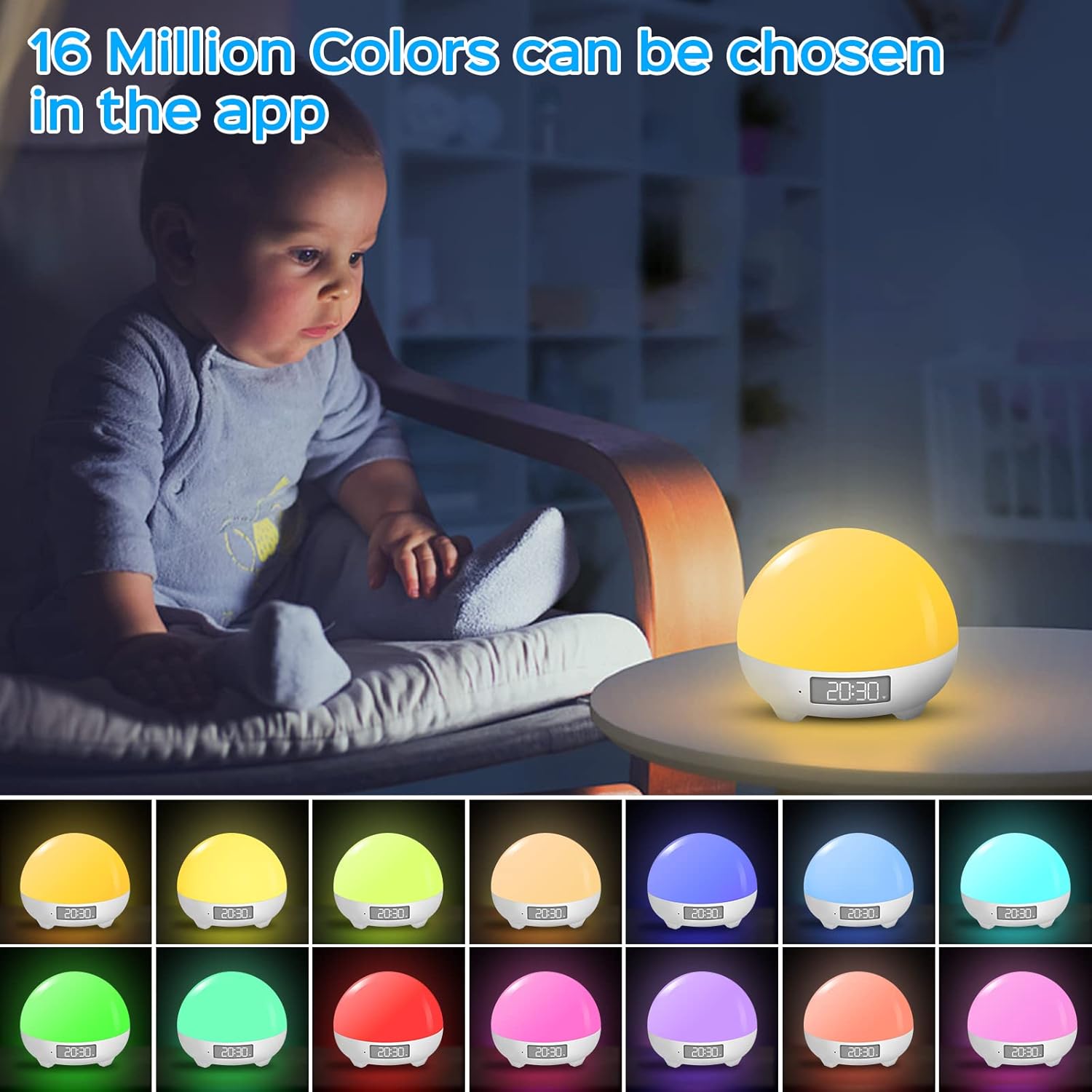
The Panacare Smart Night Light offers 16 million color options, controllable via the dedicated app. This image shows the night light in different hues, demonstrating its color-changing capabilities.

Voice control functionality allows users to manage the night light's power, colors, and brightness using Alexa or Google Assistant, as depicted by a user interacting with an Alexa device while holding a baby.

The night light includes 34 soothing sounds, such as white noise, wind, rain, water, and various nature sounds, designed to aid relaxation and sleep. This image shows a couple enjoying the calming atmosphere created by the device.
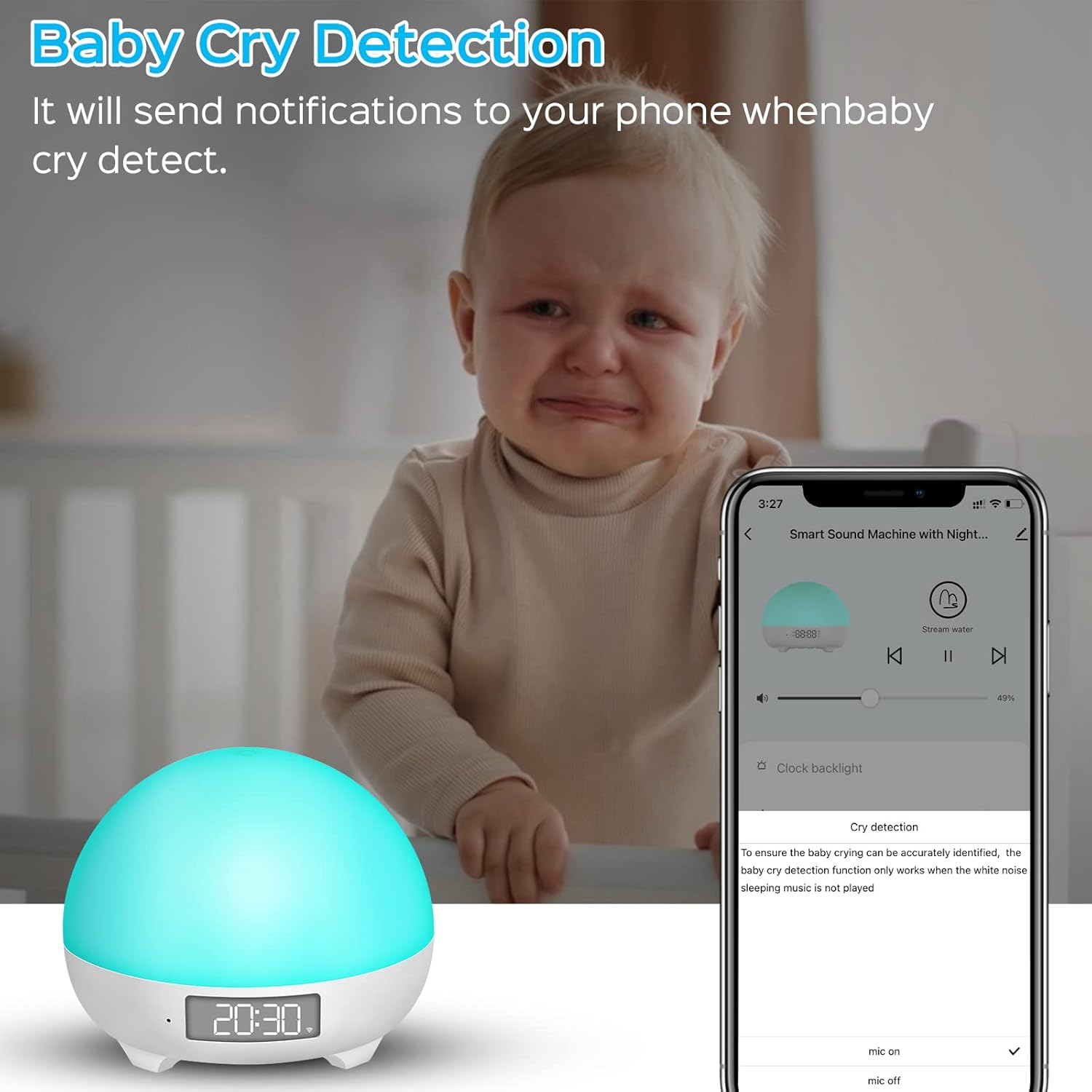
The baby cry detection feature sends notifications to your smartphone when the device detects a baby crying, providing peace of mind. Note that this feature is active only when no sleep music is playing.
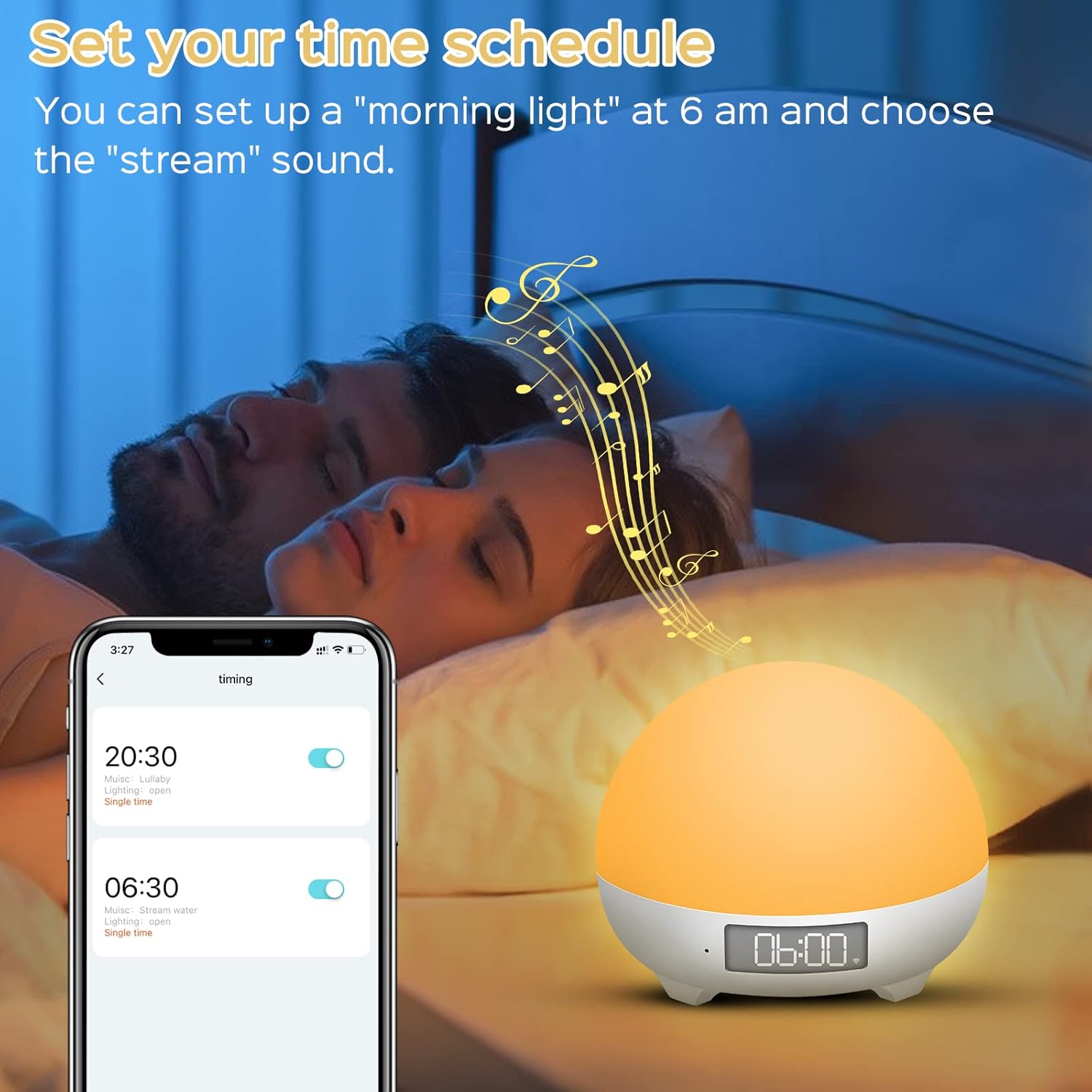
Users can set custom time schedules for the night light, such as a 'morning light' alarm at 6 AM with a preferred sound, to align with family sleep rhythms.
Nkọwapụta
| Nọmba nlereanya | MBZ212 |
| Ntinye | DC5V/1A |
| Vol -arụ ọrụ Voltage | 3.7V |
| Enyere ike | 3 Watt |
| Ike batrị | 1800mAh lithium-ion |
| Ndụ batrị | 4 to 10 hours (continuous use on full charge) |
| Akụkụ (L x W x H) | 8 x 10 x 10 cm |
| Ibu | 450 grams |
| Ogologo eriri USB | 1 mita |
| Atụmatụ pụrụ iche | Color Changing, Dimmable, Voice Control, Cry Detection |
| Njikọta | Wi-Fi (naanị 2.4GHz) |
Melite
1. Ịchaji ngwaọrụ
Before first use, fully charge the Smart Night Light using the provided USB Type-C cable and a DC5V/1A power adapter. The charging indicator will show the charging status.
2. Ngwa nwụnye
Budata ya Ndụ Smart app from your smartphone's app store (iOS/Android) or scan the QR code found on the product packaging. You can also visit http://e.tuya.com/smartlife.
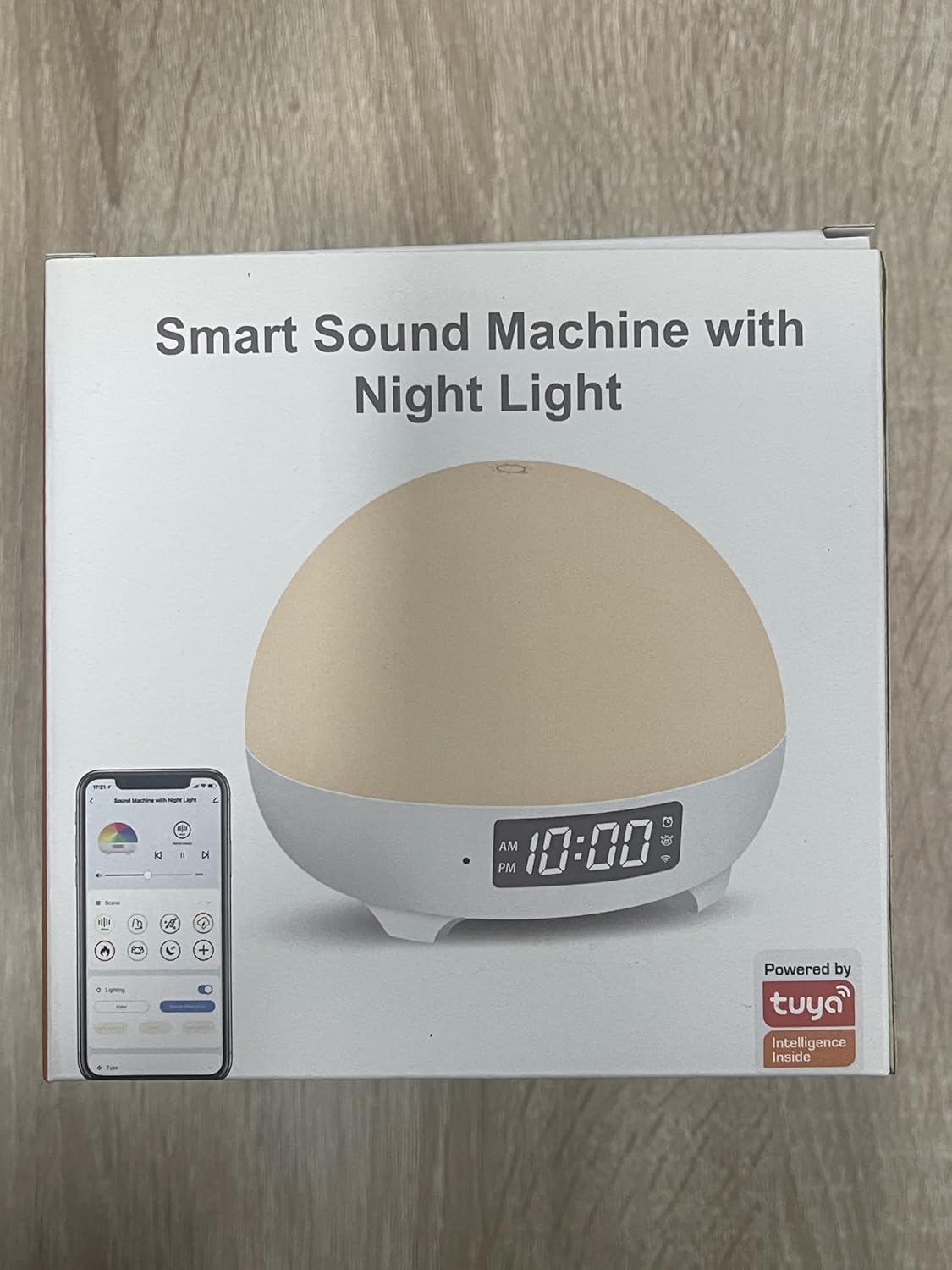
The product packaging highlights its smart features and Tuya integration, indicating app compatibility.
3. Device Pairing (Wi-Fi Connection)
- Gbaa mbọ hụ na ejikọrọ ekwentị gị na a 2.4GHz Wi-Fi na netwọk. The device does not support 5GHz Wi-Fi.
- Open the Smart Life app and create an account or log in.
- Press and hold the 'M' button on the back of the night light for approximately 5 seconds until the indicator light starts blinking, indicating pairing mode.
- In the Smart Life app, tap 'Add Device' or the '+' icon. The app should automatically detect the night light.
- Select the night light from the detected devices.
- Enter your 2.4GHz Wi-Fi network password when prompted.
- Follow the on-screen instructions to complete the pairing process. Once connected, the indicator light will stop blinking.
Ntuziaka ọrụ
1. Njikwa aka
- Gbanwuo/ Gbanyụọ: Lightly tap the top surface of the night light to turn it on or off.
- Gbanwee ihie: Press and hold the top surface to continuously adjust the brightness. Release when the desired brightness is reached.
2. Njikwa ngwa
Once connected to the Smart Life app, you can access a full range of controls:
- Nhọrọ agba: Choose from 16 million colors and various lighting modes.
- Ndozi ihie: Fine-tune the light intensity from 1% to 100%.
- Njikwa ụda: Select from 34 soothing sounds, adjust volume (0-100%), and set playback duration.
- Onye na-agụ oge na usoro oge: Set custom on/off times, light alarms, and sleep routines.
- Baby Cry Detection: Enable or disable this feature and receive notifications.
3. Voice Control (Alexa & Google Assistant)
Integrate your Panacare Smart Night Light with Alexa or Google Assistant for convenient voice commands. Ensure your smart assistant is linked to your Smart Life account.
- Gbanwuo/ Gbanyụọ: "Alexa, turn on the Baby Night Light." / "Hey Google, turn off the night light."
- Gbanwee ihie: "Alexa, dim the Baby Night Light to 50%." / "Hey Google, brighten the night light."
- Gbanwee agba: "Alexa, set the Baby Night Light to blue."
- Gbanwee olu: "Alexa, set the volume of the night light to 70%."
4. Sound Machine Features
The device offers 34 unique soothing sounds, including:
- 3 White Noise sounds
- 4 Wind sounds
- 4 Rain sounds
- 2 Water sounds
- 21 other sounds (e.g., fetal heart sound, crickets, lullabies, music box)
Adjust the volume via the app or voice commands to suit your preference.
5. Baby Cry Detection
When enabled in the app, the device will send a notification to your smartphone upon detecting a baby's cry. Ihe dị mkpa: Cry detection is only active when no sleep music or white noise is playing from the device to avoid interference.
6. Ọrụ ngụ oge
Use the app to set personalized schedules:
- Oge ụra: Automatically turn off the light and/or sound after a set duration.
- Wake-up Light: Schedule the light to gradually brighten at a specific time, optionally accompanied by a chosen sound. For example, set a 30% brightness light at 6 AM with a 'wind chimes' sound.
Nlekọta
- Nhicha: Jiri ákwà dị nro ma kpọọ nkụ hichaa ngwaọrụ ahụ. Ejila ihe nhicha ihe na-eme ka ihe dị nro ma ọ bụ mikpuo ya n'ime mmiri.
- Nlekọta batrị: To prolong battery life, avoid fully discharging the device frequently. Recharge when the battery is low.
- Nchekwa: Chekwaa ngwaọrụ ahụ n'ebe dị jụụ, kpọrọ nkụ mgbe ọ naghị eji ya ogologo oge.
Nchọpụta nsogbu
- Ngwaọrụ anaghị agbanwu: Ensure the device is charged. Connect it to a power source using the USB cable.
- Enweghị ike ijikọ na Wi-Fi:
- Confirm your Wi-Fi network is 2.4GHz. The device does not support 5GHz networks.
- Ensure your Wi-Fi password is entered correctly.
- Move the device closer to your Wi-Fi router.
- Restart your router and the night light, then try pairing again.
- App not responding or crashing:
- Ensure your Smart Life app is updated to the latest version.
- Mechie wee mepee ngwa ahụ.
- Malitegharịa ekwentị ekwentị gị.
- Njikwa olu anaghị arụ ọrụ:
- Verify that your Alexa or Google Assistant account is correctly linked to your Smart Life account.
- Lelee njikọ ịntanetị gị.
- Ensure the device name used in voice commands matches the name set in the Smart Life app.
- Baby Cry Detection not working: Ensure no sleep music or white noise is playing from the device, as this feature is disabled when sounds are active.
- Ndụ batrị dị mkpụmkpụ: The 1800mAh battery provides 4-10 hours of continuous use depending on brightness and sound usage. If battery life is significantly shorter, ensure it is fully charged and consider reducing brightness or sound volume.
Akwụkwọ ikike na nkwado
Panacare provides 24/7 online customer service and a 12-month quality warranty for this product. If you encounter any quality issues or require assistance, please do not hesitate to contact our customer support team. Refer to your purchase documentation for contact details.