
Okwu mmalite
Thank you for choosing the Brookstone Sonic Electric Toothbrush. This manual provides essential information for the safe and effective use of your new toothbrush. Please read it thoroughly before first use and retain it for future reference.
This sonic toothbrush is designed for adults, featuring 16,500 vibrations per minute, five cleaning modes, and a built-in 2-minute timer to support comprehensive oral hygiene. It is IPX4 waterproof for durability and convenience.

Image: The Brookstone Sonic Electric Toothbrush standing upright on its white USB rechargeable base.
Melite
Unboxing na ụgwọ mbụ
Mgbe ị meghere ngwugwu ahụ, hụ na ihe niile dị na ya dị:
- 1 x Sonic Electric Toothbrush Handle
- 3 x Soft Toothbrush Replacement Heads
- 1 x USB Rechargeable Base with USB Cable
Before first use, fully charge the toothbrush. Place the toothbrush handle onto the charging pin of the rechargeable base. Connect the USB cable to the base and plug it into a compatible USB power source (e.g., wall adapter, computer USB port). A full charge takes approximately 12 hours and provides up to 30 days of use.
Na-agbakwunye isi ahịhịa
Align the brush head with the metal shaft on the toothbrush handle. Push the brush head down firmly until it clicks into place. Ensure it is securely attached before use.

Image: A visual representation of the toothbrush handle, three replacement brush heads, and the USB charging base with its cable.
Ntuziaka ọrụ
Ịgbanwu/ Gbanyụọ yana Nhọrọ ọnọdụ
- To turn on the toothbrush, press the power button once.
- To cycle through the cleaning modes, press the power button repeatedly while the toothbrush is on.
- To turn off the toothbrush, press and hold the power button for 2 seconds, or cycle through all modes until it turns off automatically.
Ụdị nhicha
The toothbrush features five distinct cleaning modes:
- Ọcha: For daily cleaning with strong vibrations.
- Polish: For surface cleaning and whitening.
- Ọcha dị omimi: Provides extended pulses for thorough cleaning between teeth.
- Nlekọta chịngọm: Features targeted vibrations for gentle gum line cleaning.
- Mmetụta: Offers a gentle vibrating mode for sensitive teeth and gums.

Image: A visual guide detailing the five operational modes of the toothbrush: Clean, Polish, Deep Clean, Gum Care, and Sensitive, with their respective descriptions.
Oge smart nkeji 2
The toothbrush includes a built-in 2-minute timer, recommended by dental professionals for optimal brushing. The toothbrush will pause briefly every 30 seconds to indicate when to move to a different quadrant of your mouth, ensuring an even and thorough clean.
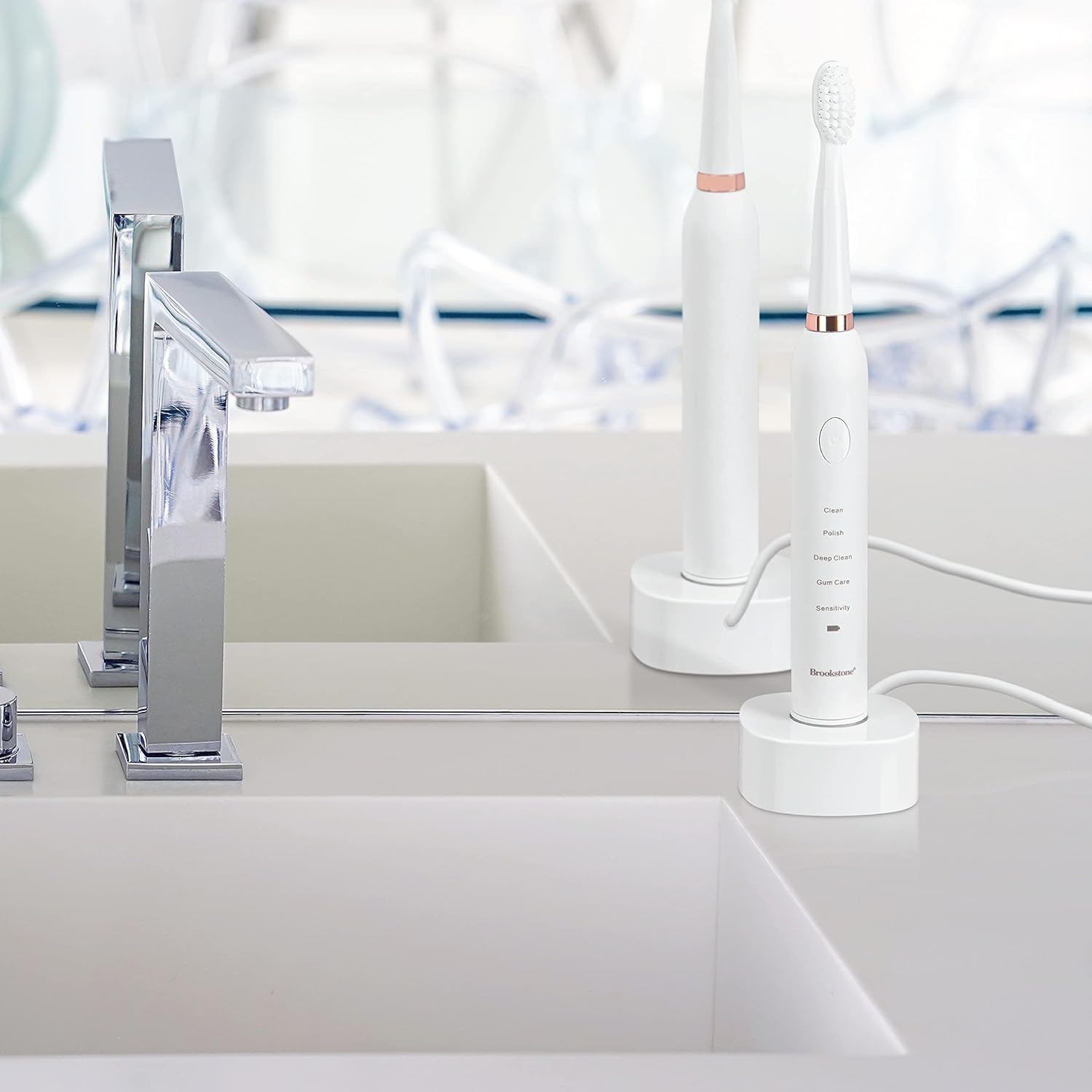
Image: A graphic highlighting key features including the 2-minute timer, sonic vibrations up to 16,500 per minute, and IPX7 waterproof rating.
Usoro ịsa ahịhịa
Apply a small amount of toothpaste to the brush head. Place the brush head against your teeth at a slight angle towards the gum line. Gently move the brush across your teeth, allowing the sonic vibrations to do the work. Do not scrub aggressively. Divide your mouth into four quadrants and spend 30 seconds on each, guided by the timer pauses.
Nlekọta
Na-ehicha ahịhịa eze
- Mgbe ejiri ya mee ihe ọ bụla, sachaa isi ahịhịa ahụ nke ọma n'okpuru mmiri na-agba agba.
- Jiri mgbasa ozi hichaa aka brọsh ezeamp cloth. Do not immerse the handle in water for extended periods, despite its water resistance.
- Ensure the charging base is kept dry and clean.
Ịchaji
When the battery indicator light signals low power, place the toothbrush on its USB rechargeable base. The indicator light will show charging status and turn green when fully charged. Avoid overcharging by unplugging the charger once fully charged, especially for prolonged periods.
Ndochi isi ahịhịa
For optimal cleaning performance and hygiene, it is recommended to replace the brush head every 3 months, or sooner if the bristles appear frayed or worn. Replacement heads are available from Brookstone.
Nchọpụta nsogbu
| Nsogbu | Ihe nwere ike ime | Ngwọta |
|---|---|---|
| Ahịhịa eze anaghị agbanwuo. | Batrị agwụla. | Chajie ezé ahụ ruo opekata mpe awa iri abụọ na anọ. |
| ahịhịa eze anaghị akwụ ụgwọ. | Charging base or USB cable not properly connected. | Ensure the USB cable is securely plugged into both the base and the power source. Verify the toothbrush handle is correctly seated on the charging pin. |
| Weak vibration or reduced performance. | Batrị dị ala ma ọ bụ isi ahịhịa nke eyighị. | Recharge the toothbrush. Replace the brush head if it is old or worn. |
| Brush head falls off during use. | Brush head not securely attached. | Gbaa mbọ hụ na a kwaturu isi ahịhịa ahụ ala nke ọma ruo mgbe ọ batara. |
Nkọwapụta
- Ụdị: OC0005-WH8
- Akụkụ ngwaahịa: 0.85 x 0.85 x 8.5 sentimita asatọ
- Ibu ihe: 5.5 ounces
- Isi mmalite ike: Batrị nwere ike (1 Lithium Ion batrị, gụnyere)
- Mmaji: Ruo 16,500 kwa nkeji
- Ụdị ọrụ: 5 (Clean, Polish, Deep Clean, Gum Care, Sensitive)
- Ọnụọgụ enweghị mmiri: IPX4
- Ngwa gụnyere: Toothbrush handle, 3 replacement brush heads, USB rechargeable base, USB cable
- Ihe Bristle: Nylon (Soft)
- Ihe ejikwa: Plastic
- Onye nrụpụta: Argento SC
Ozi nchekwa
- Ihe egwu na-akụda: Keep out of reach of children. This product is for adult use only.
- Replace brush head every 3 months for optimal hygiene and performance.
- FDA enyochabeghị nkwupụta gbasara mgbakwunye nri na ebughị n'obi ịchọpụta, gwọọ, gwọọ ma ọ bụ gbochie ọrịa ọ bụla ma ọ bụ ọnọdụ ahụike.
- Ejila ya ma ọ bụrụ na ngwaahịa ahụ yiri ka ọ mebiri emebi.
- Kpọtụrụ dọkịta eze gị tupu eji ya ma ọ bụrụ na ị nwere ọrịa chịngọm siri ike ma ọ bụ ịwa ahụ ọnụ.
Akwụkwọ ikike na nkwado
For warranty information, technical support, or customer service inquiries, please refer to the contact information provided with your product packaging or visit the official Brookstone website. Please have your model number (OC0005-WH8) and purchase date available when contacting support.