
1. Ngwaahịa gafereview
The TECHNOVIEW Spy HD WiFi Hidden 1080P Bulb Holder Camera is a discreet security device designed for indoor surveillance. It integrates a high-definition camera into a standard bulb holder, allowing for continuous monitoring of your home, office, or other personal spaces.
Atụmatụ gụnyere:
- 2-na-1 imewe: Functions as both a bulb holder and a surveillance camera.
- HD 1080P Video: Provides clear image and video quality with remote viewing ike.
- Ọhụụ abalị: Offers clear visibility in low-light or dark conditions.
- Ndekọ loop: Na-ehichapụ ihe ochie na akpaghị aka files mgbe kaadị ebe nchekwa jupụtara, na-eme ka ndekọ na-aga n'ihu.
- Njikọ Wi-Fi: Enables remote viewing and control via a smartphone application.
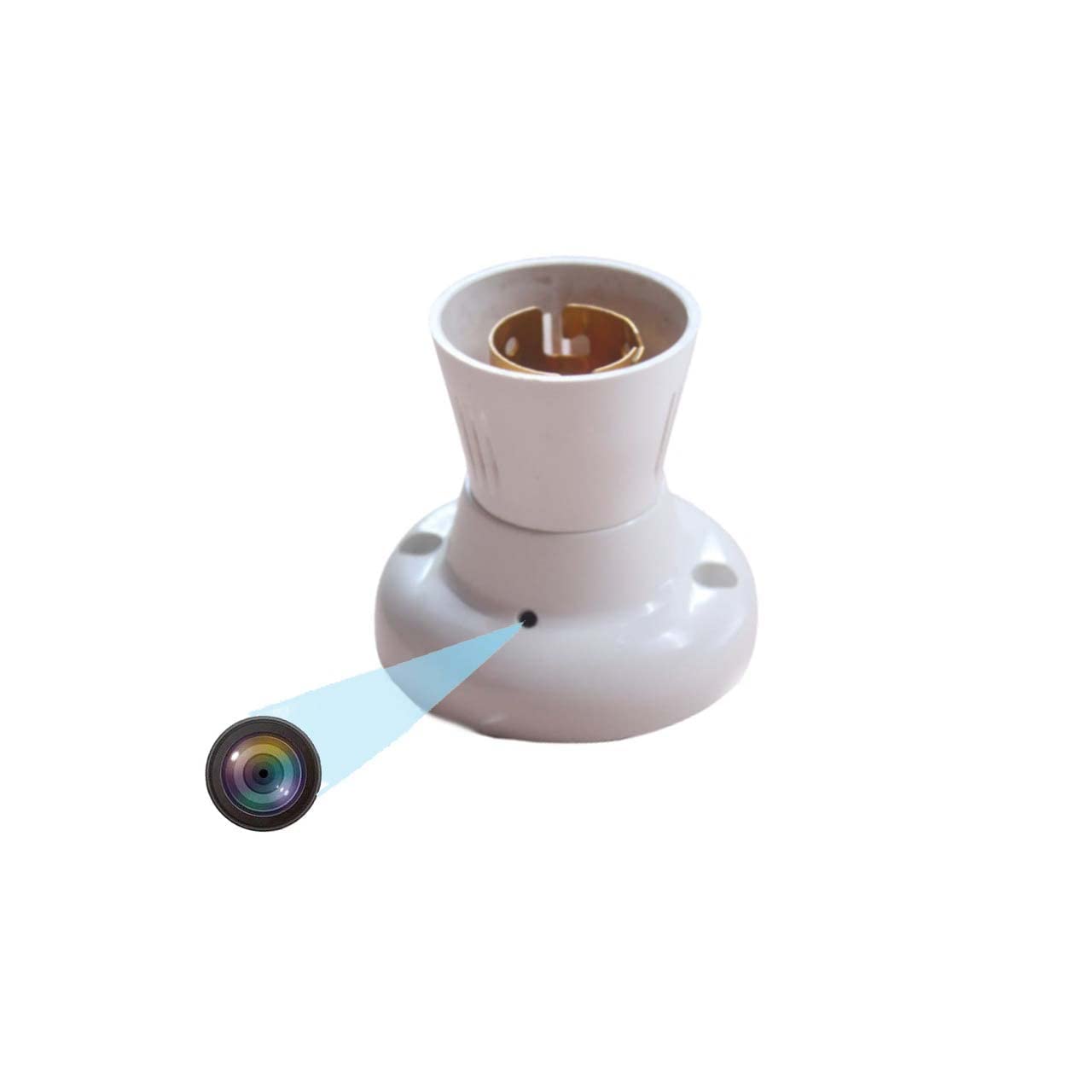
Figure 1.1: TECHNOVIEW Bulb Holder Camera. This image shows the overall design of the bulb holder with the discreetly integrated camera lens.
2. Nhazi ntuziaka
Follow these steps to set up your TECHNOVIEW Bulb Holder Camera:
- Njikọ ike: Ensure the camera is connected to a 220 Volt AC power supply. This device operates directly from the mains power.
- Micro SD Card Insertion: Locate the Micro SD card slot on the device. Gently insert a Micro SD card (up to 128 GB capacity) for video storage. Ensure it is inserted correctly until it clicks into place.
- Nwụnye ngwa: Budata ma wụnye ya LOOKCAM PRO APP on your smartphone. This app is available for Android devices.
- Ngwakọta ngwaọrụ: Open the LOOKCAM PRO APP and follow the in-app instructions to connect your camera to your home or office Wi-Fi network. This typically involves scanning a QR code or connecting to the camera's temporary Wi-Fi hotspot.
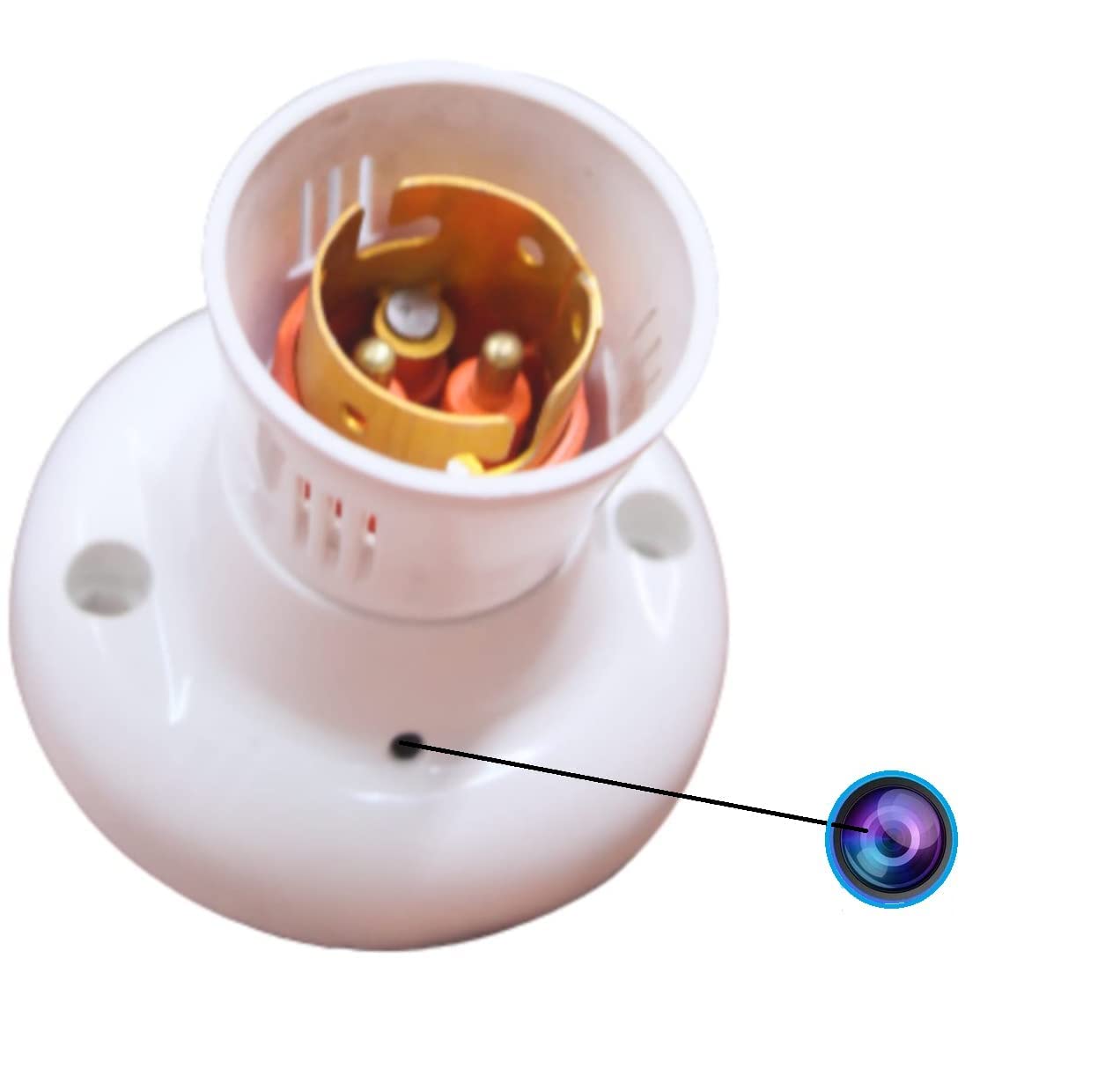
Ọgụgụ 2.1: nso nso view of the camera lens on the bulb holder, indicating the discreet placement.
3. Ntuziaka ọrụ
Once set up, you can operate your camera using the LOOKCAM PRO APP:
- Dị ndụ View: Open the LOOKCAM PRO APP to access the live video feed from your camera. You can switch between 1080P and 720P resolution as needed.
- Ndekọ vidiyo: The camera supports continuous loop recording. When the Micro SD card is full, the newest files will automatically overwrite the oldest files. Vidiyo files are saved in 10-minute segments.
- Ọhụụ abalị: The camera is equipped with night vision technology, providing clear surveillance even in complete darkness.
- ese foto: Use the app to take still photos from the live video feed.
- Nkpọghachi: Access recorded videos and photos directly through the LOOKCAM PRO APP. Files can also be downloaded to your phone or computer for review.
- Nkekọrịta Ndị Ọrụ Ọtụtụ: The app allows you to share camera access with authorized users, enabling multiple individuals to view nri nri.

Figure 3.1: Remote viewing of the camera feed on a smartphone, accessible anytime, anywhere.

Figure 3.2: Visual representation of the camera's core functionalities, including HD video, Wi-Fi connectivity, and loop recording.

Figure 3.3: Illustration of how multiple family members or authorized users can access and share the camera's live feed through the app.
4. Nlekọta
To ensure optimal performance and longevity of your TECHNOVIEW Bulb Holder Camera, consider the following maintenance tips:
- Nhicha: Gently wipe the camera lens and exterior with a soft, dry cloth. Avoid using harsh chemicals or abrasive materials that could damage the device.
- Ịnye ọkụ: Ensure a stable 220V AC power supply. Fluctuations can affect performance.
- Njikwa kaadị ebe nchekwa: While the camera features loop recording, it is advisable to periodically back up important footage from the Micro SD card to another storage device.
- Mmelite femụwe: Check the LOOKCAM PRO APP regularly for any available firmware updates for your camera. Updates can improve performance and add new features.
5. Nchọpụta nsogbu
If you encounter issues with your TECHNOVIEW Bulb Holder Camera, refer to the following common problems and solutions:
| Nsogbu | Ihe kpatara/ Ngwọta nwere ike ime |
|---|---|
| Camera not powering on / Not working |
|
| Interrupted recording / Wireless connection issues |
|
| Not covering full area / Limited view |
|
| App not connecting to camera |
|
6. Nkọwapụta
| Njirimara | Nkọwa |
|---|---|
| Nlereanya | Holder-Camera |
| Ụdị nkwụnye | agbakwunyere |
| Mkpebi ịse vidiyo | 4K, 1080p |
| Agba | Ọcha |
| Teknụzụ nzikọrịta ozi ikuku | Wi-Fi |
| Ụdị Ihe | Dome |
| Viewna n'akuku | ogo 90 |
| Voltage | 220 volts (AC) |
| Wattage | 5 Watt |
| Akụkụ ihe (L x W x H) | 9 x 3 x 3 centimita |
| Ibu Ibu | 35 grams |
| Ụdị ebe nchekwa Flash | Micro SD |
| Ike Nchekwa ebe nchekwa | Ruo 128 GB |
| Operating System (App) | Android |
| Atụmatụ pụrụ iche | HD Camera Resolution, Wifi |
| Ojiji ime ime/n'èzí | Ime ụlọ |
| Ogo nchekwa mba ụwa | IP54 |
7. Akwụkwọ ikike na nkwado
For technical assistance or product support, please contact TECHNOVIEW ndị ọrụ nlekọta ndị ahịa:
- Nkwado WhatsApp: +91 98106 01293
- Oge ọrụ: Monday to Saturday, 11:30 AM to 6:30 PM (IST)
- Please drop your query or message on WhatsApp. Contact only after purchasing ngwaahịa.

Figure 7.1: Technical support contact information for TECHNOVIEW ngwaahịa.
For more information about TECHNOVIEW products, visit the official TECHNOVIEW Zụọ ahịa na Amazon.