
1. Okwu mmalite
Thank you for choosing the Calex Smart Ceiling Lamp. This 30cm smart ceiling light is designed for indoor use in spaces such as bedrooms and living rooms, offering versatile lighting options including 16 million colors and tunable white light. It can be controlled via the Calex Smart App and is compatible with popular voice assistants.

Figure 1: Calex Smart Ceiling Lamp (Nlereanya 5301000200)
2. Ozi nchekwa
- Emebere ngwaahịa a maka eji naanị ime ụlọ. Do not install in wet or damp ebe.
- Ensure the power supply is disconnected before installation, maintenance, or cleaning to prevent electric shock.
- Installation must be performed by a qualified electrician or in accordance with local electrical codes.
- Mee ọrụ lamp only within the specified voltage range of 230 Volts AC.
- Anwala ịkwasa ma ọ bụ gbanwee lamp. Enweghị akụkụ ndị ọrụ ga-arụ ọrụ n'ime.
- Debe lamp pụọ na isi mmalite okpomọkụ na ìhè anyanwụ.
3. Ihe ngwugwu
Chọpụta na akụrụngwa niile dị na ngwugwu:
- 1x Calex Smart Ceiling Lamp (Nlereanya 5301000200)
4. Ntọala na nwụnye
The Calex Smart Ceiling Lamp requires ceiling mounting and assembly. Follow these steps carefully:
- Nkwadebe: Turn off the main power supply at the circuit breaker before starting installation.
- Ịkwanye: Jikọọ na nzuzo tinye lamp's mounting bracket to the ceiling using appropriate screws and anchors (not included, typically supplied by installer). Ensure the mounting surface can support the lamp's weight (934 grams).
- Wiring: Connect the electrical wires from the ceiling to the lamp's terminals. Ensure correct polarity (Live, Neutral, Earth) as indicated in the lamp's wiring diagram.
- Mgbakọ: Tinye lamp body to the mounting bracket, ensuring it is firmly secured.
- Ike Na: Restore power at the circuit breaker. The lamp should turn on or enter pairing mode.
5. Na-arụ ọrụ Lamp
The Calex Smart Ceiling Lamp is primarily controlled via the Calex Smart App. It offers a wide range of lighting options:
- Nhọrọ agba: Choose from 16 million colors to set the perfect mood.
- White Tunable: Adjust the white light from warm to cool tones.
- Enwere ike ibelata: Adjust the brightness from 0% to 100%.
- Ihe ngosi na usoro ihe omume: Create custom lighting scenes and set timers for automated operation.
6. Calex Smart App Control
To unlock the full potential of your Calex Smart Ceiling Lamp, download and install the Calex Smart App on your smartphone or tablet. The app allows you to control your lamp site na ebe ọ bụla nwere njikọ ịntanetị.
- Budata ngwa: Chọọ maka "Calex Smart" in your device's app store (iOS or Android).
- Mebe akaụntụ: Open the app and follow the instructions to create a new user account or log in if you already have one.
- Tinye ngwaọrụ: In the app, select "Add Device" or the "+" icon. Choose "Lighting" and then "Ceiling Lamp" or a similar option.
- Na-ejikọta: Gbaa mbọ hụ na lamp is powered on and in pairing mode (it may flash). Follow the in-app instructions to connect the lamp to your 2.4 GHz Wi-Fi network.
- Njikwa: Once paired, you can control the lamp's color, brightness, and set schedules directly from the app.
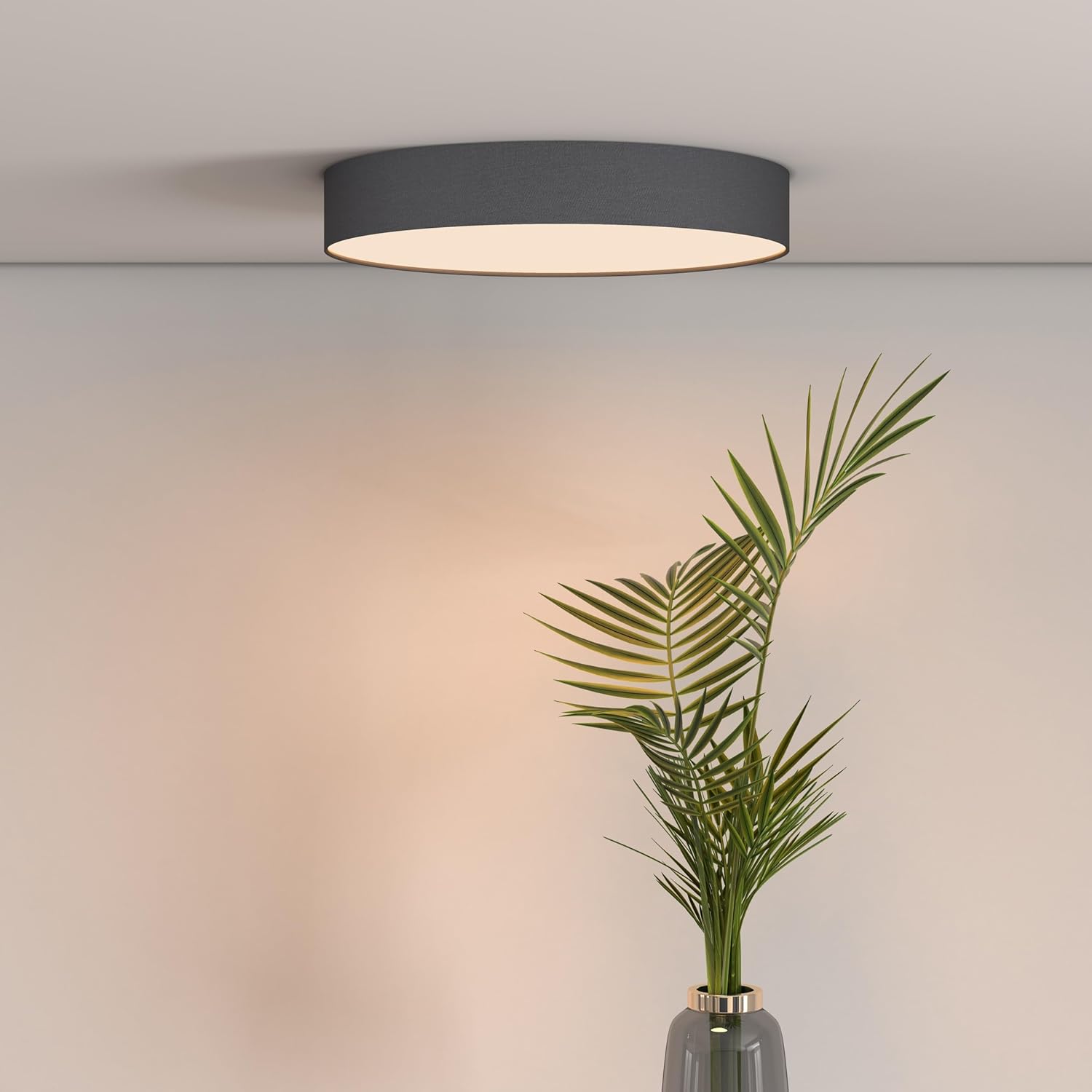
Figure 2: Calex Smart App Interface
7. Njikwa olu
The Calex Smart Ceiling Lamp is compatible with leading voice assistants, allowing for hands-free control:
- Amazon Alexa: Link your Calex Smart account to Alexa through the Alexa app.
- Onye enyemaka ụlọ Google: Link your Calex Smart account to Google Home through the Google Home app.
- Siri: Use Siri Shortcuts to control your lamp (setup via the Calex Smart App).
Once linked, you can use commands such as: "Alexa, turn on the ceiling lamp," "Hey Google, set the ceiling lamp to blue," or "Siri, dim the ceiling lamp ruo 50%."
8. Nlekọta
To ensure the longevity and optimal performance of your Calex Smart Ceiling Lamp, soro ntuziaka mmezi ndị a dị mfe:
- Nhicha: Kwupu ike tupu ihicha. Jiri nro dị nro, kpọrọ nkụ, ma ọ bụ ntakịrị damp akwa iji hichaa elu nke lamp. Do not use abrasive cleaners, solvents, or harsh chemicals, as these can damage the finish.
- Nyocha: Na-elele lamp for any signs of damage or loose connections. If any issues are found, disconnect power and consult a qualified technician.
- Enweghị akụkụ ndị ọrụ-ọrụ: The LED light source is integrated and not replaceable by the user. Do not attempt to open the lamp.
9. Nchọpụta nsogbu
If you encounter issues with your Calex Smart Ceiling Lamp, refer to the following common solutions:
- Lamp anaghị agbanye:
- Lelee ma ọ bụrụ na isi ọkụ eletrik dị.
- Gbaa mbọ hụ na lamp is correctly wired and securely connected to the power source.
- Verify that the light switch (if applicable) is in the ON position.
- Lamp does not connect to Wi-Fi/App:
- Ensure your Wi-Fi network is 2.4 GHz. The lamp does not support 5 GHz Wi-Fi.
- Check your Wi-Fi signal strength at the lamp'ebe.
- Malitegharịa ekwentị Wi-Fi gị.
- Tọgharịa lamp to pairing mode (usually by cycling power ON/OFF several times). Refer to the Calex Smart App for specific reset instructions.
- Ensure your smartphone is connected to the same 2.4 GHz Wi-Fi network during the pairing process.
- Njikwa olu anaghị arụ ọrụ:
- Verify that your Calex Smart account is correctly linked to your voice assistant app (Alexa, Google Home).
- Lelee njikọ ịntanetị gị.
- Gbaa mbọ hụ na lamp is online and controllable via the Calex Smart App.
10. Nkọwapụta
| Njirimara | Nkọwapụta |
|---|---|
| Ụdị | Calex |
| Nọmba nlereanya | 5301000200 |
| GTIN | 08712879151081 |
| Agba | Black (exterior) |
| Akụkụ | 30cm diameter (approx.) |
| Ibu | 934 grams |
| Isi Iyi Ike | AC |
| Voltage | 230 Volt |
| Wattage | 16 Watt |
| Icha ọkụ | 1500 Lumen |
| Isi Iyi Ìhè | Igwe ọkụ agbakwunyere |
| Agba ọkụ | RGBW (16 million colors + Tunable White) |
| Enwere ike ibelata | Ee |
| Njikọta | Wi-Fi (2.4GHz) |
| Usoro njikwa | Calex Smart App, Voice Control (Alexa, Google Home, Siri) |
| Ụdị nwụnye | Ugwu elu ụlọ |
| Ojiji ime ime/n'èzí | Naanị ime ụlọ |
| Klas arụmọrụ ike | F |

Figure 3: Energy Label for Model 5301000200
Maka ozi ngwaahịa zuru ezu, rụtụ aka na nchekwa data EPREL: https://eprel.ec.europa.eu/qr/711744
11. Akwụkwọ ikike na nkwado
Calex products are manufactured to high-quality standards and come with a manufacturer's warranty. For specific warranty terms and conditions, please refer to the documentation provided with your purchase or visit the official Calex websaịtị.
For technical support, troubleshooting assistance, or warranty claims, please contact Calex customer service through their official websaịtị ma ọ bụ ozi kọntaktị enyere na nkwakọ ngwaahịa gị.