
1. Okwu mmalite
Thank you for choosing the Roseland Boombox 20W TWS Bluetooth Speaker. This manual provides essential information for the safe and efficient operation of your device. Please read it thoroughly before use and retain it for future reference.
The Roseland Boombox 20W TWS Bluetooth Speaker delivers rich, powerful sound. Connect wirelessly via Bluetooth, or use AUX and USB inputs for versatile playback. Enjoy up to 5.5 hours of playtime on a single charge. The integrated color-changing light enhances your listening experience. This lightweight speaker features a convenient handle for portability and supports True Wireless Stereo (TWS) pairing for an expanded soundstage.
2. Ihe ngwugwu
Gbaa mbọ hụ na ihe niile dị na ngwugwu:
- Roseland Boombox 20W TWS Bluetooth Speaker
- USB-C eriri USB
- eriri inyeaka (AUX).
- Akwụkwọ ntuziaka (akwụkwọ a)
3. Akụrụngwa Ngwaahịa
- Mmepụta ọdịyo: 20W for powerful sound.
- Ezi stereo ikuku ikuku (TWS): Connect two speakers wirelessly for stereo sound.
- Njikọta: Bluetooth, AUX Input, USB Port.
- Ndụ batrị: Ruo awa 5.5 nke oge egwuregwu.
- Oge nchaji: Ihe dị ka awa 2.5.
- Ọkụ: Integrated color-changing light.
- Usoro njikwa: njikwa aka.
- Enwere ike ibugharị: Lightweight design with a convenient handle.
- Ogologo oge: Ihe owuwu nke enweghị mmiri.
4. Njikwa na egosi
The control panel is located on the rear of the speaker. Specific button functions are detailed below. (Refer to the image for visual reference).
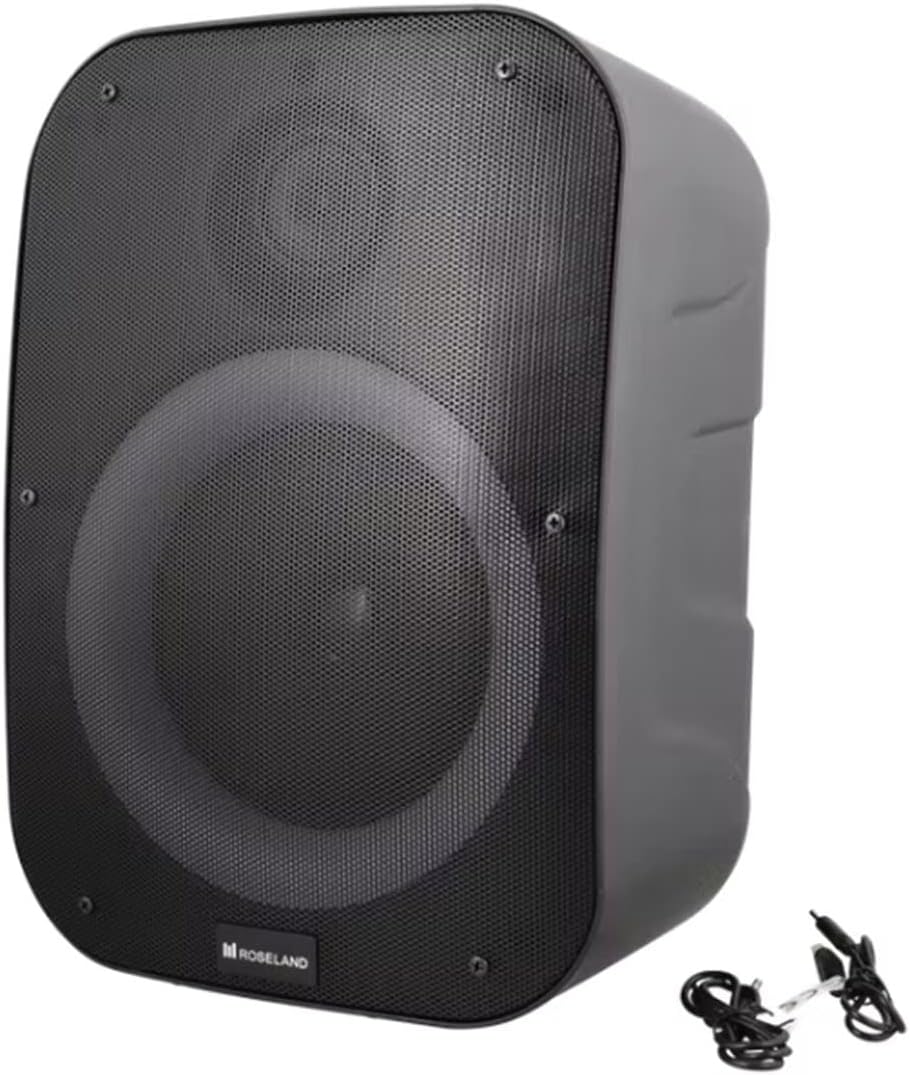
Foto: N'azụ view of the Roseland Boombox, highlighting the control panel and integrated handle for portability.
- Bọtịnụ ike: Pịa ma jide ka ịgbanwuo ma ọ bụ gbanyụọ ọkà okwu.
- Bọtịnụ Ụdị (M): Press to switch between Bluetooth, AUX, and USB playback modes.
- Play/Pause Button (▶❚❚): Pịa ka ịkpọọ ma ọ bụ kwụsịtụ ọdịyo.
- Mpịakọta nke ala / bọtịnụ egwu gara aga (-): Press to decrease volume. Press and hold to go to the previous track.
- Bọtịnụ egwu na-esote (+): Press to increase volume. Press and hold to go to the next track.
- Bọtịnụ Ọnọdụ ọkụ: Press to cycle through different color-changing light modes or turn the lights off.
- Bọtịnụ Njikọ TWS: Press to initiate True Wireless Stereo pairing (see Section 5.4).
- Nchaji ọdụ ụgbọ mmiri (USB-C): Connect the USB-C cable for charging.
- Port ntinye AUX: Connect an external audio device using the auxiliary cable.
- Ọdụ ụgbọ mmiri USB: Tinye draịvụ USB flash maka ịkpọghachi ọdịyo.
5. Nhazi
5.1 Ịchaji ọkà okwu
- Connect the supplied USB-C charging cable to the speaker's USB-C charging port.
- Jikọọ nsọtụ nke ọzọ nke eriri USB-C na ihe nkwụnye ike USB dakọtara (anaghị etinye ya) ma ọ bụ ọdụ USB kọmputa.
- The charging indicator light will illuminate, typically red, during charging. It will turn off or change color (e.g., blue) when fully charged.
- Ụgwọ zuru ezu na-ewe ihe dịka awa 2.5.
5.2 Gbanyụọ/ gbanyụọ
- Iji gbanye: Press and hold the Power Button for a few seconds until you hear an audible prompt or see an indicator light.
- Iji gbanyụọ: Press and hold the Power Button again for a few seconds until the speaker powers down.
5.3 Njikọ Bluetooth
- Ensure the speaker is powered on and in Bluetooth mode. If not, press the Mode Button (M) until you hear a "Bluetooth mode" prompt or see a flashing blue indicator light.
- Kwado Bluetooth na ama gị, mbadamba ihe, ma ọ bụ ngwaọrụ Bluetooth ọzọ.
- Chọọ maka "Roseland Boombox" in the list of available Bluetooth devices.
- Select "Roseland Boombox" to connect. Once connected, you will hear a confirmation sound, and the indicator light will become solid blue.
- Ọkà okwu ahụ ga-anwa ijikọghachi na ngwaọrụ ejikọtara ikpeazụ ozugbo mgbe agbanyere ya.
5.4 Ezi ikuku stereo (TWS) ijikọ
TWS allows you to connect two Roseland Boombox speakers wirelessly for a stereo sound experience.
- Ensure both Roseland Boombox speakers are powered on and in Bluetooth mode, but not yet connected to any device.
- On one of the speakers (this will be the primary speaker), press the TWS Pairing Button. You will hear a prompt indicating it's searching for another speaker.
- The two speakers will automatically connect to each other. You will hear a confirmation sound once TWS pairing is successful.
- Now, connect your Bluetooth device to the primary speaker (the one you pressed the TWS button on) as described in Section 5.3. The audio will now play in stereo through both speakers.
5.5 Njikọ AUX
- Connect one end of the supplied AUX cable to the AUX Input Port on the speaker.
- Jikọọ nsọtụ nke ọzọ nke eriri AUX na jaak ekweisi ma ọ bụ mmepụta ọdịyo nke ngwaọrụ ọdịyo mpụga gị.
- Press the Mode Button (M) on the speaker until you hear an "AUX mode" prompt.
- Jikwaa ọkpụkpọ egwu na olu ozugbo site na ngwaọrụ ọdịyo ejikọtara gị.
5.6 USB playback
- Fanye draịva USB nwere ọdịyo MP3 files into the USB Port on the speaker.
- Press the Mode Button (M) on the speaker until you hear a "USB mode" prompt.
- The speaker will automatically begin playing audio files site na USB mbanye.
- Use the Play/Pause, Volume Up/Down, and Next/Previous Track buttons on the speaker to control playback.
6. Ntuziaka ọrụ
6.1 Nghaghachi egwu
- Gwuo/kwụsịtụ: Pịa bọtịnụ Play/kwụsịtụ.
- Track na-esote: Pịa ma jide bọtịnụ olu elu (+).
- Gara aga Track: Pịa ma jide bọtịnụ ụda ala (-).
- Ndozi olu: Press the Volume Up (+) or Volume Down (-) buttons to adjust the volume.
Ụdịdị ọkụ
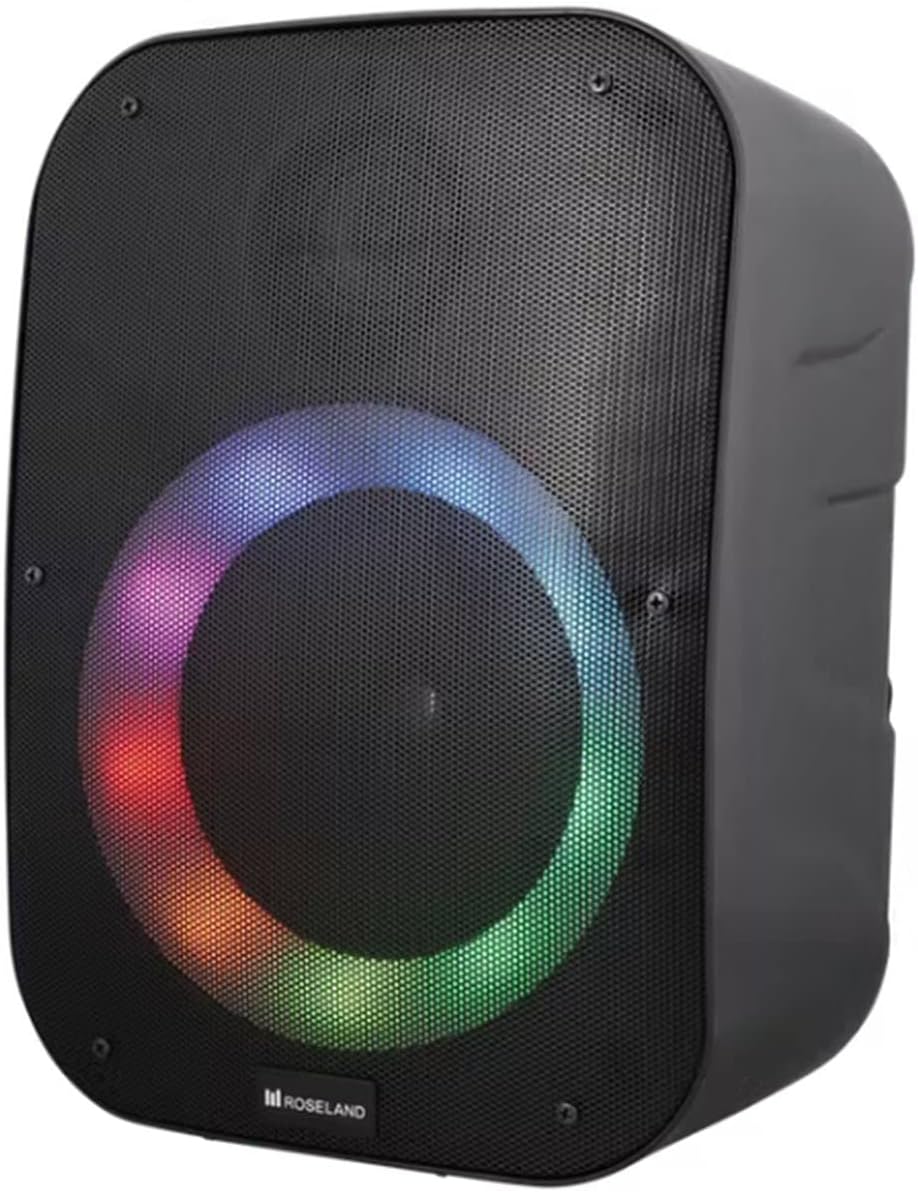
Foto: N'ihu view of the Roseland Boombox showcasing its dynamic color-changing light feature.
Press the Light Mode Button on the control panel to cycle through various color-changing light patterns. Continue pressing to find your preferred mode or to turn the lights off.
7. Nlekọta
- Nhicha: Jiri ákwà dị nro ma kpọọ nkụ hichaa elu okwu ahụ. Ejila ihe nhicha ma ọ bụ ihe mgbaze.
- Nchekwa: Chekwaa ọkà okwu n'ebe dị jụụ, kpọrọ nkụ pụọ na ìhè anyanwụ kpọmkwem na oke okpomọkụ mgbe ọ naghị eji ya ogologo oge.
- Nlekọta batrị: Iji mee ka batrị dị ogologo, chajie igwe okwu ahụ nke ọma tupu ejiri ya mee ihe mbụ ma chajie ya opekata mpe otu ugboro n'ime ọnwa atọ ọ bụrụ na ejirighị ya mgbe niile.
8. Nchọpụta nsogbu
| Nsogbu | Ihe nwere ike ime | Ngwọta |
|---|---|---|
| Ọkà okwu anaghị agba ọkụ. | Batrị dị ala. | Charge the speaker using the supplied USB-C cable. |
| Enweghị ụda. | Olu dị oke ala; ọnọdụ na-ezighi ezi; ejikọtaghị ngwaọrụ. | Increase volume; ensure correct mode (Bluetooth/AUX/USB); re-pair Bluetooth device or check AUX/USB connection. |
| Njikọ Bluetooth ada ada. | Ọkà okwu adịghị n'ụdị njikọta; ngwaọrụ tere aka; nnyonye anya. | Ensure speaker is in Bluetooth pairing mode; move device closer; turn off other Bluetooth devices. |
| Njikota TWS ada ada. | Speakers too far apart; one speaker already paired to a device. | Ensure both speakers are in TWS pairing mode and close to each other; disconnect any Bluetooth devices from both speakers before TWS pairing. |
9. Nkọwapụta
| Njirimara | Nkọwa |
|---|---|
| Aha Nlereanya | Roseland Boombox 20W TWS Bluetooth Speaker |
| Ụdị | Roseland |
| Ike mmepụta okwu | 20 Watt |
| Teknụzụ Njikọta | Bluetooth, Auxiliary (AUX), USB |
| Nkwukọrịta ikuku | Bluetooth |
| Ọnọdụ mmepụta ọdịyo | Stereo |
| Nhazi ọwa ụda gburugburu | 2.0 |
| Usoro njikwa | Metụ aka |
| Isi Iyi Ike | Wireless (Rechargeable Battery) |
| Ndụ batrị | Ruo awa iri abụọ |
| Oge Nchaji | Ihe dị ka awa 2.5 |
| Atụmatụ pụrụ iche | Bluetooth, USB Port, Color-changing Light, Waterproof |
| Akwadoro ojiji | Maka ama ma ọ bụ mbadamba |
| Ngwa dakọtara | Personal Computer, Television, Tablet, Smartphone, Laptop |
| Ụdị nkwụnye | Ala Ugwu |
| ASIN | B0B58VP4RH |
10. Akwụkwọ ikike Ozi
This Roseland Boombox 20W TWS Bluetooth Speaker comes with a Akwụkwọ ikike nke onye nrụpụta afọ abụọ nwere oke site na ụbọchị ịzụrụ. Akwụkwọ ikike a na-ekpuchi ntụpọ dị na ngwa na arụ ọrụ n'okpuru ojiji nkịtị. Ọ naghị ekpuchi mmebi nke n'ụzọ na-ezighị ezi, ihe mberede, mgbanwe na-akwadoghị, ma ọ bụ ihe na-akpata mpụga.
For warranty claims or support, please contact your retailer or the manufacturer's customer service with your proof of purchase.
11. Ozi nchekwa
- Ekwela ka onye na-ekwu okwu nọrọ n'ọnọdụ okpomọkụ dị oke elu, anwụ kpọmkwem, ma ọ bụ ọkụ mepere emepe.
- Do not disassemble, repair, or modify the speaker yourself. This may void the warranty and pose safety risks.
- Debe ọkà okwu n'ebe ụmụaka nọ na anụ ụlọ.
- Use only the supplied charging cable. Using incompatible chargers may damage the device or cause fire.
- Zere ige ntị n'ụda dị elu ruo ogologo oge iji gbochie mmebi ntị.
- Although waterproof, avoid submerging the speaker in water for prolonged periods or exposing it to high-pressure water jets.


