
NXGKET 2AYV7YG-811
NXGKET Walkie Talkies User Manual
Brand: NXGKET | Model: 2AYV7YG-811
Okwu mmalite
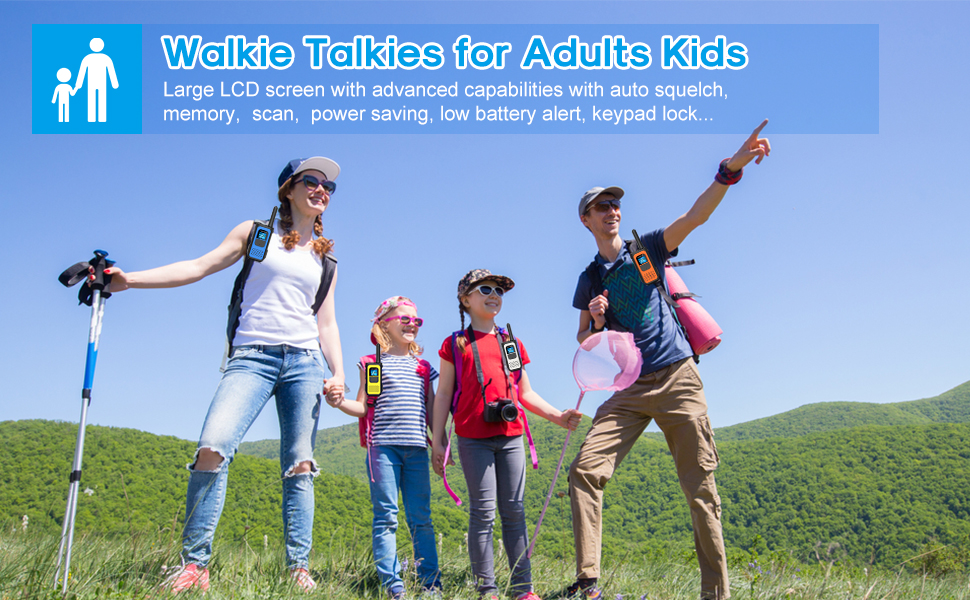
The NXGKET Long Range Walkie Talkies are designed for reliable communication in various environments, from family camping trips to outdoor adventures. Featuring 22 FRS channels and 121 privacy codes, these rechargeable two-way radios offer clear communication and extended battery life. They are compatible with other FRS radios, ensuring seamless interaction regardless of brand. Advanced features include NOAA Weather Scan and Alert, VOX (Voice Operated Exchange), Auto Squelch, Auto Memory, Auto Scan, Auto Power Saving, Low Battery Alert, and Keypad Lock.
Kedu ihe dị na Igbe ahụ
- 2 * Walkie Talkies
- 2 * batrị Li-ion
- 2 * Belt Clip
- 1 * Ụdị-C USB
- 1 * User's Manual

Melite
Ntinye batrị
- Gbaa mbọ hụ na agbanyụrụ talkie ahụ.
- Chọta ebe batrị dị n'azụ unit ahụ.
- Open the battery cover and insert the Li-ion battery, ensuring correct polarity.
- Mechie mkpuchi batrị nke ọma.
Ịchaji batrị
Each walkie talkie comes with a 1200mAh lithium rechargeable battery. Use the provided Type-C USB cable to charge the units. The cable allows up to two radios to be charged simultaneously.
- Connect the Type-C cable to the charging port located at the top of the walkie talkie (under the rubber cover).
- Connect the USB end of the cable to a compatible USB power source (e.g., wall adapter, power bank, computer USB port).
- The battery indicator on the LCD screen will show charging status. A full charge typically takes about 2 hours.
- Once fully charged, the walkie talkies can be used for 3-4 days depending on usage.

Ntuziaka ọrụ
Gbanyụọ/ Gbanyụọ
- To turn on: Press and hold the Power/Scan button for 3 seconds.
- To turn off: Press and hold the Power/Scan button for 3 seconds again.
Channel Selection and Privacy Codes
The walkie talkies offer 22 FRS channels and 121 privacy codes. To communicate with another radio, ensure both units are set to the same channel and privacy code.
- Press the MENU button to enter channel selection mode.
- Use the UP (+) or DOWN (-) buttons to select the desired channel.
- Press the MENU button again to set the privacy code, then use the UP (+) or DOWN (-) buttons to select the desired code.
- Press the PTT (Push-to-Talk) button to confirm settings and exit menu mode.
Na-agbanwe olu
- Press the UP (+) button to increase volume.
- Press the DOWN (-) button to decrease volume.
- Enwere ọkwa olu 16 dị.
VOX (Voice Operated Exchange)
VOX mode allows for hands-free communication. When activated, the walkie talkie will transmit automatically when it detects your voice.
- To activate VOX: Press the MENU button until the VOX icon appears on the LCD. Use UP (+) or DOWN (-) to select sensitivity level (1-3).
- To deactivate VOX: Press the MENU button until the VOX icon appears, then use UP (+) or DOWN (-) to set it to OFF.
Nyocha ihu igwe na NOAA
Stay informed about weather conditions with the NOAA Weather Scan and Alert feature.
- Press the UP (+) button for 2-3 seconds to scan 10 NOAA radio channels in your area.
- The radio will alert you to severe weather updates.
Mkpọchi ahụigodo
Iji gbochie mgbanwe mberede na ntọala, ị nwere ike igbachi ahụ igodo.
- To lock: Press and hold the MENU/Lock button for 3 seconds until the lock icon appears.
- To unlock: Press and hold the MENU/Lock button for 3 seconds again until the lock icon disappears.

Official Product Video: Easy to Use Walkie Talkies
Video 1: This video demonstrates the ease of use and long-range capabilities of the NXGKET walkie talkies, highlighting their suitability for adults and various outdoor activities.
Nlekọta
- Keep the walkie talkies dry. If they get wet, wipe them immediately with a soft, dry cloth.
- Clean the units with a soft, damp akwa . Ejila kemịkalụ siri ike ma ọ bụ ihe mkpocha abrasive.
- Remove batteries if the device will not be used for a long period to prevent leakage.
- Chekwaa n'ebe dị jụụ, kpọrọ nkụ na-adịghị na ìhè anyanwụ kpọmkwem na oke okpomọkụ.
Nchọpụta nsogbu
For detailed troubleshooting steps and solutions to common issues, please refer to the official User Manual (PDF) provided with your product or available via the Amazon product page.
Common issues may include:
- No power: Check battery installation and charge level.
- Cannot communicate: Ensure both walkie talkies are on the same channel and privacy code. Check for obstructions.
- Poor sound quality: Adjust squelch level, check for interference, or move to an open area.
Nkọwapụta
- Akara:
- NXGKET
- Nọmba nlereanya:
- 2AYV7YG-811
- Ibu ihe:
- 4 ounces
- Akụkụ ngwaahịa:
- 7 x 1.96 x 2.36 sentimita asatọ
- Batrị:
- 2 batrị lithium polymer chọrọ (gụnyere)
- Ụdị ngosi:
- LCD
- Ọnụọgụ ọwa:
- 22
- Atụmatụ pụrụ iche:
- Battery Strength Indicator, Long Range, Keypad Lock, Dust Proof, Automatic Squelch
- Oke ugboro:
- 136-174 MHz
- Oke Okwu Kachasị:
- 3 Mile (open areas)
- Ọkwa Nguzogide mmiri:
- Waterproof
Akwụkwọ ikike na nkwado
NXGKET offers a 1-year warranty and free replacement for this product. The device has been tested to comply with FCC standards (FCC ID: 2AYV7YG-811).
For any concerns or support inquiries, please feel free to contact NXGKET-US, the seller. Contact information can typically be found on the product's purchase platform or through the official brand websaịtị.
Ask a question about this manual
Ask about setup, troubleshooting, compatibility, parts, safety, or missing instructions. Manuals+ will review the question and use this page’s manual context to help answer it.