
1. Okwu mmalite
Thank you for choosing the Xiaomi MI A2 L50M7 50-inch 4K UHD LED Smart TV. This manual provides essential information for the safe and efficient use of your television. Please read it thoroughly before operating the device and retain it for future reference.
2. Ozi nchekwa
- Ịnye ọkụ: Ensure the TV is connected to a power outlet with the correct voltage dị ka egosiri na akara ngwaahịa.
- Igwe ikuku: Akwụsịla oghere ikuku. Nye ohere zuru oke na gburugburu TV maka ikuku ikuku kwesịrị ekwesị iji gbochie ikpo oke ọkụ.
- Mmiri na mmiri: Etinyela TV ahụ n'ebe mmiri na-ezo, mmiri na-ezo, ma ọ bụ tinye ihe ndị jupụtara na mmiri mmiri n'elu ma ọ bụ n'akụkụ TV.
- Nhicha: Wepụ TV ahụ tupu ị sachaa ya. Jiri ákwà dị nro ma kpọọ nkụ. Zere iji ihe nhicha mmiri ma ọ bụ ihe e ji aerosol fesa ya.
- Nkwanye: Debe TV ahụ n'elu ebe kwụsiri ike ma dị larịị iji gbochie ya ịda. Debe ya ka ọ ghara ịpụ n'anya anwụ kpọmkwem, ebe okpomọkụ na-esi apụta, na ebe magnet siri ike.
- Ije ozi: Anwala ịrụzi TV ahụ n'onwe gị. Nye ndị ọrụ ruru eru ọrụ niile.
3. Ihe ngwugwu
Chọpụta na ihe niile dị na ngwugwu:
- Xiaomi MI A2 L50M7 50-inch 4K UHD LED Smart TV
- Njikwa Ime Obodo (batrị AAA abụọ gụnyere)
- Igwe ọkụ ọkụ
- Ihe nkwụnye TV (2 iberibe)
- Ihe nkedo maka TV Stand
- Akwụkwọ ntuziaka (akwụkwọ a)
4. Nhazi
4.1 Nwepu
Carefully remove the TV from its packaging. It is recommended to have two people for this process due to the size and weight of the television. Retain the packaging materials for future transport or servicing.
4.2 Na-agbakwunye ihe nkwụnye TV
Place the TV face down on a soft, clean surface to prevent screen damage. Align the stand pieces with the corresponding slots on the bottom of the TV and secure them with the provided screws.

Image: The Xiaomi MI A2 L50M7 TV shown with its two-piece stand securely attached, ready for placement on a flat surface.
4.3 Ijikọ ike
Tinye eriri ọkụ n'ime ntinye ike TV, wee gbanye nsọtụ nke ọzọ n'ime oghere mgbidi. Enwekwala ike na TV ma.
4.4 Ijikọ ngwaọrụ mpụga
Connect your external devices such as set-top boxes, gaming consoles, or Blu-ray players to the HDMI ports. Use the USB ports for external storage devices. For antenna or cable TV, connect the coaxial cable to the ANTENNA IN port.
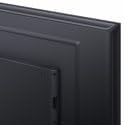
Foto: A nso nso view of the back panel of the Xiaomi MI A2 L50M7 TV, highlighting the various input and output ports for connecting external devices.
4.5 Ọkachamara Mbido Mbido
After connecting all devices and power, press the power button on the remote control or TV. The TV will guide you through the initial setup process, including:
- Nhọrọ asụsụ: Họrọ asụsụ nke masịrị gị.
- Njikọ netwọk: Jikọọ na netwọk Wi-Fi nke ụlọ gị.
- Nyocha ọwa: Scan for available digital and analog channels.
- Ntọala Akaụntụ Google: Sign in with your Google account to access Smart TV features and apps.
5. .rụ ọrụ
5.1 Remote Control Overview
The remote control allows you to navigate the TV's functions. Insert the two AAA batteries into the remote control, ensuring correct polarity.

Image: The sleek black remote control for the Xiaomi MI A2 L50M7 TV, featuring various buttons for power, volume, channel, navigation, and smart TV functions.
5.2 Ọrụ ndị bụ isi
- Ike: Pịa bọtịnụ ike iji gbanye ma ọ bụ gbanyụọ TV.
- Olu: Jiri bọtịnụ Mpịakọta Elu/Mbelata olu iji gbanwee ọkwa ụda.
- Ọwa: Jiri bọtịnụ elu/ala nke Channel gbanwee ọwa TV.
- Ntinye: Press the Input button to select different input sources (HDMI 1, HDMI 2, AV, etc.).
5.3 Smart TV atụmatụ
Your Xiaomi MI A2 L50M7 is a Smart TV with built-in Wi-Fi, allowing access to a variety of online content and applications. Navigate the Smart TV interface using the remote control's directional pad and OK button.
- Ngwa: Nweta ngwa etinyegoro mbụ ma ọ bụ budata nke ọhụrụ na ụlọ ahịa ngwa.
- gụgharia: Enjoy content from popular streaming services.
- Nchọgharị ịntanetị: Jiri arụnyere n'ime ya web ihe nchọgharị iji chọgharịa ịntanetị.
5.4 Ntọala foto na ụda
Access the TV's settings menu to customize picture and sound preferences. You can adjust brightness, contrast, color, sound mode, equalizer settings, and more to suit your viewgburugburu ebe obibi.
6. Nlekọta
6.1 Na-ehicha ihuenyo ahụ
Jiri nwayọ hichaa ihuenyo ahụ site na iji akwa dị nro na-enweghị lint. Maka akara ndị isi ike, ntakịrị dampen the cloth with water or a specialized screen cleaner (ensure it's safe for LED screens) and wipe gently. Do not apply pressure.
6.2 Na-ehicha ahụ TV
Jiri akwa dị nro ma kpọrọ nkụ hichapụ ihe onyonyo casing. Avoid abrasive materials or chemical cleaners that could damage the finish.
6.3 Mmelite ngwanrọ
Periodically check for software updates through the TV's settings menu. Keeping your TV's software up-to-date ensures optimal performance and access to the latest features and security patches.
7. Nchọpụta nsogbu
| Nsogbu | Ngwọta enwere ike |
|---|---|
| Enweghị ike | Check if the power cable is securely connected to both the TV and the wall outlet. Ensure the outlet is functional. |
| Enweghị foto, mana ụda dị | Nyochaa isi mmalite ntinye ziri ezi ahọpụtara. Lelee njikọ eriri na ngwaọrụ mpụga. |
| Enweghị ụda, mana foto dị | Lelee ọkwa olu ma hụ na TV anaghị agbachi nkịtị. Lelee njikọ eriri ọdịyo maka ngwaọrụ mpụga. |
| Njikwa anya anaghị arụ ọrụ | Dochie batrị. Gbaa mbọ hụ na onweghị ihe mgbochi n'etiti ime ime na ihe mmetụta IR nke TV. |
| Enweghị ike ijikọ na Wi-Fi | Ensure your Wi-Fi router is on and within range. Re-enter the Wi-Fi password. Try restarting both the TV and the router. |
8. Nkọwapụta

Image: The Xiaomi MI A2 L50M7 50-inch 4K UHD LED Smart TV displaying a vibrant image, showcasing its slim bezels and modern design.
- Ụdị: L50M7
- Nha ihuenyo: 50 sentimita asatọ
- Mkpebi: 4K Ultra HD (3840 x 2160)
- Ngosipụta teknụzụ: Ikanam
- Atụmatụ Smart TV: Yes, with Wi-Fi connectivity
- Akụkụ (Ngwaahịa): Approximately 8 x 14.4 x 76 cm (This dimension appears to be for a component or packaging, please refer to product packaging for full TV dimensions)
- Arọ (Ngwaahịa): 12.1 n'arọ
- Batrị njikwa anya: 2 x AAA (gụnyere)
- ASIN: B0B3254FHN
- Nọmba ihe: L50M7-EAEU
9. Akwụkwọ ikike na nkwado
For warranty information, please refer to the warranty card included with your product or visit the official Xiaomi website. For technical support or service inquiries, please contact Xiaomi customer service through their official channels.