
Okwu mmalite
This manual provides essential information for the proper setup, operation, and maintenance of your ZEBRONICS K24 Wired USB Keyboard. Please read this manual thoroughly before using the product to ensure optimal performance and longevity.
Ihe ngwugwu
- 1 x ZEBRONICS K24 Wired USB Keyboard
Ntuziaka nhazi
- Mepee ahụigodo: Jiri nlezianya wepụ ahụigodo ahụ na nkwakọ ngwaahịa ya.

Image: ZEBRONICS K24 Wired USB Keyboard, showing the keyboard and its USB cable.
- Connect to your Device: Locate an available USB port on your computer or laptop. Insert the USB connector of the keyboard cable into the USB port.
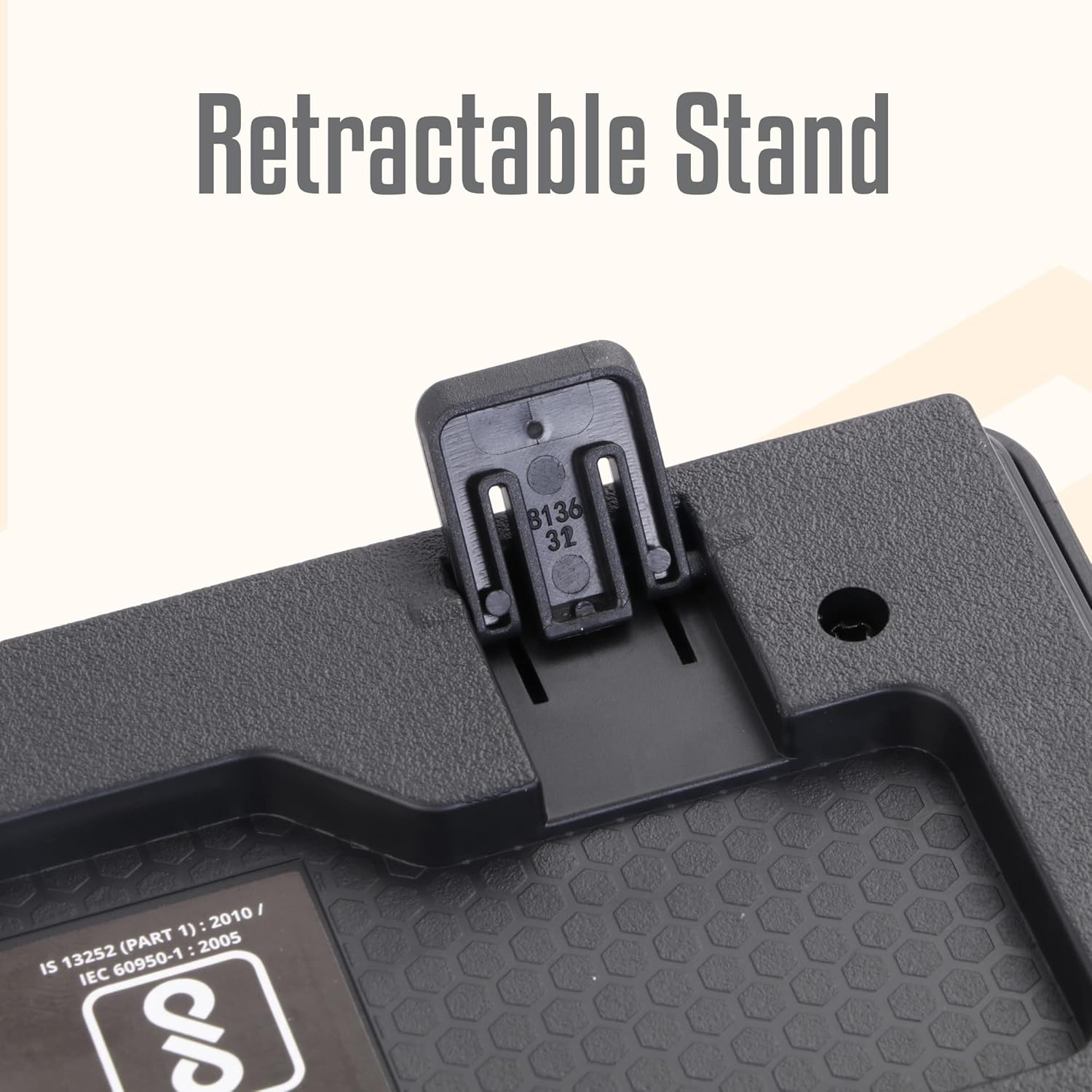
Image: A hand connecting the USB cable of the keyboard to a laptop's USB port.
- Nwụnye ọkwọ ụgbọala: The keyboard is plug-and-play. Your operating system (Windows, macOS, Linux) will automatically detect and install the necessary drivers. No manual driver installation is required.
- Adjust the Stand (Optional): For an ergonomic typing angle, extend the retractable stands located on the underside of the keyboard.

Image: Close-up of the retractable stand on the back of the keyboard, extended for ergonomic use.
Ntuziaka ọrụ
The ZEBRONICS K24 keyboard operates like any standard 104-key keyboard. Simply connect it to your device, and it will be ready for use.
- Na-ede: Use the keys for text input, data entry, and command execution.
- Igodo mgbasa ozi: The keyboard may feature integrated multimedia functions accessible via the 'Fn' key combined with function keys (F1-F12). Refer to your operating system's settings for specific key assignments if needed.
- Rupee Key: The keyboard includes a dedicated Rupee key for convenient currency input.

Image: Close-up of the keyboard highlighting the Rupee symbol on a key.
Atụmatụ
- Standard Layout with 104 Keys: Full-size keyboard for comprehensive functionality.
- UV Coated Keycaps: Ensures durability and prevents legend fading over time.
- Long Life 8 Million Keystrokes: Designed for extended usage and reliability.
- Silent and Comfortable Use: Provides a quiet typing experience suitable for various environments.
- Nkịtị dị nro: Space-saving and aesthetically pleasing for any desk setup.
- Nkwụghachi azụ: Offers adjustable ergonomic typing angles.
- 1.5 Meter Textured Cable: Na-enye ample length and durability for flexible placement.
- Njikọ USB: Ensures broad compatibility with PCs and laptops.

Image: Close-up of the keyboard keys, showing their round, chiclet style and UV coating.

Image: The keyboard with its 1.5-meter textured USB cable coiled next to it.
Nlekọta
- Nhicha: Use a soft, dry cloth to wipe the keyboard surface. For deeper cleaning, use a can of compressed air to remove dust and debris from between the keys. Avoid using harsh chemicals or abrasive materials.
- Nchekwa: Mgbe ị na-ejighị ya, debe ahụigodo ahụ n'ebe dị ọcha ma kpọọ nkụ, ebe anwụ na-anaghị apụta kpọmkwem ma ọ bụ oke okpomọkụ.
- Nlekọta USB: Zere ịgbagọ ma ọ bụ ịgbagọ eriri USB gabiga ókè iji gbochie mmebi.
Nchọpụta nsogbu
| Nsogbu | Ihe nwere ike ime | Ngwọta |
|---|---|---|
| Ahụigodo anaghị aza | Njikọ USB rụrụ arụ, ọdụ ụgbọ USB adịghị mma, nsogbu ọkwọ ụgbọ ala. | Ensure the USB cable is securely plugged in. Try a different USB port. Restart your computer. |
| Igodo anaghị arụ ọrụ | Debris under keys, software conflict. | Clean the keys with compressed air. Check for any software conflicts or update keyboard drivers. |
| Ederede ezighi ezi na-apụta | Incorrect keyboard layout setting. | Check your operating system's keyboard language and layout settings. |
If you encounter issues not listed here, please contact ZEBRONICS customer support.
Nkọwapụta
| Njirimara | Nkọwa |
|---|---|
| Ụdị | ZEBRONIKA |
| Nọmba nlereanya | Zeb-k24 |
| Teknụzụ Njikọta | Ekwenyere (USB) |
| Ọnụọgụ igodo | 104 |
| Ụdị igodo | UV Coated Chiclet Keys |
| Ndụ igodo igodo | 8 nde |
| Ogologo eriri USB | 1.5 mita |
| Ngwa dakọtara | Laptọọpụ, PC |
| Nhazi ahụigodo | QWERTY, includes Rupee key |
| Nhazi | Slim, Ergonomic with Retractable Stand |
| Agba | Nwa |
| Ihe onwunwe | Plastic |
| Akụkụ akụkụ L x W x H | Ihe ruru. 435mm x 133mm x 20mm |
| Ibu Ibu | 510 grams |
Note: Keyboard dimensions are approximate.
Akwụkwọ ikike na nkwado
Akwụkwọ ikike: The ZEBRONICS K24 Wired USB Keyboard comes with a 1-year carry-in warranty to the service center from the date of purchase.
Nkwado ndị ahịa: For any product-related queries, technical assistance, or warranty claims, please contact ZEBRONICS customer support. Refer to the official ZEBRONICS websaịtị maka ozi kọntaktị kacha ọhụrụ.