
Kuephom PM10-Black
Ntuziaka Onye Ọrụ Kuephom Bluetooth CD Walkman Portable
Model: PM10-Black
Okwu mmalite
This manual provides detailed instructions for the operation and maintenance of your Kuephom Portable Bluetooth CD Walkman. Designed for versatility, this device supports CD, Bluetooth, USB, and AUX playback, featuring anti-skip protection and a built-in speaker. Please read this manual thoroughly before use to ensure proper functionality and longevity of your device.
Ihe ngwugwu
Nyochaa na etinyere ihe niile edepụtara n'okpuru na ngwugwu gị:
- CD player X 1
- Earbuds X 1
- Igwe okwu ọdịyo X 1
- Ịchaji eriri USB X 1
- Pouch X 1
Ngwaahịa gafereview

Figure 1: Kuephom Portable Bluetooth CD Walkman and its accessories, including earbuds, audio cable, charging cable, and pouch.

Figure 2: Detailed diagram illustrating the various buttons and ports on the Kuephom Portable CD Walkman, including volume controls, playback buttons, mode selection, Bluetooth transmit, USB slot, AUX in jack, earphone jack, and speaker.
Melite
Ịchaji ngwaọrụ
The CD player has a built-in rechargeable lithium battery. Before first use, fully charge the device.
- Connect the provided USB charging cable to the charging port (DC 5V) on the device.
- Connect the other end of the USB cable to a compatible USB power source (e.g., wall charger, power bank, car charger, or computer USB port).
- The charging indicator light will illuminate during charging and turn off when fully charged. A full charge takes approximately 4 hours.

Figure 3: The portable CD player connected to a power source via its USB charging cable, demonstrating various charging options.
Ịgbanyụ/ Gbanyụọ
Malite Gbanye/ Gbanyụọ switch located on the side of the device to turn it on or off.
Ịtinye CD
- Malite MEghere switch to open the CD compartment cover.
- Carefully place a CD (CD, CD-R, CD-RW, MP3, WMA, WAV formats supported) onto the spindle with the label side facing up.
- Gently press the center of the CD until it clicks into place.
- Close the CD compartment cover firmly until it latches.
Video 1: Demonstration of inserting a CD into the Kuephom Portable CD Player and closing the compartment. This video also shows the supported disc formats.
Connecting Headphones or External Speakers (AUX)
For private listening or connecting to non-Bluetooth devices:
- Insert the 3.5mm jack of your headphones into the Jack ekwe ntị.
- To connect to external speakers or a car audio system, use the provided 3.5mm audio cable. Insert one end into the AUX na Jack on the CD player and the other end into the AUX input of your external device.

Figure 4: The portable CD player connected to a car's audio system via an AUX cable, demonstrating its use in a vehicle with anti-shock protection for uninterrupted playback.
Ntuziaka ọrụ
Ndaghachi egwuri egwu
- Pịa Gwuo/kwụsịtụ button (►▮▮) to start or pause playback.
- Pịa Osote button (►►) to skip to the next track.
- Pịa Nke gara aga button (◄◄) to go to the beginning of the current track or the previous track.
- Pịa Kwụsị button (■) to stop playback.
- Gbanwee olu site na iji Vol+ na Vol- bọtịnụ.
Ọrụ Bluetooth
The device supports two-way Bluetooth connection:
Bluetooth Transmitting (Connecting to Bluetooth Headphones/Speakers)
- Ensure the CD player is powered on and a CD is inserted.
- Pịa Nyefee Bluetooth button (labeled "TRANSMIT" or "BT" on some models) to enter Bluetooth transmitting mode. The Bluetooth icon on the display will flash.
- Tinye ekweisi ma ọ bụ ọkà okwu Bluetooth gị n'ọnọdụ njikọta.
- The CD player will automatically search for and connect to nearby Bluetooth devices. Once connected, the Bluetooth icon will stop flashing.

Figure 5: The portable CD player actively transmitting audio via Bluetooth to both headphones and a separate Bluetooth speaker, illustrating its wireless output capability.
Bluetooth Receiving (Connecting to Smartphone/Laptop)
- Pịa Ọnọdụ BT button (labeled "BT" or "MODE" on some models) to switch the CD player into Bluetooth receiving mode.
- On your smartphone, tablet, or laptop, enable Bluetooth and search for available devices.
- Select "Kuephom CD Player" (or similar name) from the list of devices to pair.
- Once connected, you can play audio from your smart device through the CD player's built-in speaker.
Video 2: This video demonstrates the Bluetooth playback feature, showing the CD player connecting to a smartphone to stream audio, highlighting its versatility as a Bluetooth speaker.
Other Playback Modes
- USB playback: Fanye USB flash mbanye n'ime Oghere USB. The player will automatically switch to USB mode and begin playing compatible audio files.
- Megharịa ọrụ: Pịa Tinyegharịa bọtịnụ iji gbasaa site na ụdị mmegharị (dịka ọmụmaatụ, megharịa otu, megharịa ha niile).
- A-B Repeating: Pịa AB button to set a starting point (A) and an ending point (B) for a section of audio to repeat. Press again to clear.
- Ndozi ọsọ ọsọ: Jiri ihe Ndozi ọsọ buttons (labeled "SPEED" or "SPEED +/-") to increase or decrease the playback speed. This feature is particularly useful for language learning.
- Programming Playback: Refer to the detailed product diagram (Figure 2) for the "PROG." button if available on your model for custom track sequencing.
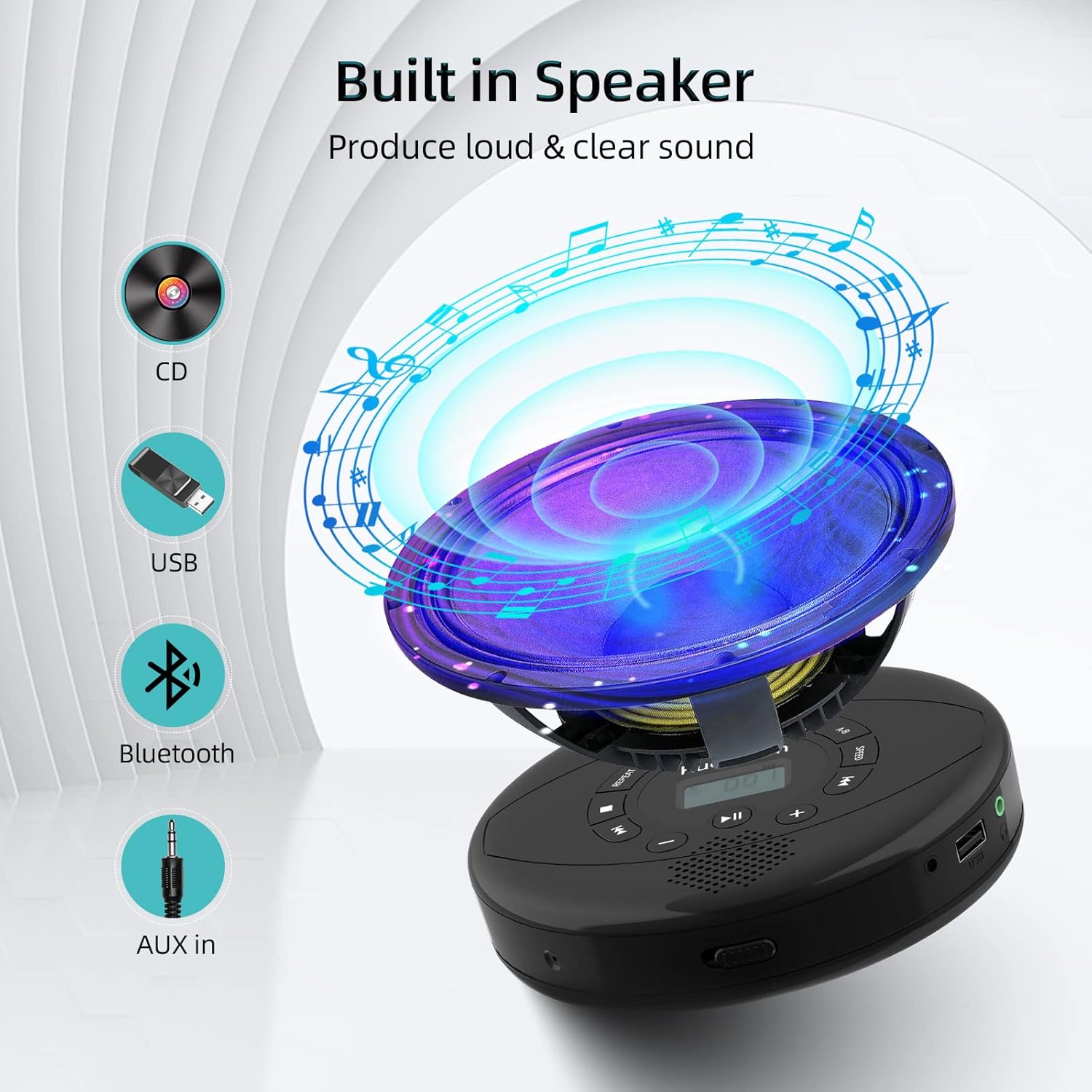
Figure 6: Illustration of the built-in speaker and the various audio input options supported by the device, including CD, USB, Bluetooth, and AUX in.
Nlekọta
- Debe ngwaọrụ ahụ ọcha site na iji akwa dị nro na-ehichapụ ya. Zere iji ihe nhicha ma ọ bụ ihe mgbaze.
- Ewepụla ngwaọrụ ahụ na oke okpomọkụ, ìhè anyanwụ kpọmkwem, ma ọ bụ oke iru mmiri.
- Handle CDs by their edges to prevent scratches and smudges. Clean CDs with a soft, lint-free cloth, wiping from the center outwards.
- Mgbe ọ naghị eji ya ogologo oge, chekwaa ngwaọrụ ahụ n'ebe dị jụụ na nkụ.
Nchọpụta nsogbu
| Nsogbu | Ihe nwere ike ime | Ngwọta |
|---|---|---|
| Ngwaọrụ anaghị agbanwu ọkụ. | Battery is low or depleted. Power switch is off. | Charge the device fully. Ensure the ON/OFF switch is in the "ON" position. |
| CD na-awụli elu ma ọ bụ anaghị egwu egwu. | CD is dirty, scratched, or damaged. Device is unstable. | Clean the CD. Try another CD. Ensure the device is on a stable surface or utilize its anti-skip protection during movement. |
| Enweghị ụda sitere na ekweisi/ọkà okwu. | Volume is too low. Headphones/speakers not properly connected. Incorrect mode selected. | Increase volume. Re-insert headphone/AUX cable firmly. Ensure correct mode (CD, Bluetooth, USB, AUX) is selected. |
| Njikọ Bluetooth ada ada. | Device not in pairing mode. Bluetooth device too far. Interference. | Ensure the CD player is in Bluetooth transmitting/receiving mode. Move devices closer. Turn off other Bluetooth devices to reduce interference. |
Nkọwapụta
| Njirimara | Nkọwa |
|---|---|
| Akụkụ ngwaahịa | 5.7 x 5.7 x 1.2 sentimita asatọ |
| Ibu Ibu | 1.21 pound |
| Nọmba nlereanya | PM10-Black |
| Batrị | 1 batrị lithium polymer (gụnyere) |
| Ụdị | Kuefom |
| Teknụzụ Njikọta | Bluetooth, inyeaka, USB |
| Ụdị akwadoro | CD, CD-R, CD-RW, MP3, WMA, WAV |
| Njirimara Pụrụ Iche | Portable, Anti-Skip, Built-in Speakers |
Akwụkwọ ikike na nkwado
For warranty information or technical support, please refer to the contact details provided with your purchase or visit the official Kuephom websaịtị. Debe nnata nzụta gị dị ka ihe akaebe nke ịzụrụ ihe maka akwụkwọ ikike ọ bụla.
Ask a question about this manual
Ask about setup, troubleshooting, compatibility, parts, safety, or missing instructions. Manuals+ will review the question and use this page’s manual context to help answer it.