
Okwu mmalite
The Victrola Journey+ Cassette Turntable offers a versatile audio experience, combining classic vinyl playback with modern features. This portable suitcase-style unit includes a 3-speed turntable, a built-in cassette player, Bluetooth connectivity for both input and output, auxiliary input, and RCA output. This manual provides detailed instructions for setting up, operating, and maintaining your device to ensure optimal performance and longevity.
Ozi nchekwa
- Gụọ ntuziaka niile tupu i jiri ngwaahịa a.
- Debe akwụkwọ ntuziaka maka ntụnye aka n'ọdịnihu.
- Ejila ngwa a n'akụkụ mmiri.
- Jiri akwa kpọrọ nkụ hichaa naanị.
- Akwụsịla oghere ikuku ikuku ọ bụla. Wụnye dị ka ntuziaka onye nrụpụta si dị.
- Awụnyela n'akụkụ ebe okpomọkụ ọ bụla dị ka radiators, ndekọ okpomọkụ, stovu, ma ọ bụ ngwa ndị ọzọ (gụnyere amplifiers) nke na-emepụta okpomọkụ.
- Chebe eriri ọkụ ka ị ghara ịgagharị ma ọ bụ tuo ya, ọkachasị na plọg, ebe nchekwa dị mma, na ebe ha si na ngwa ahụ pụta.
- Jiri naanị mgbakwunye / ngwa ndị nrụpụta akọwapụtara.
- Kwupu ngwa a n'oge oke mmiri ozuzo ma ọ bụ mgbe ejighi ya ogologo oge.
- Tụtụ aka n'aka ndị ọrụ ruru eru. A na-achọ ọrụ mgbe ngwa ahụ mebiri emebi n'ụzọ ọ bụla, dị ka eriri ọkụ ma ọ bụ plọg mebiri emebi, mmiri mmiri wụfuru ma ọ bụ ihe dabara n'ime ngwa ahụ, ekpughere ngwa ahụ na mmiri ozuzo ma ọ bụ mmiri, anaghị arụ ọrụ nke ọma. , ma ọ bụ ahapụla ya.
Kedu ihe dị na Igbe ahụ
- Victrola Journey+ Cassette Turntable
- Ihe nkwụnye ọkụ
- Akwụkwọ ntuziaka
- 45 RPM nkwụnye
- Extra Stylus (Needle)
Njirimara ngwaahịa na akụrụngwa
Familiarize yourself with the various parts of your Victrola Journey+ Cassette Turntable.

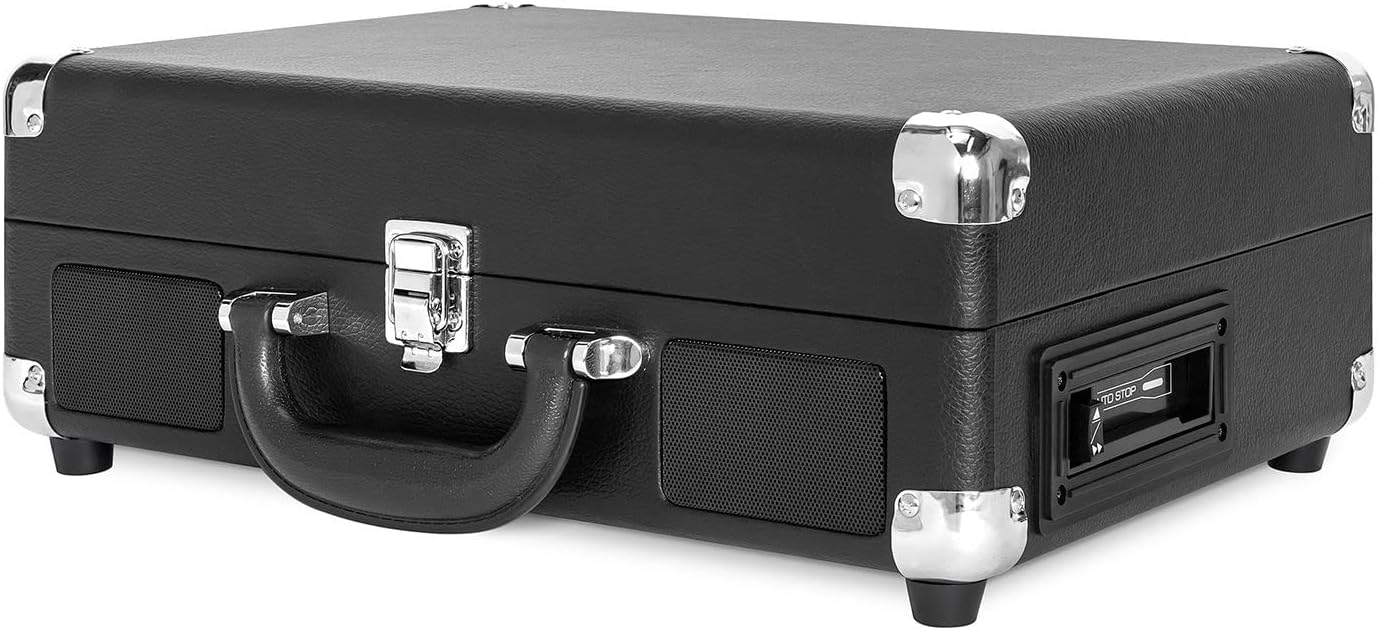

Ogwe njikwa gafereview
- Ike/Mpịakọta olu: Turns the unit ON/OFF and adjusts the volume.
- Nhọrọ ọsọ ọsọ: Switch between 33 1/3, 45, and 78 RPM for vinyl records.
- Mgbanwe Nkwụsị Akpaaka: Enables or disables the auto-stop function for the turntable.
- Ngbanwe ọrụ: Selects between PHONO/TAPE, LINE IN, BT IN, and BT OUT modes.
- Jack ekweisi: Maka ige ntị nkeonwe site na iji ekweisi.
- Line In Jack: Connect external audio devices via a 3.5mm cable.
- Njikwa Ihe Egwuregwu Kaseti: Play, Fast Forward, Rewind, Stop/Eject.
- Njikọ mmepụta RCA (L/R): Connect to external speakers or an ampna -emegharị ihe.
- DC na Jack: Jikọọ ihe nkwụnye ọkụ.
Melite
- Ịkwapu: Carefully remove the turntable from its packaging and ensure all accessories are present.
- Nkwanye: Debe ihe ahụ n'elu ala dị larịị, nke kwụsiri ike, ebe anyanwụ na-anaghị apụta kpọmkwem, ebe okpomọkụ na-esi, na uzuzu ma ọ bụ mkpọtụ gabigara ókè.
- Njikọ ike: Connect the DC plug of the power adapter to the DC IN jack on the back of the unit. Plug the AC adapter into a wall outlet.
- Remove Stylus Protector: Gently remove the white plastic stylus protector from the needle.
- Unlock Tonearm: Release the tonearm lock to allow the tonearm to move freely.
Ntuziaka ọrụ
Na-egwu Vinyl Records
- Open the lid and place a vinyl record on the turntable platter.
- Select the appropriate speed (33 1/3, 45, or 78 RPM) using the Speed Selector switch. Use the 45 RPM adapter for 7-inch records with large center holes.
- Turn the Power/Volume knob clockwise to turn on the unit and adjust to a low volume.
- Set the Function Switch to PHONO/TAPE.
- Lift the tonearm using the cueing lever and position it over the desired track on the record.
- Gently lower the tonearm onto the record using the cueing lever. The record will begin to play.
- Gbanwee olu ka ọ bụrụ ọkwa ige ntị nke ịchọrọ.
- At the end of the record, if the Auto Stop switch is ON, the platter will stop spinning. If OFF, the platter will continue to spin. Manually lift the tonearm and return it to the tonearm rest.
Iji ihe ọkpụkpọ Cassette
- Set the Function Switch to PHONO/TAPE.
- Insert a cassette tape into the side-loading slot until it clicks into place.
- Pịa bọtịnụ PLAY ka ịmalite ịkpọghachi.
- Use the Fast Forward (FF) and Rewind (REW) buttons to navigate tracks.
- Press the STOP/EJECT button to stop playback and eject the tape.
- Jiri aka Power/Volume gbanwee olu ahụ.

Bluetooth Input (BT IN)
Stream music wirelessly from your Bluetooth-enabled device to the turntable's built-in speakers.
- Turn the Power/Volume knob clockwise to turn on the unit.
- Set the Function Switch to BT IN. The Bluetooth indicator light will flash.
- Enable Bluetooth on your external device and search for "Victrola Journey+".
- Select "Victrola Journey+" to pair. Once paired, the indicator light will stop flashing.
- Start playing music on your device. Adjust the volume on both your device and the turntable.
Bluetooth Output (BT OUT - Vinyl Stream Technology)
Stream audio from your vinyl records to an external Bluetooth speaker.
- Ensure your external Bluetooth speaker is in pairing mode.
- Turn the Power/Volume knob clockwise to turn on the turntable.
- Set the Function Switch to BT OUT. The Bluetooth indicator light will flash.
- The turntable will automatically search for and connect to your external Bluetooth speaker. Once connected, the indicator light will stop flashing.
- Play a vinyl record as described above. The audio will stream to your external speaker.
- Adjust the volume on your external Bluetooth speaker.
Auxiliary Input (LINE IN)
Connect non-Bluetooth audio devices using a 3.5mm audio cable.
- Connect one end of a 3.5mm audio cable to the LINE IN jack on the turntable.
- Jikọọ nsọtụ nke ọzọ na jakị ekweisi ma ọ bụ mmepụta ọdịyo nke ngwaọrụ mpụga gị.
- Turn the Power/Volume knob clockwise to turn on the unit.
- Set the Function Switch to LINE IN.
- Start playing music on your external device. Adjust the volume on both your device and the turntable.
Mmepụta RCA
Connect the turntable to an external amplifier or powered speakers for enhanced sound.
- Connect RCA cables (not included) to the RCA OUT jacks (red for right, white for left) on the back of the turntable.
- Connect the other end of the RCA cables to the corresponding input jacks on your ampigwe okwu ma ọ bụ ike okwu.
- Ensure the Function Switch is set to PHONO/TAPE for vinyl or cassette playback.
- Adjust the volume on your external audio system.
Mmepụta ekweisi
For private listening, plug any standard 3.5mm headphones into the HEADPHONE jack.
Nlekọta
- Na-ehicha Ngalaba: Wipe the exterior with a soft, dry cloth. Do not use harsh chemicals or abrasive cleaners.
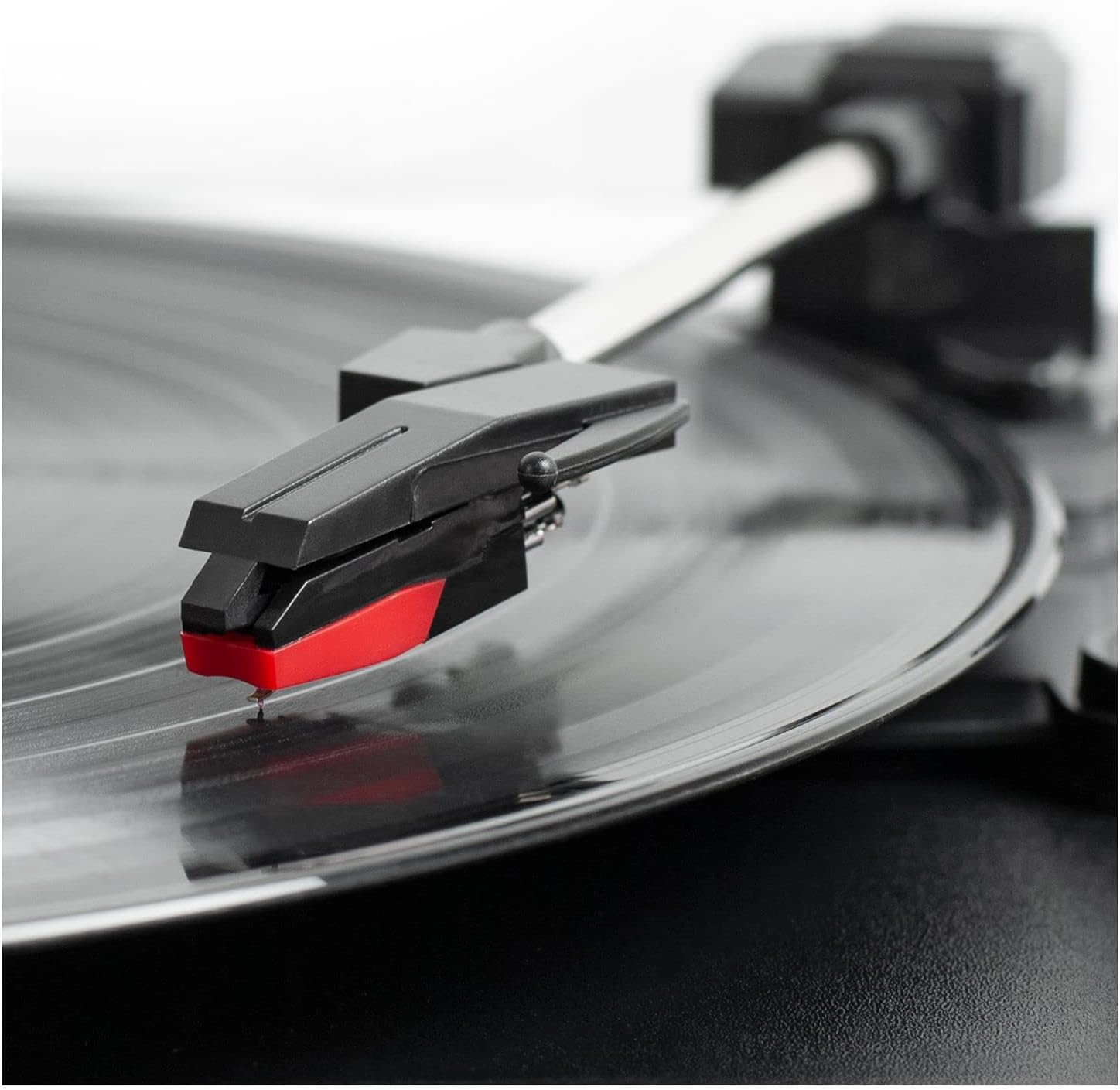
- Nlekọta Stylus: The stylus is delicate. Handle it with care. Clean the stylus periodically with a soft brush, brushing from back to front. Replace the stylus if sound quality deteriorates or if it is visibly damaged.
- Record Care: Keep records clean and free of dust. Store them vertically in their sleeves to prevent warping.
- Nlekọta Kaseti: Store cassettes away from direct sunlight and heat. Avoid touching the tape surface.
Nchọpụta nsogbu
| Nsogbu | Ihe nwere ike ime | Ngwọta |
|---|---|---|
| Enweghị ike | Njikọghị ihe nkwụnye ike ma ọ bụ oghere anaghị arụ ọrụ. | Hụ na ejikọtara ihe nkwụnye ike ahụ nke ọma ma tinye ya na oghere na-arụ ọrụ. |
| Enweghị ụda sitere na ndị ọkà okwu | Volume too low; Function switch incorrect; External speakers not connected/powered. | Increase volume. Set Function switch to correct source (PHONO/TAPE, BT IN, LINE IN). Check external speaker connections and power. |
| Record skips or sound distortion | Dirty or damaged record; Dirty or worn stylus; Unit not on a stable surface. | Clean record. Clean or replace stylus. Place unit on a stable, level surface. |
| Nsogbu njikọta Bluetooth | Device too far; Incorrect mode selected; Device already paired. | Ensure device is within range. Select correct BT IN/OUT mode. Disconnect from other Bluetooth devices. |
| Cassette not playing | Tape inserted incorrectly; Function switch incorrect. | Ensure tape is fully inserted. Set Function switch to PHONO/TAPE. |
Nkọwapụta
- Akara: Victrola
- Nọmba nlereanya: VSC-500BTC-BLK
- Teknụzụ Njikọta: Bluetooth
- Isi mmalite ike: Igwe ọkụ eletrik
- Ọsọ ntụgharị kacha elu: 78 RPM
- Atụmatụ pụrụ iche: AUX Input, Built-In Speaker, Portable, RCA Output, Cassette Player, Vinyl Stream Technology
- Ihe: Plastic
- Ibu ihe: 3.51 kilogram
- Akụkụ ihe (L x W x H): 14"L x 11"W x 5"H
- Mgbasa ozi arụnyere: Turntable, Cassette Player
- Ngwa gụnyere: Turntable, Power Adapter, 45 RPM Adapter, Extra Stylus
Akwụkwọ ikike na nkwado
For warranty information, technical support, or service inquiries, please refer to the contact information provided in your product packaging or visit the official Victrola websaịtị. Debe ihe akaebe nke ịzụrụ maka akwụkwọ ikike.