
1. Okwu mmalite
This manual provides essential instructions for the installation, operation, and maintenance of your Chieftec Scorpion 3 White ATX Case (Model GL-03W-OP). Please read this manual thoroughly before beginning assembly to ensure proper setup and to maximize the lifespan of your product.
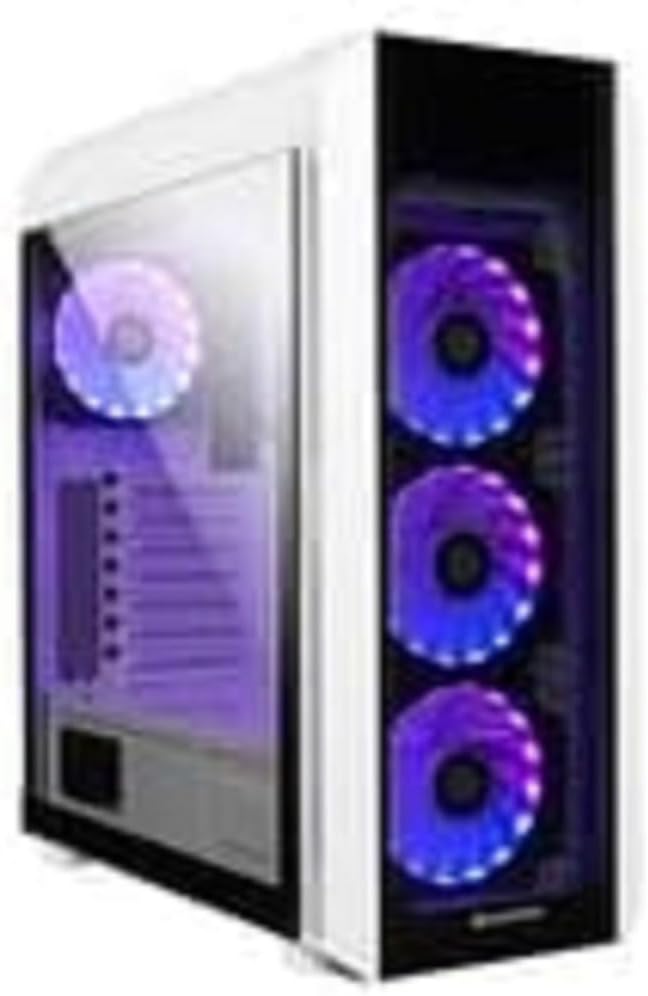
Foto 1: The Chieftec Scorpion 3 White ATX Case, showcasing its white exterior, tempered glass side panel, and three front-mounted, illuminated cooling fans. A single illuminated fan is visible at the rear.
2. Setup and Component Installation
This section guides you through the process of installing your computer components into the Chieftec Scorpion 3 White ATX Case.
2.1. Nkwadebe
- Ensure you have all necessary components: motherboard, CPU, RAM, graphics card, storage drives, and power supply unit (PSU).
- Gather tools: Phillips head screwdriver, zip ties for cable management.
- Work on a clean, static-free surface. Consider using an anti-static wrist strap.
2.2. Imepe Okwu ahụ
- Carefully remove the side panels. Typically, the tempered glass side panel is secured with thumbscrews at the rear.
- Set the panels aside on a soft, non-abrasive surface to prevent scratches.
2.3. Nrụnye Ike Ike (PSU).
- The Chieftec Scorpion 3 supports rear-mount PSUs.
- Slide the PSU into its designated bay at the bottom rear of the case.
- Secure the PSU with screws from the exterior rear of the case.
2.4. Nwụnye motherboard
- Wụnye ọta I/O n'ime mbepụ n'azụ ikpe ahụ.
- Align your ATX motherboard with the pre-installed standoffs.
- Carefully place the motherboard onto the standoffs and secure it with screws.
2.5. Nchekwa mbanye nwụnye
- Chọta ebe nchekwa draịva maka SSD 2.5" na HDD 3.5" dị.
- Install your storage drives into the appropriate bays and secure them.
2.6. Graphics Card and Expansion Cards
- Wepu ihe mkpuchi oghere PCIe dị mkpa n'azụ ikpe ahụ.
- Insert your graphics card or other expansion cards into the motherboard's PCIe slots and secure them with screws.
2.7. Njikwa USB
- Route all cables (PSU, data, front panel) through the designated cutouts to the rear of the motherboard tray.
- Use zip ties or Velcro straps to bundle and secure cables for improved airflow and aesthetics.
2.8. Imechi ikpe
- Ozugbo arụnyere ihe niile ma jikwaa eriri, tinyegharịa akụkụ akụkụ.
- Secure the tempered glass panel with its thumbscrews.
3. Ịrụ ọrụ ahụ
The Chieftec Scorpion 3 White ATX Case provides the housing and cooling for your PC components. Its operation primarily involves the use of the front panel controls and integrated cooling system.
3.1. Njikwa ihu ihu
- Bọtịnụ ike: Pịa ka ịgbanwuo ma ọ bụ gbanyụọ kọmputa gị.
- Tọgharịa bọtịnụ: Pịa ka ịmalitegharịa kọmputa gị.
- ọdụ ụgbọ mmiri USB: Jikọọ ngwaọrụ USB.
- Jacks ọdịyo: Connect headphones and microphones.
3.2. Sistemụ jụrụ oyi
The case is equipped with multiple fan mounts and pre-installed 120mm fans to ensure optimal airflow.
- Ensure all fans are properly connected to your motherboard or a fan controller.
- Monitor system temperatures using software to ensure adequate cooling.
- The illuminated fans provide aesthetic appeal and can often be controlled via motherboard software for RGB lighting effects.
4. Nlekọta
Regular maintenance helps ensure optimal performance and longevity of your Chieftec Scorpion 3 White ATX Case and its components.
4.1. Ịsacha Uzuzu
- Ugboro: Clean dust filters and interior components every 3-6 months, or more frequently in dusty environments.
- Ihe nzacha uzuzu: The case features removable dust filters (e.g., top, front, bottom). Gently remove and clean them with water and mild soap, or use a vacuum cleaner. Ensure they are completely dry before reinstallation.
- Ime: Use compressed air to blow dust out of fans, heatsinks, and other components. Hold fan blades gently to prevent over-spinning.
4.2. Mpụga ihicha
- Jiri nwayọ hichaa elu mpụta, damp akwa . Zere ihe nhicha ma ọ bụ ihe mgbaze.
- For the tempered glass panel, use a glass cleaner and a microfiber cloth to prevent streaks.
5. Nchọpụta nsogbu
This section addresses common issues you might encounter with your PC build within the Chieftec Scorpion 3 White ATX Case.
5.1. Sistemụ anaghị arụ ọrụ
- Lelee njikọ ike: Ensure the PSU is switched on and all power cables (24-pin ATX, 8-pin CPU, PCIe power) are securely connected to the motherboard and components.
- Njikọ akụkụ ihu: Verify that the front panel power switch cable is correctly connected to the motherboard's front panel header. Refer to your motherboard manual for the correct pinout.
- PSU Functionality: Test the PSU independently if possible, or try a known working PSU.
5.2. Fans Not Spinning or RGB Not Lighting Up
- Njikọ ndị fan: Ensure all fan power cables are securely connected to the motherboard fan headers or a fan controller.
- Njikọ RGB: If applicable, verify that RGB cables are connected to the correct RGB headers on the motherboard or a dedicated RGB controller.
- Njikwa ngwa ngwa: Check your motherboard's BIOS/UEFI settings or dedicated fan/RGB control software for fan speed and lighting settings.
5.3. Poor Airflow or High Temperatures
- Nwulite uzuzu: Hichaa ihe nzacha uzuzu na ihe dị n'ime dịka akọwara na ngalaba nlekọta.
- Fan Orientation: Ensure fans are oriented correctly for optimal airflow (e.g., front fans as intake, rear/top fans as exhaust).
- Njikwa USB: Improve cable management to reduce obstructions to airflow.
6. Nkọwapụta
Detailed technical specifications for the Chieftec Scorpion 3 White ATX Case (Model GL-03W-OP).
| Njirimara | Nkọwa |
|---|---|
| Ụdị | Chieftec |
| Usoro | Scorpion 3 White |
| Nọmba nlereanya | GL-03W-OP |
| Ụdị ikpe | Mid Tower |
| Ndakọrịta Motherboard | ATX |
| Ihe onwunwe | Acrylonitrile Butadiene Styrene (ABS) Plastic |
| Agba | Black (Note: Product name indicates White, but specification lists Black. Please verify product color upon receipt.) |
| Ibu Ibu | 2.2 pound |
| Akụkụ ngwaahịa (LxWxH) | 19.69 x 19.69 x 11.02 sentimita asatọ |
| Ụdị Nkwanye Ike | Ugwu azụ |
| Usoro jụrụ oyi | Ikuku |
| Nha Fans | 120 Millimeters (pre-installed fans) |
Note: Specifications are subject to change without prior notice. Please refer to the manufacturer's official websaịtị maka ozi kachasị ọhụrụ.
7. Akwụkwọ ikike Ozi
Chieftec products are manufactured to high-quality standards. For specific warranty terms and conditions applicable to your Chieftec Scorpion 3 White ATX Case (Model GL-03W-OP), please refer to the warranty card included with your product or visit the official Chieftec websaịtị.
Typically, product warranties cover defects in materials and workmanship under normal use. Damage resulting from improper installation, accident, abuse, modification, or unauthorized repair is generally not covered.
8. Nkwado ndị ahịa
Should you encounter any issues or have questions regarding your Chieftec Scorpion 3 White ATX Case, please contact Chieftec customer support.
- Nkwado n'ịntanetị: Visit the official Chieftec websaịtị maka FAQs, nbudata ndị ọkwọ ụgbọala, na akụrụngwa nkwado.
- Ozi mkpọtụrụ: Refer to the product packaging or Chieftec's official website for regional contact details (phone, email).
When contacting support, please have your product model (GL-03W-OP) and purchase information readily available.