
Okwu mmalite
This manual provides essential information for setting up, operating, maintaining, and troubleshooting your XIAOMI 12 Pro 5G smartphone. Please read this guide thoroughly to ensure proper use and to maximize the device's capabilities.
1. Nhazi
1.1 Unboxing na ngwugwu ọdịnaya
Carefully unpack your XIAOMI 12 Pro 5G. The standard package includes the following items:
- XIAOMI 12 Pro Smartphone
- Ihe nkwụnye ọkụ (120W)
- eriri USB Type-C
- Ngwa mgbapụ SIM
- Akwụkwọ ikike kaadị
- Ntuziaka onye ọrụ
- Clear soft case
- USB Type-C to 3.5mm adapter

Image: XIAOMI 12 Pro 5G smartphone with included accessories.
1.2 nwụnye kaadị SIM
The XIAOMI 12 Pro 5G supports Dual SIM functionality using Nano SIM cards.
- Chọta tray kaadị SIM n'akụkụ ngwaọrụ gị.
- Insert the SIM eject tool into the small hole next to the tray and press firmly until the tray pops out.
- Place your Nano SIM card(s) into the designated slots on the tray. Ensure the gold contacts are facing down and the card is correctly aligned.
- Carefully reinsert the SIM card tray into the phone until it clicks into place.

Foto: Akụkụ view of the XIAOMI 12 Pro 5G, indicating the SIM card tray location.
1.3 Ike mbido na ịtọlite
To power on your device, press and hold the power button located on the side until the XIAOMI logo appears. Follow the on-screen instructions to complete the initial setup, which includes selecting your language, connecting to Wi-Fi, and setting up your Google account.
2. Ijikwa ngwaọrụ gị
2.1 Ngosipụta atụmatụ
The XIAOMI 12 Pro 5G features a 6.73-inch WQHD+ 120Hz AMOLED display with AdaptiveSync Pro technology. This display offers a resolution of 3200 x 1440 pixels, 10-bit color depth, and supports Dolby Vision and HDR10+ for enhanced visual experience. The display is protected by Corning Gorilla Glass Victus.
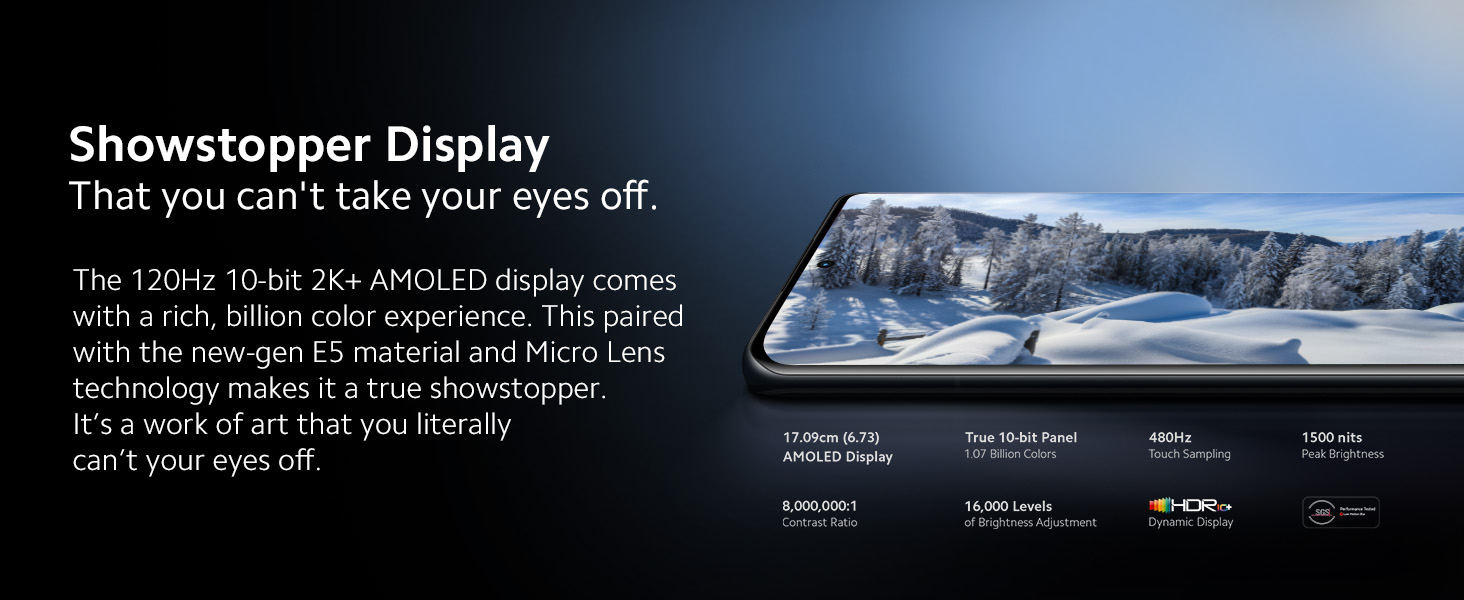
Image: Detailed specifications of the XIAOMI 12 Pro 5G display.
Sistemụ igwefoto 2.2
The device is equipped with a pro-grade triple 50MP camera array on the rear and a 32MP front-facing camera. Key features include:
- Primary Sensor: 50MP Sony IMX707 with Optical Image Stabilization (OIS).
- Igwefoto sara mbara nke ukwuu: 50MP with 115° Field of View (FOV).
- Igwefoto Telefoto: 50MP with 48mm equivalent focal length.
- Xiaomi ProFocus: Advanced AI tracking for motion, eye, and motion capture.
- Ụdị abalị: Foto dị obere ka emelitere.
- Ndekọ vidiyo: Up to 8K at 24fps, 4K at 60fps.

Image: Close-up of the XIAOMI 12 Pro 5G camera module.

Image: Illustration of Xiaomi ProFocus capabilities.
2.3 Sistemụ ọdịyo
The device features a quad stereo speaker setup tuned by Harman Kardon, with Dolby Atmos certification for an immersive audio experience. It is also Hi-Res certified for both wired and wireless audio.

Image: Diagram illustrating the quad stereo speaker setup.
2.4 Arụmọrụ
Powered by the Snapdragon 8 Gen 1 4nm processor, the XIAOMI 12 Pro 5G delivers high performance. An advanced cooling system, including a 2900mm² vapor chamber and graphite sheets, helps manage thermal output during intensive tasks.
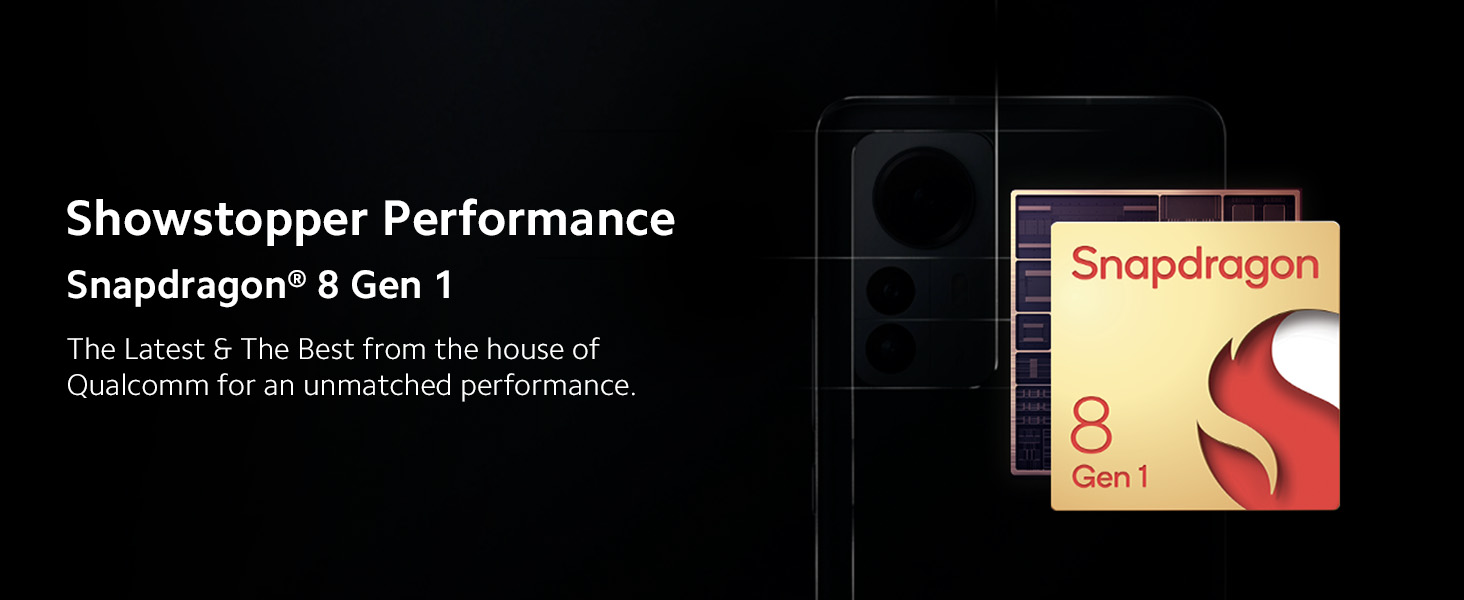
Image: Snapdragon 8 Gen 1 processor.

Foto: Ime view highlighting the advanced cooling solution.
2.5 Njikọta
The device supports 5G cellular technology with 14 5G bands. Other connectivity options include Wi-Fi, Bluetooth 5.2, Infrared (IR Blaster), and NFC for tap-to-pay and device connections.

Image: Illustrating NFC functionality for payments.
2.6 Charging and Battery
The XIAOMI 12 Pro 5G is equipped with a 4600mAh battery. It supports 120W HyperCharge, capable of fully charging the device in approximately 18 minutes. The device also supports up to 50W wireless turbo charging and 10W reverse wired/wireless charging. Xiaomi's proprietary Surge P1 Chipset enhances charging efficiency, and AdaptiveCharge learns your charging patterns to optimize battery health.

Image: Visual representation of the 120W HyperCharge speed.

Image: Illustration of Xiaomi AdaptiveCharge technology.
Ngwanrọ 2.7
The device runs on MIUI 13 based on Android 12. It is committed to receiving 3 years of Android updates and 4 years of security updates.

Image: MIUI 13 interface and update policy.
3. Nlekọta
3.1 Nlekọta n'ozuzu
Iji hụ na ngwaọrụ gị dị ogologo:
- Keep the device clean using a soft, dry cloth.
- Zere ikpughe ngwaọrụ ahụ na oke okpomọkụ ma ọ bụ ìhè anyanwụ kpọmkwem maka ogologo oge.
- While the device is water-resistant, avoid intentional submersion in water.
- Utilize the provided clear soft case for protection against minor impacts and scratches.
3.2 Mmelite ngwanrọ
Regularly check for and install software updates to ensure optimal performance, security, and access to new features. Updates are typically delivered over-the-air (OTA) and can be accessed through the device's settings menu.
4. Nchọpụta nsogbu
This section addresses common issues you might encounter with your XIAOMI 12 Pro 5G.
4.1 Ngwaọrụ ekpo oke ọkụ
The Snapdragon 8 Gen 1 processor can generate heat during intensive use, such as gaming or prolonged camera usage. The device incorporates an advanced cooling system to manage this. If the device feels excessively warm, consider:
- Closing background applications.
- Mbelata ìhè ihuenyo.
- Avoiding use in direct sunlight or hot environments.
- Allowing the device to cool down before resuming heavy tasks.
4.2 Battery Drain
If you experience rapid battery drain:
- Check battery usage in settings to identify power-consuming apps.
- Reduce screen refresh rate or resolution if not critically needed.
- Disable unnecessary features like GPS, Bluetooth, or Wi-Fi when not in use.
- Hụ na emelitere ngwa niile na ụdị kachasị ọhụrụ ha.
4.3 Okwu igwefoto
If you encounter issues with the camera, such as freezing or poor video quality:
- Restart the camera application or the device.
- Clear the cache and data of the camera app through device settings.
- Hụ na e nwere ebe nchekwa zuru oke.
- Keep the camera lenses clean and free from smudges.
4.4 Fingerprint Sensor Responsiveness
If the in-display fingerprint sensor is slow or unresponsive:
- Ensure your finger and the screen area are clean and dry.
- Re-register your fingerprints, ensuring full coverage of the sensor area during enrollment.
- Avoid using thick screen protectors that may interfere with sensor functionality.
5. Nkọwapụta
Below are the detailed technical specifications for the XIAOMI 12 Pro 5G:
| Njirimara | Nkọwapụta |
|---|---|
| Ụdị | XIAOMI |
| Nlereanya | 12 Pro |
| Sistemụ nrụọrụ | MIUI 13, Android 12 |
| Nhazi | Snapdragon 8 Gen 1 |
| RAM | 8 GB |
| Nchekwa | 256 GB |
| Ngosipụta nha | 6.73 sentimita asatọ |
| Ụdị ngosi | 120Hz 2K+ True 10-bit E5 AMOLED with LTPO2.0 and Dolby Vision |
| Mkpebi | 3200 x 1440 pikselụ |
| Igwefoto azụ | Triple 50MP (Primary, Ultrawide, Telephoto) |
| Igwefoto ihu | 32 MP |
| Ike batrị | 4600 mAh |
| Ịchaji | 120W HyperCharge (wired), 50W Wireless Turbo Charging |
| Njikọta | 5G, Wi-Fi, Bluetooth 5.2, Infrared, NFC, USB Type-C |
| Nchekwa biometric | In-display Fingerprint Recognition |
| Akụkụ | 16.4 x 0.8 x 7.5 centimita |
| Ibu | 205 grams |
| Mmiri Nguzogide | Water Resistant (no official IP rating provided) |
6. Akwụkwọ ikike na nkwado
6.1 Ozi akwụkwọ ikike
The XIAOMI 12 Pro 5G comes with a 1-year manufacturer warranty for the device and a 6-month manufacturer warranty for in-box accessories, including batteries, from the date of purchase.
6.2 Manufacturer and Importer Contact
For support and service inquiries, please contact:
- Onye nrụpụta: Bharat FIH limited, #380, BELERICA ROAD, SRI CITY, SIDDAM AGRAHARAM VILLAGE, VARADAIAHPALEM MANDAL, CHITTOOR DISTRICT-517541, ANDHRA PRADESH, India.
- Onye mbubata: Xiaomi Technology India Private Limited, Building Orchid. Block E, Embassy Tech Village, Marathahalli Outer Ring Road, Devarabisanahalli, Bengaluru 560103, India.