
1. Okwu mmalite
This manual provides detailed instructions for the operation and maintenance of your Coby CVR42BK Portable Cassette Player and Recorder. Please read this manual thoroughly before using the device to ensure proper function and longevity.
2. Ihe ngwugwu
Chọpụta na ihe niile edepụtara n'okpuru dị na ngwugwu gị:
- Coby CVR42BK Portable Cassette Player and Recorder
- Igwe okwu ọganihu mpụga
- 120V AC nkwụnye ọkụ
- Akwụkwọ ntuziaka (akwụkwọ a)

Figure 2.1: Included items in the Coby CVR42BK package.
3. Ngwaahịa gafereview
The Coby CVR42BK is a portable cassette player and recorder designed for both playback and one-touch recording. It features a built-in handle for portability and includes an external boom microphone for enhanced recording quality.

Figure 3.1: Coby CVR42BK Portable Cassette Player and Recorder.
3.1 Njikwa na egosi
Familiarize yourself with the controls and ports on your device:
- Bọtịnụ egwu: Initiates cassette playback.
- Bọtịnụ ndekọ: Activates recording function (requires a blank cassette).
- Fast Forward Button: Na-eme ka teepu ahụ dị ngwa ngwa.
- Rewind Button: Na-emegharị teepu ahụ ngwa ngwa.
- Stop/Eject Button: Stops playback/recording and opens the cassette compartment.
- Njikwa olu: Na-edozi olu nkwughachi.
- Jack ekweisi (3.5mm): Maka ige ntị nkeonwe.
- Ntinye igweokwu mpụga: Connects the included boom microphone.
- AC Adapter Port: For connecting the 120V AC adapter.
- Akụkụ batrị: Holds 4 C batteries for portable power.
4. Nhazi
4.1 Ịkwanye ngwaọrụ
The CVR42BK can be powered by either the included AC adapter or 4 C batteries (not included).
- Ike AC: Connect the 120V AC adapter to the AC adapter port on the device and then plug it into a standard wall outlet.
- Ike batrị: Open the battery compartment on the underside of the unit. Insert 4 C batteries, ensuring correct polarity (+/-). Close the compartment securely.

Figure 4.1: Power options for the CVR42BK.
4.2 Loading a Cassette Tape
- Pịa Kwụsị/Wepu bọtịnụ iji mepee ọnụ ụzọ nke kaseti ahụ.
- Insert a cassette tape with the open edge facing upwards and the tape side facing you.
- Gently close the cassette compartment door until it clicks shut.

Figure 4.2: Loading a cassette tape.
5. Ntuziaka ọrụ
5.1 Playing a Cassette Tape
- Ensure a cassette tape is loaded (refer to Section 4.2).
- Pịa Gwuo bọtịnụ. Teepu ahụ ga-amalite ịkpọ.
- Hazie nke Njikwa olu to your desired listening level.
- Iji mee ngwa ngwa gaa n'ihu, pịa Ọsọ n'iru button. To rewind, press the Weghachite bọtịnụ.
- Iji kwụsị igwu egwu, pịa Kwụsị/Wepu bọtịnụ.
- For private listening, connect headphones to the 3.5mm headphone jack.
5.2 Recording Audio (One-Touch Recording)
The CVR42BK features one-touch recording and Automatic Level Control (ALC) to optimize recording levels.
- Load a blank or recordable cassette tape into the device. Note: Re-using older cassettes may affect sound quality. New cassettes are recommended for optimal results.
- Pịa Dekọọ bọtịnụ. Nke Gwuo button will also engage simultaneously. The device will begin recording audio from its built-in microphone or the connected external microphone.
- Ka ịkwụsị ndekọ, pịa Kwụsị/Wepu bọtịnụ.
- The device includes an auto-stop feature that will automatically stop recording when the tape reaches its end.
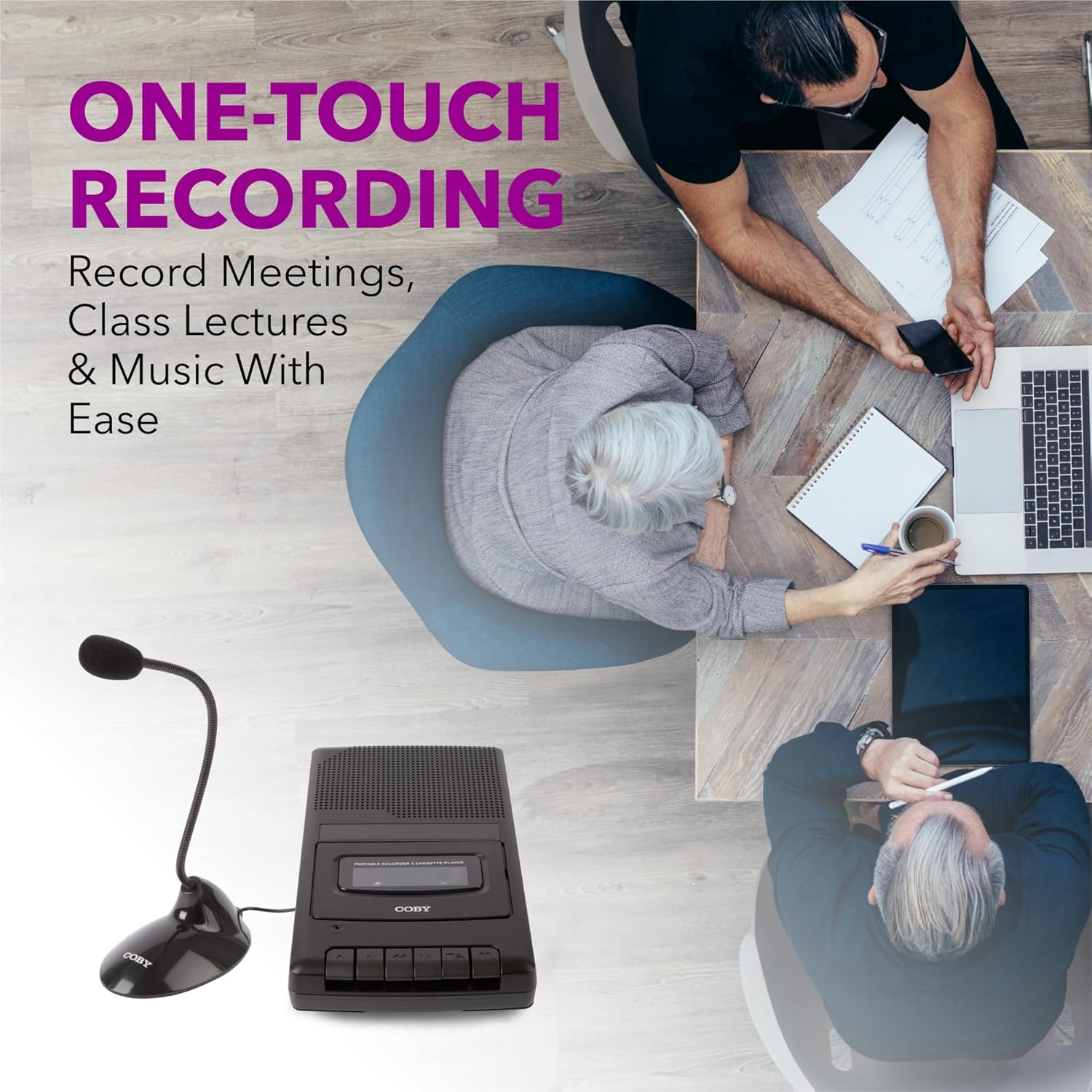
Figure 5.1: Using the CVR42BK for recording.
5.3 Using the External Boom Microphone
For higher quality recordings, especially for lectures or meetings, connect the included external boom microphone.
- Locate the external microphone input port on the CVR42BK.
- Plug the external boom microphone into this port.
- Position the microphone appropriately for the sound source you wish to record.
- Proceed with recording as described in Section 5.2. The device will automatically prioritize the external microphone when connected.

Figure 5.2: External boom microphone in use.
6. Nlekọta
- Nhicha: Use a soft, dry cloth to clean the exterior of the unit. Do not use liquid cleaners or solvents.
- Tape Head Cleaning: Periodically clean the tape heads with a specialized cassette head cleaning kit to ensure optimal sound quality and prevent tape damage.
- Nchekwa: When not in use for extended periods, remove batteries to prevent leakage. Store the device in a cool, dry place away from direct sunlight and extreme temperatures.
- Nlekọta Kaseti: Store cassette tapes in their cases to protect them from dust and physical damage. Avoid exposing tapes to strong magnetic fields.
7. Nchọpụta nsogbu
| Nsogbu | Ihe nwere ike ime | Ngwọta |
|---|---|---|
| Enweghị ike | AC adapter not connected or faulty; batteries depleted or incorrectly inserted. | Check AC adapter connection and power outlet. Replace batteries or ensure correct polarity. |
| Enweghị ụda mgbe a na-akpọghachi ya | Volume too low; headphones connected; tape head dirty; tape damaged. | Increase volume. Disconnect headphones. Clean tape heads. Try a different tape. |
| Ndekọ anaghị arụ ọrụ | Tape is write-protected; tape is full; microphone not connected or faulty. | Ensure the write-protect tab on the cassette is intact. Use a blank tape. Check microphone connection. |
| Ogo ụda adịghị mma | Dirty tape heads; old or damaged cassette tape; external interference. | Clean tape heads. Use a new or known-good cassette tape. Move away from electronic devices. |
| Tape not moving | Tape jammed; mechanism fault. | Gently open compartment and check for tape jams. If problem persists, contact support. |
8. Nkọwapụta
| Nọmba nlereanya | CVR42BK |
| Isi Iyi Ike | 120V AC Adapter (included) or 4 x 'C' Batteries (not included) |
| Atụmatụ | Automatic Level Control (ALC), One-Touch Recording, Fast Forward, Rewind, Volume Control, Auto-Stop |
| Igwe okwu | Built-in microphone, External Boom Microphone (included) |
| Jack ekweisi | 3.5mm ụda stereo |
| Akụkụ ngwaahịa (L x W x H) | 10.2 x 5.83 x 1.97 sentimita (25.9 x 14.8 x 5 cm) |
| Ibu Ibu | 1.75 pound (0.79 n'arọ) |
| UPC | 810071491450 |
9. Akwụkwọ ikike na nkwado
For warranty information or technical support, please refer to the warranty card included with your product or visit the official Coby websaịtị. Debe nnata nzụta gị dị ka ihe akaebe nke ịzụrụ ihe maka akwụkwọ ikike ọ bụla.
Onye nrụpụta: Ụgwọ nke ụlọ ọrụ Summit Electronics LLC