
1. Okwu Mmalite na Product Overview
The Lectron V-Box 48 Amp Electric Vehicle Charging Station is a powerful Level 2 EV charger designed for efficient and convenient home charging. It offers flexible installation options, robust safety features, and a user-friendly interface to ensure a seamless charging experience for your electric vehicle.

Figure 1: Lectron V-Box 48 Amp Ebe a na-ebufe ụgbọ ala eletrik.
This charging station is compatible with all J1772 EVs, making it a versatile solution for most electric and plug-in hybrid vehicles.
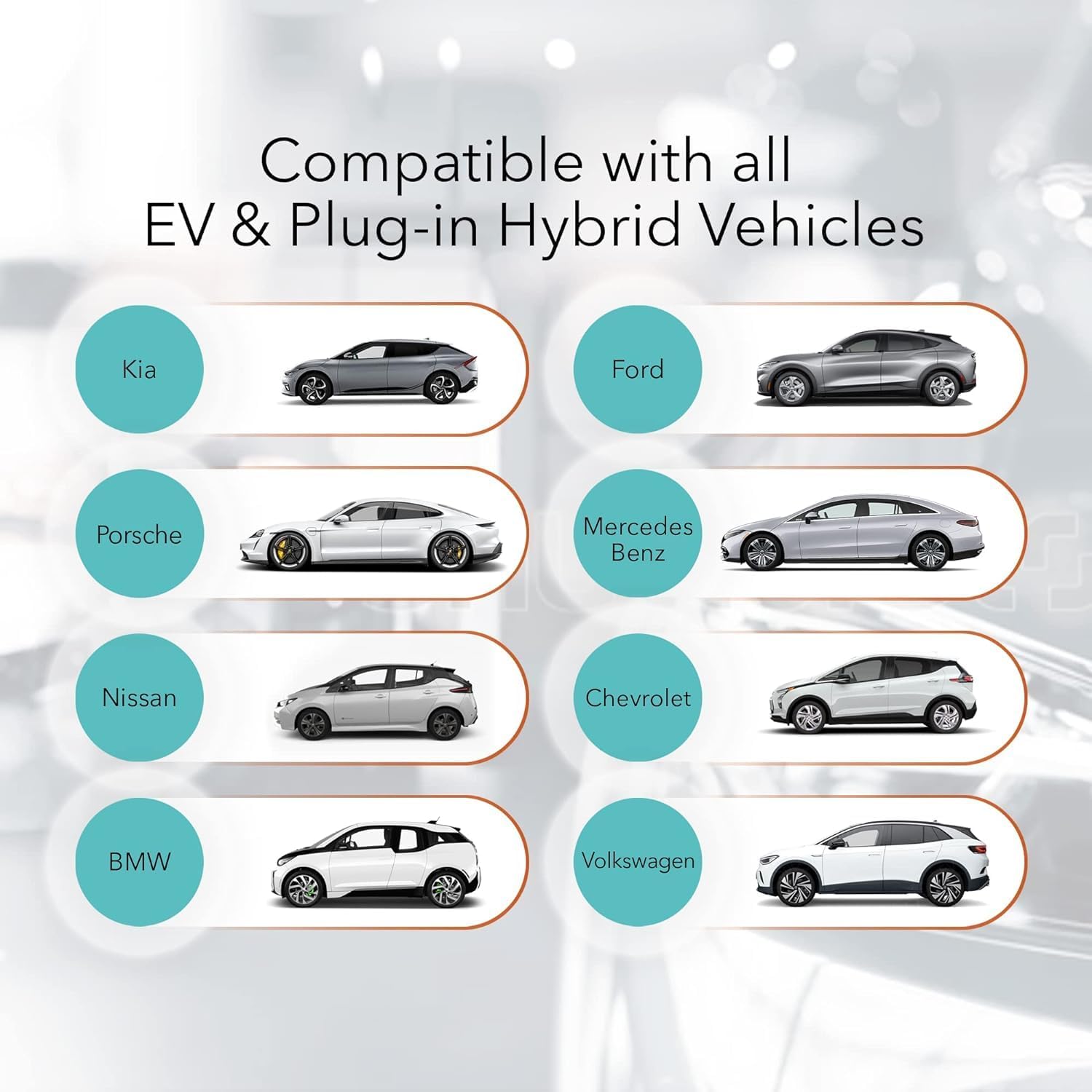
Figure 2: Compatibility with various EV and Plug-in Hybrid Vehicles.
2. Ozi nchekwa
Please read all safety information carefully before installation and operation. This product is FCC and ETL certified (UL2594 standard) for safety and Energy Star certified for efficiency. It also boasts an IP55 weatherproof rating for durability.

Figure 3: Maximum Protection Features.
- Installation should only be performed by a licensed and qualified electrician in accordance with all national and local electrical codes.
- Gbanyụọ sekit gị mgbe niile tupu nrụnye hardwire ọ bụla.
- Do not attempt to repair the charging station or handle yourself. Contact customer support for assistance.
- Never use the charging station with an extension cord.
- Never use the charging station with any AC adapter.
- Gbaa mbọ hụ na etinyere plọg ahụ n'ụzọ zuru ezu n'ime oghere mgbidi.
- Children should be supervised in the vicinity of the charging station.
- Iji belata ihe egwu nke ọkụ, jikọọ naanị na sekit enyere na 50 ampere maximum branch circuit overcurrent protection.
3. Kedu ihe dị na Igbe ahụ
The Lectron V-Box charging station comes with all necessary components for installation and immediate use.
- 1 x V-BOX charging station
- 1 x Efere efere
- 1 x J-nkwa
- 1 x Set screws + anchors (plate)
- 1 x Set screws + anchors (J-Hook)

Figure 4: Lectron V-Box with included J-Hook for cable management.
For a detailed unboxing and overview of the included components, please refer to the official product video below:
Video 1: Lectron V-Box Level 2 EV Charger - 48 Amp EV Charging Station. This video provides a comprehensive look at the product, its features, and the unboxing experience.
4. Ntọala na nwụnye
The Lectron V-Box is designed for straightforward installation. Follow these steps for proper setup:
4.1 Ịtinye Unit
- Remove the mounting plate: Loosen the four screws on each side of the V-Box to detach the metal mounting plate from the back of the unit.
- Mark drilling points: Use the detached mounting plate as a template to mark the drilling locations on your desired wall surface. Ensure the location is suitable for electrical connections.
- Gwuo oghere ma tinye arịlịka: Drill holes at the marked locations and insert the provided wall anchors.
- Attach mounting plate: Chekwaa efere na-arị elu na mgbidi site na iji kposara enyere.
- Mount the V-Box: Align the V-Box with the mounted plate and slide it down until it locks into place. Tighten the side screws to secure the unit.

Figure 5: Step-by-step guide for mounting the V-Box.
4.2 Njikọ eletrik
The V-Box can be plugged into a NEMA 14-50 outlet (40A max) or hardwired (48A max). Ensure your electrical setup meets the requirements for the desired ampoge.

Figure 6: NEMA 14-50 Plug connection for 48 Amp Level 2 charging.
Na-edozi Amperage (Hardwired Installation Only)
By default, the V-Box is set to 48A. To adjust the amperage for hardwired installations, remove the plastic cover from the back of the V-Box and turn the dial to your preferred setting. This should only be done by a qualified electrician.
| Mbido ialkpọ oku | Ugbu a (Amps) |
|---|---|
| 0 | 16A |
| 1 | 24A |
| 2 | 32A |
| 3 | 40A |
| 4 | 48A |
5. Ntuziaka ọrụ
Using your Lectron V-Box is simple and intuitive.
5.1 Connecting to Your EV
- Ensure the V-Box is powered on using the button on the side. The display will illuminate.
- Open your EV's charging port.
- Insert the J1772 connector firmly into your EV's charging port. The V-Box display will show charging status, and the V-lights will pulsate.

Figure 7: Connecting the J1772 connector to an EV.
5.2 Ịghọta ihe ngosi
The V-Box features a clear display that provides real-time charging information:
- Real-time current: Na-egosiputa ihe dị ugbu a amperage being drawn.
- Oge nchaji: Shows the duration of the current charging session.
- Ikike ịchaji: Na-egosi ọkwa chajị batrị.
- Enyere ugbu a: Shows the maximum current setting.
- Ezigbo oge voltage: Na-egosiputa voltage sitere na isi iyi ike.
- Grounding indicator: Confirms proper grounding.
- Ọchịchị ụgwọ: Visual representation of battery fill level.
- Okpomọkụ: Displays the operating temperature of the unit.

Figure 8: V-Box display showing real-time charging data.
6. Nlekọta
The Lectron V-Box is designed for durability and minimal maintenance. Keep the unit clean and free from debris. Regularly inspect the charging cable and connector for any signs of wear or damage. The IP55 weatherproof rating ensures protection against dust and water splashes, making it suitable for outdoor installation.
7. Nchọpụta nsogbu
If you encounter any issues with your Lectron V-Box, refer to the following common troubleshooting steps:
| Nsogbu | Ihe nwere ike ime | Ngwọta |
|---|---|---|
| Chaja anaghị arụ ọrụ | No power from outlet; Unit is off | Check circuit breaker; Press power button on the side of the V-Box. |
| Ịchaji anaghị amalite | Connector not fully inserted; EV charging port issue; Amperage setting too high for circuit | Ensure firm connection; Check EV manual; Adjust amperage setting on V-Box (consult electrician). |
| Ọsọ nchaji dị nwayọ | Amperage setting is low; Electrical circuit limitation | Mmụba amperage setting (if circuit allows); Consult electrician for circuit upgrade. |
| Ozi mperi na ngosi | Internal fault; Grounding issue; Overcurrent/Overvoltage | Refer to the user manual for specific error codes; Consult a qualified electrician. |
8. Nkọwapụta
Detailed technical specifications for the Lectron V-Box 48 Amp Electric Vehicle Charging Station:
| Njirimara | Nkọwa |
|---|---|
| Ụdị | Lectron |
| Nọmba nlereanya | EV-Charger48A-J1772 |
| Ntinye/Mpụta Voltage | 200V - 240V |
| Kachasị ugbu a | 48A (Hardwired), 40A (NEMA 14-50) |
| Ogologo eriri USB | 20 ụkwụ |
| Njikọ EV | SAE J1772 |
| Ụdị nkwụnye | NMA 14-50 |
| Ibu Ibu | 19.36 pound |
| Akụkụ ngwaahịa | 18.5 x 10.24 x 12.2 sentimita asatọ |
| Okpomọkụ na-arụ ọrụ | -22°F ruo +122°F (-30°C ruo +50°C) |
| Ihe onwunwe | ABS + PC alloy |
| Asambodo | FCC, ETL (UL2594), Energy Star, IP55 |
9. Akwụkwọ ikike na nkwado
Lectron provides a 1-year warranty with every product purchase. For any questions, technical support, or warranty claims, please contact Lectron customer service. Refer to the official Lectron websaịtị maka ozi kọntaktị.
For additional resources and product information, visit the official Lectron Store: Lectron Store on Amazon.