
1. Okwu mmalite
Thank you for choosing the Severin HV 7152 Cordless 2-in-1 Stick Vacuum Cleaner. This manual provides important information regarding the safe and efficient use, maintenance, and troubleshooting of your appliance. Please read it thoroughly before first use and keep it for future reference.
The Severin HV 7152 is a versatile 2-in-1 cordless vacuum cleaner designed for general floor cleaning, quick clean-ups, car interior cleaning, and above-floor tasks like furniture and ceiling cobweb removal. It features a high-speed rotating brush with LED lighting and offers up to 40 minutes of runtime.
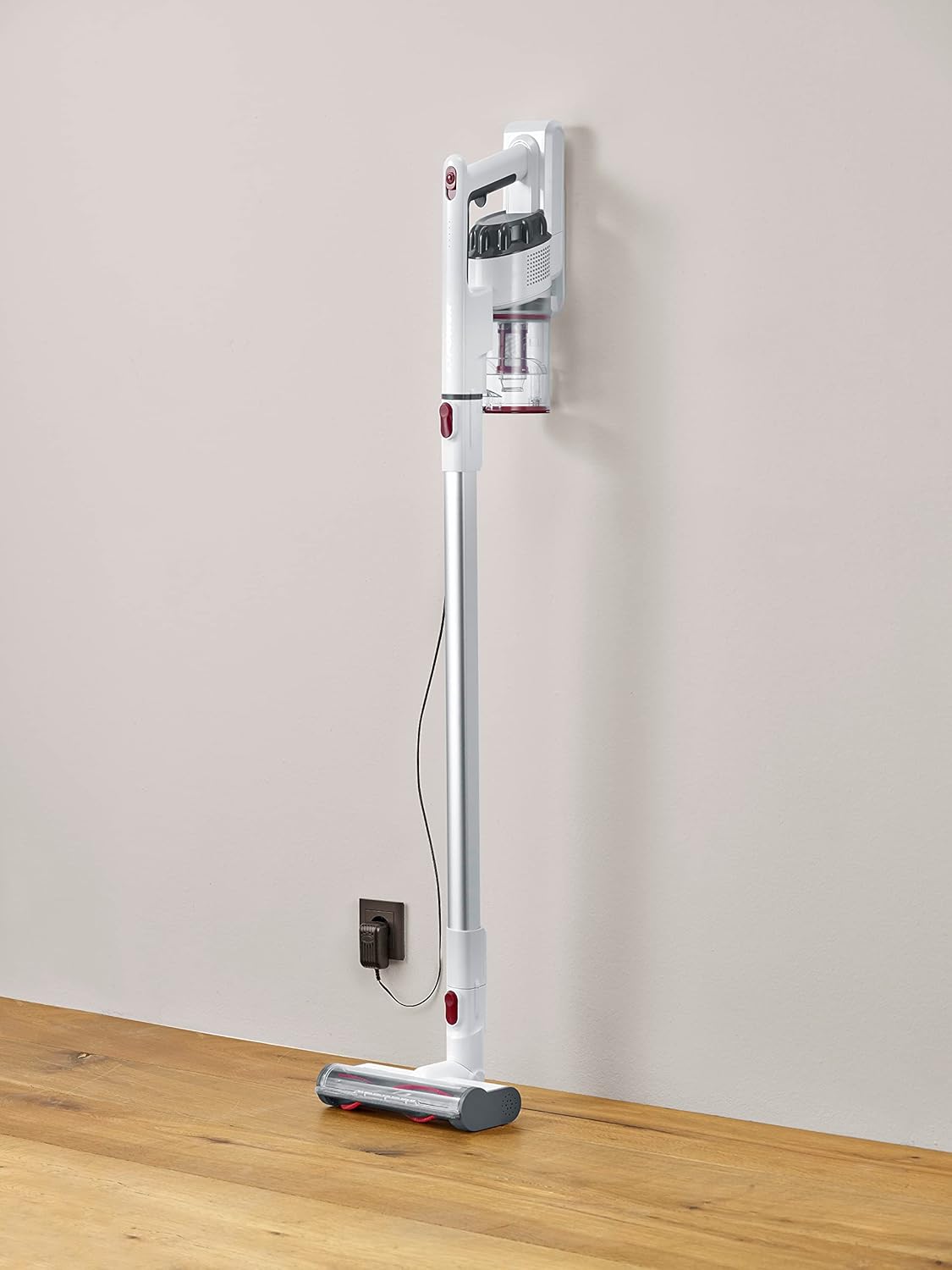
Image 1.1: The Severin HV 7152 Cordless 2-in-1 Stick Vacuum Cleaner in its upright position, charging.
2. Ozi nchekwa
- Gụọ ntuziaka niile tupu i jiri ngwa.
- Ejila ihe na-ehicha oghere n'èzí ma ọ bụ n'elu mmiri.
- Ekwela ka ụmụaka jiri ngwa a rụọ ọrụ. Ọ dị mkpa ka a na-elekọta ha nke ọma mgbe a na-eji ha nso ụmụaka.
- Ebulitela ihe ọkụ ọkụ ma ọ bụ ọkụ ọkụ, dị ka mmanụ ụgbọala, ma ọ bụ jiri n'ebe ọ nwere ike ịnọ.
- Ewelitela ihe ọ bụla na-ere ọkụ ma ọ bụ ise siga, dị ka sịga, ọkụ, ma ọ bụ ntụ na-ekpo ọkụ.
- Ejila ihe na-enweghị iko uzuzu na/ma ọ bụ nzacha dị n'ebe.
- Turn off the appliance before connecting or disconnecting the battery charger.
- Jiri naanị chaja nke onye nrụpụta wetara.
- Chekwaa ngwa ahụ n'ime ụlọ n'ebe dị jụụ ma kpọọ nkụ.
3. Ntọala na Mgbakọ
The Severin HV 7152 is designed for easy assembly. Follow these steps to prepare your vacuum cleaner for first use:
3.1 Mwepu na njirimara akụrụngwa
Jiri nlezianya wepụ ihe niile dị na ngwugwu ahụ. Hụ na akụkụ niile edepụtara n'okpuru dị:
- Main unit (motor and dust container)
- Mgbatị tube
- ahịhịa ala moto nwere ọkụ ọkụ
- Ngwá ọrụ Crevice
- Upholstery brush / 2-in-1 brush
- Wall mount (if included)
- Nchaji nkwụnye

Image 3.1: Included accessories: crevice tool and upholstery brush.
3.2 Nchaji izizi
Before first use, fully charge the battery. Connect the charging adapter to the main unit and plug it into a power outlet. The battery indicator lights will show the charging status. A full charge takes approximately 5 hours.
3.3 Ịchịkọta Ume Osisi
- Attach the extension tube to the main unit until it clicks into place.
- Attach the motorized floor brush to the other end of the extension tube until it clicks into place.
Your stick vacuum is now assembled. For handheld use, detach the extension tube and attach desired accessories directly to the main unit.
Vidiyo nke 3.2: Mwepuview of the cordless vacuum cleaner, demonstrating its features and assembly.
4. Ntuziaka ọrụ
The Severin HV 7152 offers flexible cleaning options with its 2-in-1 design and multiple power levels.
4.1 Power On/Off and Suction Levels
Press the power button on the main unit to turn the vacuum cleaner on. The appliance has 3 power levels. Press the power button repeatedly to cycle through the suction levels (low, medium, high). The battery level indicators will show the remaining charge.
4.2 Iji dị ka oghere mkpisiaka
For floor cleaning, use the assembled stick vacuum with the motorized floor brush. The brush features 3 LED lights to illuminate dark areas, making dirt more visible.

Image 4.1: The motorized floor brush with LED lights in action.
4.3 Iji dị ka oghere ejiri aka
To convert to a handheld vacuum, press the release button to detach the extension tube from the main unit. Attach the desired accessory (crevice tool or upholstery brush) directly to the main unit.

Image 4.2: Using the handheld vacuum with the crevice tool for hard-to-reach areas.
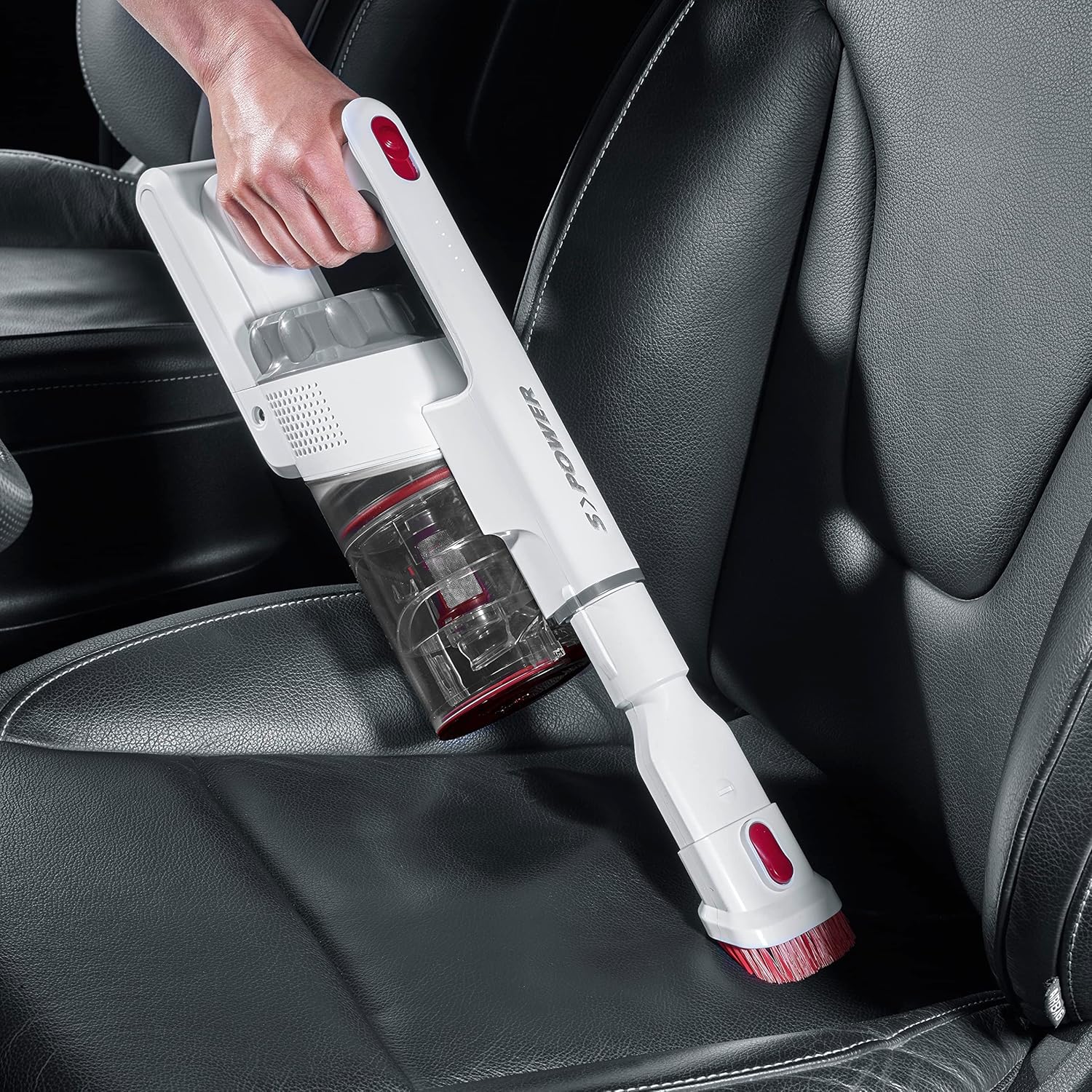
Image 4.3: Cleaning a car interior with the handheld vacuum and upholstery brush.
Video 4.4: Practical product illustration showing various uses and features of the vacuum cleaner.
5. Nlekọta
Regular maintenance ensures optimal performance and extends the lifespan of your Severin HV 7152.
5.1 Ikpofu ihe mkpofu uzuzu
The dust container has a capacity of 500 ml. Empty it regularly to maintain suction power.
- Gbaa mbọ hụ na agbanyụrụ ihe mkpofu.
- Press the release button on the dust container to open the bottom flap and empty contents into a waste bin.

Image 5.1: Emptying the dust container.
5.2 Na-ehicha ihe nzacha
The vacuum cleaner uses a cartridge filter. Clean the filters regularly to prevent clogging and maintain suction.
- Gbaa mbọ hụ na agbanyụrụ ihe mkpofu.
- Wepu akpa uzuzu na ngalaba isi.
- Twist and pull out the filter assembly from the dust container.
- Separate the individual filter components.
- Tap the filters to remove loose dust. If heavily soiled, rinse them under running water. Ensure they are completely dry before reassembling and placing back into the vacuum cleaner.

Image 5.2: Removing the filter from the dust container.
5.3 Cleaning the Rotating Brush
Periodically check the motorized floor brush for tangled hair or debris.
- Ensure the vacuum cleaner is turned off and disconnected from the extension tube.
- Chọta usoro ntọhapụ n'akụkụ isi ahịhịa.
- Wepu ihe mkpuchi ahịhịa.
- Use scissors or a brush to remove any tangled hair or fibers.
- Reinsert the brush roller until it clicks into place.

Image 5.3: Underside of the motorized floor brush, showing the brush roller.
Video 5.4: Detailed view of product features, including maintenance aspects like filter cleaning.
6. Nchọpụta nsogbu
If you encounter issues with your Severin HV 7152, refer to the following table for common problems and solutions.
| Nsogbu | Ihe nwere ike ime | Ngwọta |
|---|---|---|
| Ihe mkpocha ọkụ anaghị agbanwu. | Agbanyụrụ batrị. | Chajie batrị zuru oke. |
| Ike mmiri dị ala. | Akpa uzuzu juru eju. | Gbanyụọ akpa uzuzu ahụ. |
| Ike mmiri dị ala. | Akpọchiela ihe nzacha. | Hichaa ma ọ bụ dochie ihe nzacha. |
| Ike mmiri dị ala. | A na-agbagharị ahịhịa ahịhịa. | Hichaa ihe nrịbama ahịhịa. |
| Motorized brush does not rotate. | Brush roller is jammed or tangled. | Clean the brush roller and check for obstructions. |
| Batrị anaghị akwụ ụgwọ. | Ejikọghị chaja nke ọma. | Ensure charger is securely connected to both the vacuum and the power outlet. |
| Batrị anaghị akwụ ụgwọ. | Chaja ma ọ bụ batrị ezighi ezi. | Kpọtụrụ nkwado ndị ahịa maka enyemaka. |
7. Nkọwapụta
| Njirimara | Nkọwa |
|---|---|
| Ụdị | Severin |
| Aha Nlereanya | HV7152 |
| Nọmba nlereanya | NX 7152 |
| Njirimara Pụrụ Iche | Enweghị akpa |
| Ụdị nzacha | Katrij |
| Elu akwadoro | Upholstery, General floor cleaning, Quick cleaning, Car interiors, Above-floor cleaning (furniture, cobwebs) |
| Isi Iyi Ike | Akwanyere batrị |
| Ike | 500 milliliters |
| Agba | Ọcha |
| Ọkwa mkpọtụ | 75 decibel |
| Ọnụọgụ nke ọsọ/Ọkwa Ike | 3 |
| Enwere ike ibugharị | Ee |
| Ojiji ime ime/n'èzí | Ime ụlọ |
| Ụdị mmecha | kenkowaputa |
| Enweghị eriri | Ee |
| Ibu Ibu | 1.42 kilogram |
| Akụkụ ihe (L x W x H) | 28L x 15W x 68H cm |
| Ụdị njikwa | Manual Control, Touch |
| Ụdị Ihe | Stick agụụ |
| Ngwa gụnyere | Ihe okike novice |
| Voltage | 22.2 volts |
| Wattage | 120 Watt |
| Oge nchaji batrị | Awa 5 |
| Ndụ batrị/Oge oge | Ruo nkeji 40 |
| Teknụzụ Njikọta | USB |
8. Akwụkwọ ikike na nkwado
8.1 Ozi akwụkwọ ikike
This Severin appliance comes with a standard manufacturer's warranty. Please refer to the warranty card included in your product packaging for specific terms, conditions, and duration. Keep your proof of purchase for any warranty claims.
8.2 Nkwado ndị ahịa
For technical assistance, spare parts, or any questions regarding your Severin HV 7152, please contact Severin customer support. Contact details can typically be found on the official Severin websaịtị ma ọ bụ na nkwakọ ngwaahịa.