
Fitbit FB422BKBK-cr
Fitbit Luxe Fitness and Wellness Tracker
Model: FB422BKBK-cr
1. Okwu mmalite
The Fitbit Luxe is a sophisticated fitness and wellness tracker designed to help you manage stress, track your sleep, and monitor your heart rate 24/7. Its sleek design and vibrant color display make it a comfortable and stylish accessory for daily wear. This manual provides essential information for setting up, operating, maintaining, and troubleshooting your Fitbit Luxe.

Figure 1: Fitbit Luxe Fitness and Wellness Tracker with black band.
2. Kedu ihe dị na Igbe ahụ
Upon unboxing your Fitbit Luxe, ensure all components are present:
- Fitbit Luxe Tracker
- Ịchaji eriri
- Small and Large Bands
3. Ntuziaka Nhazi
Follow these steps to set up your Fitbit Luxe for the first time:
- Chajịa ngwaọrụ gị: Connect the charging cable to the charging port on the back of your Fitbit Luxe and plug the other end into a USB power source. Ensure the tracker is securely attached to the charger.
- Download the Fitbit App: On your smartphone or tablet, download and install the Fitbit app from the App Store (iOS) or Google Play Store (Android).
- Mepụta/Banye na Akaụntụ: Open the Fitbit app and follow the on-screen instructions to create a new account or log in to an existing one.
- Jikọọ ngwaọrụ gị: In the Fitbit app, tap your profile foto > Melite Ngwaọrụ. Select Fitbit Luxe and follow the pairing instructions. Ensure Bluetooth is enabled on your mobile device.
- Wear Your Device: Attach the appropriate size band (S or L) to your Luxe. Wear the tracker on your wrist, ensuring it is snug but comfortable, about a finger's width above your wrist bone for accurate heart rate tracking.

Ọgụgụ 2: N'azụ view of the Fitbit Luxe, highlighting the charging contacts.
4. Operating Your Fitbit Luxe
The Fitbit Luxe offers a range of features to help you monitor your health and fitness:
- Ngosipụta agba na-ama jijiji: Navigate through your stats and notifications with a simple tap or swipe on the bright, easy-to-read screen.
- 24/7 Heart Rate Tracking: Continuously monitors your heart rate to provide insights into your resting heart rate trends and more accurately estimate calorie burn during activities.
- Active Zone Minutes: Get a gentle buzz when you enter your personalized target heart rate zones during exercise, helping you earn Active Zone Minutes towards your weekly goal.
- Sleep Tracking & Sleep Score: Wear your Luxe to bed to track your sleep stages (Light, Deep, REM) and receive a daily Sleep Score in the Fitbit app, helping you understand and improve your sleep quality.
- Njikwa nchekasị: Utilize the stress management tools available through the Fitbit app, which work in conjunction with your Luxe's data to help you understand and respond to stress.
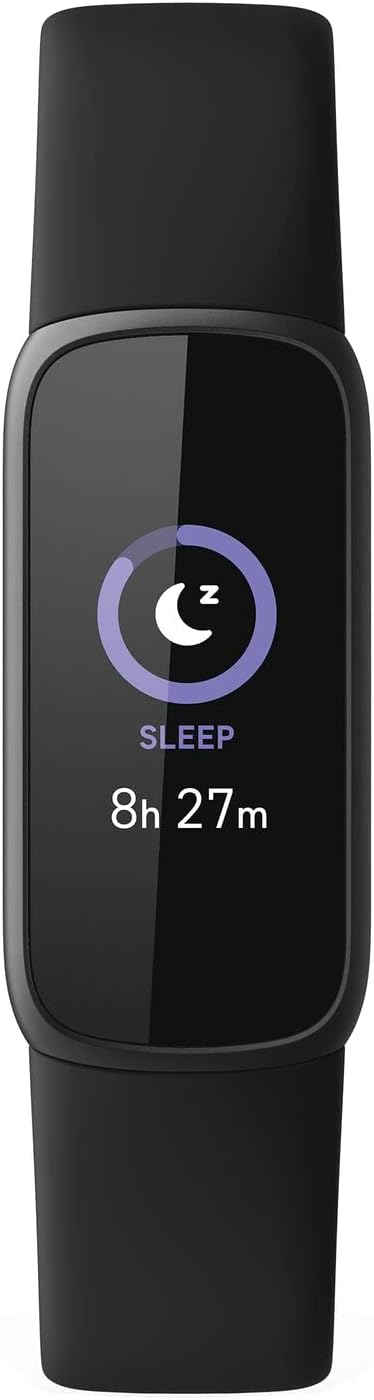
Figure 3: Fitbit Luxe display showing sleep duration.
5. Nlekọta
To ensure the longevity and optimal performance of your Fitbit Luxe, follow these maintenance guidelines:
- Nhicha: Regularly clean your tracker and band, especially after workouts or prolonged wear. Use a mild, soap-free cleanser and rinse thoroughly with clean water. Dry completely before wearing.
- Nguzogide mmiri: The Fitbit Luxe is water-resistant up to 50 meters. It can be worn in the shower, pool, or ocean. However, it is recommended to dry the device and band after getting them wet to prevent skin irritation. Do not use in a hot tub or sauna.
- Ịchaji: Charge your Luxe regularly. A full charge typically lasts up to 5 days, depending on usage. Charge the device when the battery indicator is low.
- Nchekwa: When not in use, store your Fitbit Luxe in a cool, dry place away from direct sunlight and extreme temperatures.
6. Nchọpụta nsogbu
If you encounter issues with your Fitbit Luxe, try the following solutions:
- Ngwaọrụ anaghị aza: If your Luxe is unresponsive, try restarting it. Connect the device to its charging cable, then press the button on the charging cable three times within eight seconds, pausing for one second between presses. The Fitbit logo should appear on the screen.
- Okwu mmekọrịta: Ensure your mobile device's Bluetooth is on and the Fitbit app is open. If issues persist, try restarting both your Luxe and your mobile device.
- Ọgụgụ na-ezighi ezi: Ensure your Luxe is worn correctly (snug but comfortable, a finger's width above the wrist bone). Clean the sensors on the back of the device.
- Na-agbapụ batrị ọsọ ọsọ: Reduce features that consume more power, such as always-on display or frequent notifications. Ensure the device is fully charged.
- Ngosipụta anaghị arụ ọrụ: Check if the device is charged. If the screen remains black, try restarting the device as described above.
If these steps do not resolve the issue, please refer to the support section.
7. Nkọwapụta
| Njirimara | Nkọwa |
|---|---|
| Akụkụ ngwaahịa | 1.43 x 0.69 x 0.4 sentimita asatọ |
| Ibu Ibu | 0.923 ounces (26.17 g) |
| Nọmba nlereanya | FB422BKBK-cr |
| Batrị | 1 batrị lithium polymer chọrọ |
| Ike batrị | 50 ndeamp Oge awa |
| Sistemụ nrụọrụ | Fitbit OS |
| Teknụzụ Njikọta | GPS (Connected GPS via smartphone) |
| Ikuku Communication Standard | Bluetooth |
| Njirimara Pụrụ Iche | Nyochaa ọnụọgụ obi |
8. Akwụkwọ ikike na nkwado
Your Fitbit Luxe (Renewed) product is eligible for replacement or refund under the Amazon Renewed Guarantee for 90 days from purchase. Additionally, consider enhancing your protection with available plans:
- 2-Year Protection Plan (Price: $9.99)
- 3-Year Protection Plan (Price: $11.99)
- Complete Protect (Monthly: $16.99/month)
For further assistance, visit the official Fitbit support websaịtị ma ọ bụ kpọtụrụ ndị ahịa ha ọrụ. Debe akwụkwọ nnata ịzụrụ maka akwụkwọ ikike.
Ask a question about this manual
Ask about setup, troubleshooting, compatibility, parts, safety, or missing instructions. Manuals+ will review the question and use this page’s manual context to help answer it.