
HOTT CD711
Akwụkwọ ntuziaka onye ọrụ CD HOTT CD711
Ụdị: CD711
1. Ngwaahịa gafereview
The HOTT CD711 is a versatile portable CD player designed for high-quality audio playback on the go, at home, or in your car. It features a rechargeable battery, robust anti-shock protection, and broad compatibility with various disc formats.
Akụkụ ndị bụ isi:
- Batrị enwere ike ịchaji: Built-in 1000mAh Li-ion battery provides up to 7 hours of playback on a 3-hour charge.
- In-Car Connectivity: AUX-output allows easy connection to car audio systems.
- Anti-Shock Protection (ASP): Ensures stable audio playback with up to 45 seconds for CD and 120 seconds for MP3 discs.
- Ndakọrịta sara mbara: Supports CD, MP3, CD-RW, CD-R, and WMA formats.
- Mmetụta ụda: Includes BBS, Pop, Jazz, Rock, and Classic sound modes.
- Resume Function: Memorizes the last playback track.

Image: The HOTT CD711 Portable CD Player, shown with included headphones, a 3.5mm AUX cable, and a USB charging cable. The player is black with a bronze-colored edge and features a central control panel with an LCD display.
2. Ihe ngwugwu
Biko chọpụta na ihe niile dị na ngwugwu:
- HOTT CD711 Portable CD Player x 1
- USB Nchaji USB x 1
- Igwe ntị x 1
- 3.5mm AUX USB x 1
- Akwụkwọ ntuziaka onye ọrụ x 1

Image: Contents of the HOTT CD711 package, including the CD player, an orange box, a user manual, earphones, a USB charging cable, and a 3.5mm AUX cable.
3. Nhazi na Njikwa Ngwaọrụ
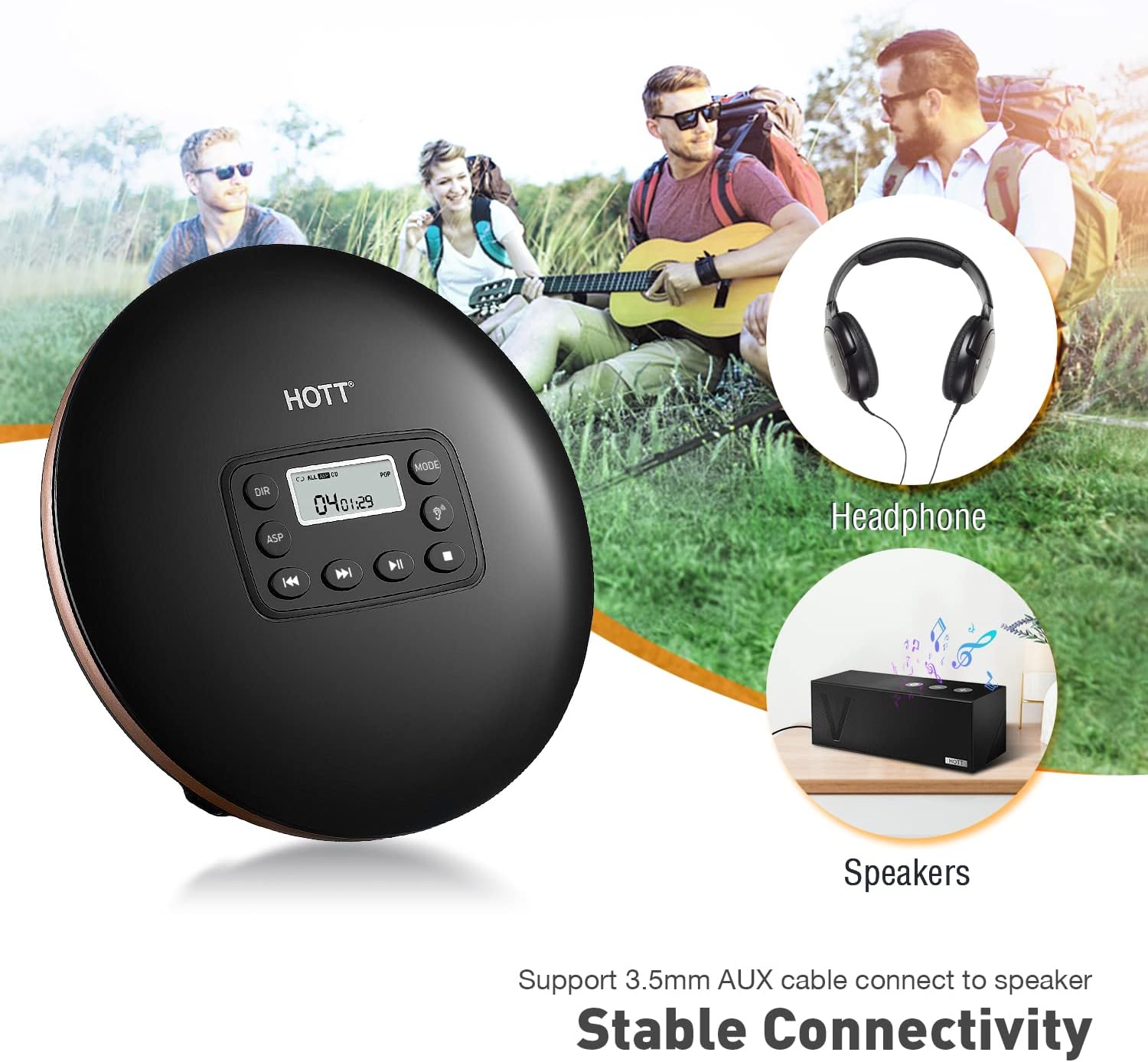
Foto: Zuru ezu view of the HOTT CD711 Portable CD Player's front panel and side controls. Key features are numbered and described.
- Ngosipụta LCD: Shows track number, time, and playback mode.
- Bọtịnụ DIR: Selects the next album (for MP3 format only).
- ASP Button: Toggles the Anti-Shock Protection system on/off.
- Previous/Rewind Button: Short press twice to select the previous track. Long press to fast backward.
- Next/Fast Forward Button: Short press to select the next track. Long press to fast forward.
- Power On/Play/Pause Button: Powers the device on, plays, or pauses playback.
- Stop/Shut Down Button: Stops playback and powers the device off.
- Sound Effect Button: Selects different sound effects (BBS, Pop, Jazz, Rock, Classic).
- Bọtịnụ ụdị egwu: Selects playback modes (Sequential, Shuffle, Single Track Repeat, Repeat All, Scan).
- HOLD/UNHOLD Switch: Locks all buttons to prevent accidental presses. Set to UNHOLD to unlock.
- VOL Adjust: Na-edozi olu.
- PHONES Earphone Jack: Mwepụta 3.5mm maka ekweisi.
- DC IN 4.5V-5V Power Supply Input: USB-C port for charging and power.
4. Ntọala na Nchaji
4.1 Ịchaji batrị
The HOTT CD711 comes with a built-in 1000mAh rechargeable Li-ion battery. Before first use, fully charge the device.
- Connect the provided USB charging cable to the DC IN 4.5V-5V port on the CD player.
- Jikọọ nsọtụ nke ọzọ nke eriri USB na ihe nkwụnye ọkụ USB ọkọlọtọ (anaghị etinye ya) ma ọ bụ ọdụ ụgbọ USB kọmputa.
- A full charge takes approximately 3 hours and provides up to 7 hours of playback at medium volume.
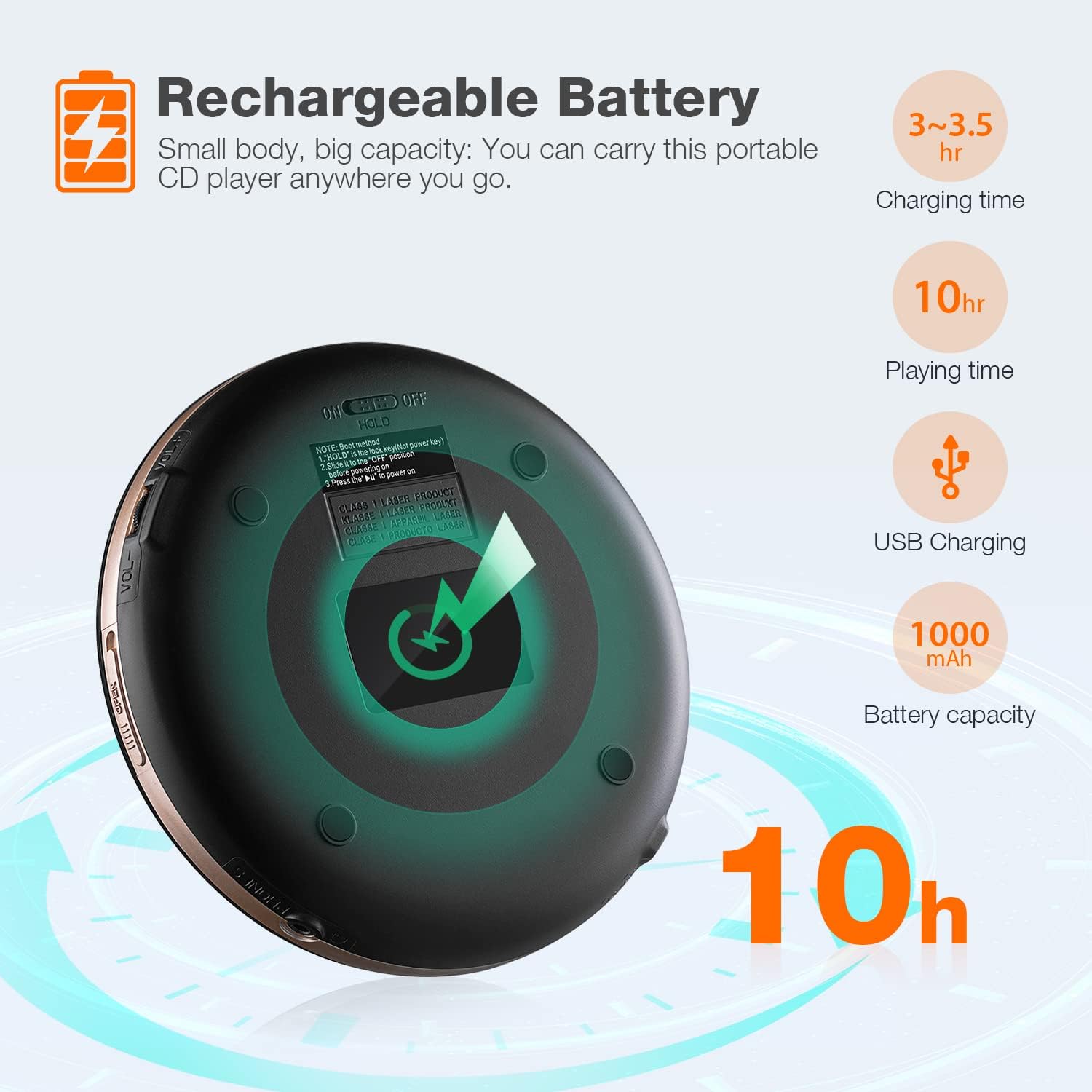
Image: Diagram illustrating the rechargeable battery features of the HOTT CD711, including 3-3.5 hours charging time, 10 hours playing time, USB charging, and 1000mAh battery capacity.
4.2 Connecting to Car Audio
To use the CD player in your car, connect it via the 3.5mm AUX output:
- Locate the 3.5mm AUX jack on your car's audio system.
- Connect one end of the provided 3.5mm AUX cable to the PHONES earphone jack on the CD player.
- Connect the other end of the AUX cable to your car's AUX input.
- Select the AUX input source on your car's audio system.

Image: Visual guide on how to connect the HOTT CD711 to a car's audio system using a 3.5mm AUX cable, highlighting the CD player interface and the car's AUX jack.
5. Ntuziaka ọrụ
5.1 Nkpọghachi azụ
- Ensure the HOLD/UNHOLD switch is set to UNHOLD.
- Open the CD compartment by gently pressing the 'OPEN' button or sliding the lid.
- Fanye CD nwere akụkụ akara chere ihu elu.
- Close the CD compartment firmly until it clicks.
- Pịa Power On/Play/Pause bọtịnụ ka ịmalite ịkpọghachi.
- Gbanwee olu site na iji VOL Gbanwee isi.
- Ka ịkwụsịtụ, pịa Power On/Play/Pause button again. Press again to resume.
- Iji kwụsị igwu egwu, pịa Stop/Shut Down bọtịnụ.
5.2 Navigation and Modes
- Ikwu egwu: Jiri ihe Nke gara aga/ nlaghachi azụ or Na-esote/Ọsọ Ọsọ bọtịnụ ka ịwụ egwu.
- Ọsọ n'iru/Nweghachi: Pịa ogologo Nke gara aga/ nlaghachi azụ or Na-esote/Ọsọ Ọsọ bọtịnụ.
- DIR (Directory): For MP3 discs, press the DIR button to navigate between folders/albums.
- ASP (Anti-Shock Protection): Pịa ASP button to activate or deactivate anti-shock protection. This feature helps prevent skips during movement.
- Mmetụta ụda: Pịa Mmetụta ụda button repeatedly to cycle through available sound modes: BBS, Pop, Jazz, Rock, Classic.
- Ụdị egwuregwu: Pịa Ụdị egwuregwu button to select different playback sequences: Sequential, Shuffle, Single Track Repeat, Repeat All, Scan (plays first 10 seconds of each track).
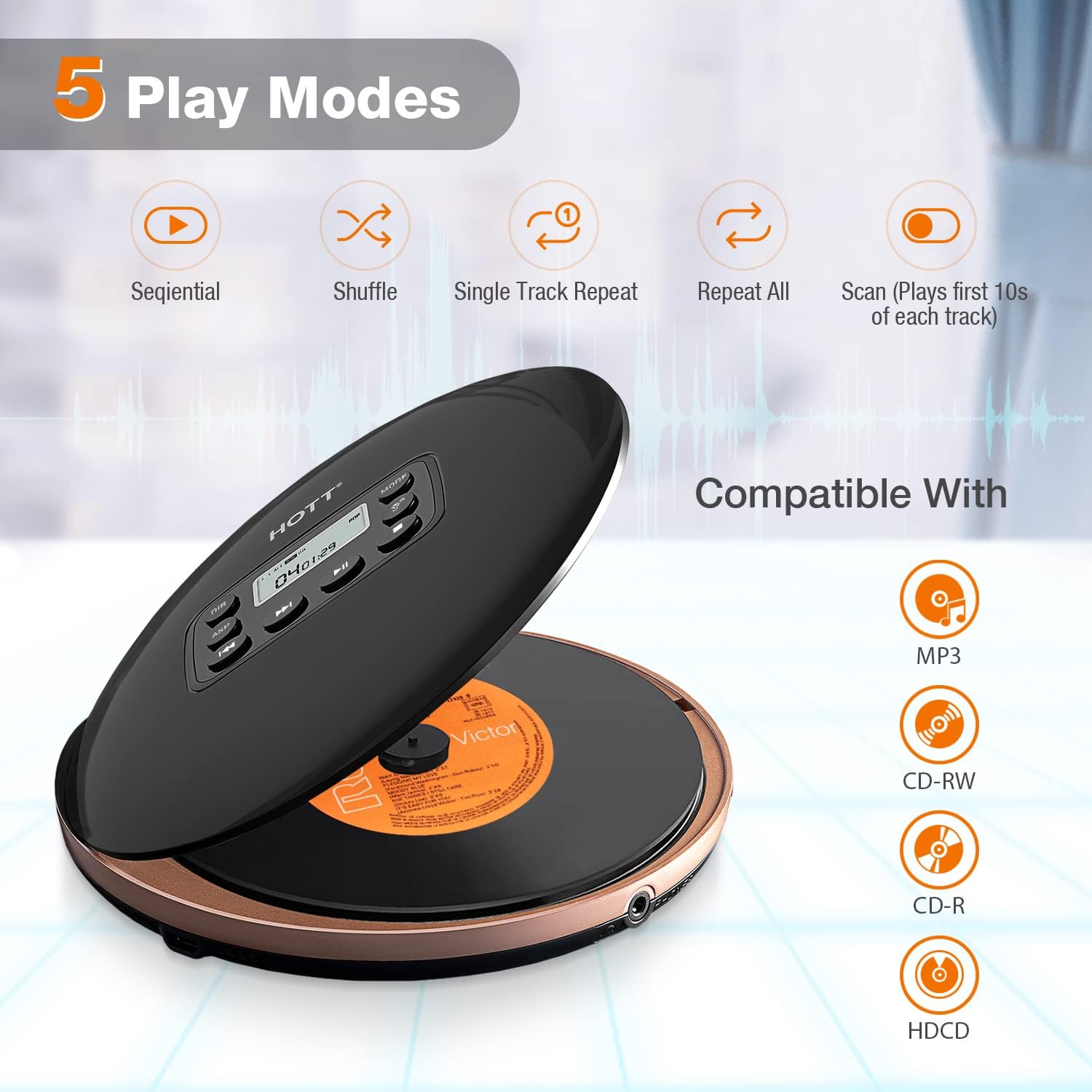
Image: Visual representation of the five play modes available on the HOTT CD711: Sequential, Shuffle, Single Track Repeat, Repeat All, and Scan. Also shows compatibility with MP3, CD-RW, CD-R, and HDCD discs.
5.3 Resume Function
The CD player features a resume function that automatically memorizes the last played track and position. When you power on the device again, it will resume playback from where it left off.

Image: A young girl using the HOTT CD711 while studying at a desk, illustrating the convenience of the resume function which remembers the last playback track.
6. Nlekọta na nlekọta
- Keep the CD player clean by wiping it with a soft, dry cloth. Do not use liquid cleaners or abrasive materials.
- Zere ikpughe ngwaọrụ ahụ na oke okpomọkụ, ìhè anyanwụ kpọmkwem, ma ọ bụ oke iru mmiri.
- Handle CDs by the edges to prevent fingerprints and scratches, which can affect playback quality.
- Store the CD player in a cool, dry place when not in use.
- Anwala ịkwasa ma ọ bụ rụkwaa ngwaọrụ n'onwe gị. Rụtụ aka na ndị ọrụ ruru eru.
7. Nchọpụta nsogbu
| Nsogbu | Ihe nwere ike ime | Ngwọta |
|---|---|---|
| Onye ọkpụkpọ anaghị agbanyụ. | Batrị agwụla. HOLD switch is engaged. | Chajịa batrị. Set the HOLD switch to UNHOLD. |
| Enweghị ụda. | Olu dị oke ala. Ejikọghị ekweisi nke ọma. AUX cable not properly connected (in car). | Welie olu. Ensure headphones are fully plugged into the PHONES jack. Check AUX cable connection and car's input source. |
| Disc skips or playback is unstable. | Disc dị ọcha ma ọ bụ kpụchara akpụcha. ASP is off or insufficient. Oke ịma jijiji. | Clean the disc or try another disc. Ensure ASP is enabled. Reduce movement or place on a stable surface. |
| Cannot read disc. | Disc inserted incorrectly. Disc format not supported. Disc is severely damaged. | Reinsert disc with label side up. Ensure disc is CD, MP3, CD-RW, CD-R, or WMA. Try a different disc. |
8. Nkọwapụta
- Ụdị: CD711
- Akara: NA-ekpo ọkụ
- Ụdị diski akwadoro: CD, MP3, CD-RW, CD-R, WMA
- Batrị: 1000mAh batrị Li-ion nwere ike ịchaji
- Oge nchaji: Ihe dị ka awa 3
- Oge nkwughachi: Ruo awa 7 (na oke olu)
- Nchedo Mgbochi Ujo: 45 seconds for CD, 120 seconds for MP3
- Njikọta: 3.5mm AUX output, USB for charging
- Akụkụ: 6.81 x 6.77 x 1.77 inch (akụkụ ngwugwu)
- Arọ: 15.2 ounces
9. Akwụkwọ ikike na nkwado
HOTT provides comprehensive customer support for the CD711 Portable CD Player:
- Iwu nloghachi: 30-days return policy.
- Akwụkwọ ikike: 1-year warranty. Register through the official website to extend the warranty period to 18 months.
- Nkwado: Lifetime support and Toll-free call center.
For assistance, please refer to the contact information provided in your product packaging or visit the official HOTT websaịtị.

Image: Information about HOTT company history and customer support, including establishment in 1999, ISO9001:2000 approval, Walmart approval, USA establishment in 2013, becoming a top Amazon CD player seller in 2019, and details on US customer service, toll-free support, and free replacement for one year.
Ask a question about this manual
Ask about setup, troubleshooting, compatibility, parts, safety, or missing instructions. Manuals+ will review the question and use this page’s manual context to help answer it.