
1. Okwu mmalite
Welcome to the world of Horizon Forbidden West. This manual provides essential information for setting up, playing, and maintaining your game on the PlayStation 5 console. Explore distant lands, encounter new machines, and unravel the mysteries of a post-apocalyptic future.

Image: The official game cover for Horizon Forbidden West, showing the protagonist Aloy ready for action against a backdrop of ancient ruins and advanced machinery.
2. Ntọala na nwụnye
2.1 System chọrọ
- PlayStation 5 console
- Sufficient storage space on your PS5 (refer to game packaging for exact requirements)
- Internet connection for updates and online features
2.2 Disc Installation
- Insert the Horizon Forbidden West game disc into your PlayStation 5 console's disc drive.
- The console will automatically begin the installation process. Follow any on-screen prompts.
- Once the installation is complete, select the game icon from your PS5 home screen to launch.
2.3 Digital Download
- Navigate to the PlayStation Store on your PS5.
- Chọọ maka "Horizon Forbidden West" and select the Standard Edition.
- Purchase and initiate the download.
- Once the download and installation are complete, select the game icon from your PS5 home screen to launch.
3. Operating the Game (Gameplay)
Horizon Forbidden West is an action role-playing game where you control Aloy in a vast open world. The game features exploration, combat, and a rich narrative.
3.1 Core Gameplay Elements
- Nchọgharị: Traverse diverse environments including lush forests, sunken cities, and towering mountains. Discover hidden secrets and new tribes.
- Ọgụ: Engage in strategic battles against various machine creatures and human enemies. Utilize a wide array of weapons, gear, and traps crafted from salvaged parts.
- Akụkọ: Follow Aloy's journey to uncover the secrets behind Earth's imminent collapse and restore balance to the world.

Image: Aloy, the protagonist, prepares to fire an arrow from her bow at a formidable machine enemy in a combat scenario.

Image: Aloy confronts a colossal machine in a detailed environment, showcasing the scale of combat in the game.
3.2 Njikwa
Refer to the in-game tutorial and control scheme menu for detailed button mappings and actions. General controls include:
- Mkpanaka Analọg Aka ekpe: Ntughari
- Ogwe aka nri Analọg: Njikwa igwefoto
- bọtịnụ X: Jump/Climb
- Bọtịnụ Square: Melee Attack
- R2 Trigger: Fire Weapon
- L2 Trigger: Aim Weapon
3.3 Atụmatụ
- Expansive open world with diverse biomes.
- Dynamic weather and day/night cycles.
- Advanced machine AI and varied enemy types.
- Deep crafting and upgrade systems for weapons and armor.

Image: Aloy explores an underwater environment, surrounded by marine life and submerged ruins, highlighting the game's diverse exploration options.

Image: Aloy uses her tools to traverse a challenging environment, demonstrating the game's verticality and movement mechanics.
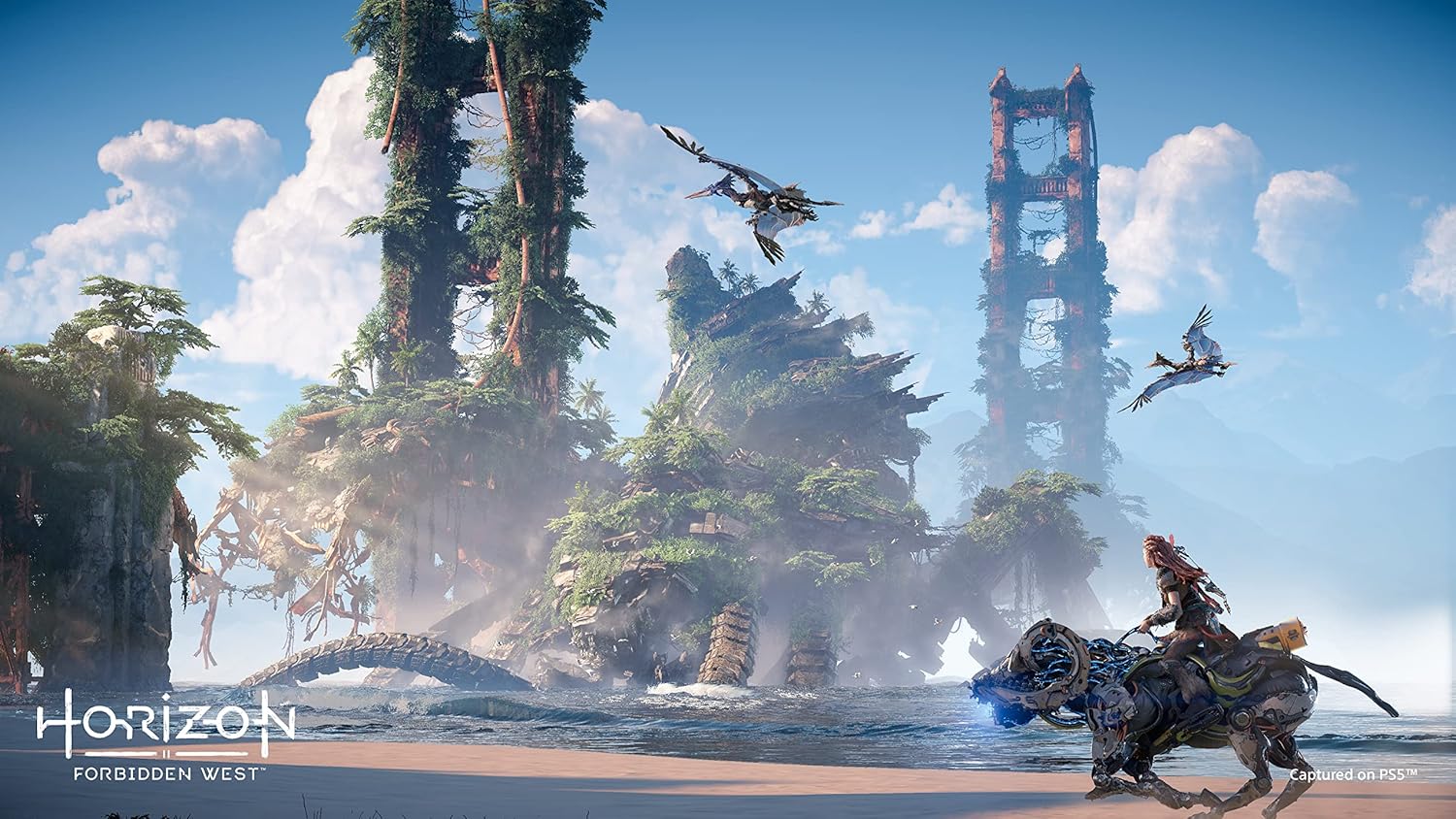
Image: Aloy rides a tamed machine across a scenic landscape, illustrating the ability to mount certain machines for faster travel.
4. Nlekọta
4.1 Game Disc Care
- Jide diski egwuregwu ahụ mgbe niile n'akụkụ ya iji zere mkpịsị aka na ọkọ.
- Store the disc in its original case when not in use.
- Clean the disc with a soft, lint-free cloth, wiping from the center outwards if necessary. Do not use abrasive cleaners.
4.2 Mmelite ngwanrọ
Ensure your PlayStation 5 system software and Horizon Forbidden West game software are regularly updated to the latest versions for optimal performance and access to new features or bug fixes. Updates typically download automatically when connected to the internet.
4.3 Saving Game Progress
The game features an auto-save function. Additionally, you can manually save your progress at designated save points or by accessing the in-game menu. It is recommended to save frequently to avoid loss of progress.
5. Nchọpụta nsogbu
5.1 Egwuregwu anaghị ebugo
- Check Disc: If using a physical disc, ensure it is clean and free of scratches.
- Restart Console: Power cycle your PlayStation 5 console.
- Wụnyegharị Egwuregwu: If issues persist, try deleting and reinstalling the game.
5.2 Performance Issues (Lag, Freezes)
- Mmelite sistemu: Ensure both your PS5 system software and game software are up to date.
- Close Other Applications: Close any other applications running in the background on your PS5.
- Rebuild Database: In Safe Mode, select 'Rebuild Database' (consult PlayStation support for instructions).
5.3 Corrupted Save Data
- Cloud Saves: If you have PlayStation Plus, check for cloud saves that may be intact.
- Ndabere: Regularly back up your save data to a USB drive.
For further assistance, refer to the official PlayStation support website or the in-game help section.
6. Nkọwapụta
| Njirimara | Nkọwa |
|---|---|
| Kọmputa Platform | PlayStation 5 |
| UPC | 711719548034 |
| Ụdị Egwuregwu Vidiyo Dakọtara | Sony PlayStation 5 |
| ASIN | B09RDRYF8L |
| Ụbọchị mwepụta | Jenụwarị 27, 2022 |
| Akụkụ ngwaahịa | 0.56 x 6.79 x 5.34 sentimita asatọ |
| Ụdị ihe | Egwuregwu vidiyo |
| Asụsụ | Bekee |
| Enyere aha | Afọ iri na ụma |
| Nọmba Nlereanya ihe | 3006234 |
| Ibu Ibu | 3.36 ounces |
| Onye nrụpụta | PlayStation |
7. Official Videos
7.1 Horizon Forbidden West - Accolades Trailer
Video: This trailer showcases critical acclaim and positive reviews for Horizon Forbidden West from various gaming publications.
7.2 Horizon Forbidden West - Cinematic Trailer
Video: A cinematic trailer providing a glimpse into the game's story, characters, and the dangerous world Aloy must navigate.
8. Akwụkwọ ikike na nkwado
8.1 Akwụkwọ ikike ngwaahịa
This product is covered by the standard PlayStation warranty. For detailed information regarding warranty terms, conditions, and duration, please refer to the documentation included with your PlayStation 5 console or visit the official PlayStation websaịtị.
8.2 Nkwado ndị ahịa
For technical support, gameplay assistance, or any other inquiries related to Horizon Forbidden West or your PlayStation 5 console, please visit the official PlayStation Support websaịtị: