
Okwu mmalite
Daalụ maka ịzụrụasing the LEXiBOOK RC Raptor Control Dinosaur. This remote-controlled velociraptor offers realistic articulated movements, roars, and light effects for an immersive play experience. This manual provides essential information for safe setup, operation, and maintenance of your new toy.
Akụkụ ndị bụ isi:
- Realistic articulated movements, allowing it to walk like a real dinosaur.
- 2.4 GHz frequency remote control for optimized range and reduced interference.
- Light and sound effects, including multiple roars.
- Demonstration mode to showcase its capabilities.
- Rechargeable dinosaur battery (included) and USB charging support.
Ozi nchekwa
Please read all safety warnings before operating the product. Failure to follow these instructions may result in injury or damage to the product.
- Nkwanye afọ: Suitable for ages 6 years and up. Not for children under 3 years due to small parts.
- Nchekwa batrị: Do not mix old and new batteries. Do not mix alkaline, standard (carbon-zinc), or rechargeable (nickel-cadmium) batteries. Insert batteries with correct polarity. Remove exhausted batteries promptly. Do not short-circuit battery terminals.
- Ihe egwu na-akụda: Debe obere akụkụ na ụmụaka.
- gburugburu arụ ọrụ: Operate the dinosaur on a flat, clear surface. Avoid water, sand, or rough terrain. Do not operate near people or animals to prevent collisions.
- Nlekọta: A na-atụ aro nlekọta ndị okenye n'oge egwuregwu.
- Nhicha: Clean the product with a soft, dry cloth. Do not immerse in water.
Ihe ngwugwu
Gbaa mbọ hụ na ihe niile dị na ngwugwu:
- 1 x RC Raptor Control Dinosaur
- 1 x Fossil Design Remote Control
- 1 x Rechargeable Battery (for dinosaur)
- 1 x eriri USB
Mara: 2 x LR6 / AA batteries for the remote control are etinyeghị ya a ga-azụrịrị ya iche.
Melite
1. Ịwụnye batrị
Maka njikwa anya:
- Locate the battery compartment on the back of the fossil-designed remote control.
- Using a screwdriver (not included), open the battery compartment cover.
- Insert 2 x LR6 / AA batteries, ensuring correct polarity (+/-).
- Mechie mkpuchi nke batrị batrị ma jiri nkedo kpuchie ya.
For the Dinosaur:
- Chọta ebe batrị dị n'okpuru ebe dinosaur ahụ.
- Using a screwdriver (not included), open the battery compartment cover.
- Connect the included rechargeable battery to the connector inside the compartment.
- Place the battery inside the compartment, close the cover, and secure it with the screw.
2. Charging the Dinosaur Battery
The dinosaur's rechargeable battery requires approximately 3 hours for a full charge, providing about 30 minutes of play time.
- Ensure the dinosaur is turned OFF.
- Connect the USB charging cable to the charging port on the dinosaur.
- Connect the other end of the USB cable to a USB power source (e.g., computer, USB wall adapter).
- The indicator light on the dinosaur will show charging status (refer to product for specific light behavior).
- Ozugbo chajịchara ya nke ọma, kwụpụ eriri USB ahụ.
3. Pairing the Remote Control and Dinosaur
The 2.4 GHz frequency ensures automatic pairing. Follow these steps:
- Turn ON the dinosaur using the power switch located on its underside.
- Turn ON the remote control using its power switch.
- The remote control and dinosaur should automatically pair. If not, turn both off and on again.
Ntuziaka ọrụ
Mara onwe gị na ọrụ njikwa anya:

Image: The fossil-designed remote control with various buttons for controlling the dinosaur's movements and activating features.
- Gaa n'ihu: Press the forward button to make the dinosaur walk forward.
- Azu: Press the backward button to make the dinosaur walk backward.
- Tụgharịa aka ekpe: Use the left turn button to steer the dinosaur left.
- Tụgharịa aka nri: Use the right turn button to steer the dinosaur right.
- One-Key Demo: Press the 'One Key Demo' button (often indicated by a play symbol or similar) to activate the dinosaur's automatic demonstration mode. The dinosaur will perform a sequence of movements, roars, and light effects.
- Roars and Light Effects: The dinosaur features realistic roars and light effects, particularly from its mouth, which activate during movement and demonstration mode.
Ụdị ihi ụra na-akpaaka
To conserve battery life, the dinosaur will enter an auto sleeping mode after a period of inactivity. To reactivate it, simply press any button on the remote control or turn the dinosaur off and on again.

Image: The LEXiBOOK RC Raptor Control Dinosaur in a dynamic pose, highlighting its detailed texture and light-up mouth feature.
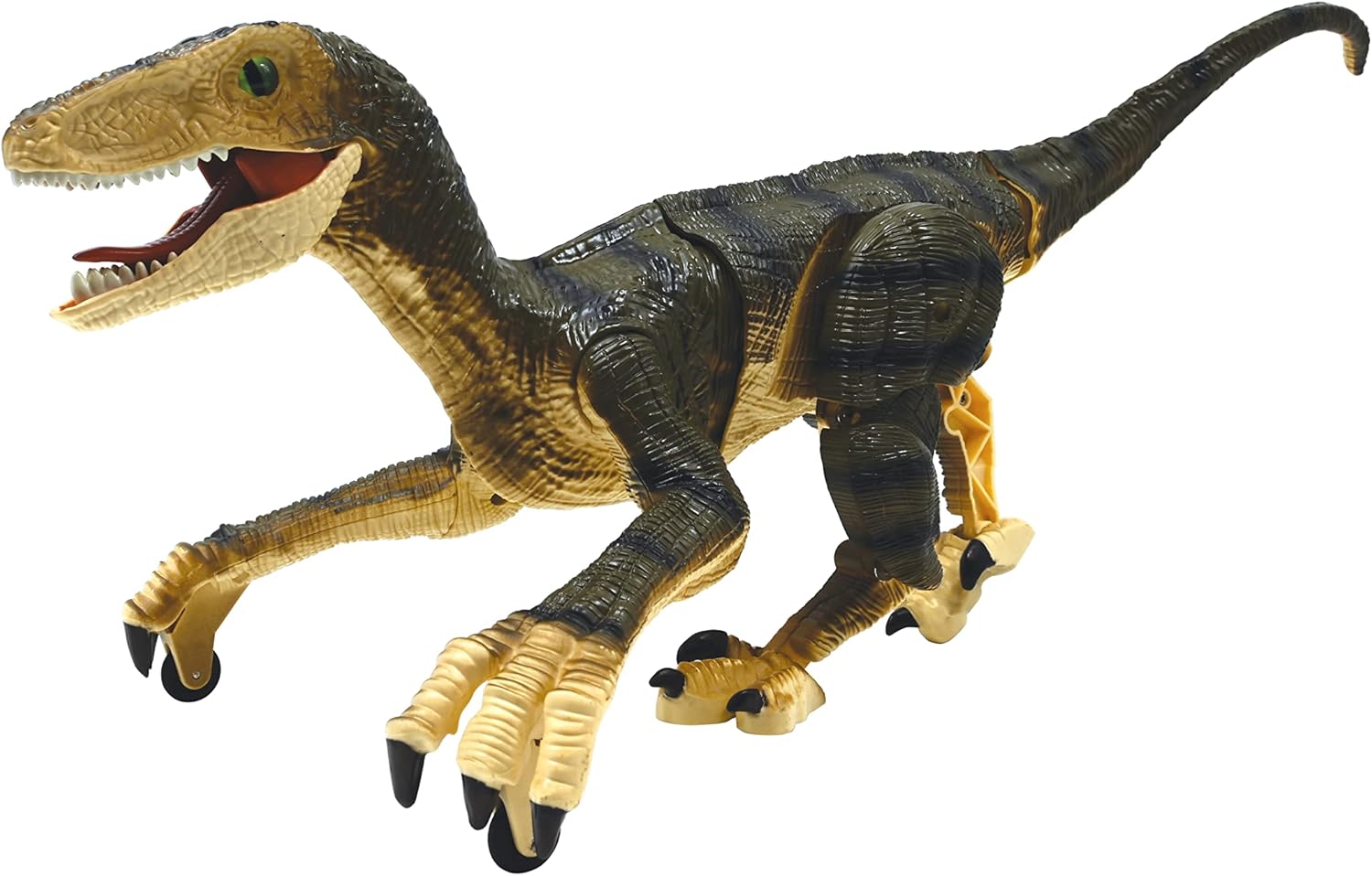
Foto: A side profile of the dinosaur, illustrating its articulated joints that enable realistic walking.
Nlekọta
- Nhicha: Wipe the dinosaur and remote control with a clean, dry cloth. Do not use harsh chemicals or abrasive cleaners.
- Nchekwa: When not in use for extended periods, remove all batteries from both the dinosaur and the remote control. Store the product in a cool, dry place away from direct sunlight.
- Nlekọta batrị: Recharge the dinosaur's battery regularly, even if not in use, to maintain its lifespan.
Nchọpụta nsogbu
| Nsogbu | Ihe nwere ike ime | Ngwọta |
|---|---|---|
| Dinosaur does not move or respond. | Low battery in dinosaur or remote. Not paired. Power switch OFF. | Charge dinosaur battery. Replace remote batteries. Ensure both power switches are ON. Re-pair by turning both off and on. |
| Oge egwuregwu dị mkpirikpi. | Battery not fully charged. Old battery. | Ensure battery is fully charged (3 hours). Consider replacing the rechargeable battery if it's old. |
| Interference during operation. | Other 2.4 GHz devices nearby. | Move to an area with less wireless interference. |
| Dinosaur enters auto sleeping mode too quickly. | Normal operation to save battery. | Press any button on the remote to wake it up. |
Nkọwapụta
- Akara: LEXiBOOK
- Nọmba nlereanya: DINO01
- Ụdị eserese ihe egwuregwu ụmụaka: Ọnụ ọgụgụ egwuregwu mmekọrịta
- agwa: Dinosaur (Velociraptor)
- Ọkwa: 1:3
- Ihe: Plastic
- Akụkụ ihe (L x W x H): Ihe dịka 17.64 x 7.95 x 6.69 sentimita asatọ
- Ibu ihe: 451 grams
- Isi mmalite ike: Batrị
- Dinosaur Battery: 1 x Rechargeable battery (included)
- Batrị njikwa anya: Batrị 2 x AA (anaghị etinye ya)
- Oge nchaji: Ihe dị ka awa 3
- Oge egwuregwu: Ihe dị ka nkeji iri
- Afọ akwadoro: Afọ 6+
Vidiyo ngwaahịa ngwaahịa
Video: An official demonstration of the LEXiBOOK RC Raptor Control Dinosaur, showcasing its realistic movements, sounds, and light effects in action. This video highlights the product's features and dynamic play.
Akwụkwọ ikike na nkwado
Akwụkwọ ikike onye nrụpụta: This product comes with a 2-Year Limited Warranty from the manufacturer, LEXiBOOK. Please retain your proof of purchase for warranty claims.
Nkwado ndị ahịa: For technical assistance, troubleshooting, or warranty inquiries, please visit the official LEXiBOOK websaịtị ma ọ bụ kpọtụrụ ngalaba ọrụ ndị ahịa ha. Enwere ike ịchọta ozi kọntaktị na nkwakọ ngwaahịa ngwaahịa ma ọ bụ onye ọrụ nke ika ahụ websaịtị.