
1. Okwu mmalite
Daalụ maka ịzụrụasing the Audizio Monza DAB+ FM Radio with Bluetooth. This manual provides essential information for the safe and correct operation of your device. Please read it thoroughly before use and retain it for future reference.
The Audizio Monza is a versatile portable radio offering DAB+ digital radio, FM radio, and Bluetooth connectivity for wireless audio streaming. It features a 2.4-inch full-color display, alarm functions, and a universal headphone output.
2. Ntuziaka nchekwa
- Do not expose the unit to rain or moisture to avoid electric shock.
- Do not open the housing; there are no user-serviceable parts inside.
- Jiri naanị nkwụnye ọkụ enyere.
- Debe unit ahụ site na isi mmalite okpomọkụ na ìhè anyanwụ kpọmkwem.
- Gbaa mbọ hụ na ikuku ikuku zuru oke gburugburu unit ahụ.
- Jiri akwa kpọrọ nkụ hichaa naanị.
3. Ihe ngwugwu
- Audizio Monza DAB+ FM Radio
- Ihe nkwụnye ọkụ
- Akwụkwọ ntuziaka (akwụkwọ a)
4. Ngwaahịa gafereview
4.1 Njikwa ihu ihu
The front panel features a 2.4-inch full-color display, control buttons, and a central rotary knob for navigation and volume control.

A doro anya n'ihu view of the Audizio Monza radio, showing the digital radio display tuned to 'NPO Radio 2' with current time and signal strength indicator. The control knobs and buttons are visible.
4.2 Njikọ azụ azụ
The rear panel includes the power input and a headphone jack.

The back panel of the Audizio Monza radio, indicating the DC 9V power input and a 3.5mm headphone jack. This illustrates the universal headphone output feature, which mutes the speakers when headphones are connected.
5. Nhazi
5.1 Njikọ ike
- Connect the supplied power adapter to the DC 9V input on the rear of the radio.
- Tinye nkwụnye ọkụ n'ime oghere mgbidi dabara adaba.
5.2 Njikere Mmalite na Nhọrọ Asụsụ
- Pịa bọtịnụ Ike (U) to turn on the radio.
- The display will prompt you to select a language. Use the rotary knob to navigate and press OK iji kwado nhọrọ gị.
5.3 mmezi nke antenna
Extend the telescopic antenna fully for optimal DAB+ and FM radio reception. Adjust its position for the best signal quality.
6. Ntuziaka ọrụ
6.1 Nhọrọ ọnọdụ
Pịa MODE button to switch between DAB+ Radio, FM Radio, and Bluetooth modes.
6.2 Ọrụ redio DAB+
- Select DAB+ Radio mode using the MODE bọtịnụ.
- The radio will automatically perform a full scan for available DAB+ stations upon first use or if no stations are found. To initiate a scan manually, press the Nyochaa bọtịnụ.
- Use the rotary knob to browse through the list of available stations. Press OK ịhọrọ ọdụ ọdụ.
- Iji chekwaa ọdụ dị ka ihe edobere, pịa ma jide PRESET button. Use the rotary knob to select a preset number (1-10) and press OK iji gosi.
- To recall a preset station, briefly press the PRESET button, then use the rotary knob to select the desired preset and press OK.
6.3 FM Redio arụ ọrụ
- Select FM Radio mode using the MODE bọtịnụ.
- To automatically scan for the next available station, press the Nyochaa bọtịnụ.
- To manually tune, rotate the rotary knob.
- Saving and recalling FM presets follows the same procedure as DAB+ presets (see 6.2).
6.4 Bluetooth arụ ọrụ
- Họrọ ọnọdụ Bluetooth site na iji MODE button. The display will show "Bluetooth Connected" or "Bluetooth Pairing".
- On your Bluetooth-enabled device (e.g., smartphone, MP3 player, laptop), enable Bluetooth and search for available devices.
- Select "Audizio Monza" from the list of devices.
- Ozugbo ejikọtara ya, ị nwere ike ịgbasa ọdịyo site na ngwaọrụ gị gaa na redio.
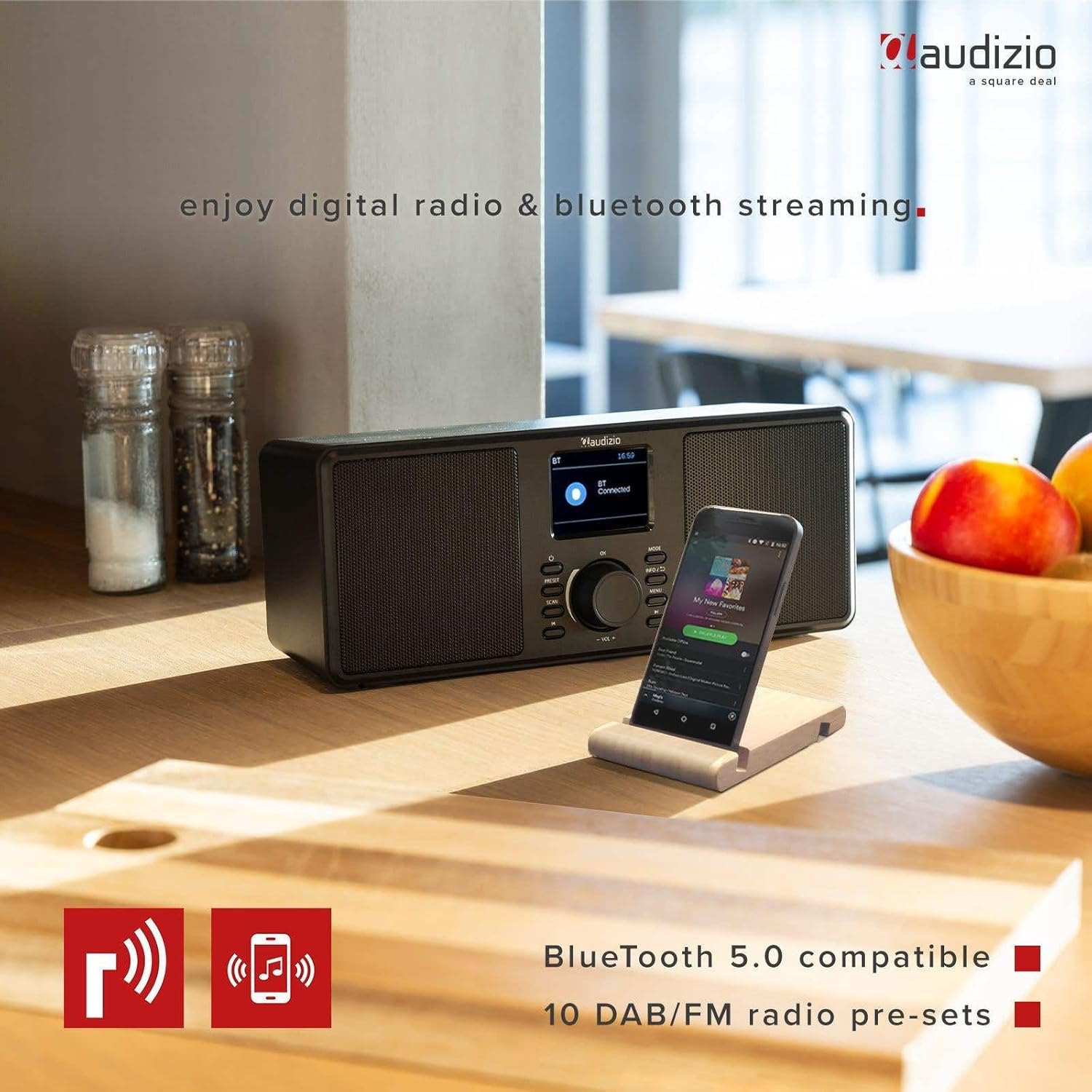
The Audizio Monza radio shown next to a smartphone, illustrating its Bluetooth streaming capability for playing music from mobile devices. The image highlights Bluetooth 5.0 compatibility and 10 DAB/FM radio pre-sets.
6.5 Oti mkpu na ọrụ snooze
The radio includes an alarm function with DAB/FM/buzzer wake-up options.

A close-up of the radio's screen displaying detailed alarm settings, including Alarm 2 status (Off), frequency (Daily), wake-up time (06:00), source (Digital Radio), preset (Last Listened), and duration (60 minutes).
- Pịa MENU button and navigate to the Alarm settings.
- Follow the on-screen prompts to set the alarm time, source (DAB, FM, or Buzzer), frequency (Daily, Weekdays, Weekends, Once), and duration.
- Mgbe oti mkpu dara, pịa URUA button (often integrated with the OK button or a dedicated button) to temporarily silence it.
- Ka ịgbanyụọ mkpu, pịa IKE bọtịnụ.
6.6 Headphone Usage
Connect 3.5mm headphones to the headphone jack on the rear panel. The radio's speakers will automatically mute when headphones are connected.
7. Nlekọta
7.1 Nhicha
Wipe the radio's surface with a soft, dry, lint-free cloth. Do not use abrasive cleaners, waxes, or solvents as they may damage the finish.
7.2 Nchekwa
If storing the radio for an extended period, disconnect it from the power outlet and store it in a cool, dry place away from direct sunlight and extreme temperatures.
8. Nchọpụta nsogbu
| Nsogbu | Ihe nwere ike ime | Ngwọta |
|---|---|---|
| Enweghị ike | Ejikọtaghị ihe nkwụnye ọkụ ma ọ bụ mejọrọ. | Ensure the power adapter is securely connected to the radio and a working power outlet. |
| No radio reception / Poor sound quality | Antenna not extended or poorly positioned. Weak signal. | Fully extend and adjust the telescopic antenna. Try moving the radio to a different location. Perform a new station scan. |
| Bluetooth anaghị ejikọ | Radio not in Bluetooth mode. Device not in pairing mode or out of range. | Ensure the radio is in Bluetooth mode. Make sure your device's Bluetooth is on and in pairing mode. Move your device closer to the radio. |
| Enweghị ụda sitere na ndị ọkà okwu | Volume too low. Headphones connected. | Increase the volume. Disconnect headphones if not in use. |
| Radio presets not saving | Usoro nchekwa na-ezighi ezi. | Ensure you press and hold the PRESET button to save, and then press OK to confirm the preset number. |
9. Nkọwapụta
| Njirimara | Nkọwapụta |
|---|---|
| Ụdị | Audizio |
| Nlereanya | Monza (102.420) |
| Akụkụ (L x W x H) | 36 x 14.5 x 15.5 cm |
| Ibu | 1.4 n'arọ |
| Ngosipụta nha | 2.4 sentimita asatọ |
| Nkà na ụzụ Tuner | DAB+, FM |
| Ndị otu redio akwadoro | VHF II (87.5-108 MHz), VHF III (174-240 MHz) |
| Teknụzụ Njikọta | Bluetooth |
| Ngwaọrụ Akụrụngwa | 3.5mm Audio |
| Speaker Output Power (Max) | 50 Watt |
| Isi Iyi Ike | Battery (external power adapter required) |
| Ugboro ugboro | 60 Hz |
| Njirimara Pụrụ Iche | Enwere ike ibugharị |
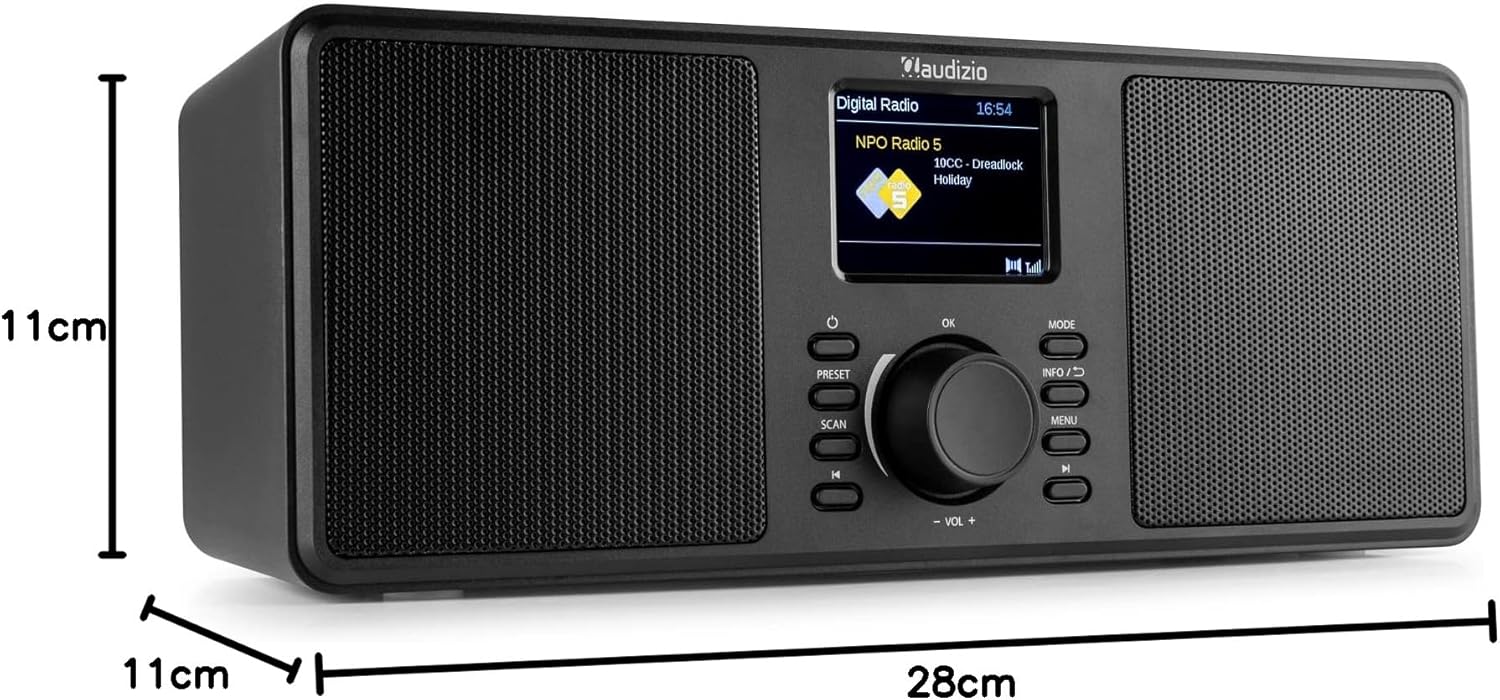
An image illustrating the physical dimensions of the Audizio Monza radio: 28cm width, 11cm height, and 11cm depth.
10. Akwụkwọ ikike na nkwado
10.1 Ozi akwụkwọ ikike
Warranty terms and conditions are typically provided with your purchase documentation or can be found on the official Audizio websaịtị. Biko dowe akwụkwọ ikike ịzụrụ ihe ọ bụla.
10.2 Nkwado ndị ahịa
For technical support or service inquiries, please refer to the contact information provided in your purchase documentation or visit the official Audizio website for their customer service details.