
Okwu mmalite
This manual provides comprehensive instructions for the safe and efficient use of your Coby True Wireless Earbuds (Model CETW535). Please read this manual thoroughly before using the product and retain it for future reference.
The Coby True Wireless Earbuds offer a seamless audio experience with Bluetooth 5.3 technology, a smart battery display, and intuitive controls for music and calls. They are designed for comfort and convenience, featuring a built-in microphone for hands-free communication.
Ihe ngwugwu
- Coby True Wireless Earbuds (Left and Right)
- Charging Case with Smart Battery Display
- Igwe nchaji USB
- Akwụkwọ ntuziaka (akwụkwọ a)
Melite
1. Nchaji mbụ
Before first use, fully charge the earbuds and the charging case. Connect the charging case to a USB power source using the provided USB cable. The digital display on the case will indicate the charging status and battery level.

Image: The Coby True Wireless Earbuds are shown inside their open charging case, which displays "100%" on its digital screen, indicating a full charge. The earbuds are black and fit snugly into their respective slots.
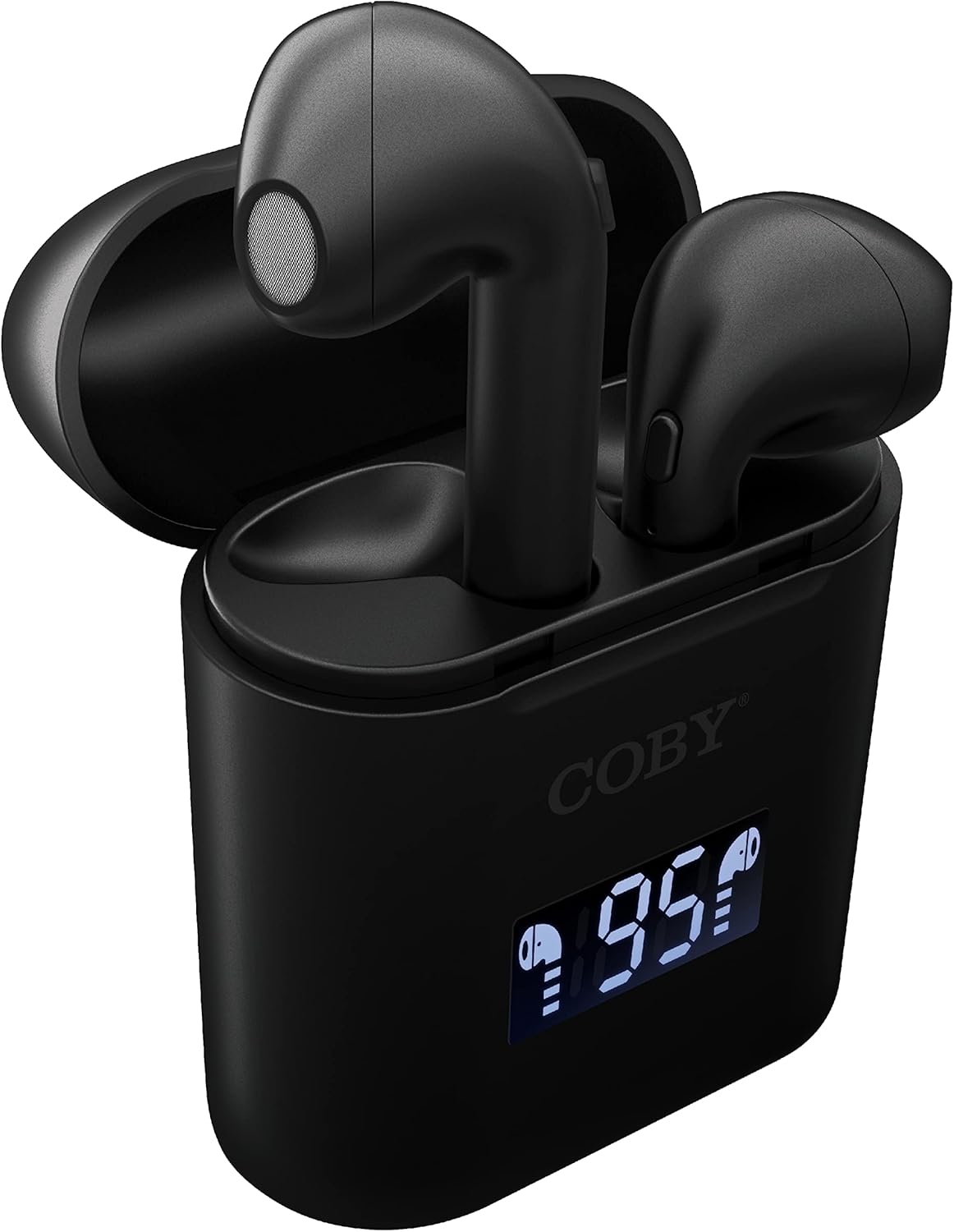
Foto: A nso nso view of the Coby True Wireless Earbuds resting in their open charging case. The case features a digital display showing "95%", indicating the current battery level of the case. The black earbuds are visible, with their microphones facing upwards.
2. Ijikọ na ngwaọrụ Bluetooth
- Gbaa mbọ hụ na a na-akwụ ụgwọ ekwe ntị yana n'ime igbe nchaji.
- Mepee igbe nchaji. Igwe ntị ga-agbanye na-akpaghị aka wee banye ọnọdụ njikọta.
- Na ngwaọrụ gị (smartphone, mbadamba, wdg), gbanye Bluetooth.
- Chọọ maka "CETW535" or "Coby Earbuds" in the list of available Bluetooth devices.
- Select the device name to connect. Once connected, you will hear a confirmation tone.
- The earbuds will automatically re-pair with the last connected device when removed from the case, if Bluetooth is enabled on the device.
3. Ịtinye ihe ntị
Gently insert each earbud into the corresponding ear (L for left, R for right). Adjust them slightly until they feel secure and comfortable. A proper fit ensures optimal sound quality and comfort.

Image: A woman is shown smiling while wearing a black Coby True Wireless Earbud in her right ear, demonstrating a comfortable and secure fit.
Ntuziaka ọrụ
Gbanyụọ/ Gbanyụọ
- Ike Na: Open the charging case, or press and hold the touch control area on each earbud for 3 seconds.
- Gbanyụọ: Place the earbuds back into the charging case and close the lid, or press and hold the touch control area on each earbud for 5 seconds.
Njikwa egwu
The earbuds feature touch-sensitive controls for easy management of your audio playback.
- Gwuo/kwụsịtụ: Kpatụ ntị ntị otu ugboro.
- Track na-esote: Kpatụ ntị ntị aka nri ugboro abụọ.
- Gara aga Track: Kpatụ ntị ntị aka ekpe ugboro abụọ.
- Olu elu: Pịa bọtịnụ ntị aka nri ugboro atọ.
- Olu ala: Pịa bọtịnụ ntị aka ekpe ugboro atọ.

Image: A man is shown wearing a Coby True Wireless Earbud in his right ear, taking a drink from a water bottle, illustrating the earbuds' use during active moments.
Njikwa oku
Manage your calls effortlessly with the built-in microphone and touch controls.
- Azịza/Kwụsị Oku: Kpatụ ntị ntị otu ugboro.
- Jụ oku: Pịa ma jide otu ntị ntị maka sekọnd 2.

Image: A man is depicted wearing a Coby True Wireless Earbud in his left ear while concentrating on a laptop screen, highlighting the earbuds' suitability for work or study environments.
Nkwalite onye enyemaka olu
Activate your device's voice assistant (Siri or Google Assistant) for hands-free commands.
- Mee ka onye enyemaka olu rụọ ọrụ: Press and hold either earbud for 3 seconds (after powering on, before powering off gesture).
Intelligent Digital Battery Display
The charging case features a digital display that shows the remaining battery percentage of the case and individual charging status of the earbuds.
- The large number indicates the charging case's battery percentage.
- Small icons next to the percentage indicate the charging status of the left and right earbuds.

Image: The Coby True Wireless Earbuds are shown in their open charging case, with the digital display indicating "95%" battery life for the case. The black earbuds are visible, ready for use or charging.
Nlekọta
- Nhicha: Jiri akwa dị nro, kpọrọ nkụ, akwa enweghị lint iji hichaa ntị ntị na akpa chaja. Ejila kemịkalụ siri ike ma ọ bụ ihe abrasive.
- Nchekwa: Mgbe ị na-ejighị ya, debe ekweisi ntị n'ime akpa chaja ha iji chebe ha ma mee ka ha dị ọkụ. Debe ha n'ebe dị jụụ ma kpọọ nkụ, ebe okpomọkụ na-adịghị oke njọ.
- Ịchaji: To prolong battery life, avoid fully discharging the battery frequently. Charge the case and earbuds regularly, even if not in constant use.
Nchọpụta nsogbu
| Nsogbu | Ngwọta enwere ike |
|---|---|
| Igwe ntị anaghị ejikọta ya na ngwaọrụ. |
|
| Only one earbud is playing sound. |
|
| Nchaji anaghị akwụ ụgwọ. |
|
| Ụda adịghị mma ma ọ bụ enweghị ike ịkwụsị. |
|
Nkọwapụta
| Njirimara | Nkọwa |
|---|---|
| Ụdị | Coby |
| Aha Nlereanya | Ezi ekwe ntị ikuku ikuku |
| Nọmba nlereanya | CETW535 |
| Teknụzụ Njikọta | Bluetooth 5.3 |
| Agba | Nwa |
| Oge egwu ntị | Ruo awa 6.5 (na ụgwọ zuru ezu) |
| ngụkọta oge egwuregwu (ya na ikpe) | Ruo awa iri abụọ |
| Igwe okwu | Wuru n'ime |
| Nkwado Onye enyemaka olu | Siri, Google nnyemaaka |
| Akụkụ (L x W x H) | 0.99 x 1.85 x 2.44 inches (Charging Case) |
| Ibu Ibu | 6.1 ounces |
| UPC | 643620020982 |
| Onye nrụpụta | Ụlọ ọrụ Summit Electronics, LLC |
Akwụkwọ ikike na nkwado
Specific warranty information for the Coby True Wireless Earbuds (Model CETW535) is not provided within this manual. For details regarding warranty coverage, terms, and conditions, please refer to the warranty card included with your product packaging or visit the official Coby websaịtị.
For technical support or further assistance, please contact Coby customer service through the contact information provided on their official webngwugwu saịtị ma ọ bụ ngwaahịa.