
1. Okwu mmalite
Thank you for choosing the OSALO OS-5M 12-Digit Desktop Calculator. This manual provides essential information for the proper setup, operation, and maintenance of your calculator. Please read it thoroughly before use to ensure optimal performance and longevity of the device.
The OSALO OS-5M calculator is designed for ease of use with its large buttons and extra-large 12-digit display. It is suitable for various environments, including offices, schools, and retail settings. The calculator operates on both solar power and a backup battery, ensuring reliable performance.
2. Ozi nchekwa
- Ịdọ aka ná ntị batrị: The included battery is for single use only. Do not attempt to recharge it.
- Isi mmalite ike: The solar panel provides limited power and is intended to supplement the battery, not to charge it.
- Nchekwa: Store the calculator in a dry place, away from extreme temperatures and direct sunlight for prolonged periods.
- Nhicha: Use a soft, dry cloth to clean the calculator. Do not use liquid cleaners or abrasive materials.
- Mbupu: Do not attempt to disassemble or repair the calculator yourself. Contact qualified personnel for service.
3. Ihe ngwugwu
- 1 x OSALO OS-5M Desktop Calculator
- Batrị 1 x AAA (etinyere ya ma ọ bụ tinye ya iche)
- 1 x Akwụkwọ ntuziaka Bekee
4. Ngwaahịa gafereview
The OSALO OS-5M calculator features a clear layout and ergonomic design for comfortable and efficient use.

Foto 4.1: N'ihu view of the OSALO OS-5M Desktop Calculator.

Ọgụgụ 4.2: nso nso view highlighting the large buttons and clear 12-digit display.
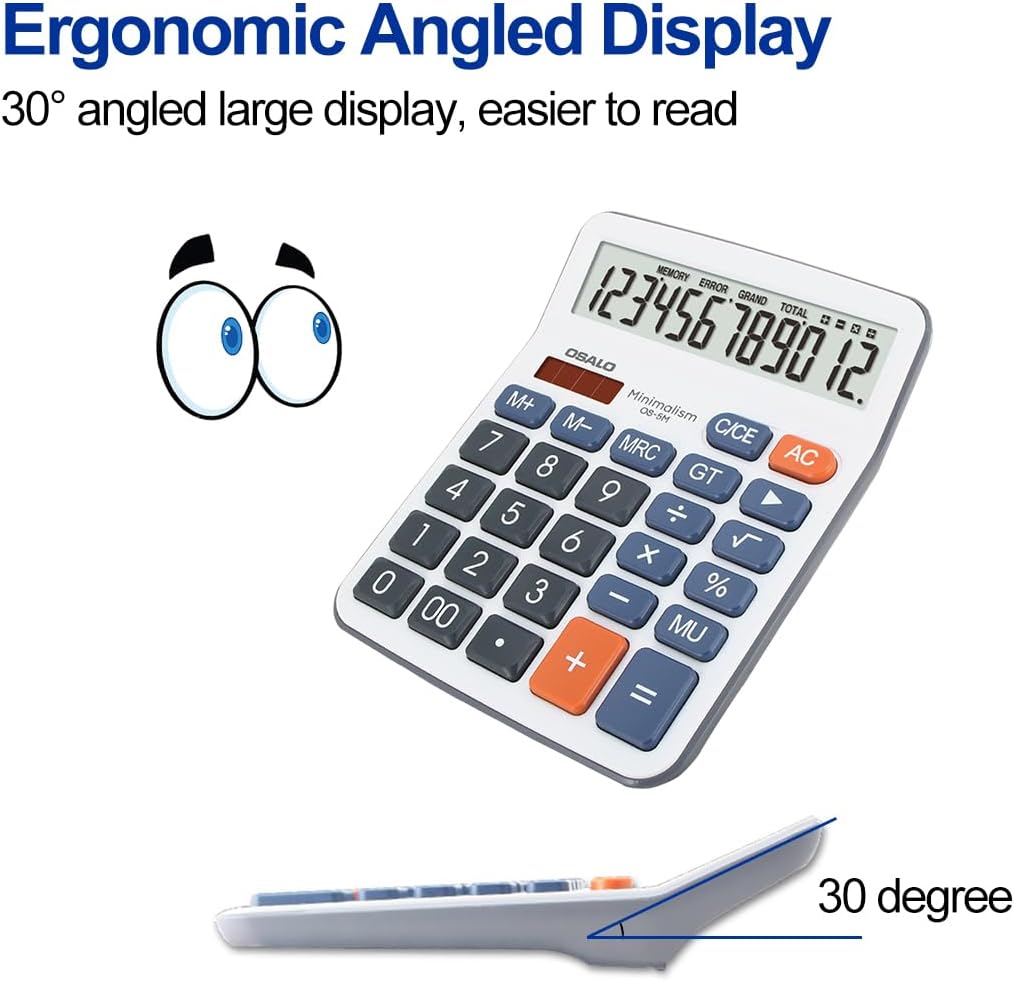
Foto 4.3: Akụkụ view demonstrating the ergonomic 30-degree tilted LCD screen for improved readability.

Ọgụgụ 4.4: Zuru ezu view of the clear LCD screen, soft and silent keys, and the specially embossed '5' marking key for tactile recognition.

Ọgụgụ 4.5: N'ihu na azụ views of the calculator, showing the overall design and battery compartment on the rear.
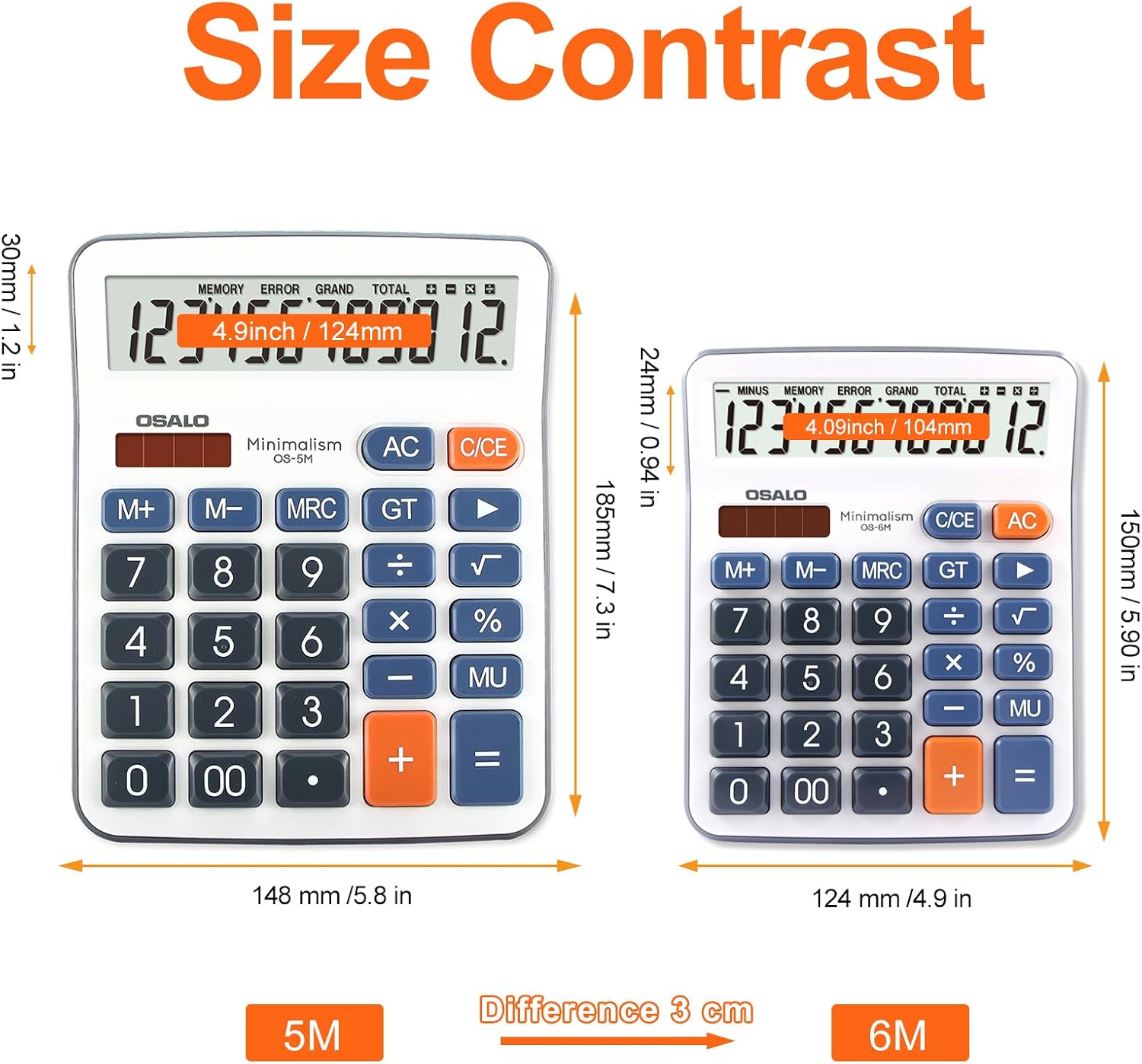
Figure 4.6: Size comparison of the OSALO OS-5M (left) with a smaller calculator, illustrating its larger dimensions for desktop use.
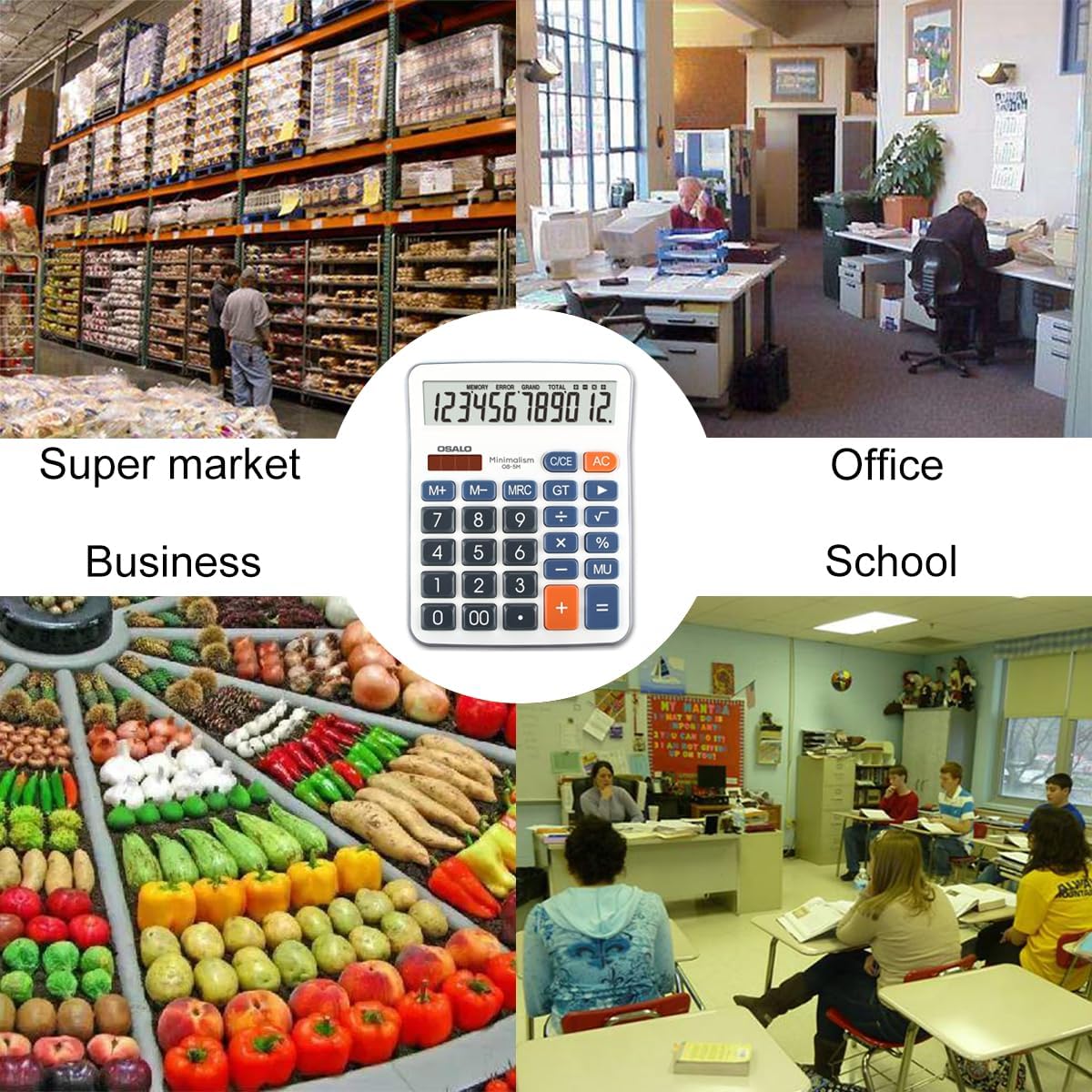
Ọgụgụ 4.7: Ọpụamples of the OSALO OS-5M calculator being used in different environments, such as a supermarket, office, business, and school.
Vidiyo 4.1: A 360-degree view of the OSALO OS-5M calculator, showcasing its design from all angles.
5. Nhazi
5.1 Ntinye batrị
The OSALO OS-5M calculator requires one AAA battery for operation. The battery may be pre-installed or included separately in the package. If not pre-installed, please follow these steps:
- Locate the battery compartment on the back of the calculator.
- Gently slide open the battery compartment cover.
- Insert one AAA battery, ensuring the positive (+) and negative (-) terminals align correctly with the markings inside the compartment.
- Mechie mkpuchi nke batrị batrị nke ọma.
Mara: The calculator also features a solar panel for power. The solar panel helps extend battery life by providing power in well-lit conditions but does not recharge the installed battery.
6. Ọrụ
6.1 Basic Calculations
Iji rụọ ọrụ mgbakọ na mwepụ bụ isi:
- Pịa ON/C/CE button to turn on the calculator or clear the current entry.
- Enter the first number using the number keys (0-9, 00).
- Press the desired operation key (+, -, ×, ÷). The operation symbol will appear on the display.
- Enter the second number.
- Pịa = key to display the result.
6.2 Ọrụ Pụrụ Iche
- AC (Ha niile doro anya): Clears all entries and calculations, resetting the calculator to zero.
- C/CE (Clear Entry): Clears the last entered number or the current calculation without affecting previous operations in a sequence. Pressing it twice usually acts as an AC.
- M+ (Memory Plus): Adds the displayed value to the memory.
- M- (Mpepu ebe nchekwa): Subtracts the displayed value from the memory.
- MRC (Cheta/Kchapụta ebe nchekwa): Press once to recall the value stored in memory. Press twice to clear the memory.
- GT (Grand mkpokọta): Displays the grand total of all calculations performed since the last GT clear.
- % (pasenttage): Used for percentage mgbako. Maka example, to calculate 10% of 200, enter 200 × 10 %.
- MU (Mark Up): Used for profit margin calculations.
- +/- (Mgbanwe akara): Changes the sign of the displayed number (positive to negative, or negative to positive).
- √ (Mkpọrọgwụ square): Na-agbakọ mgbọrọgwụ square nke nọmba egosiri.
6.3 Mmechi akpaaka
The calculator is equipped with an automatic shutdown feature. If left idle for approximately 8 minutes, it will automatically power off to conserve battery life. To turn it back on, press the ON/C/CE bọtịnụ.
7. Nlekọta
7.1 Nhicha
To maintain the calculator's appearance and functionality:
- Wipe the exterior of the calculator with a soft, dry cloth.
- Do not use abrasive cleaners, solvents, or spray directly onto the calculator.
- Avoid getting moisture into the display or button areas.
7.2 nnọchi batrị
When the display becomes dim or the calculator functions erratically, it may be time to replace the AAA battery. Follow the battery installation steps in Section 5.1 to replace the battery. Dispose of used batteries according to local regulations.
8. Nchọpụta nsogbu
| Nsogbu | Ihe nwere ike ime | Ngwọta |
|---|---|---|
| Igwe mgbako anaghị agba. | Low or dead battery; insufficient light for solar power. | Replace the AAA battery. Ensure adequate lighting for solar operation. |
| Ngosipụta adịchaghị ma ọ bụ na-egbuke egbuke. | Batrị dị ala. | Dochie batrị AAA. |
| Nsonaazụ ngụkọ na-ezighi ezi. | Incorrect key input; complex calculation error. | Clear the calculator with AC and re-enter the calculation carefully. Refer to Section 6 for operation details. |
| Igodo anaghị anabata ozi. | Dust or debris under keys; internal malfunction. | Gently clean around the keys. If the problem persists, contact customer support. |
9. Nkọwapụta
| Njirimara | Nkọwa |
|---|---|
| Ụdị | OSALO |
| Nọmba nlereanya | OS-5M |
| Ụdị ngosi | Ihuenyo LCD |
| Nha ihuenyo | 4.5 sentimita asatọ |
| Ọnụọgụ nke ọnụọgụgụ | 12 |
| Akụkụ ngwaahịa | 19 x 14.8 x 0.1 cm |
| Ibu Ibu | 170 g |
| Isi Iyi Ike | Solar Powered, 1 AAA Battery (required) |
| Ihe onwunwe | Plastic |
| Agba | Agba ntụ |
| Ụdị mgbako | Azụmahịa |
| Ụbọchị mbụ dị | Mee 12, 2022 |
10. Akwụkwọ ikike na nkwado
For warranty information or technical support, please refer to the contact details provided with your purchase or visit the official OSALO websaịtị. Debe nnata nzụta gị dị ka ihe akaebe nke ịzụrụ ihe maka akwụkwọ ikike ọ bụla.