
1. Ozi nchekwa dị mkpa
Please read all safety and operating instructions carefully before using this television. Keep this manual for future reference. Always follow basic safety precautions to reduce the risk of fire, electric shock, and injury.
- Ewepụla ngwa a na mmiri ozuzo ma ọ bụ mmiri.
- Akwụsịla oghere ikuku ikuku ọ bụla. Wụnye dị ka ntuziaka onye nrụpụta si dị.
- Awụnyela n'akụkụ ebe okpomọkụ ọ bụla dị ka radiators, ndekọ okpomọkụ, stovu, ma ọ bụ ngwa ndị ọzọ (gụnyere amplifiers) nke na-emepụta okpomọkụ.
- Chebe eriri ọkụ ka ị ghara ịbanye na ya ma ọ bụ tuo ya, ọkachasị na plọg, ebe nchekwa dị mma, na ebe ha si na ngwa ahụ pụta.
- Jiri naanị mgbakwunye / ngwa ndị nrụpụta akọwapụtara.
- Tụtụ aka n'aka ndị ọrụ ruru eru. Achọrọ ọrụ mgbe akụrụngwa mebiri emebi n'ụzọ ọ bụla.
2. Kedu ihe dị na Igbe ahụ
Carefully unpack your new Sansui TV and ensure all items listed below are present.
- 1 x Sansui 4K Ultra HD Android LED TV (JSW50ASUHD)
- Ntọala Tebụl 2 x
- 1 x Wall Mounting Set
- 4 x Screws for stand/mount
- 1 x Akwụkwọ ntuziaka onye ọrụ
- 1 x kaadị ikike
- 1 x Njikwa anya
- Batrị 2 x AAA (maka ime ime)
- 1 x Cdọ Ike
- 1 x Obere eriri AV
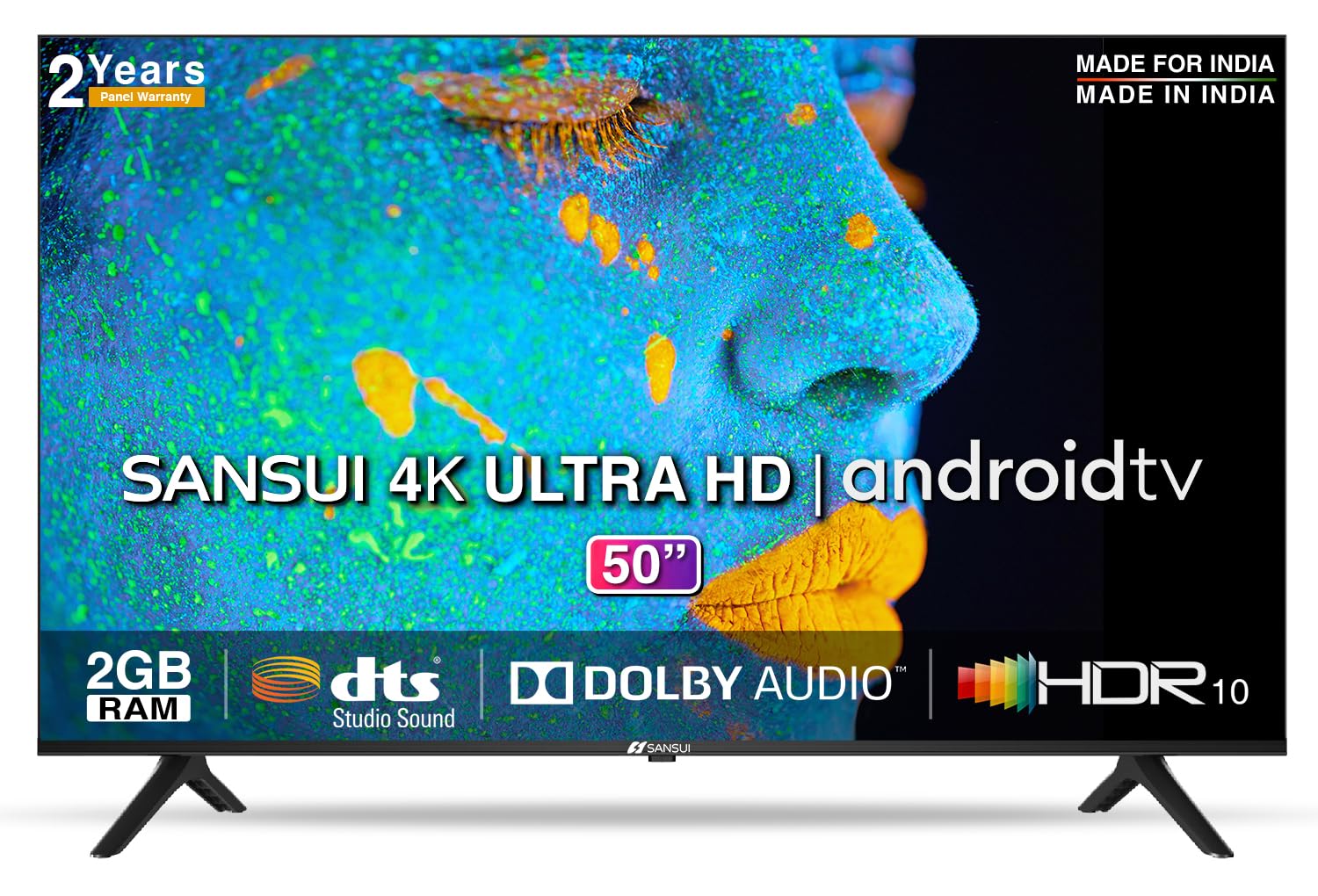
Image: Sansui 50-inch 4K Ultra HD Android LED TV with its table stand.
3. Ngwaahịa gafereview
3.1. Atụmatụ igodo
- Ngosipụta: 4K Ultra HD (3840x2160) resolution, 60Hz refresh rate, Wide Viewing Angle, A+ Grade Panel, Wide Colour Gamut, HDR 10, Crystal Clear Display, High Brightness, Bezel-less Design.
- Audio: Dolby Audio, DTS Studio Sound, 20 Watts Audio Output.
- Atụmatụ Smart TV: Android 10.0 (Certified by Google), Google Assistant, Alexa Enabled Support, Built-in Chromecast, CA53 Quad Core Processor, 2GB RAM, 8GB ROM.
- Ngwa akwadoro: Prime Video, Netflix, Disney + Hotstar, YouTube, Google Play.
- Njikọta: 3 HDMI ports, 2 USB ports, 3.5mm audio jack, Bluetooth, Wi-Fi, RJ45 (Ethernet), Antenna.

Image: Visual representation of the TV's main features and capabilities.
3.2. Akụkụ
The TV features a 50-inch screen (127 cm diagonal) with a bezel-less design for an immersive viewahụmahụ.

Image: Detailed dimensions of the Sansui 50-inch TV, including width, height, and depth with and without the stand.
4. Nhazi
4.1. Installing the Table Stand
- Tinye ihuenyo TV gbadaa n'elu ala dị nro ma dịkwa larịị iji gbochie mmebi.
- Align the table stand bases with the corresponding slots at the bottom of the TV.
- Secure the bases using the provided screws. Ensure they are tightened firmly.
4.2. Mgbidi mgbidi (nhọrọ)
If you choose to wall mount your TV, please use the provided wall mounting set and screws. The VESA mount standard is 800 x 400 mm. It is recommended to seek professional assistance for wall mounting to ensure proper and safe installation.
4.3. Ijikọ Ngwaọrụ
The TV offers various connectivity options for your external devices.
- Ike: Jikọọ eriri ọkụ na ntinye ike TV wee tinye ya na mgbidi.
- HDMI: Use HDMI cables to connect devices like set-top boxes, gaming consoles, or Blu-ray players to the 3 HDMI ports.
- USB: Connect USB drives or other USB devices to the 2 USB ports for media playback.
- Apụọ ọdịyo: Use the 3.5mm jack to connect headphones or external audio systems.
- Ethernet (RJ45): For a stable internet connection, connect an Ethernet cable from your router to the RJ45 port.
- Antenna: Connect your antenna cable to the RF input for terrestrial broadcasting.
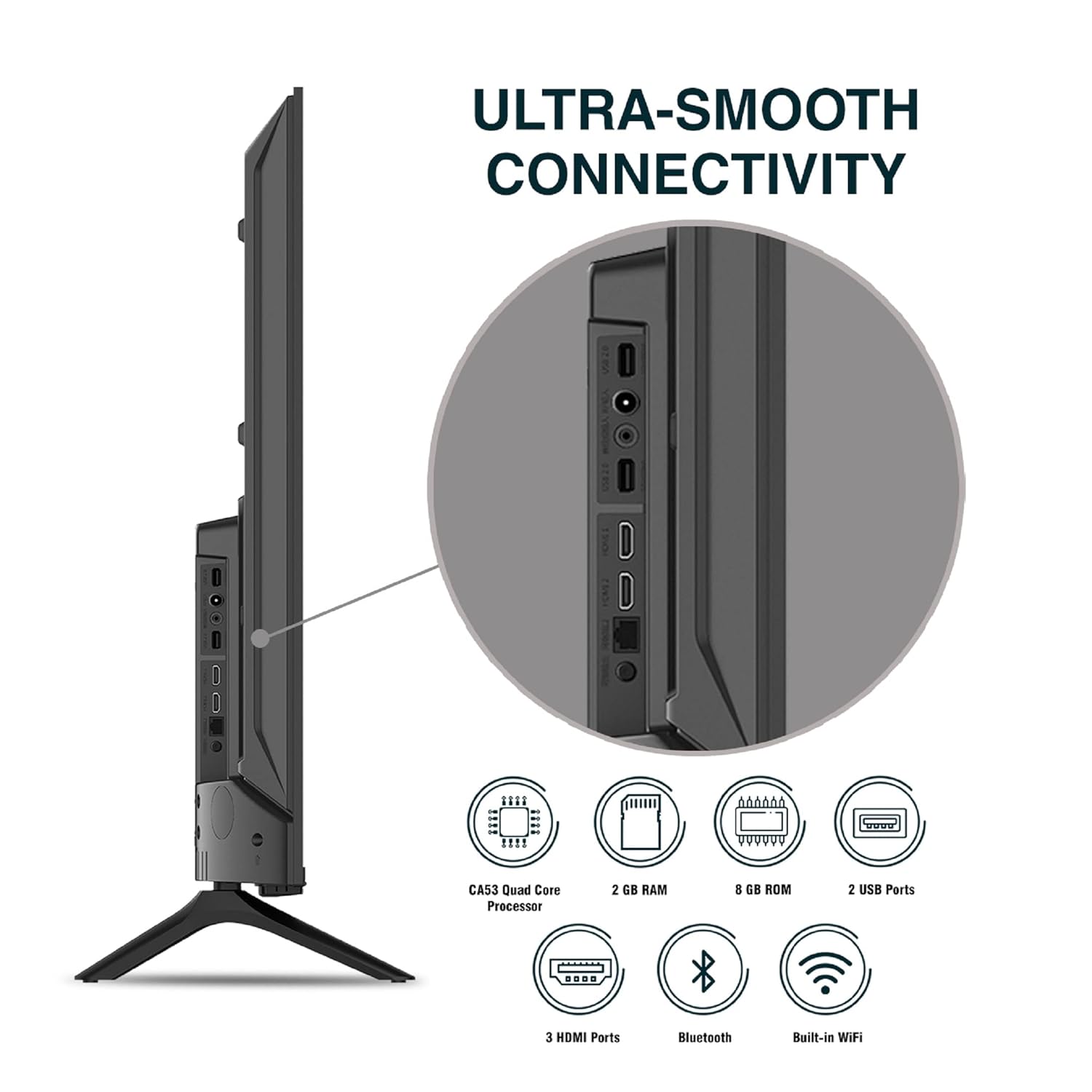
Foto: Zuru ezu view nke ọdụ njikọ TV.
5. Ntuziaka ọrụ
5.1. Basic Ọrụ
- Gbanyụọ/ Gbanyụọ: Press the power button on the remote control or on the TV to turn it on or off.
- Ntọala izizi: Upon first power-on, follow the on-screen instructions to set up language, network connection, and Google account.
- Isi mmalite ntinye: Press the 'Input' button on the remote to select between HDMI, AV, TV, or other connected sources.
- Njikwa olu: Use the Volume Up/Down buttons on the remote.
5.2. Using the Smart Remote
The included remote control features voice control and dedicated hotkeys for quick access to popular streaming services.
- Njikwa olu: Press the Google Assistant button (microphone icon) and speak your commands to search for content, control smart home devices, or ask questions.
- Igwe ọkụ ọkụ: Directly launch Netflix, Prime Video, YouTube, and Google Play with a single press.
- Ntugharị: Use the directional pad and 'OK' button to navigate the Android TV interface.

Image: Sansui Smart Remote Control with voice control and app hotkeys.
5.3. Android TV Interface and Smart Features
Your Sansui TV runs on Android 10.0, providing access to a wide range of apps and smart functionalities.
- Ihuenyo ụlọ: The home screen displays your favorite apps, recommended content, and input sources.
- Ụlọ ahịa Google Play: Download and install additional apps, games, and content from the Google Play Store.
- Chromecast arụnyere n'ime: Cast content (videos, photos, music) from your smartphone, tablet, or computer directly to the TV.
- Onye enyemaka Google/Alexa: Use voice commands via the remote or a compatible Alexa device to control your TV and other smart home devices.

Image: Android TV home screen showing available applications.
6. Nlekọta
Proper care and maintenance will extend the life of your TV.
- Na-ehicha ihuenyo: Jiri nwayọ hichaa ihuenyo ahụ site na iji akwa dị nro na-enweghị lint. Maka akara isi ike, jiri ihe nhicha ihuenyo emebere maka TV, tinye ya na akwa, ọ bụghị ozugbo na ihuenyo.
- Na-ehicha kabinet: Jiri akwa dị nro ma kpọọ nkụ hichaa kabinet TV. Ejila ihe nchacha abrasive ma ọ bụ ihe mgbaze.
- Igwe ikuku: Hụ na oghere ikuku dị n'ebe a na-anaghị ekpofu uzuzu na ihe ndị na-emebi ihe agaghị ekpo oke ọkụ.
- eriri ike: Regularly check the power cord for any damage. If damaged, replace it with an authorized part.
7. Nchọpụta nsogbu
Ọ bụrụ na ị hụ nsogbu ọ bụla, lee nsogbu na ngwọta ndị a na-ahụkarị.
| Nsogbu | Ihe nwere ike ime | Ngwọta |
|---|---|---|
| Enweghị ike | Akwụsịla eriri ọkụ eletrik; Nsogbu nke mgbasa ọkụ eletrik | Lelee njikọ eriri ike; Jiri ngwaọrụ ọzọ nwalee ọpụpụ. |
| No Picture, Only Sound | Incorrect input source; External device issue | Select correct input source; Check external device connection and power. |
| No Sound, Only Picture | Volume muted/low; External audio system issue | Unmute or increase volume; Check external audio system connections. |
| Njikwa Remote anaghị arụ ọrụ | Batteries depleted; Obstruction between remote and TV | Dochie batrị; Wepu ihe mgbochi ọ bụla. |
| Okwu njikọ Wi-Fi | Paswọọdụ na-ezighi ezi; Nsogbu rawụta; Nkwụsị mgbaàmà | Tinyegharịa okwuntughe; Malitegharịa ekwentị rawụta; Bugharịa TV nso na rawụta ma ọ bụ jiri Ethernet. |
Ọ bụrụ na nsogbu ahụ dịgidere mgbe ịnwale azịza ndị a, biko kpọtụrụ nkwado ndị ahịa.
8. Nkọwapụta
Detailed technical specifications for the Sansui JSW50ASUHD TV.
| Njirimara | Nkọwa |
|---|---|
| Aha Nlereanya | SANSUI LED - JSW50ASUHD |
| Nha ihuenyo | 50 sentimita (127 cm) |
| Ngosipụta teknụzụ | Ikanam |
| Mkpebi | 4K Ultra HD (3840x2160) |
| Ọnụego ume ọhụrụ | 60 Hz |
| Sistemụ nrụọrụ | Android 10.0 (Google kwadoro ya) |
| Nhazi | CA53 Quad Core |
| RAM | 2 GB |
| ROM (Nchekwa) | 8 GB |
| Mmepụta ọdịyo | 20 Watt |
| Teknụzụ ụda | Ọdịyo Dolby, ụda DTS Studio |
| ọdụ ụgbọ mmiri HDMI | 3 |
| ọdụ ụgbọ mmiri USB | 2 |
| Njikọ ikuku | Wi-Fi, Bluetooth |
| Njikọ ndị ọzọ | Ethernet (RJ45), 3.5mm Audio Jack, Antenna |
| Nkwado HDR | HDR10 |
| Ụdị nkwụnye | Ugwu Mgbidi na Ugwu Tebụl |
| VESA Mount Standard | 800 x 400 mm |
| Oriri ike | 120 Watt |
| Ibu Ibu | 9650 grams |
| Agba | Mystique Black |
9. Akwụkwọ ikike na nkwado
Your Sansui TV comes with a comprehensive warranty and dedicated customer support.
- Akwụkwọ ikike: 1 year comprehensive warranty and 1 year additional on panel from the date of purchase.
- Nkwado akwụkwọ ikike: For warranty-related queries, please contact Sansui Toll Free No.: 1800-419-3777.
- Kọntaktị onye mbubata: Jaina India Pvt Ltd., D170, Okhla Industrial Area, Phase-1, New Delhi-110020 INDIA | Email: sansuicare@jainaindia.com.
Biko dowe akwụkwọ nnata ịzụrụ maka akwụkwọ ikike.