
1. Okwu mmalite na gafereview
The BRPOM 1500A 15800mAh Portable Car Jump Starter is a powerful and versatile device designed to start 12V vehicles with up to 7.0L gasoline or 5.5L diesel engines. It provides up to 30 jump starts on a single charge, making it suitable for cars, trucks, motorcycles, watercraft, lawnmowers, yachts, pickups, snowmobiles, and more. This device ensures you can start your vehicle quickly in unexpected situations.
It also functions as a portable power bank and features multiple LED light modes for emergencies.
2. Ngwa ngwaahịa
Carefully unpack your BRPOM Car Jump Starter and ensure all components are present:
- 1x BRPOM Car Jump Starter (Model: BM502-IT)
- 1x Ụdị-C eriri USB
- 1x Smart Jumper Cable with Clamps
- 1x Akwụkwọ ntuziaka onye ọrụ

Figure 2.1: What's in the Box - BRPOM Car Jump Starter and accessories.
3. Ntọala na Nchaji
3.1 Ụgwọ mbụ
Before first use, fully charge the BRPOM Car Jump Starter. Connect the provided Type-C charging cable to the device and a suitable USB power adapter (not included). The device can hold a charge for up to 12 months, allowing for up to 30 jump starts on a full charge. Its extremely low self-discharge rate prevents charge loss during storage.
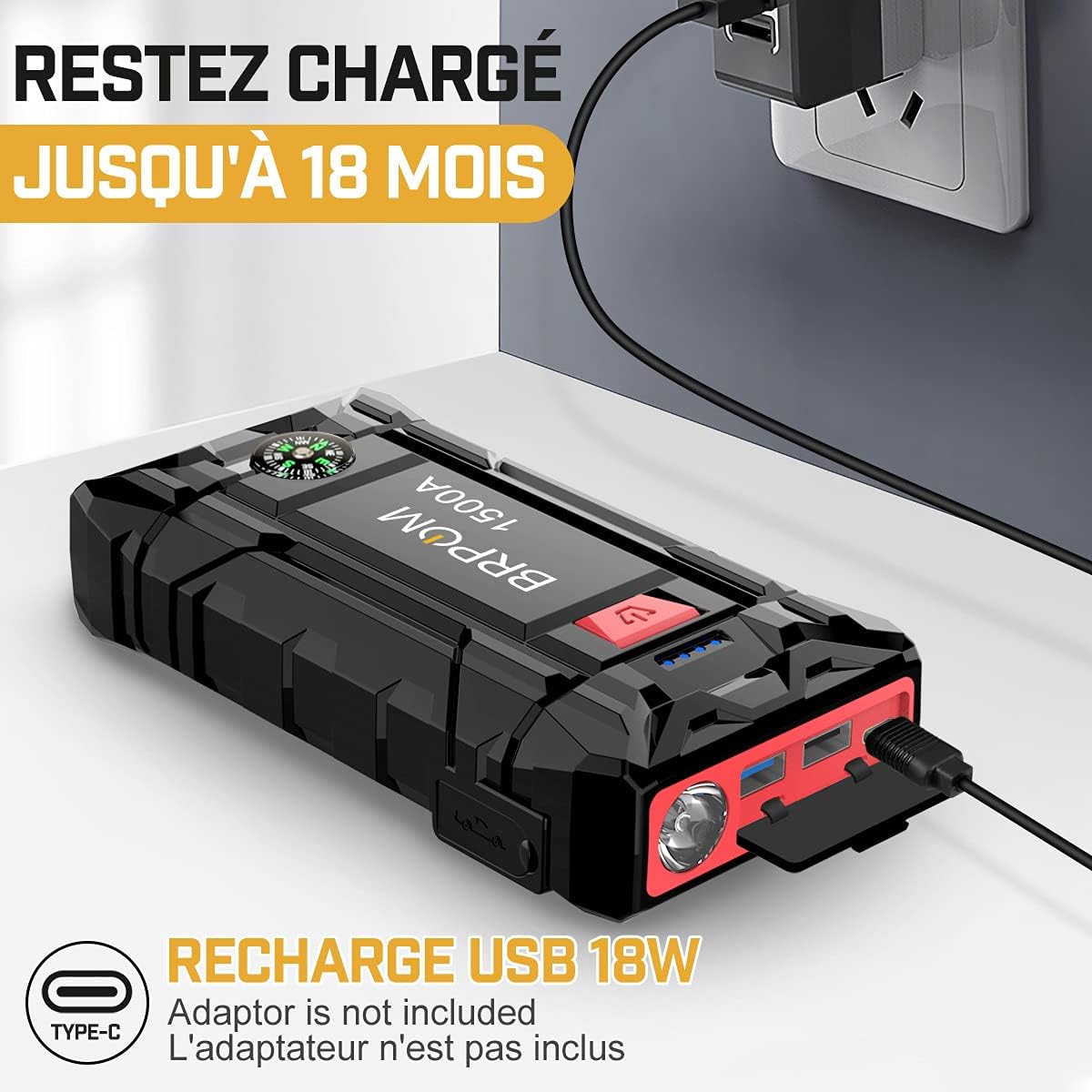
Figure 3.1: Charging the BRPOM Car Jump Starter.
3.2 Connecting the Smart Jumper Cables
Ensure the jump starter is fully charged before connecting the smart jumper cables. Firmly insert the blue end of the smart jumper cable into the EC5 port on the jump starter. The indicator light on the smart clamp will flash or show a status.
4. Operating Instructions: Jump Starting Your Vehicle
Follow these steps to safely jump start your vehicle:
- Kwadebe Ụgbọala Gị: Ensure your vehicle is in Park (P) or Neutral (N) and the parking brake is engaged. Turn off all vehicle accessories (lights, radio, air conditioning).
- Connect the Smart Jumper Cables:
- Jikọọ uhie clamp gaa na ọdụ batrị dị mma (+) nke ụgbọ ala.
- Jikọọ nwa clamp gaa na ọdụ batrị na-adịghị mma (-) nke ụgbọala ahụ.

Figure 4.1: Correctly connecting the smart jumper cables to the car battery.
- Lelee ihe ngosi: Onye maara ihe clamp's indicator light will show the connection status. A solid green light indicates a correct and ready connection. If it flashes or beeps, refer to the safety and troubleshooting sections.
- Start Your Vehicle: Once the indicator is solid green, start your vehicle's engine. If it doesn't start immediately, wait 30 seconds before trying again. Do not attempt more than 3 consecutive starts.
- Remove Cables: As soon as the vehicle starts, immediately remove the smart jumper cables from the car battery, first the black (negative) clamp, then the red (positive) clamp. Then disconnect the smart cable from the jump starter.
Video 4.1: Demonstration of the BRPOM Car Jump Starter in action, showing connection and vehicle start-up.
5. Ozi nchekwa
The BRPOM Car Jump Starter is designed with multiple safety features to ensure safe operation:
- Teknụzụ na-egosi ọkụ: Na-egbochi ọkụ ọkụ n'oge njikọ.
- Adịkwa polarity Protection: Protects against incorrect battery terminal connections.
- Nchekwa gafere ugbu a: Nchekwa megide oke eruba ugbu a.
- Nchekwa okpomọkụ dị elu: Na-egbochi oke okpomọkụ nke ngwaọrụ ahụ.
- Nchekwa oke ụgwọ: Protects the internal battery from overcharging.
An audible buzzer and flashing lights on the smart clamp will indicate incorrect usage or potential issues. Always pay attention to these warnings.

Figure 5.1: BRPOM Car Jump Starter safety features.
6. Akụkụ ndị ọzọ
6.1 Portable Power Bank
This car jump starter is equipped with 2 USB charging ports, allowing you to quickly charge your mobile phone, tablet, and other devices at the fastest possible speed.
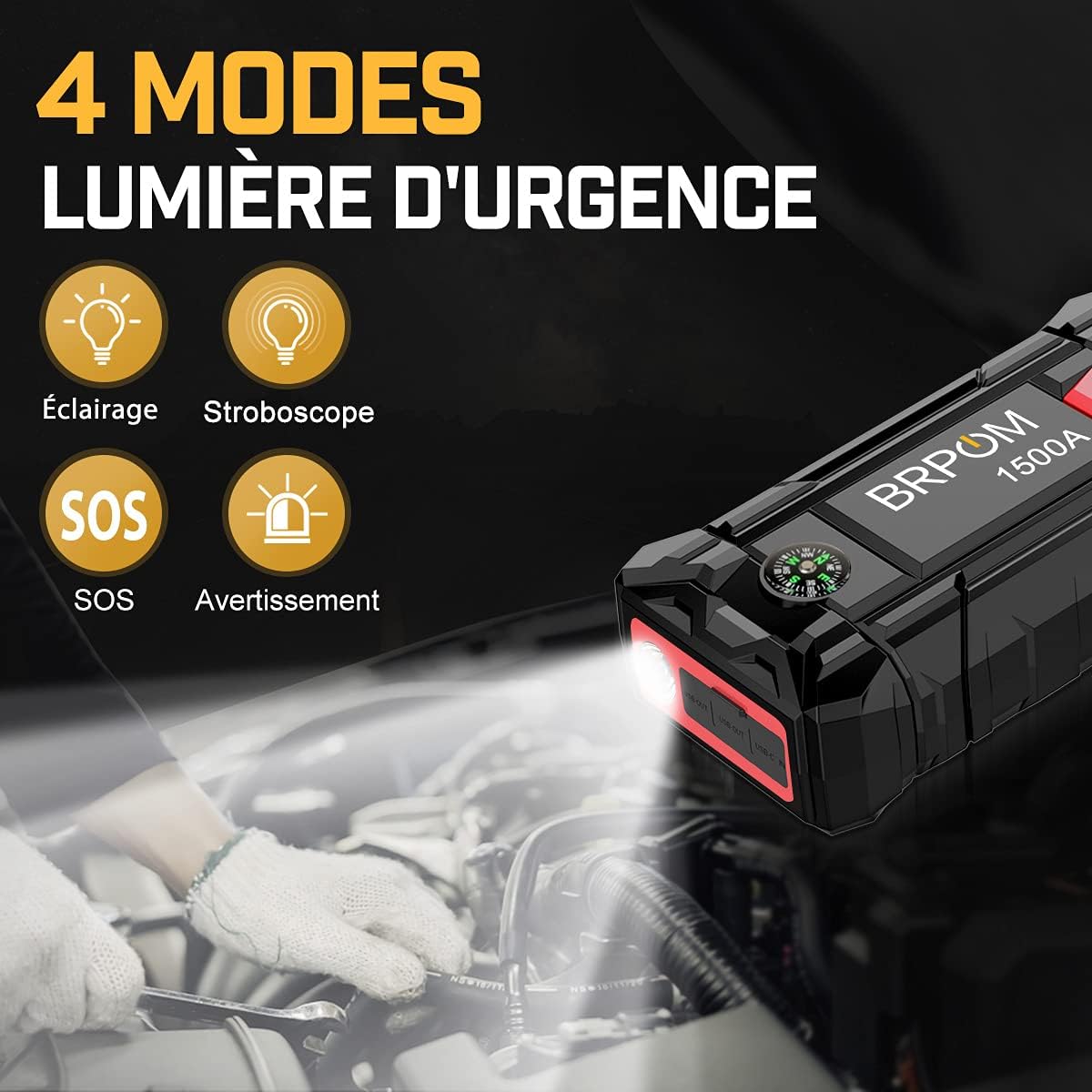
Figure 6.1: Using the jump starter as a power bank to charge devices.
Ụdị ọkụ ọkụ 6.2 LED
The device features 4 practical LED light modes (Flashlight, Strobe, SOS, Alarm) to assist you in dark conditions or during nighttime emergencies. Press the light button to cycle through the modes.

Figure 6.2: LED light modes for emergency situations.
6.3 Emergency Safety Hammer
An integrated safety hammer at the bottom of the device can be used to break windows in emergency accident situations, providing an additional layer of safety.

Figure 6.3: Emergency safety hammer feature.
7. Nkọwapụta
| Njirimara | Nkọwapụta |
|---|---|
| Ụdị | BRPOM |
| Nọmba nlereanya | BM502-IT |
| Ike batrị | 15800 mAh |
| Mpụta kacha elu ugbu a | 1500 A |
| Voltage | 12 volts |
| Ngwakọta batrị | Polymer |
| Akụkụ ngwaahịa (L x W x H) | 9 x 18 x 4 cm |
| Ibu Ibu | 381 grams |
| Compatible Vehicle Types | Car, Truck, Motorcycle, Snowmobile |
| Nkọwapụta Dabara Adaba | CE |
| Okpomọkụ na-arụ ọrụ | -4°F ruo 140°F (-20°C ruo 60°C) |

Figure 7.1: Operating temperature range.
8. Nlekọta
- Chekwaa ihe mbido na-awụli elu n'ebe dị jụụ, kpọrọ nkụ na-adịghị na ìhè anyanwụ na mmiri.
- Recharge the device every 3-6 months, even if not used, to maintain optimal battery health.
- Jiri ịdị nro hichaa mpụtaamp akwa . Ejila kemịkalụ siri ike ma ọ bụ ihe abrasive.
- Keep the smart clampdị ọcha ma ghara ire ere.
9. Nchọpụta nsogbu
- Ngwaọrụ anaghị agbanwu: Ensure the device is charged. If it's fully charged and still not turning on, contact customer support.
- Ụgbọ ala anaghị amalite:
- Check that the smart clampA na-ejikọ s na njedebe batrị ziri ezi nke ọma (uhie ruo na mma, ojii ruo na adịghị mma).
- Gbaa mbọ hụ na smart clamp indicator light is solid green. If it's flashing or beeping, refer to the smart clamp's specific error codes (if applicable) or re-check connections.
- Wait 30 seconds between start attempts. Do not exceed 3 attempts.
- Ensure the vehicle's battery is not completely dead (below 2V). The jump starter may not function if the battery voltage dị oke ala.
- Smart clamp indicator flashing/beeping: This usually indicates an incorrect connection (e.g., reverse polarity) or a fault. Disconnect and re-connect carefully, following the operating instructions.
10. Akwụkwọ ikike na nkwado
BRPOM offers a two-year free warranty and exchange for this product. For any issues or inquiries, please contact our 24/7 five-star customer support team. Refer to the contact information provided in your packaging or on the official BRPOM websaịtị.