
Okwu mmalite
The LC-dolida Sleep Mask with Bluetooth Headphones is designed to provide a comfortable and immersive audio experience while promoting restful sleep. It integrates a soft eye mask with built-in Bluetooth speakers, allowing users to listen to music, audiobooks, or white noise without external headphones. This manual provides detailed instructions for its proper use and maintenance.
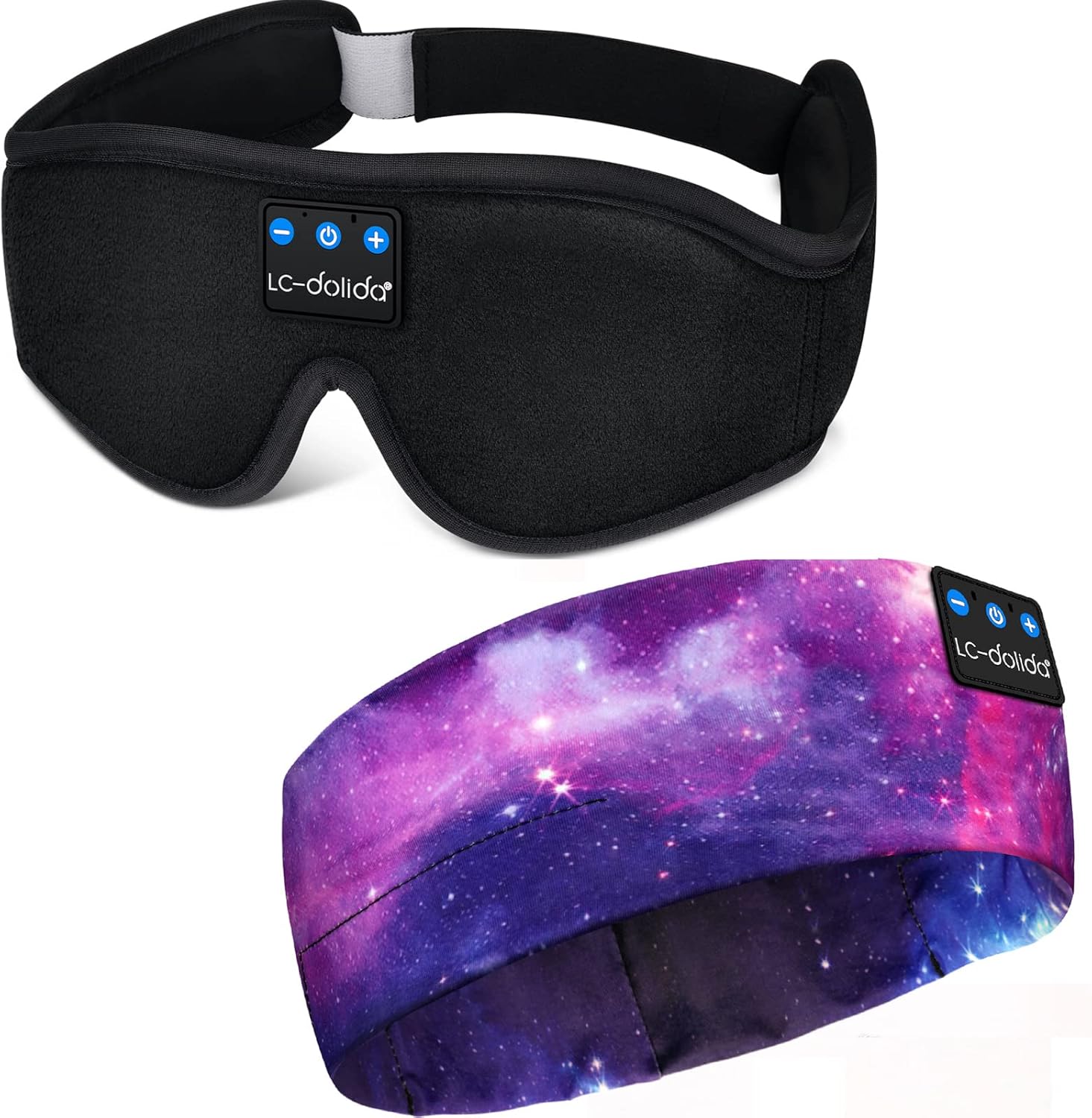
Image: The LC-dolida Sleep Mask with Bluetooth Headphones, featuring a black contoured design with integrated control panel.
Njirimara ngwaahịa
- 3D Contour Design: Ergonomically shaped eye area provides zero pressure on the eyes, allowing free eye movement and solving tightness issues.
- Bluetooth V5.2: Ensures stable connectivity and high-fidelity stereo sound for an immersive audio experience.
- Ogologo ndụ batrị: Offers approximately 8-10 hours of playtime on a 1-2 hour charge, suitable for overnight use.
- Effective Light Blocking: Full coverage and a unique nose area design prevent light leakage, enhancing sleep quality.
- Awe dị mma: Made from memory foam and super soft, skin-friendly, breathable material for comfort.
- Nhazi enwere ike ịsacha: The electronic module is removable, allowing the fabric mask to be cleaned.
- eriri nwere ike idozi: Designed to fit head sizes between 22.4 inches and 24.8 inches without tangling hair.

Image: Illustration highlighting the 3D contoured eye space for no pressure on eyes, 99% light blocking, and skin-friendly, breathable fabric.
Nhazi na ibido
1. Nchaji mbụ
Upon first receiving the device, it is recommended to fully charge it. Connect the provided USB charging cable to the charging port on the control module and to a standard USB power source. The indicator light will show charging status. Charge for at least 20 minutes to activate the battery if the device does not power on initially.
2. Ịgbanye / gbanyụọ
- Iji gbanye: Press and hold the Power button (ⓘ) on the control module for approximately 3 seconds until the indicator light flashes.
- Iji gbanyụọ: Press and hold the Power button (ⓘ) for approximately 3 seconds until the indicator light turns off.
3. Njikọ Bluetooth
- Ensure the sleep mask is powered off.
- Press and hold the Power button (ⓘ) for 5-7 seconds until the indicator light flashes red and blue alternately. This indicates pairing mode.
- Na ekwentị gị ma ọ bụ ngwaọrụ Bluetooth nyere, mee ka Bluetooth nwee ike wee chọọ ngwaọrụ dịnụ.
- Select "BT-FAAH" (or similar name) from the list of devices.
- Once paired, the indicator light on the sleep mask will flash blue slowly.
4. Na-edozi Fit
Place the sleep mask over your eyes and adjust the Velcro strap at the back of your head for a snug yet comfortable fit. Ensure the speakers inside the mask are aligned with your ears for optimal sound quality.

Image: A person wearing the sleep mask, illustrating its use during sleep and showing the integrated control panel on the forehead.
Ntuziaka ọrụ
Ọrụ Panel Control:
- Bọtịnụ Ike (ⓘ):
- Pịa ma jide ruo sekọnd atọ iji gbanye/gbanyụọ.
- Press and hold for 5-7 seconds to enter Bluetooth pairing mode.
- Short press to Play/Pause music.
- Short press to Answer/End phone calls.
- Press and hold for 2 seconds to Reject an incoming call.
- Bọtịnụ egwu na-esote (+):
- Obere pịa ka iwelie olu.
- Pịa ogologo ka ịgafe na egwu na-esote.
- Mpịakọta nke ala / bọtịnụ egwu gara aga (-):
- Obere pịa ka ibelata olu.
- Pịa ogologo ka ịga na egwu gara aga.
Ndozi okwu okwu
The internal speakers can be gently moved within the mask to better align with your ears for optimal sound clarity and comfort.
Nlekọta
Cleaning the Sleep Mask
The fabric portion of the sleep mask is washable. To clean:
- Carefully remove the Bluetooth control module and speakers from the internal pouch of the mask.
- Hand wash the fabric mask with mild soap and cool water.
- Rinse thoroughly and allow to air dry completely before reinserting the electronic components.
- Ensure the electronic module is completely dry before reinserting and using.
Ịchaji
Charge the device using the provided USB cable. Avoid using damaged cables or chargers. Do not overcharge the device; disconnect once fully charged to prolong battery life.

Foto: nkọwa zuru ezu view showing the soft fabric of the mask, the adjustable Velcro strap, and the removable electronic module for cleaning.
Nchọpụta nsogbu
- Ngwaọrụ agaghị agbanwu: Ensure the device is fully charged. If it's the first use or after a long period of inactivity, charge for at least 20 minutes to activate the battery.
- Enweghị ike ijikọ na ngwaọrụ Bluetooth:
- Ensure the sleep mask is in pairing mode (indicator light flashing red and blue alternately).
- Gbaa mbọ hụ na agbanyere Bluetooth na ngwaọrụ isi iyi gị.
- Move the sleep mask closer to your source device.
- Turn off and restart both the sleep mask and your source device.
- No sound or low sound:
- Check the volume level on both the sleep mask and your source device.
- Ensure the speakers are correctly positioned over your ears.
- Verify that the device is successfully paired and connected.
- Njikọ na-adịte aka: Ensure there are no obstructions between the sleep mask and your source device. Avoid exceeding the typical Bluetooth range (approx. 10 meters).
Nkọwapụta
- Ụdị: B09FY413HP
- Akara: LC-dolida
- Ụdị Bluetooth: V5.2
- Ihe: Memory Foam, Silk
- Atụmatụ pụrụ iche: Lightweight, Microphone, Sports-and-Exercise compatibility
- Ọnụọgụ nkeji: 1 Ọnụ
- Suitable Head Size: 22.4 in - 24.8 in
- Oge nchaji: Ihe dị ka awa 1-2
- Oge egwuregwu: Ihe dị ka awa 8-10
Akwụkwọ ikike na nkwado
This LC-dolida Sleep Mask with Bluetooth Headphones comes with a Akwụkwọ ikike nke ọnwa 12 site na ụbọchị ịzụrụ. Biko dowe ihe akaebe nke ịzụrụ ihe maka akwụkwọ ikike.
For further assistance or support, please refer to the contact information provided with your product packaging or visit the official LC-dolida websaịtị.