
1. Okwu mmalite
This instruction manual provides essential information for the safe and effective use of your Hubble Connected View Pro Twin 5-inch Video Baby Monitor. Please read this manual thoroughly before operating the device and retain it for future reference.
The Hubble Connected View Pro Twin is designed to help you monitor your baby with its dual camera system, 5-inch color display, and various features including two-way talk, night vision, and room temperature monitoring. This device operates on a secure, non-WiFi connection for enhanced privacy.
2. Nhazi
2.1. Ihe ngwugwu
Gbaa mbọ hụ na ihe niile dị na ngwugwu:
- 1 x Nursery View Pro Parent Unit
- 2 x Nursery Cameras
- 2 x Ihe nkwụnye ọkụ
- Ntuziaka mmalite ngwa ngwa
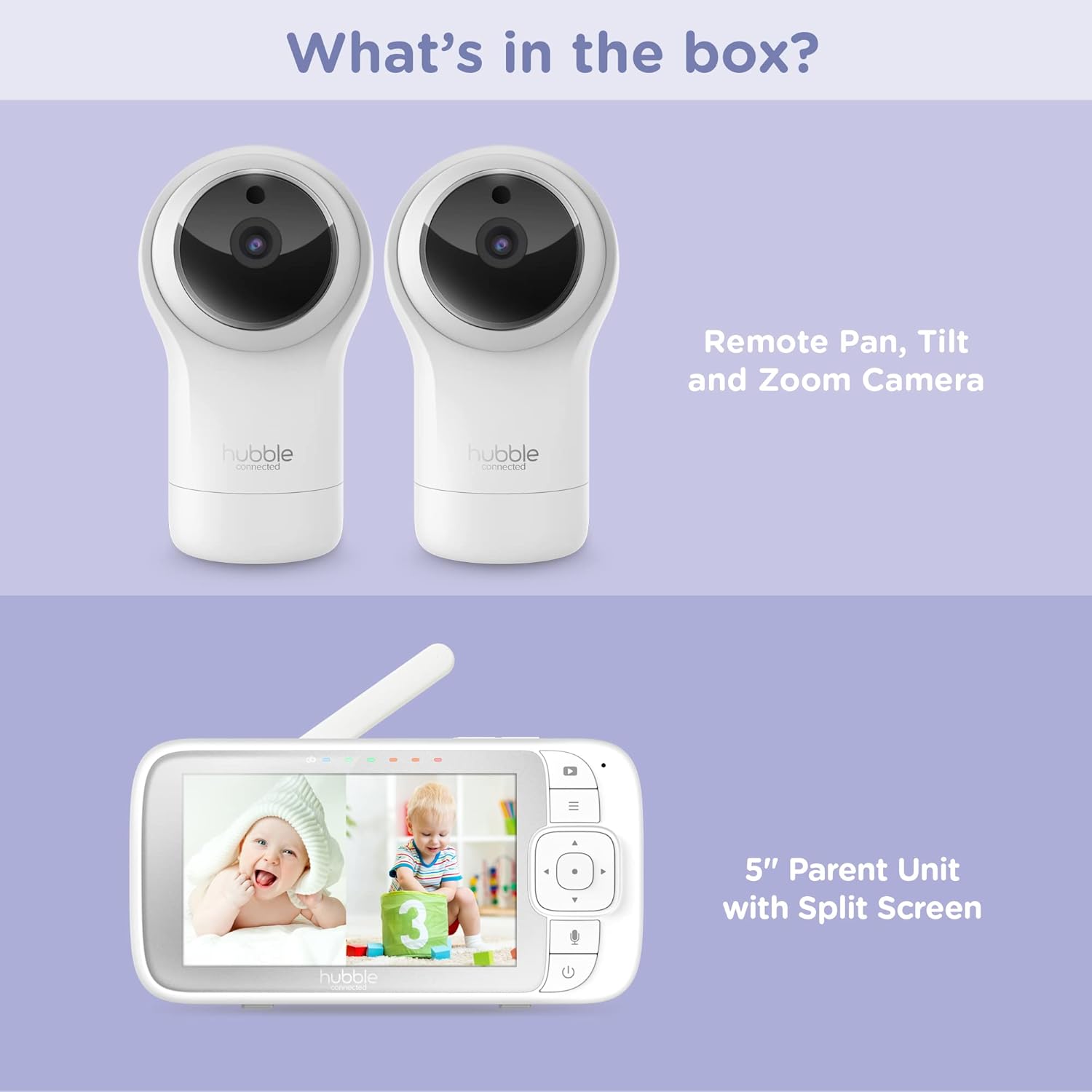
Figure 2.1: Package Contents - Parent Unit and Two Cameras
2.2. Powering On and Initial Placement
- Connect each camera to a power outlet using the provided power adapters.
- Connect the Parent Unit to a power outlet using its dedicated power adapter. The Parent Unit contains a rechargeable battery for portable use.
- Pịa ma jide bọtịnụ Ike na Ngalaba Nne na Nna ruo mgbe ihuenyo ahụ gbanyere.
- Place the cameras in a secure location within the baby's room, ensuring a clear view of the crib or play area. Avoid placing cameras within reach of children or near heat sources.

Figure 2.2: Hubble Connected View Pro Twin Monitor and Cameras
3. Na-arụ ọrụ nlekota oru
3.1. Parent Unit Controls
The Parent Unit features a 5-inch color display and intuitive buttons for navigation and control:
- Mpempe akwụkwọ ntuziaka: Used to navigate menus and control camera pan/tilt/zoom.
- Bọtịnụ menu: Nweta ntọala na atụmatụ.
- Talk Button (Microphone icon): Activates two-way talk.
- Bọtịnụ ike: Gbanyụọ/gbanyụọ unit
- Bọtịnụ olu (+/-): Na-edozi olu ọdịyo.

Figure 3.1: Parent Unit Displaying Split Screen
3.2. Viewna esdị
Your monitor supports multiple viewnhọrọ ing:
- Otu Igwefoto View: Displays the feed from one camera at a time. Use the menu to switch between cameras.
- Gbawara-ikiri View: Simultaneously displays feeds from both cameras on the 5-inch screen. This allows for monitoring two areas at once.
- Ụdị nyocha: The monitor can automatically cycle through the camera feeds periodically.
3.3. Camera Control (Pan, Tilt, Zoom)
Use the directional pad on the Parent Unit to remotely adjust the camera's view:
- Achịcha: Bugharịa igwefoto kwụ ọtọ (aka ekpe/aka nri).
- Gbaa: Bugharịa igwefoto kwụ ọtọ (elu/ala).
- Bugharịa: Enlarge or reduce the image.
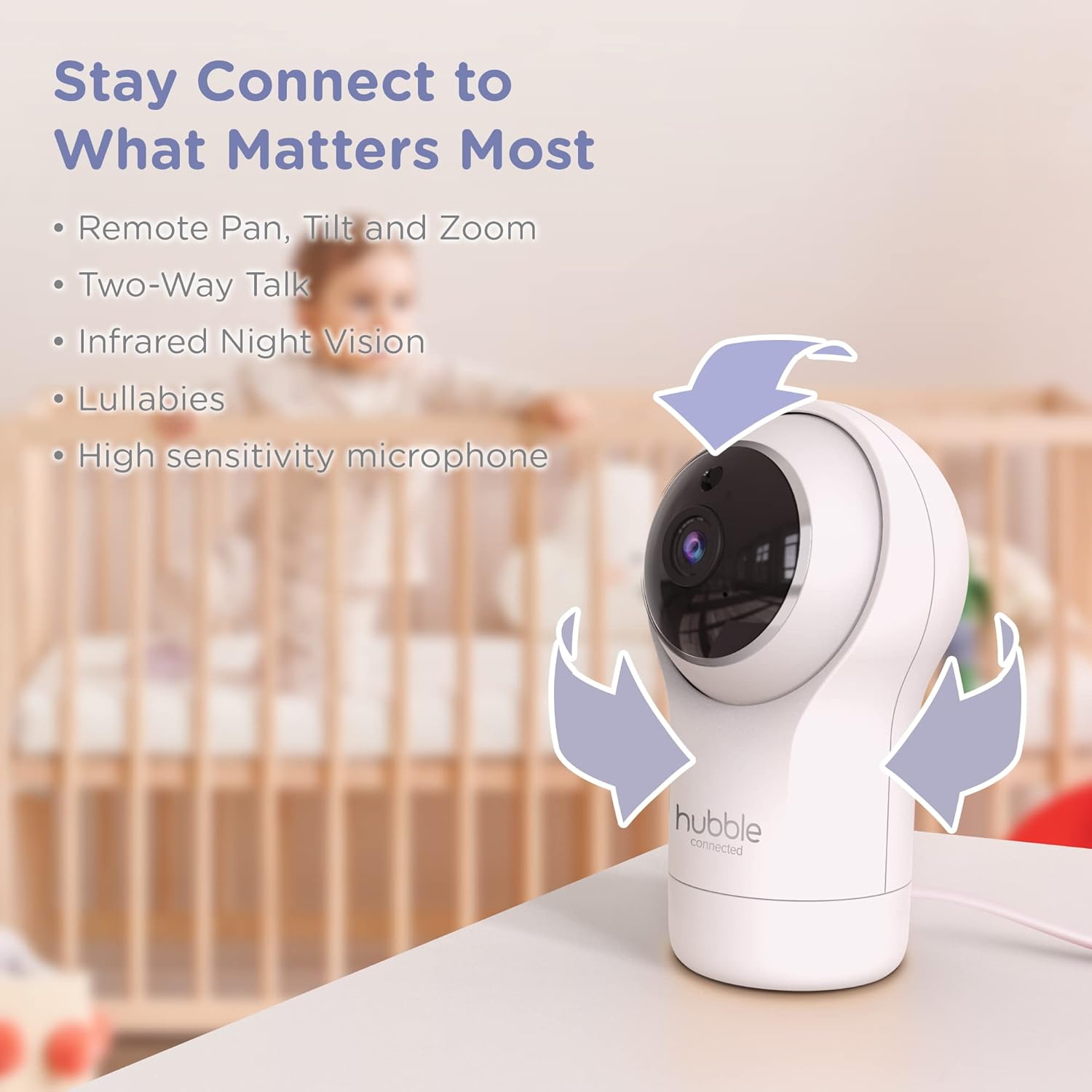
Figure 3.2: Camera Pan, Tilt, and Zoom Functionality
3.4. Okwu Abụọ
To communicate with your baby, press and hold the microphone button on the Parent Unit and speak. Release the button to hear your baby's response.
3.5. Ọhụụ abalị
The cameras are equipped with infrared night vision, which automatically activates in low-light conditions, providing a clear black-and-white image of your baby.

Figure 3.3: Infrared Night Vision in Operation
3.6. Lullabies and Room Temperature Monitoring
The monitor includes preloaded lullabies to soothe your baby. Access these through the Parent Unit's menu. The system also continuously monitors the room temperature, displayed on the Parent Unit, to ensure a comfortable environment for your child.

Onyonyo 3.4: Isi njiri maraview
3.7. Official Product Video
Vidiyo 3.1: Agafeeview of the Nursery View Pro Twin features, including split screen, pan/tilt/zoom, two-way talk, night vision, and lullabies.
4. Nlekọta
4.1. Nhicha
To clean the monitor and cameras, use a soft, dry cloth. Do not use abrasive cleaners or solvents. Ensure the devices are unplugged before cleaning.
4.2. Nchekwa
When not in use for extended periods, store the monitor and cameras in a cool, dry place, away from direct sunlight and extreme temperatures.
5. Nchọpụta nsogbu
5.1. No Signal/Poor Image
- Ensure both the Parent Unit and cameras are powered on and within range.
- Check for obstructions between the Parent Unit and cameras that might interfere with the signal.
- Relocate the Parent Unit or cameras to improve reception.
5.2. Battery Not Charging/Low Battery Alert
- Verify that the power adapter is securely connected to the Parent Unit and a working power outlet.
- Allow sufficient time for the battery to charge.
- Ọ bụrụ na nsogbu ahụ ka dị, kpọtụrụ nkwado ndị ahịa.
6. Nkọwapụta
| Njirimara | Nkọwa |
|---|---|
| Aha Nlereanya | Ụlọ akwụkwọ ọta akara View Pro ejima |
| Nọmba nlereanya | HCNVPRO2 |
| Nha ihuenyo | Ihuenyo Agba Diagonal nke sentimita 5 |
| Teknụzụ Njikọta | Wireless (Non-WiFi) |
| Oke | Ruo 1,000ft/300m |
| Mkpebi ịse vidiyo | 720p |
| Atụmatụ pụrụ iche | Night Vision, Two-Way Talk, Soothing Nature Sounds, Room Temperature Monitoring |
| Isi Iyi Ike | Battery Powered (Parent Unit), AC Adapter (Cameras) |
| Batrị | 3 batrị lithium ion achọrọ (gụnyere) |
| Ibu Ibu | 2 pound |
| Akụkụ ngwaahịa | 2.8 x 2.7 x 4.8 sentimita asatọ |
7. Akwụkwọ ikike na nkwado
7.1. Akwụkwọ ikike Ozi
Your Hubble Connected View Pro Twin is covered by a One (1) year Limited Warranty from the date of purchase. Please retain your proof of purchase for warranty claims.
7.2. Nkwado ndị ahịa
For technical assistance, troubleshooting, or warranty inquiries, please contact Hubble Connected customer support. Visit the official Hubble Connected Store maka ozi ndị ọzọ na akụrụngwa nkwado.