
1. Okwu mmalite
This manual provides essential information for the safe and efficient installation, operation, and maintenance of your LEDVANCE ORBIS SPARKLE SMART+ WiFi Ceiling Light. Please read these instructions carefully before use and retain them for future reference.
The LEDVANCE ORBIS SPARKLE SMART+ WiFi Ceiling Light is a smart, dimmable LED luminaire designed for indoor use, offering tunable white light (2700K to 6500K) and a decorative sparkle effect. It integrates seamlessly with smart home systems via WiFi, allowing control through the LEDVANCE SMART+ WiFi app, Amazon Alexa, or Google Assistant.
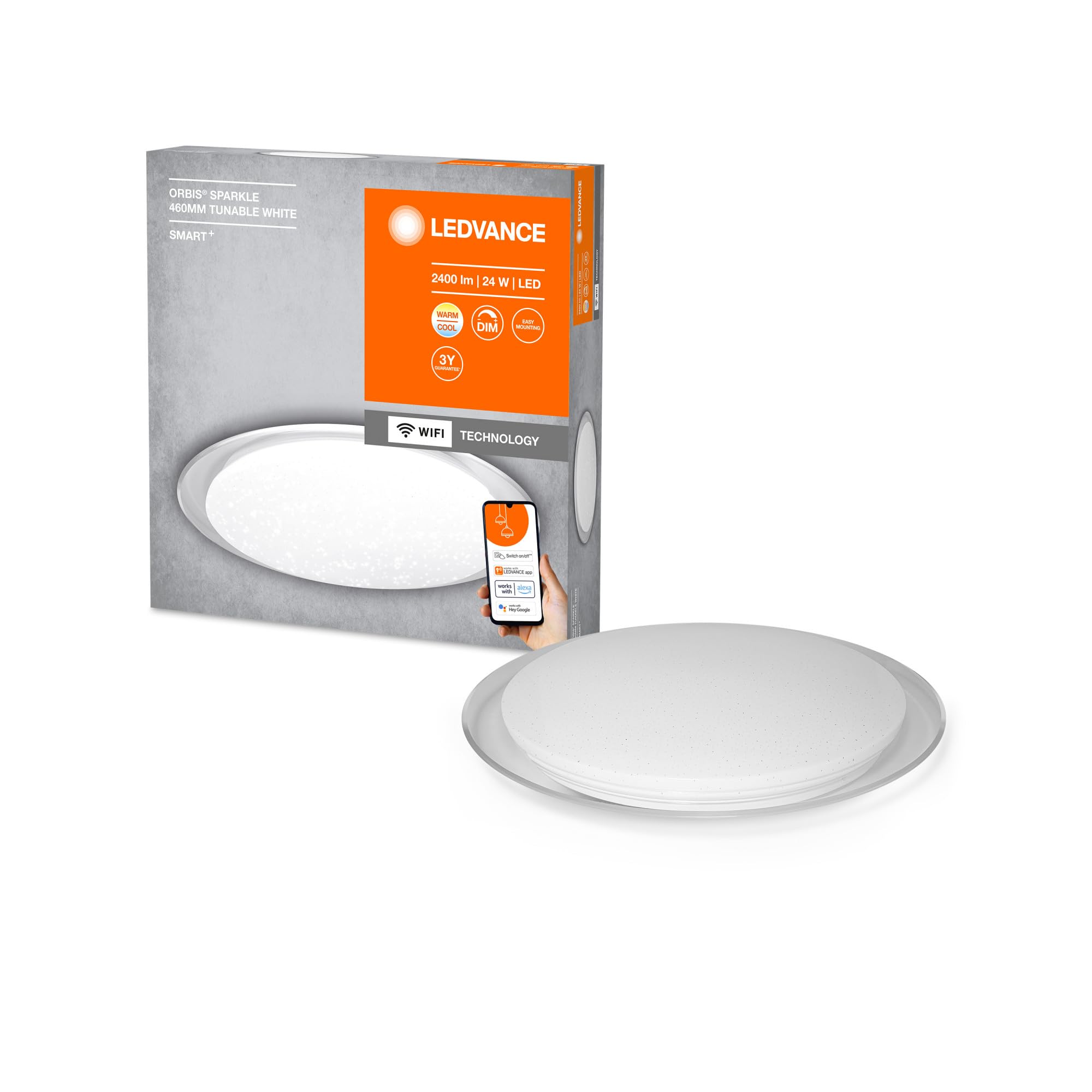
Image: The LEDVANCE ORBIS SPARKLE SMART+ WiFi Ceiling Light providing illumination in a room.
2. Ozi nchekwa
- Nchekwa Eletriki: Installation must be performed by a qualified electrician in accordance with local wiring regulations. Always switch off the power supply at the main fuse box before installation or maintenance.
- Eji ime ụlọ naanị: This product is designed exclusively for indoor applications. Do not expose to moisture or extreme temperatures.
- Ijikwa: Handle the luminaire with care to avoid damage. Do not attempt to modify the product.
- Nhicha: Gbanyụọ ike tupu ị sachaa ya. Jiri ákwà dị nro ma kpọọ nkụ. Ejila ihe nhicha ma ọ bụ ihe mgbaze.
- Isi mmalite ọkụ: The LED light source is non-replaceable. If the light source reaches its end of life, the entire luminaire must be replaced.
3. Ihe ngwugwu
Nyochaa na akụrụngwa niile dị tupu ịmalite nrụnye.
- 1 x LEDVANCE ORBIS SPARKLE SMART+ WiFi Ceiling Light
- Arịọnụ mgbodo
- Ịkwado skru na mgbidi
- Akwụkwọ ntuziaka (akwụkwọ a)
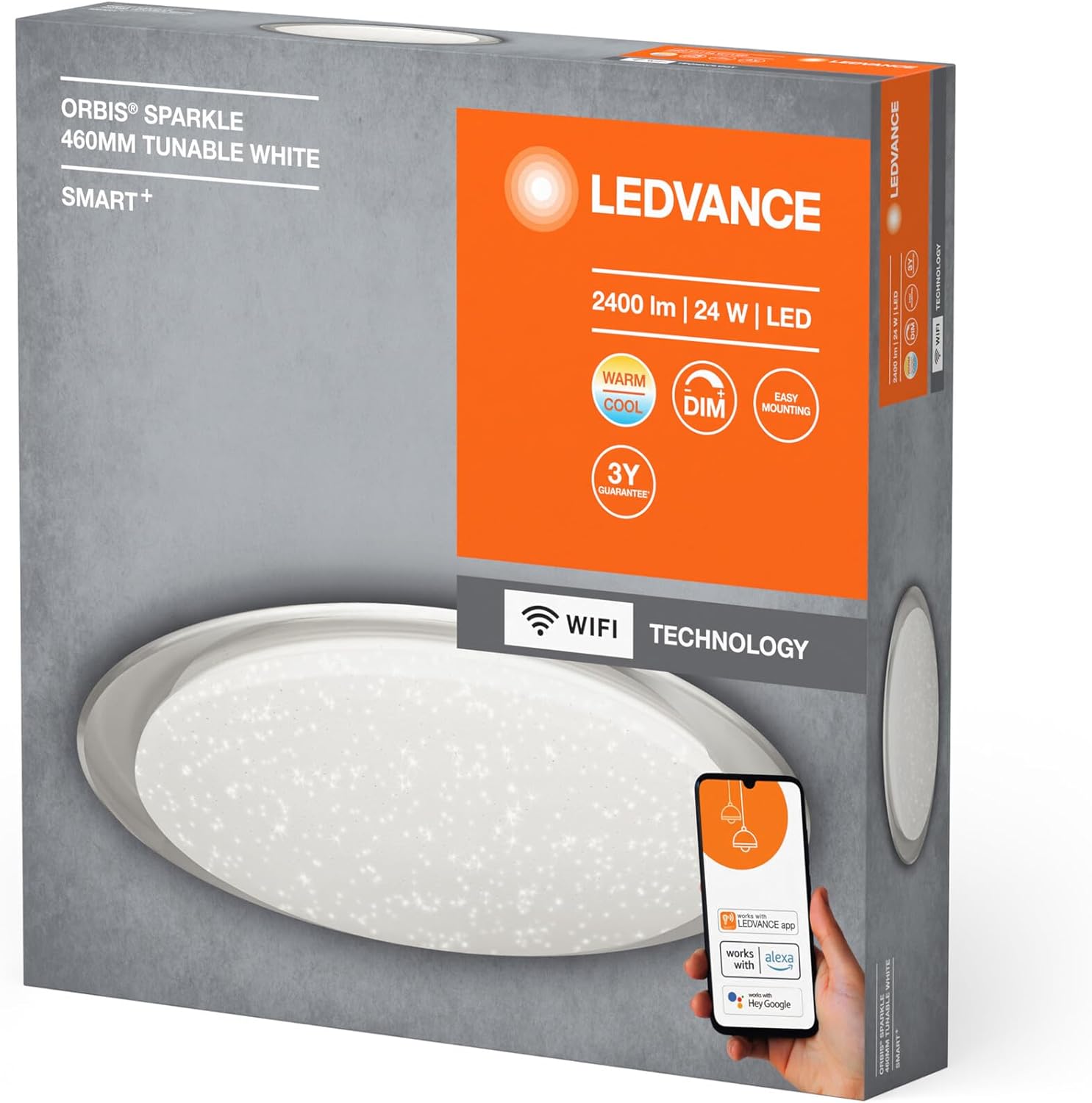
Image: Product packaging showing the LEDVANCE ORBIS SPARKLE SMART+ WiFi Ceiling Light and its features.
4. Ntọala na nwụnye
Follow these steps for proper installation. Ensure power is OFF before starting.
- Kwadebe maka nwụnye: Switch off the main power supply at the circuit breaker to prevent electrical shock.
- Arịọnụ mgbodo: Secure the mounting bracket to the ceiling using the provided screws and wall plugs. Ensure the bracket is firmly attached to a suitable surface.
- Njikọ eletrik: Connect the household electrical wires to the terminals on the luminaire. Ensure correct polarity (Live, Neutral, Earth) as per local regulations.
- Tinye Luminaire: Carefully attach the LEDVANCE ORBIS SPARKLE SMART+ WiFi Ceiling Light to the mounting bracket. Ensure it is securely fastened.
- Weghachi ike: Once the luminaire is securely installed and wired, restore power at the circuit breaker.

Image: Technical drawing showing the dimensions of the LEDVANCE ORBIS SPARKLE SMART+ WiFi Ceiling Light (Ø 460mm, height 76mm).
5. Ntuziaka ọrụ
5.1 Smart Home Integration (LEDVANCE SMART+ WiFi App)
To control your LEDVANCE ORBIS SPARKLE SMART+ WiFi Ceiling Light, you need to connect it to the LEDVANCE SMART+ WiFi app.
- Budata ngwa: Download the LEDVANCE SMART+ WiFi app from the App Store (iOS) or Google Play Store (Android). The app requires at least Android 4.4 or iOS 9.0.
Download LEDVANCE SMART+ WiFi App - Debanye aha/Nbanye: Mepee ngwa ahụ ma soro ntuziaka na ihuenyo ka ịmepụta akaụntụ ma ọ bụ banye.
- Tinye ngwaọrụ: Follow the app's instructions to add a new device. Ensure your smartphone or tablet is connected to a 2.4 GHz WiFi network.
- Mmakọ Mmakọ: The light will enter pairing mode automatically when first powered on. If not, cycle the power switch OFF-ON three times until the light blinks.
- Njikwa: Once paired, you can control the light's brightness, color temperature (2700K-6500K), and activate the sparkle effect directly from the app.

Image: Product packaging highlighting compatibility with the LEDVANCE SMART+ app, Amazon Alexa, and Google Assistant.
5.2 Voice Control (Amazon Alexa / Google Assistant)
After successful integration with the LEDVANCE SMART+ WiFi app, you can link your light to Amazon Alexa or Google Assistant for voice control.
- Akaụntụ njikọ: Open your Amazon Alexa or Google Home app. Navigate to the "Skills" or "Works with Google" section.
- Chọọ maka LEDVANCE SMART+: Chọọ maka and enable the "LEDVANCE SMART+" skill/service.
- Jikọọ: Link your LEDVANCE SMART+ account with your Alexa or Google account.
- Chọpụta Ngwaọrụ: Ask Alexa or Google Assistant to "discover devices" or manually add the light through the app.
- Iwu olu: I nwere ike iji iwu olu ugbu a dịka:
- "Alexa/Hey Google, turn on [Light Name]"
- "Alexa/Hey Google, dim [Light Name] to 50%"
- "Alexa/Hey Google, set [Light Name] to warm white"
- "Alexa/Hey Google, change [Light Name] to cool white"
6. Nlekọta
- Nhicha: Ensure the power is off before cleaning. Wipe the surface of the luminaire with a soft, dry, or slightly damp Ákwà. Ejila kemịkalụ siri ike, ihe nhicha ihe na-eme ka ihe dị nro, ma ọ bụ fesa ya ozugbo n'ọkụ.
- Enweghị akụkụ ndị ọrụ-ọrụ: The LED light source is integrated and cannot be replaced by the user. Do not attempt to open or repair the luminaire.
- Nlele anya mgbe niile: Periodically check the mounting for security.
7. Nchọpụta nsogbu
| Nsogbu | Ihe nwere ike ime | Ngwọta |
|---|---|---|
| Ìhè anaghị agbanwuo. | No power supply; incorrect wiring; faulty luminaire. | Check power supply at the circuit breaker. Verify wiring connections. If problem persists, contact support. |
| Cannot connect to WiFi/App. | Incorrect WiFi password; not on 2.4 GHz network; light not in pairing mode; app issues. | Ensure correct WiFi password. Connect phone to 2.4 GHz WiFi. Cycle power OFF-ON three times to enter pairing mode. Restart app or phone. |
| Njikwa olu anaghị arụ ọrụ. | Not linked to Alexa/Google Assistant; incorrect device name; internet connectivity issues. | Ensure LEDVANCE SMART+ skill is enabled and accounts are linked. Verify device name in Alexa/Google Home app. Check internet connection. |
| Ìhè na-enwu ma ọ bụ na-akpa àgwà n'ụzọ na-adịghị mma. | Unstable power supply; interference; internal fault. | Check power supply stability. Ensure no strong interference sources nearby. If problem persists, contact support. |
8. Nkọwapụta
| Nọmba nlereanya | 4058075573475 |
| Ụdị | LEDVANCE |
| Ụdị ngwaahịa | Smart WiFi Dimmable LED Ceiling Light |
| Akụkụ (L x W x H) | 46 x 46 x 7.6 cm |
| Ibu | 800 grams |
| Ihe onwunwe | Alloy Steel, Polycarbonate |
| Isi Iyi Ike | AC |
| Voltage | 240 volts |
| Wattage | 24 Watt |
| Flux na-egbuke egbuke | 2500 Lumen |
| Okpomọkụ agba | 2700 - 6500 Kelvin (Tunable White) |
| Enwere ike ibelata | Ee |
| Njikọta | Wi-Fi (2.4GHz) |
| Usoro njikwa | Application (LEDVANCE SMART+ WiFi), Voice (Amazon Alexa, Google Assistant) |
| Ogologo ndụ | awa 25,000 |
| Klas arụmọrụ ike | F |
| Ojiji ime ime/n'èzí | Ime ụlọ |
9. Akwụkwọ ikike
LEDVANCE provides a 3-year guarantee for this product. Please refer to the official LEDVANCE website or your purchase documentation for detailed warranty terms and conditions. Retain your proof of purchase for warranty claims.
10. Nkwado
For technical assistance, troubleshooting beyond this manual, or warranty inquiries, please contact LEDVANCE customer support through their official websaịtị ma ọ bụ ozi kọntaktị enyere na ngwaahịa gị.
You can also visit the LEDVANCE brand store on Amazon for more product information: LEDVANCE Amazon Store