
Tuitager 9S
Tuitager Bluetooth Headphones User Manual
Ụdị: 9S
1. Okwu mmalite
Thank you for choosing Tuitager Bluetooth Headphones. These over-ear headphones are designed to provide a high-fidelity audio experience with deep bass and clear treble, featuring long battery life, multiple EQ modes, and versatile connectivity options. Please read this manual carefully before use to ensure proper operation and maintenance.

Image 1.1: Tuitager Bluetooth Headphones (Black)
2. Ozi nchekwa
- Ekwela ka ekweisi gị hụ oke okpomọkụ, iru mmiri, ma ọ bụ ihe ndị na-emebi emebi.
- Zere idobe ma ọ bụ idobe ekweisi na mmetụta siri ike.
- Do not disassemble or modify the headphones. This will void the warranty.
- Jiri ákwà dị nro ma kpọọ nkụ hichaa ekweisi. Ejila ihe nhicha mmiri.
- Ịge ntị ogologo oge n'ogo dị elu nwere ike imebi ihe ntị. Gbanwee olu ka ọ bụrụ ọkwa dị mma.
3. Nhazi
3.1 Ịchaji ekweisi
Before first use, fully charge the headphones. Connect the provided USB-C charging cable to the Type-C charging port on the headphones and the other end to a compatible USB power source (e.g., computer USB port, wall adapter). The LED indicator will show charging status.
- Oge Nchaji: Ihe dị ka awa 2 maka ụgwọ zuru ezu.
- Battery Life: Up to 60 hours of playtime on a single charge.
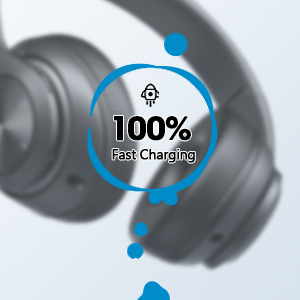
Image 3.1: Fast Charging Capability
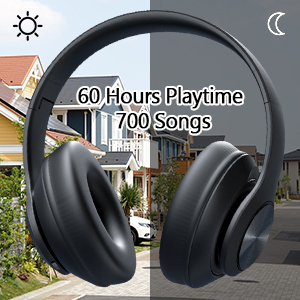
Image 3.2: Extended Playtime and Wired Option
3.2 Njikọ Bluetooth
- Gbaa mbọ hụ na chajịrị ekweisi nke ọma.
- Pịa ma jide bọtịnụ Power Gbanye/Gbanyụọ ruo mgbe ihe ngosi LED na-enwu, na-egosi ụdị njikọ.
- Na ngwaọrụ gị (smartphone, tabletị, laptọọpụ), gbanye Bluetooth wee chọọ ngwaọrụ dị.
- Select "Tuitager 9S" (or similar name) from the list of devices.
- Ozugbo ejikọrọ, ihe ngosi LED ga-akwụsị ịcha ọkụ ma nọgide na-acha anụnụ anụnụ.
Ekweisi ndị a ga-anwa ijikọghachi na ngwaọrụ ikpeazụ ejikọtara na akpaghị aka mgbe agbanyere ya.
3.3 Wired Connection (3.5mm Aux)
For a wired connection, use the included 3.5mm audio cable. Plug one end into the 3.5mm Aux plug-in port on the headphones and the other end into your audio device's 3.5mm jack. The headphones will automatically switch to wired mode when the cable is connected.
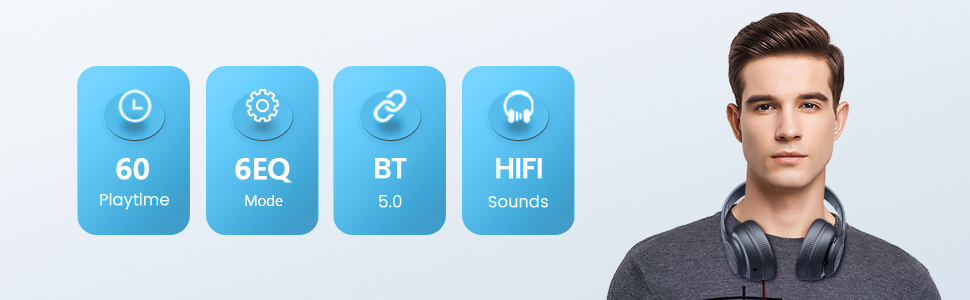
Image 3.3: Wide Compatibility and Usage (Wired & TF Card)
3.4 TF Card Usage
The headphones support TF (Micro SD) cards up to 32GB for direct music playback. Insert the TF card into the TF Card slot on the headphones. The headphones will automatically switch to TF card mode and begin playing audio files.
Note: TF card is not included.
4. Ntuziaka ọrụ
4.1 bọtịnụ Ọrụ

Image 4.1: Easy Operation Button Layout
| Bọtịnụ/Ọdụ ụgbọ mmiri | Ọrụ |
|---|---|
| Gbanyụọ/ Gbanyụọ | Press and hold to power on/off. Short press to play/pause (in Bluetooth mode). |
| Kpọọ/kwụsịtụ/zaa/Kwụsịa | Pịa obere pịa iji kpọọ/kwụsịtụ egwu ma ọ bụ zaa/kwụsị oku. Pịa ogologo pịa iji jụ oku. |
| Previous Track / Olu ala | Pịa obere oge maka egwu gara aga. Pịa ogologo oge iji belata olu. |
| Next Track / Olu elu | Pịa obere oge maka egwu na-esote. Pịa ogologo oge iji mee ka olu dịkwuo elu. |
| bọtịnụ EQ | Short press to cycle through 6 EQ modes (Bass/Jazz/Voice/Rock/Pop/Classic). |
| Bọtịnụ ọnọdụ (M) | Short press to switch between Bluetooth Mode and FM Mode. |
| 3.5mm Aux Plug-in Port | Maka njikọ ọdịyo wired. |
| -Dị-C Nchaji Port | Maka ịchaji ekweisi. |
| Oghere TF Kaadị | For direct music playback from a TF (Micro SD) card. |
Ụdị EQ 4.2
The headphones feature 6 distinct EQ modes to optimize your listening experience:
- Bass: Enhanced low frequencies for powerful beats.
- Jazz: Ụda ziri ezi profile suitable for jazz music.
- Olu: Clearer vocals, ideal for podcasts or audiobooks.
- Nkume: Dynamic sound for rock music.
- Pop: Vibrant and energetic sound for pop music.
- Omuma: Rich and detailed sound for classical music.
Pịa bọtịnụ EQ iji gafee usoro ndị a.
4.3 Ịkpọ oku
With the built-in microphone, you can make and receive calls when connected via Bluetooth:
- Azịza/Kwụsị Oku: Obere pịa bọtịnụ Play/kwụsịtụ.
- Jụ oku: Pịa ogologo bọtịnụ Play/kwụsịtụ.
5. Nlekọta
- Debe ekweisi ahụ ọcha site na iji akwa dị nro na nke kpọrọ nkụ hichapụ ya.
- Chekwaa ekweisi n'ebe dị jụụ, kpọrọ nkụ na-adịghị na ìhè anyanwụ kpọmkwem na oke okpomọkụ.
- When not in use, fold the headphones for compact storage and to protect them from damage.

Image 5.1: Ergonomic and Foldable Design for Comfort and Portability
6. Nchọpụta nsogbu
| Nsogbu | Ngwọta |
|---|---|
| Ekweisi agaghị agbanwu. | Ensure the headphones are fully charged. Press and hold the Power button for a few seconds. |
| Enweghị ike ijikọ na ngwaọrụ. | Ensure headphones are in pairing mode (flashing LED). Turn off and on Bluetooth on your device. Move headphones closer to the device. Clear previous Bluetooth connections on your device. |
| Enweghị ụda. | Check volume levels on both headphones and connected device. Ensure headphones are properly paired or the 3.5mm cable is fully inserted. Try a different audio source. |
| Ogo ụda adịghị mma. | Ensure there are no obstructions between headphones and device (in Bluetooth mode). Try a different EQ mode. Check audio source quality. |
| Njikọ na-adịte aka. | Move closer to the connected device. Avoid environments with strong Wi-Fi or other wireless interference. Ensure headphones are fully charged. |
7. Nkọwapụta
- Aha nlereanya: 9S
- Teknụzụ Njikọta: Waya, Igwe na-enweghị eriri (Bluetooth)
- Teknụzụ nzikọrịta ozi ikuku: Bluetooth 5.3
- Ogologo Bluetooth: Ruo 32 ụkwụ (mita 10)
- Nha ọkwọ ụgbọ ala ọdịyo: 40 millimeters
- Ndụ batrị: Ruo awa 60
- Oge nchaji: Ihe dị ka awa 2
- Jack ekweisi: 3.5mm ọkpụrụkpụ
- Ihe: Plastic
- Ibu ihe: 10.2 ounces (ihe dị ka gram 289)
- Ụdị njikwa: Volume Control, Button
- Ngwa gụnyere: Headphones, USB Charging Cable, 3.5mm Audio Cable, User Manual
8. Akwụkwọ ikike na nkwado
Tuitager products come with a standard manufacturer's warranty. For detailed warranty information, please refer to the warranty card included in your product packaging or visit the official Tuitager websaịtị.
If you encounter any issues or have questions regarding your Tuitager Bluetooth Headphones, please contact our customer support team:
- Nkwado n'ịntanetị: Visit the Tuitager Store on Amazon: Tuitager Store
- Ntuziaka onye ọrụ (PDF): Ụdị dijitalụ nke ntuziaka onye ọrụ dị ebe a: Budata PDF
Ask a question about this manual
Ask about setup, troubleshooting, compatibility, parts, safety, or missing instructions. Manuals+ will review the question and use this page’s manual context to help answer it.