
1. Okwu mmalite
Daalụ maka ịzụrụasing the BYTECH BYMCLB116BK Projector Decor Light-Rainbow. This device is designed to project vibrant rainbow light effects, enhancing room ambiance and providing unique lighting for creative photography. Please read this manual thoroughly before use to ensure proper operation and maintenance.

Image 1.1: The BYTECH BYMCLB116BK Projector Decor Light-Rainbow packaging, highlighting its key features including rainbow glow, secure stabilization, 360-degree rotation and tilt, and USB connectivity.
2. Ozi nchekwa
- Debe ngwaọrụ ahụ pụọ na mmiri na mmiri.
- Ewepụla ngwaọrụ ahụ na oke okpomọkụ ma ọ bụ ìhè anyanwụ kpọmkwem.
- Zere idobe ma ọ bụ idobe ngwaọrụ ahụ na mmetụta siri ike.
- Anwala ịkwasa ma ọ bụ rụkwaa ngwaọrụ n'onwe gị. Kpọtụrụ ndị ọrụ ruru eru ọrụ niile.
- Use only the provided USB cable or a certified equivalent for power.
- Gbaa mbọ hụ na etinyere ngwaọrụ ahụ n'elu kwụsiri ike, dịkwa larịị ka ọ ghara igbochi ntinye.
- Debe ebe ụmụaka na anụ ụlọ na-apụghị iru.
3. Ihe ngwugwu
Biko lelee ọdịnaya nke ngwugwu ahụ nke ọma. Ọ bụrụ na ihe ọ bụla na-efu ma ọ bụ mebie, kpọtụrụ onye na-ere ahịa gị.
- 1 x BYTECH BYMCLB116BK Projector Decor Light-Rainbow
- 1 x USB Power Cable (with wired remote control)
- 1 x Akwụkwọ ntuziaka onye ọrụ
4. Nhazi
- Ịkwapu: Carefully remove the Projector Decor Light from its packaging.
- Nkwanye: Place the projector on a stable, flat surface. Consider the desired projection area and distance from the wall or ceiling for optimal effect. The device features 360-degree rotation and tilt for flexible positioning.
- Njikọ Ike: Insert the small end of the USB power cable into the USB port on the projector. Connect the larger end of the USB cable to a standard USB power adapter (not included) or a powered USB port (e.g., on a computer or power bank).
- Secure Stabilization: Ensure the base is firmly placed to prevent accidental movement, utilizing its secure stabilization feature.
5. Ntuziaka ọrụ
The BYTECH Projector Decor Light is designed for simple operation.
- Gbanyụọ/ Gbanyụọ: Once connected to a power source, locate the wired remote control on the USB cable. Press the power button on the remote to turn the light on or off.
- Adjust Brightness/Mode: Use the other buttons on the wired remote control to cycle through different brightness levels or projection modes, if available. Refer to the remote's markings for specific functions.
- Hazie akụkụ amụma: Iji aka dozie lamp head to rotate and tilt 360 degrees to direct the rainbow light projection to your desired area.
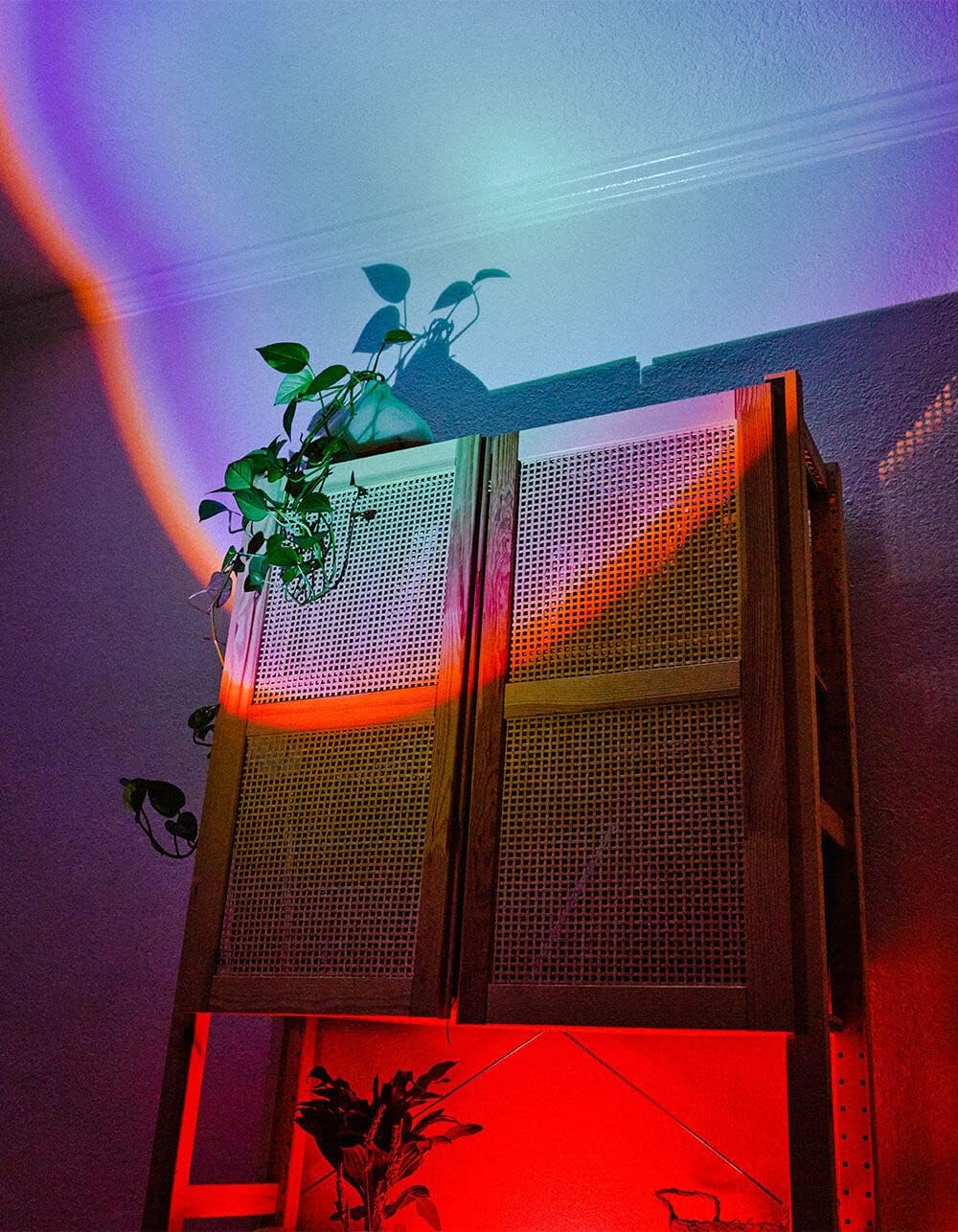
Image 5.1: The BYTECH Projector Decor Light-Rainbow in operation, casting vibrant rainbow light patterns onto a room's wall and furniture, demonstrating its ambient effect.
6. Nlekọta
- Nhicha: Disconnect the power before cleaning. Use a soft, dry cloth to wipe the surface of the projector. Do not use abrasive cleaners or solvents.
- Nchekwa: When not in use for extended periods, store the device in a cool, dry place, away from direct sunlight and moisture.
- Ijikwa: Handle the device with care to avoid damage to the lens or internal components.
7. Nchọpụta nsogbu
| Nsogbu | Ihe nwere ike ime | Ngwọta |
|---|---|---|
| Ngwaọrụ anaghị agbanwu. | Enweghị njikọ ike ma ọ bụ eriri adịghị mma. | Ensure the USB cable is securely connected to both the projector and a powered USB port/adapter. Try a different USB port or adapter. |
| Ìhè na-ada ada ma ọ bụ na-egbuke egbuke. | Insufficient power supply or dirty lens. | Ensure the power source provides adequate power. Clean the projector lens gently with a soft, dry cloth. |
| Projection is blurry. | oghere ruru unyi. | Gently clean the projector lens with a soft, dry cloth. |
8. Nkọwapụta
- Ụdị: BYMCLB116BK
- Akara: Bytech
- Ntinye ike: USB Powered (5V DC, current not specified, typical for USB)
- Isi mmalite ọkụ: Ikanam
- Ụdị amụma: Rainbow Glow
- Ihe ndozi: 360° Rotation & Tilt
- Akụkụ ngwugwu: 5 x 5 x 5 sentimita asatọ
- Ibu ihe: 1 pound
- Onye nrụpụta: BYTECH
9. Akwụkwọ ikike na nkwado
This product is covered by a limited warranty provided by BYTECH. For specific warranty terms and conditions, please refer to the warranty card included with your purchase or visit the official BYTECH website. For technical support, troubleshooting assistance, or to inquire about replacement parts, please contact BYTECH customer service through their official channels.
Biko dowe ihe akaebe nke ịzụrụ ihe maka akwụkwọ ikike.