
1. Okwu mmalite
Daalụ maka ịzụrụasing the AUKEY PC-LM3 Webcam. This manual provides detailed instructions for setting up, operating, and maintaining your webcam. Please read this manual thoroughly before use and retain it for future reference.
2. Ozi nchekwa
- Debe ihe webcam away from water, moisture, and extreme temperatures.
- Anwala ịkwasa ma ọ bụ rụkwaa ngwaọrụ n'onwe gị. Kpọtụrụ ndị ọrụ ruru eru ọrụ niile.
- Zere idobe ma ọ bụ idobe ya webkam ruo mmetụta siri ike.
- Clean the lens with a soft, dry cloth. Do not use liquid cleaners.
3. Ihe ngwugwu
Biko lelee na ihe niile dị na ngwugwu gị:
- AUKEY PC-LM3 Webcam
- Akwụkwọ ntuziaka onye ọrụ
- Eriri USB (ejikọtara ọnụ)
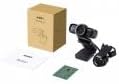
Image 1: Contents of the AUKEY PC-LM3 Webcam package, showing the webcam, manual, and packaging.
4. Ngwaahịa gafereview
The AUKEY PC-LM3 is a 1080p USB 2.0 webcam designed for high-quality video communication and recording. It features a CMOS sensor and 5x optical zoom capability, providing clear and detailed visuals.
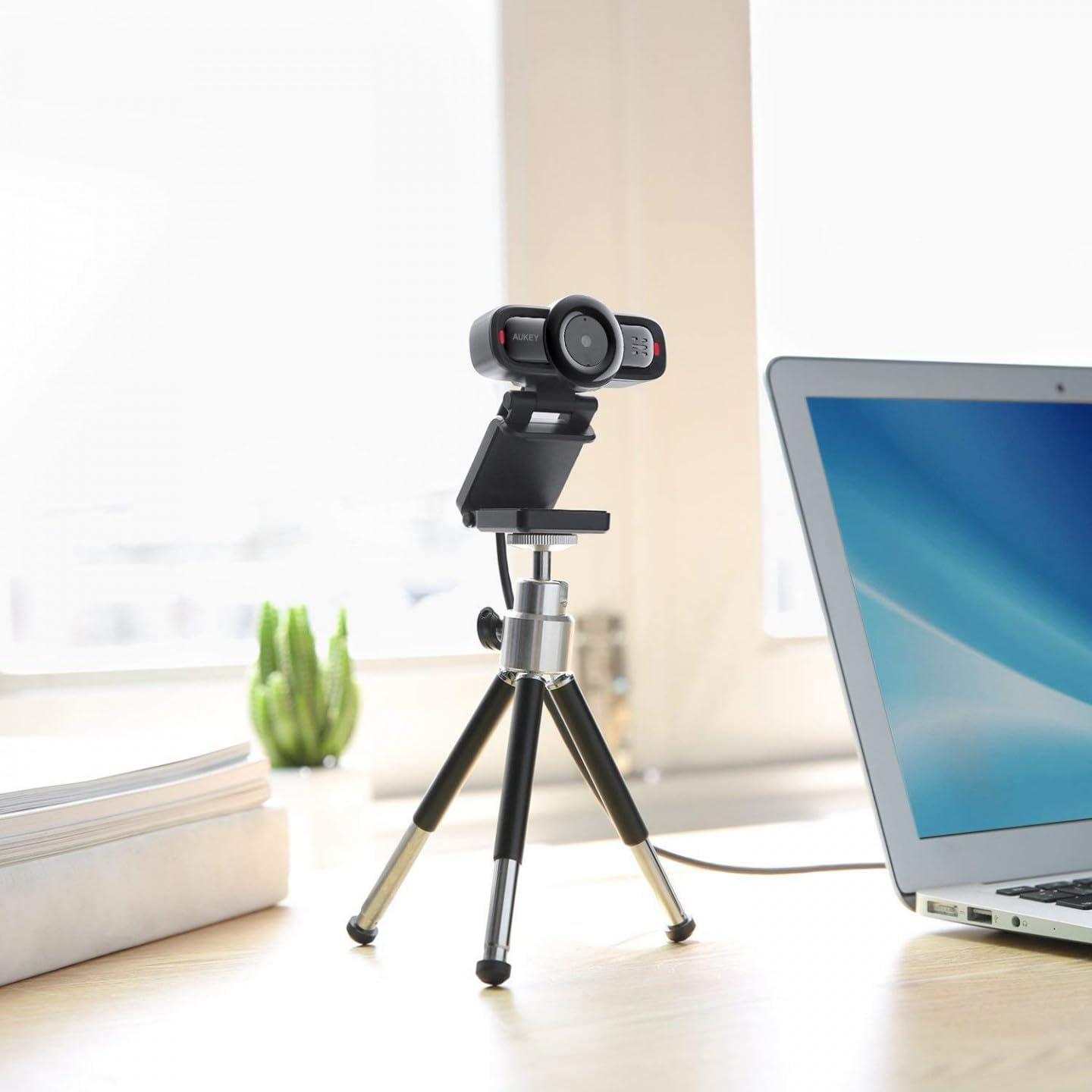
Image 2: AUKEY PC-LM3 Webcam in use, demonstrating its compact design and mounting flexibility on a tripod.
Akụkụ ndị bụ isi:
- Full HD 1080p video recording
- CMOS sensor for clear images
- USB 2.0 connectivity for universal compatibility
- 5x optical zoom for detailed framing
- Integrated microphone for audio capture
- Adjustable clip for versatile mounting options
5. Nhazi
5.1 Placing the Webcam
- Na nlekota oru: Unfold the clip and place the webcam on top of your monitor or laptop screen. Adjust the clip to secure it firmly.
- Na Tripod: Nke webcam features a standard tripod thread. Mount it onto a compatible tripod for more flexible positioning.
- N'elu ala dị larịị: Fold the clip to form a stable stand and place the webcam n'elu tebụl ma ọ bụ ebe dị larịị ọzọ.
5.2 Ijikọ na Kọmputa Gị
- Jikọọ eriri USB njikọ webbanye n'ime ọdụ USB 2.0 ma ọ bụ 3.0 dị na kọmputa gị.
- Kọmputa gị kwesịrị ịchọpụta ma wụnye draịva dị mkpa na akpaghị aka. Usoro a nwere ike were obere oge.
- Ozugbo arụnyere, na webcam will be ready for use with video conferencing software or recording applications.
Mara: No additional software or drivers are typically required for Windows, macOS, or Linux operating systems.
6. Ịrụ ọrụ Webcam
6.1 Iji Ngwanrọ Nzukọ Vidiyo
To use the AUKEY PC-LM3 webcam with applications like Zoom, Skype, Microsoft Teams, or Google Meet:
- Mepee ngwa nzụkọ vidiyo masịrị gị.
- Navigate to the application's settings or preferences (usually found under "Audio & Video" or "Devices").
- Select "AUKEY PC-LM3" as your video input device.
- Select "AUKEY PC-LM3 Microphone" (or similar) as your audio input device, if applicable.
- Adjust any video settings such as resolution or brightness within the application if available.
6.2 Vidiyo ndekọ
To record video using the webcam, use your computer's built-in camera application (e.g., Camera app on Windows, Photo Booth on macOS) or third-party recording software. Ensure the AUKEY PC-LM3 is selected as the video source.
6.3 Optical Zoom
Nke webcam features 5x optical zoom. This function is typically controlled via software. Check your video conferencing or recording application for zoom controls. If not available, third-party webcam control software may offer this functionality.
7. Nlekọta
7.1 Na-ehicha ihe Webcam
- Gbaa mbọ hụ na webA na-ewepụ cam na kọmputa gị tupu ị hichaa ya.
- Use a soft, lint-free cloth to gently wipe the lens and body of the webcam.
- For stubborn smudges on the lens, slightly dampen the cloth with water or a lens cleaning solution, then wipe gently. Avoid excessive moisture.
- Ejila kemịkalụ siri ike, ihe nhicha ihe na-eme ka ihe dị nro, ma ọ bụ ihe mgbaze.
7.2 Nchekwa
Mgbe anaghị eji, chekwaa ụlọ ahịa webcam in a cool, dry place, away from direct sunlight and dust. Consider using a privacy cover (if included or purchased separately) to protect the lens and ensure privacy.
8. Nchọpụta nsogbu
| Nsogbu | Ngwọta |
|---|---|
| Webkọmputa ahụghị cam ahụ. |
|
| Enweghị mmepụta vidiyo. |
|
| Ogo vidiyo na-adịghị mma. |
|
9. Nkọwapụta
| Njirimara | Nkọwa |
|---|---|
| Nlereanya | PC-LM3 |
| Mkpebi vidiyo | 1920 x 1080 pikselụ (1080p) |
| Ihe Nchịkwa Ihe Nchịkwa | CMOS |
| Njikọta | USB 2.0 |
| Mbugharị anya | 5x |
| Usoro Nseta vidiyo | MP4, AVI |
| Ụdị ọdịyo akwadoro | AAC, MP3 |
| Akụkụ (L x W x H) | 7.7 x 7.2 x 4.6 cm |
| Ibu | 130 grams |
| Agba | Nwa |
10. Akwụkwọ ikike na nkwado ndị ahịa
AUKEY products are covered by a limited warranty from the date of purchase. For specific warranty terms and conditions, please refer to the warranty card included with your product or visit the official AUKEY websaịtị.
If you encounter any issues or have questions regarding your AUKEY PC-LM3 Webcam, please contact AUKEY customer support for assistance. Contact information can typically be found on the official AUKEY websaịtị ma ọ bụ na kaadị akwụkwọ ikike.