
FITNATE HS0335KSB
FITNATE Smart Fingerprint Door Knob Instruction Manual
Model: HS0335KSB | Brand: FITNATE
1. Okwu mmalite
This manual provides comprehensive instructions for the installation, operation, and maintenance of your FITNATE Smart Fingerprint Door Knob. Please read this manual thoroughly before installation and use to ensure proper function and safety.
2. Ozi nchekwa
- Do not attempt to disassemble or repair the lock yourself. This may void the warranty and cause damage.
- Use only specified batteries (4 x LR6 / 1.5V AA alkaline batteries). Incorrect battery installation can lead to malfunction.
- Keep mechanical keys in a safe place outside the premises.
- Avoid exposing the lock to direct sunlight or rain for prolonged periods.
- Ensure the door is properly aligned and closes smoothly before installation.
3. Ihe ngwugwu
Chọpụta na akụrụngwa niile dị tupu ịmalite nrụnye:
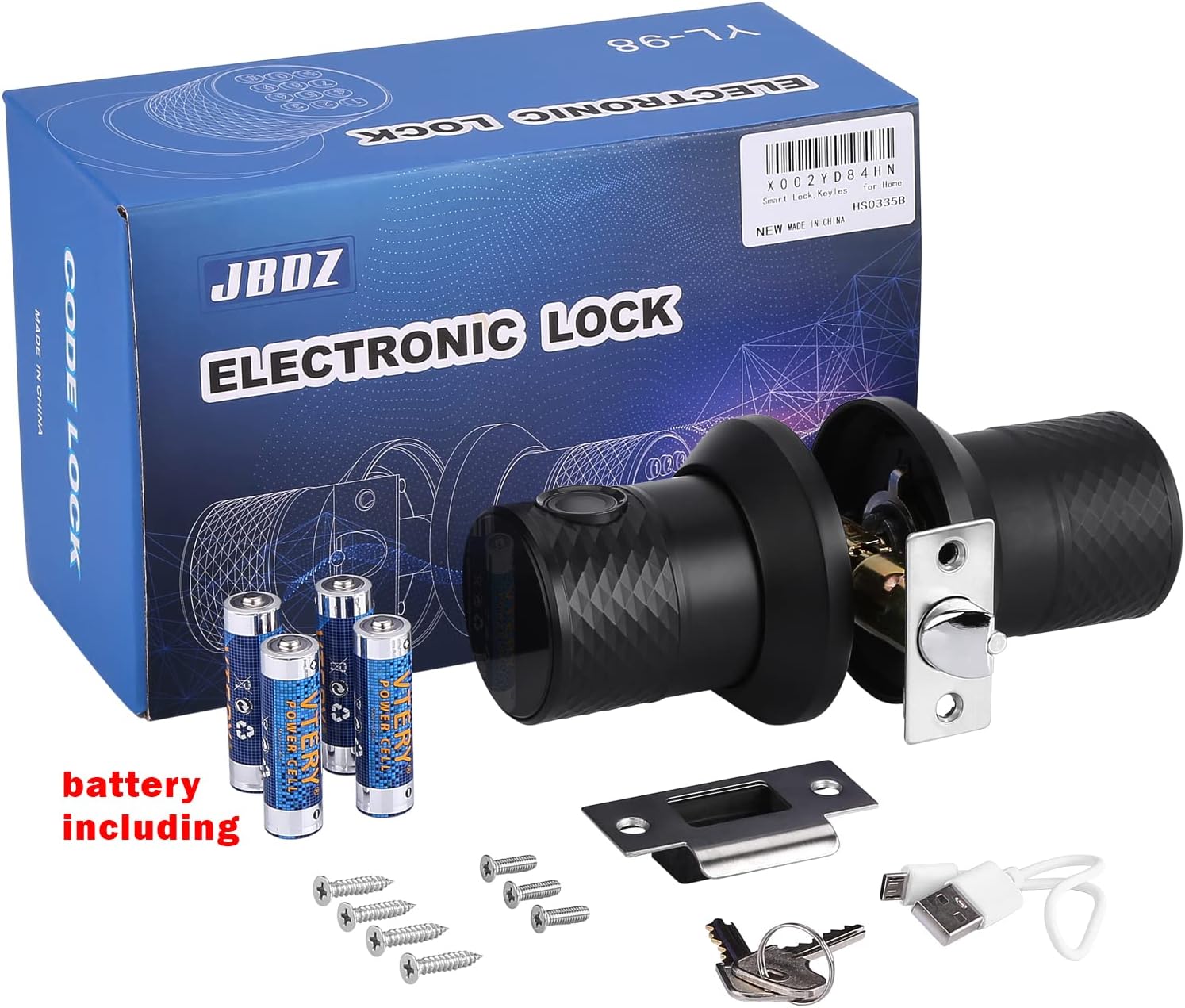
Nkọwa onyonyo: An image displaying the complete package contents of the FITNATE Smart Fingerprint Door Knob. This includes the main door knob unit with keypad and fingerprint sensor, the interior knob, a latch mechanism, mounting screws, two mechanical keys, and a USB charging cable for emergency power.
- Exterior Door Knob with Keypad and Fingerprint Sensor
- Mkpọchi ọnụ ụzọ ime
- Latch Mechanism
- Efere efere
- Ịkwanye kposara
- Igodo Mekaniki (2)
- USB Emergency Power Cable
- Template nwụnye
4. Ngwaahịa gafereview
The FITNATE Smart Fingerprint Door Knob offers multiple access methods for enhanced security and convenience.
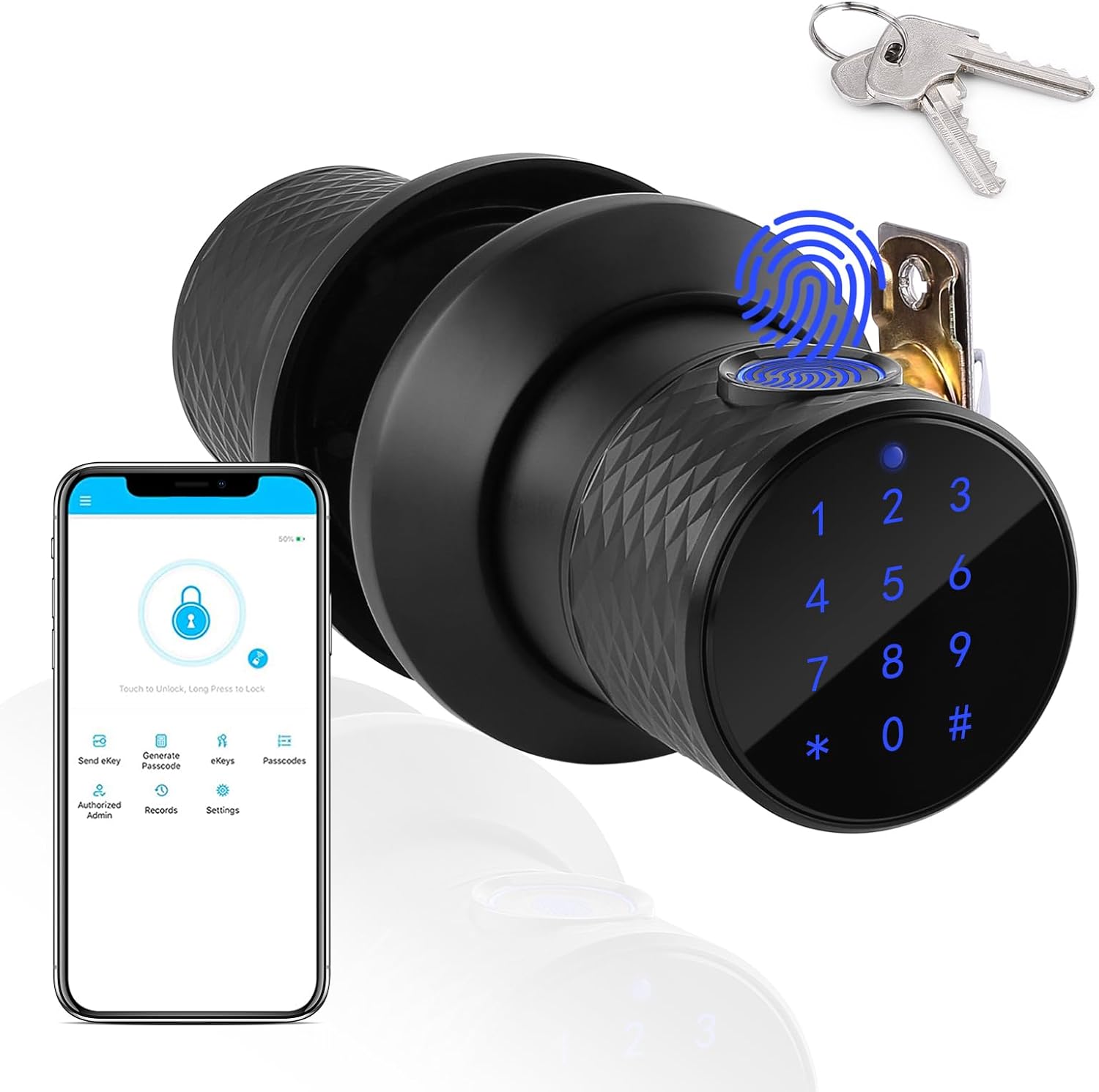
Nkọwa onyonyo: A black smart door knob with a digital keypad and fingerprint sensor, shown alongside a smartphone displaying the Tuya app interface and a set of mechanical keys. This illustrates the multiple unlocking methods available.
- Mkpisiaka mmetụta: For quick and secure biometric access.
- Igodo: For password entry. Features a touchable blue backlight for visibility in low light.
- Igodo igwe: Traditional backup access.
- Tuya App Control: Bluetooth connectivity for remote management, unlocking, and access record viewing.

Nkọwa onyonyo: A diagram showing the dimensions of the FITNATE Smart Fingerprint Door Knob. Key measurements include a knob diameter of 3.15 inches and suitability for door thicknesses between 1.26 to 1.89 inches.
5. Ntọala na nwụnye
Follow these steps carefully for proper installation. A screwdriver is required.
Nkọwa vidiyo: An animated instructional video demonstrating the step-by-step installation process of the smart fingerprint door knob. It covers marking the door, drilling holes, installing the latch, and assembling the interior and exterior knob components, including battery installation.
5.1. Kwadebe Ọnụ ụzọ
- Mark Door: Using the provided template, mark the hole on both sides of the door at the required backset. Then, mark the latch hole on the door edge.
- Oghere egwu egwu: Bore a 2.13-inch hole on the door face. Then drill a 0.98-inch hole in the door edge to intersect with the center of the 2.13-inch hole. Mara: Drill the 2.13-inch hole from both sides of the door to prevent wood splintering.
5.2. Wụnye Latch na Strike Plate
- Wụnye Latch: Insert the latch into the hole and mark a line around the edge of the latch plate. Remove the latch. Chisel approximately 0.12 inches deep or until the latch plate sits flush with the door edge. Re-insert the latch, then drill 0.08 x 0.12-inch holes for mounting screws and fasten the latch.
- Wụnye Strike: Close the door and mark the horizontal center of the latch on the door frame. Mark a vertical line where the door edge meets the frame and measure in half of the door thickness to find the vertical center. Extend both lines until they intersect and drill a 0.98-inch hole to 0.59 inches in depth. Position the strike plate and mark around its edge. Chisel the frame to approximately 0.06 inches in depth or until the strike sits flush. Drill 0.08 x 0.12-inch screw holes and fix the strike to the frame.
5.3. Assemble the Lock
- Install Outside Knob: Na-enye eriri ọkụ site na eriri ma duzie spindle ahụ ruo mgbe rose dị n'èzí nọdụrụ ala.
- Install Inside Knob: Feed the power cable through the hole in the knob and guide the spindle into the handle. Screw the inside knob to the outside knob using mounting screws.
- Wụnye batrị: Install 4 pieces of LR6 / 1.5V AA alkaline batteries into the battery box. Install the + / - batteries in strict accordance with the arrow shown in the figure. Incorrect battery installation will prevent the product from working and may cause damage.
- Jikọọ eriri ọkụ: Plug the power cord into the power socket. Recycle any excess power cord into the hole. Install the battery cover in the correct orientation and fasten with 2 mounting screws.
5.4. Ule Mmalite
After installation, perform an initial test:
- Input the default password (e.g., 0123#) to prompt a sound and turn the knob to verify that the unlocking mechanism functions normally.
6. Ntuziaka ọrụ
6.1. Ụzọ mmeghe
- Mkpọghe mkpịsị aka: Place your registered finger on the sensor. The lock will unlock if the fingerprint is recognized.

Nkọwa onyonyo: A hand pressing a finger onto the fingerprint sensor of the smart door knob, indicating the biometric unlock feature.
- Kpọghe okwuntughe: Enter your registered password on the backlit keypad followed by '#'.

Nkọwa onyonyo: A close-up of the smart door knob's digital keypad with a blue backlight, showing the numbers 1-9, 0, *, and #, ready for password input.
- Igodo igwe: Insert the mechanical key into the keyhole and turn to unlock. This is for emergency access.
- Tuya App Control: Use the Tuya Smart app on your smartphone to unlock the door via Bluetooth.

Nkọwa onyonyo: A smartphone displaying the Tuya app interface, showing options for voice control, app unlock, and one-time password generation, alongside images of an Amazon Echo and Echo Dot, indicating smart home integration.
6.2. User Management (via Tuya App)
The Tuya Smart app allows for comprehensive user management:

Nkọwa onyonyo: An illustration showing the smart door knob installed on a door, with dotted lines connecting it to four different user profiles (George, Paul, Elaine, Susan), indicating the ability to set up multiple user passwords.
- Tinye Mkpịsị Aka: Follow the in-app instructions to register new fingerprints. The lock can store up to 255 user fingerprints.
- Add Passwords: Create and manage passwords for different users. Maximum length is up to 10 digits.
- Generate Temporary Passcodes: Share temporary access with guests or service providers.
- View Access Records: Monitor unlocking and wrong passcode attempts in real-time.
6.3. Mkpọchi akpaaka
The electronic door knob features an automatic locking retractor. It will automatically lock approximately 3 seconds after being opened.
7. Nlekọta
- Ngbanwe batrị: When the battery is low, the lock will alarm. Replace all four AA alkaline batteries promptly. Ensure correct polarity.

Nkọwa onyonyo: The smart door knob installed on a door, with an icon indicating a low battery alarm and a USB cable for emergency charging. Mechanical keys are also shown as a backup.
- Ike Mberede: If batteries die completely, use the provided USB charging cable to temporarily power the lock for access.
- Nhicha: Wipe the lock surface with a soft, dry cloth. Avoid abrasive cleaners or solvents.
8. Nchọpụta nsogbu
| Nsogbu | Ihe nwere ike ime | Ngwọta |
|---|---|---|
| Mkpọchi anaghị aza. | Batrị nwụrụ anwụ. | Replace batteries or use emergency USB power. |
| Achọpụtaghị akara mkpịsị aka. | Finger is wet/dirty, or not properly registered. | Ensure finger is clean and dry. Re-register fingerprint if necessary. |
| Password not working. | Incorrect password entered, or password not registered. | Verify password. Re-register password via Tuya App. |
| Door does not lock/unlock smoothly. | Nhazi nke ihe mkpọchi ma ọ bụ etiti ọnụ ụzọ adịghị mma. | Check installation for proper alignment of latch and strike plate. |
9. Nkọwapụta
| Njirimara | Nkọwa |
|---|---|
| Ụdị | FITNATE |
| Aha Nlereanya | Door Knob (HS0335KSB) |
| Ụdị mkpọchi | Combination Lock, Deadbolt, Keypad |
| Mepee ụzọ | Fingerprint, Password, Mechanical Key, Tuya App (Bluetooth) |
| Ihe onwunwe | Metal (Handle: Glass, Stainless Steel) |
| Agba | Nwa |
| Akụkụ (L x W x H) | 8.7 x 5.5 x 4 sentimita asatọ |
| Ibu Ibu | 2.68 pound |
| Ndakọrịta oke ọnụ ụzọ | 1.26 ~ 1.89 sentimita asatọ |
| Ụdị batrị | 4 x LR6 / 1.5V AA Alkaline Batteries (included) |
| Njikọta | Bluetooth |
| Ụdị njikwa | Amazon Alexa (via Tuya App integration) |
10. Akwụkwọ ikike na nkwado
For warranty information and technical support, please refer to the product packaging or contact FITNATE customer service directly. Keep your purchase receipt for warranty claims.
Online resources and FAQs may be available on the official FITNATE websaịtị.
Ask a question about this manual
Ask about setup, troubleshooting, compatibility, parts, safety, or missing instructions. Manuals+ will review the question and use this page’s manual context to help answer it.