
1. Okwu mmalite
Daalụ maka ịzụrụasing the EARISE D61 Plus Bluetooth Speaker. This manual provides important information regarding the safe operation, setup, and maintenance of your device. Please read it thoroughly before use and retain it for future reference.

Image 1.1: The EARISE D61 Plus Bluetooth Speaker, showcasing its portable design and integrated RGB lighting.
2. Ozi nchekwa dị mkpa
- Do not expose the speaker to water or excessive moisture, as it is not waterproof.
- Avoid extreme temperatures, direct sunlight, or heat sources.
- Do not disassemble, repair, or modify the device. Refer all servicing to qualified personnel.
- Jiri naanị eriri nchaji akọwapụtara yana nkwụnye ọkụ.
- Debe ọkà okwu n'ebe ụmụaka nọ na anụ ụlọ.
- Do not operate the speaker at excessively high volumes for prolonged periods to prevent hearing damage.
3. Ihe ngwugwu
Biko lelee ngwungwu maka ihe ndị a:
- EARISE D61 Plus Bluetooth Speaker
- Igwe nchaji USB
- Akwụkwọ ntuziaka (akwụkwọ a)
Ọ bụrụ na ihe ọ bụla efuo ma ọ bụ mebie, biko kpọtụrụ ndị ọrụ nkwado ndị ahịa.
4. Ngwaahịa gafereview
Mara onwe gị na akụkụ na njikwa ọkà okwu.
Foto 4.1: N'ihu view of the EARISE D61 Plus speaker, highlighting the control panel and speaker grille.
4.1 Ogwe njikwa na ọdụ ụgbọ mmiri

Image 4.2: Diagram illustrating the various input options and features of the speaker, including USB, TF card, AUX, Microphone, Bluetooth, and FM radio.
- MODE/LIGHT Button: Short press to switch between input modes (Bluetooth, AUX, USB, TF, FM). Long press to change light effects.
- M-/V- Button: Short press for previous track (in music modes) or previous station (in FM mode). Long press to decrease volume.
- MSCAN/TWS Button: Short press to Play/Pause (in music modes) or auto-scan FM stations (in FM mode). Long press to activate TWS pairing.
- M+/V+ Button: Short press for next track (in music modes) or next station (in FM mode). Long press to increase volume.
- Ọdụ ụgbọ mmiri USB: Maka ịkpọghachi draịva flash USB.
- Oghere TF Kaadị: Maka ịkpọghachi kaadị TF (MicroSD).
- Ntinye AUX: Maka ijikọ ngwaọrụ ọdịyo mpụga site na eriri ọdịyo 3.5mm.
- Ntinye MIC: Maka ijikọ igwe okwu.
- Nchaji ọdụ ụgbọ mmiri: Maka ịchaji batrị ime igwe okwu.
5. Nhazi
5.1 Ịchaji ọkà okwu
Before first use, fully charge the speaker. Connect the provided USB charging cable to the speaker's charging port and the other end to a USB power adapter (not included) or a computer's USB port. The charging indicator will illuminate during charging and turn off when fully charged.

Image 5.1: Visual representation of the speaker being charged, indicating battery status.
5.2 Gbanyụọ/ gbanyụọ
Press and hold the Power button (often integrated with the MODE button or a separate switch, refer to physical device for exact location) to turn the speaker ON or OFF. A sound prompt will indicate the power status.
5.3 Njikọ Bluetooth
- Ensure the speaker is powered on and in Bluetooth mode (indicated by a voice prompt or flashing LED). If not, short press the MODE/LIGHT button to switch to Bluetooth mode.
- Kwado Bluetooth na ngwaọrụ mkpanaka gị (smartphone, tabletị, wdg).
- Chọọ maka available Bluetooth devices. You should see "EARISE D61 Plus" in the list.
- Select "EARISE D61 Plus" to connect. Once paired, a confirmation sound will be heard.
- The speaker will automatically reconnect to the last paired device when in Bluetooth mode, if the device is within range and Bluetooth is enabled.
Njikọta 5.4 TWS (Ezigbo Stereo Wireless)
To achieve stereo sound, you can pair two EARISE D61 Plus speakers together.

Image 5.2: Illustration of two EARISE D61 Plus speakers connected via TWS for a stereo audio experience, controlled by a single smartphone.
- Ensure both EARISE D61 Plus speakers are powered on and in Bluetooth mode, but not yet connected to any device.
- On one of the speakers (this will be the primary speaker), long press the MSCAN/TWS button. You will hear a prompt indicating TWS pairing mode.
- Ndị ọkà okwu abụọ ahụ ga-achọ ma jikọọ onwe ha na akpaghị aka. Ụda nkwenye ga-egosi njikọ TWS na-aga nke ọma.
- Once paired, the primary speaker will be ready for Bluetooth connection to your mobile device. Follow the steps in "5.3 Bluetooth Pairing" to connect your device to the primary speaker.
- Audio ga-akpọzi na stereo site na ndị ọkà okwu abụọ ahụ.
- To disconnect TWS, long press the MSCAN/TWS button on either speaker.
6. Ntuziaka ọrụ
6.1 Nhọrọ ọnọdụ
Mkpirisi pịa ỤZỌ/ÌH L button to cycle through available input modes: Bluetooth, AUX, USB, TF Card, FM Radio.
6.2 Audio Playback (Bluetooth, USB, TF Card, AUX)
- Gwuo/kwụsịtụ: Mkpirisi pịa MSCAN/TWS bọtịnụ.
- Track na-esote: Mkpirisi pịa M+/V+ bọtịnụ.
- Gara aga Track: Mkpirisi pịa M-/V- bọtịnụ.
- Olu elu: Pịa ogologo M+/V+ bọtịnụ.
- Olu ala: Pịa ogologo M-/V- bọtịnụ.
6.3 FM Redio arụ ọrụ
- Jiri nke ahụ gbanwee gaa na ọnọdụ FM ỤZỌ/ÌH L bọtịnụ.
- Mkpirisi pịa MSCAN/TWS button to automatically scan and save available FM stations. The speaker will play the first saved station.
- Obere pịa M+/V+ or M-/V- iji agagharị n'etiti ọdụ echekwara.
6.4 RGB Light Effects
The speaker features dynamic RGB lighting. Long press the ỤZỌ/ÌH L button to cycle through different light modes or turn the lights off.
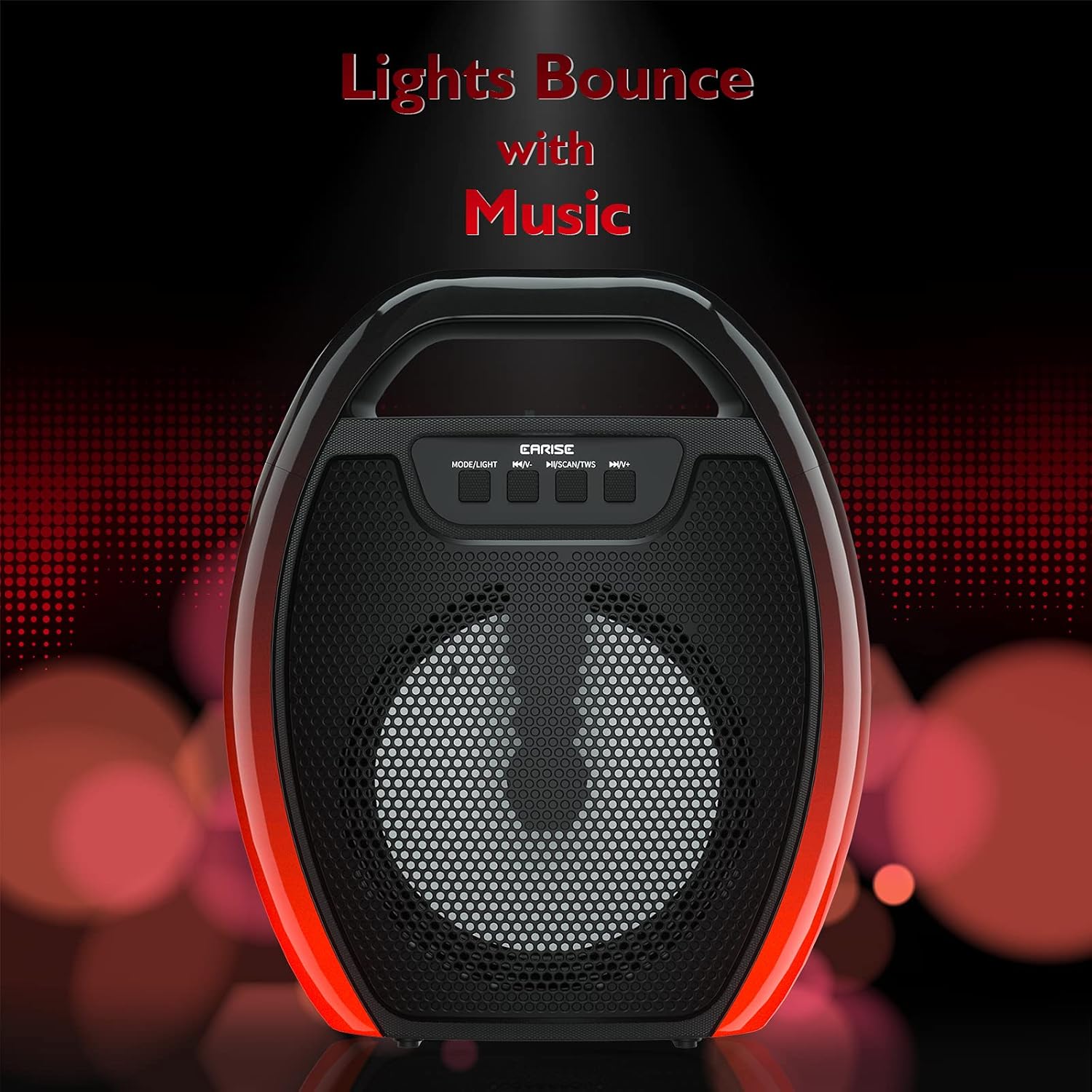
Image 6.1: The speaker displaying its light effects, which can synchronize with music playback.
6.5 Ntinye igwe okwu
Connect a wired microphone (not included) to the MIC input port for karaoke or public address functions. Adjust the microphone volume using the connected microphone's controls or the speaker's main volume controls.
7. Nlekọta
- Nhicha: Use a soft, dry cloth to clean the speaker. Do not use liquid cleaners or aerosols.
- Nchekwa: Chekwaa ọkà okwu n'ebe dị jụụ, kpọrọ nkụ na-adịghị na ìhè anyanwụ kpọmkwem na oke okpomọkụ.
- Nlekọta batrị: To prolong battery life, fully charge the speaker before long periods of inactivity and recharge it at least once every three months. Avoid completely draining the battery frequently.
8. Nchọpụta nsogbu
| Nsogbu | Ihe nwere ike ime | Ngwọta |
|---|---|---|
| Ọkà okwu anaghị agba ọkụ. | Batrị dị ala; Apịghị bọtịnụ ike nke ọma. | Charge the speaker; Press and hold the Power button for a few seconds. |
| Enweghị ike ijikọ site na Bluetooth. | Speaker not in pairing mode; Device Bluetooth off; Speaker too far from device; Already connected to another device. | Ensure speaker is in Bluetooth pairing mode; Turn on Bluetooth on your device; Move device closer to speaker; Disconnect from other devices. |
| Enweghị ụda. | Olu dị oke ala; Ụdị ntinye ezighi ezi; Ngwaọrụ anaghị akpọ ọdịyo. | Increase speaker and device volume; Switch to correct input mode (Bluetooth, AUX, etc.); Ensure audio is playing on your device. |
| Njikota TWS ada ada. | Speakers too far apart; One speaker already paired to a device; Not in TWS pairing mode. | Ensure speakers are close; Disconnect both speakers from any devices; Long press MSCAN/TWS on one speaker to initiate TWS pairing. |
| Ọkụ RGB anaghị arụ ọrụ. | Lights turned off; Malfunction. | Long press MODE/LIGHT button to cycle through light modes; If issue persists, contact support. |
9. Nkọwapụta
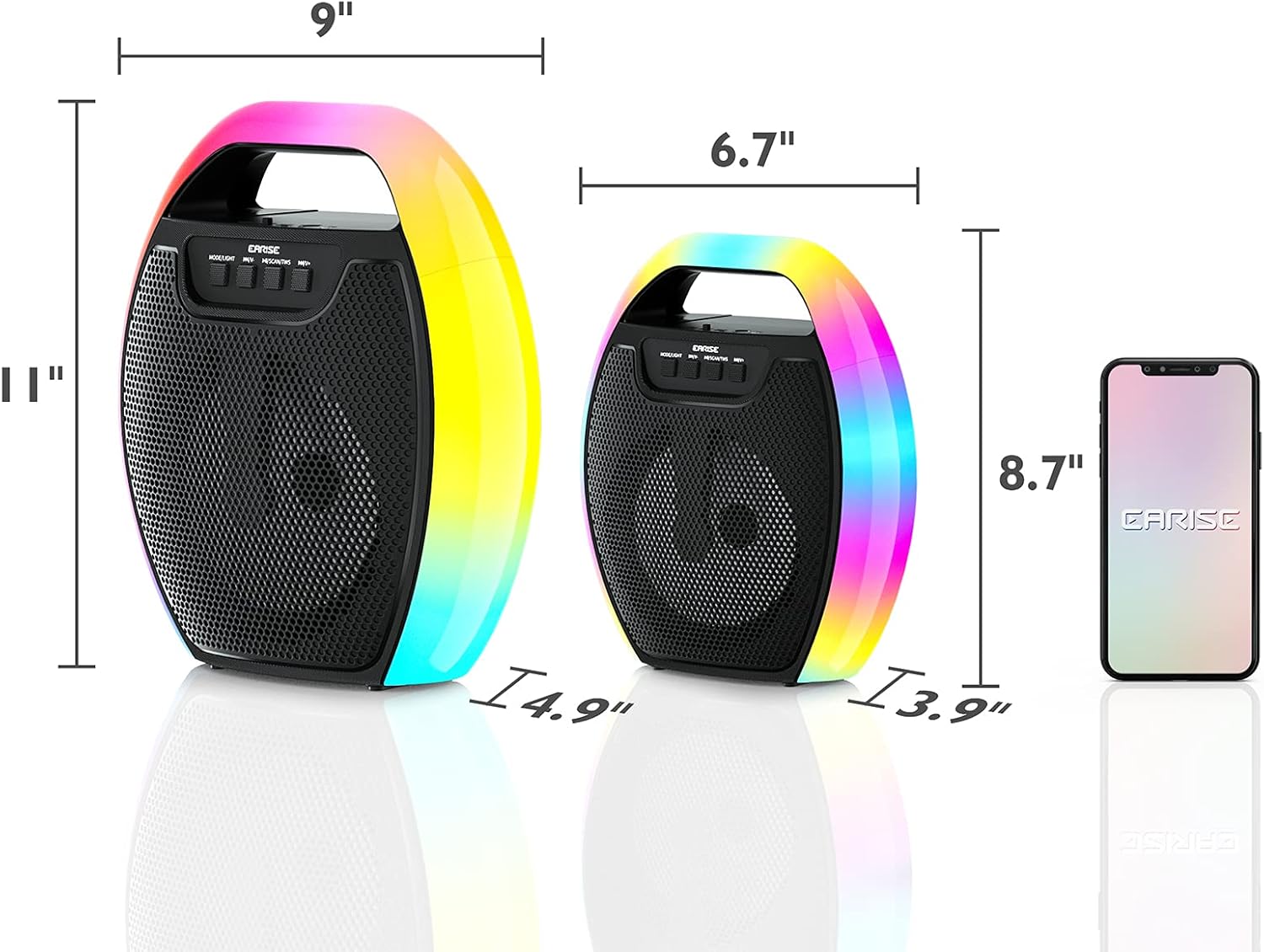
Image 9.1: Product dimensions of the EARISE D61 Plus speaker.
| Njirimara | Nkọwa |
|---|---|
| Aha Nlereanya | D61 gbakwunyere |
| Ụdị | ỤLỌ |
| Teknụzụ Njikọta | Bluetooth, Auxiliary (3.5mm), USB, TF Card, FM Radio |
| Ọnọdụ mmepụta ọdịyo | Stereo (nwere TWS) |
| Ụdị Ọkà Okwu | Ọkà okwu dị n'èzí enwere ike ibugharị |
| Nha Ọkà Okwu | 4 sentimita asatọ |
| Isi Iyi Ike | Akwanyere batrị |
| Ndụ batrị | Up to 12 Hours (actual playtime varies with volume and light usage) |
| Waterproof | Mba |
| Akụkụ ngwaahịa | 9 x 5 x 11 sentimita (L x W x H) |
| Ibu Ibu | 2.28 pound |
| Atụmatụ pụrụ iche | RGB Lights, TWS Pairing, Portable |
10. Akwụkwọ ikike na nkwado
EARISE products are designed and manufactured to the highest quality standards. For information regarding warranty coverage, technical support, or service inquiries, please refer to the warranty card included with your purchase or visit the official EARISE websaịtị.
Biko dowe ihe akaebe nke ịzụrụ ihe maka akwụkwọ ikike.