
Okwu mmalite
Thank you for choosing the BRPOM BM500-ES Car Jump Starter. This device is a portable, high-capacity power bank designed to jump start vehicles with 12V batteries, and also functions as a power source for electronic devices, an emergency flashlight, and includes additional safety features. Please read this manual thoroughly before use to ensure proper operation and safety.
Ntuziaka nchekwa
Always observe the following safety precautions when using the BRPOM BM500-ES Car Jump Starter:
- Emela ekwe ka uhie na oji clamps to touch each other, as this may cause sparks, short circuits, or damage.
- Emela jump start a vehicle if the battery voltage n'okpuru 10V.
- Emela attempt to jump start a vehicle if the jump starter's battery level is below 20%.
- Emela use the jump starter to charge vehicle batteries. It is designed for jump starting only.
- Emela expose the product to extreme temperatures (above 60°C or below -20°C), direct sunlight, or moisture.
- Emela disassemble, modify, or attempt to repair the unit yourself. Contact customer support for assistance.
- Debe ebe ụmụaka na-apụghị iru.
- Gbaa mbọ hụ na ikuku ikuku dị mma n'oge eji.
- Remove the jump starter from the vehicle battery within 30 seconds after the vehicle starts.
Ihe ngwugwu
Chọpụta na ihe niile dị na ngwugwu gị:
- BRPOM BM500-ES Car Jump Starter Unit
- Smart Jump Cables with Clamps
- USB-C eriri USB
- Akwụkwọ ntuziaka onye ọrụ
- Akpa nchekwa

Foto: All components of the BRPOM BM500-ES Car Jump Starter package, including the main unit, smart jump cables, USB charging cable, user manual, and a protective carrying case.
Ngwaahịa gafereview
Familiarize yourself with the components of your jump starter:
- Isi ngalaba: Contains the battery, control buttons, LED indicators, and various ports.
- Smart Jump Cables: Feature intelligent protection against reverse polarity, over-current, short-circuit, over-charge, and over-temperature. They have a connector that plugs into the jump starter and red/black clamps for the vehicle battery.
- Ọdụ Mbupụ USB: For charging mobile phones, tablets, and other USB-powered devices.
- Ọdụ ụgbọ mmiri USB-C: Maka ịchajighachi ihe mmalite mbuli elu.
- Igwe ọkụ ọkụ LED: Integrated light with multiple modes (steady, strobe, SOS).
- Emergency Hammer: A hardened tip for breaking glass in emergencies.
- Kompas: Integrated for navigation assistance.

Foto: A nso-elu view of the red and black smart jump cables, highlighting their robust construction and safety features.
Setup: Charging the Jump Starter
Before first use, fully charge the jump starter. It is recommended to recharge the unit every 3-6 months to maintain battery health, even if not used.
- Connect the provided USB-C charging cable to the USB-C input port on the jump starter.
- Connect the other end of the USB-C cable to a 5V/2A or higher USB wall adapter (not included).
- The LED indicators on the jump starter will illuminate and flash to show the charging progress. All LEDs will be solid when fully charged.

Foto: The BRPOM BM500-ES jump starter connected to a wall adapter via its USB-C port for recharging. The LED indicators show charging status.
Ntuziaka Ọrụ: Ịwụlikwa Malite Ụgbọala
Follow these steps carefully to jump start your vehicle:
- Ensure the jump starter is at least 20% charged.
- Turn off your vehicle's ignition and all accessories (lights, radio, AC).
- Connect the blue end of the smart jump cables to the jump starter's 12V output port. Ensure a firm connection.
- Attach the red positive (+) clamp gaa na njedebe (+) dị mma nke batrị ụgbọ ala gị.
- Attach the black negative (-) clamp gaa na njedebe (-) na-adịghị mma nke batrị ụgbọ ala gị.
- Check the indicator light on the smart jump cable.
- Green siri ike: Connection is correct and safe. Proceed to start the vehicle.
- Solid Red with Beeping: Reverse polarity detected. Disconnect clamps and reattach correctly.
- Green na-egbuke egbuke: Batrị voltage is too low. Press the "BOOST" button on the smart cable if available, then start the vehicle within 30 seconds.
- Enweghị ọkụ: Check connections or if the vehicle battery is severely damaged.
- Once the indicator is solid green, start your vehicle's engine.
- After the engine starts, immediately remove the smart jump cables from the jump starter, then disconnect the black negative (-) clamp, followed by the red positive (+) clamp site na batrị ụgbọala.
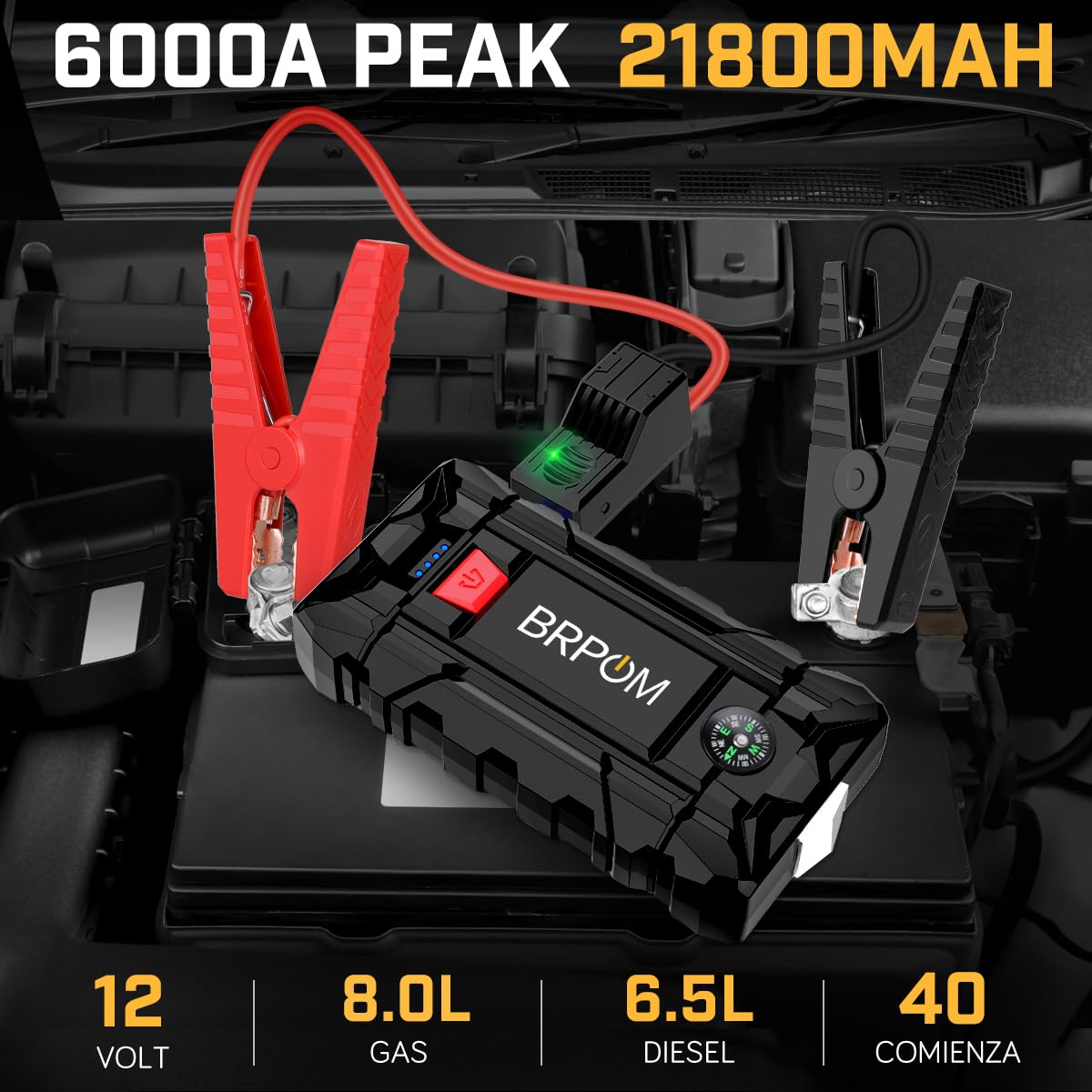
Foto: The BRPOM BM500-ES jump starter unit connected to a vehicle battery via its smart jump cables, ready for operation. The green indicator light on the cable connector is visible.
Ọrụ ndị ọzọ
Ọrụ Bank Power
The jump starter can charge your electronic devices:
- Connect your device's USB charging cable to one of the USB output ports on the jump starter.
- Ihe mmalite mbuli elu ga-amalite ịchaji ngwaọrụ gị na akpaghị aka.
- The unit features Quick Charge 3.0 technology for faster charging of compatible devices.

Foto: A BRPOM BM500-ES jump starter unit being used to charge a tablet via its USB output port, demonstrating its power bank capability.
Igwe ọkụ ọkụ LED
The integrated LED flashlight offers multiple modes:
- Press and hold the power button for 3 seconds to turn on the steady flashlight.
- Press the power button again to cycle through modes: Strobe, SOS, and Off.
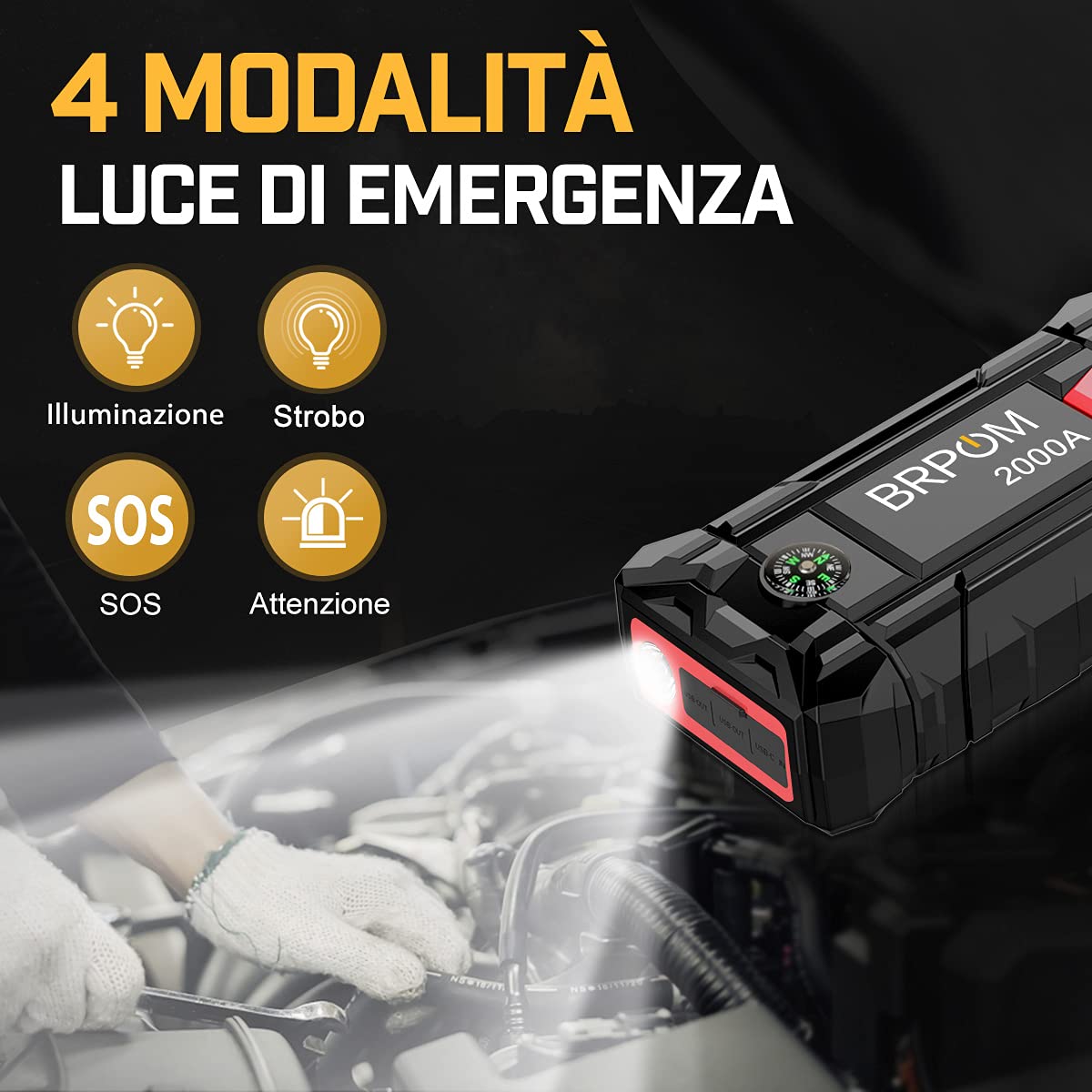
Foto: The BRPOM BM500-ES jump starter unit with its LED flashlight illuminated, demonstrating its various lighting modes including steady, strobe, and SOS.
Hama mberede
The jump starter includes a hardened tip for emergency glass breaking:
- In an emergency, use the pointed metal tip located on the side of the unit to break vehicle windows.
- Ịkpachara anya: Use only in genuine emergencies.
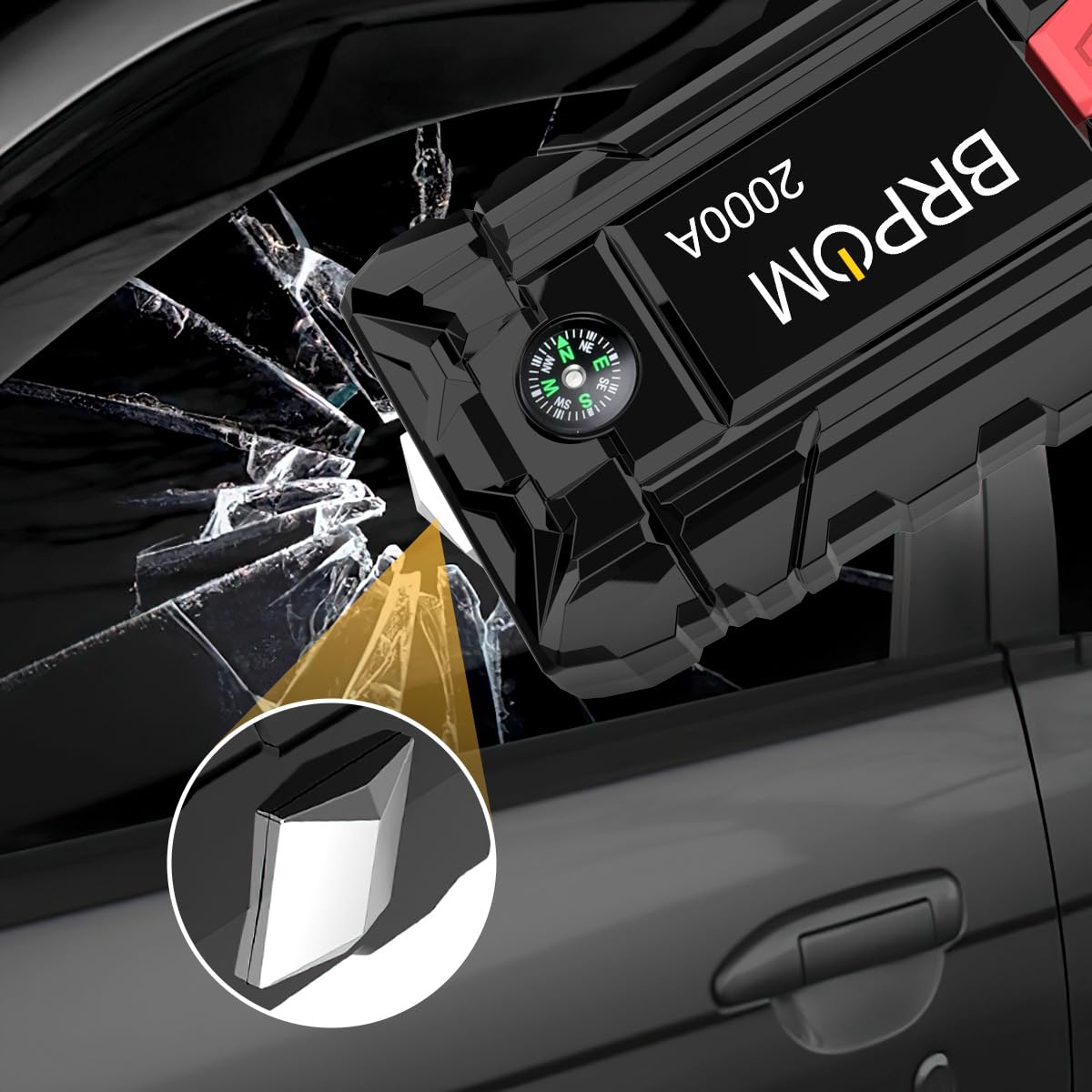
Foto: A close-up of the BRPOM BM500-ES jump starter unit highlighting its integrated emergency hammer feature, shown breaking a car window.
Kompas
A small compass is integrated into the unit for basic directional guidance.
Nlekọta na Nchekwa
- Store the jump starter in a cool, dry place, away from direct sunlight and moisture.
- Recharge the unit at least once every 3-6 months to prolong battery life, even if not used.
- Clean the unit with a soft, dry cloth. Do not use harsh chemicals or abrasive cleaners.
- Keep the smart jump cables clean and free of corrosion.
Nchọpụta nsogbu
| Nsogbu | Ihe nwere ike ime | Ngwọta |
|---|---|---|
| Jump starter does not turn on. | Ahapụla batrị kpamkpam. | Gbanye ihe mmalite ahụ nke ọma. |
| Ụgbọala anaghị amalite. | ezighi ezi clamp connection; Jump starter battery too low; Vehicle battery severely damaged. | Check smart cable indicator light and re-connect; Recharge jump starter; Consult a mechanic. |
| Smart cable indicator is red and beeping. | Reverse polarity (clamps connected incorrectly). | Kwupu njikọ clamps and reattach red to positive (+), black to negative (-). |
| Smart cable indicator is flashing green. | Ụgbọ ala batrị voltage dị oke ala. | Press the "BOOST" button on the smart cable (if present) and start the vehicle within 30 seconds. |
| Jump starter not charging devices. | Jump starter battery low; Incorrect cable. | Recharge jump starter; Ensure correct USB cable is used. |
Nkọwapụta
| Ụdị | BRPOM |
| Nlereanya | BM500-ES (Also referred to as BM1500, BM200-IT) |
| Mpụta kacha elu ugbu a | 2500 Amps (Product Title) / 2000 Amps (Nkọwapụta) |
| Ike batrị | 15800mAh |
| Ngwakọta cell batrị | Lithium polymer |
| Voltage | 12 volts |
| Ndakọrịta nke igwe | Ruo 7.0L gas ma ọ bụ 5.5L mmanụ dizel |
| Akụkụ ngwaahịa | 10.2D x 17.8W x 12.7H centimita |
| Ibu Ibu | 970 g |
| UPC | 725423034080 |
Mara: Nkọwapụta ga-agbanwe na-enweghị ọkwa.
Akwụkwọ ikike na nkwado
For warranty information and customer support, please refer to the documentation included with your product or visit the official BRPOM websaịtị. Debe nnata nzụta gị dị ka ihe akaebe nke ịzụrụ maka nkwupụta ikike.
If you encounter any issues not covered in this manual, please contact BRPOM customer service for assistance.