
Okwu mmalite
Thank you for choosing the Soul S-GEAR Wireless Bluetooth Earbuds. These earbuds are designed to provide a high-quality audio experience with the convenience of wireless connectivity, active noise cancellation, and a comfortable in-ear fit. Featuring Bluetooth 5.0, IPX4 water resistance, and a long-lasting battery with fast charging, the S-GEAR earbuds are perfect for daily use.
Please read this manual carefully before using your earbuds to ensure proper operation and to maximize their lifespan.
Ihe ngwugwu
- Soul S-GEAR Wireless Earbuds (Left and Right)
- Nchaji case
- USB-C eriri USB
- Ọnụ ọgụgụ dị ukwuu nke ndụmọdụ ntị
- Akwụkwọ ntuziaka onye ọrụ
Ngwaahịa gafereview
Familiarize yourself with the components of your Soul S-GEAR earbuds and charging case.
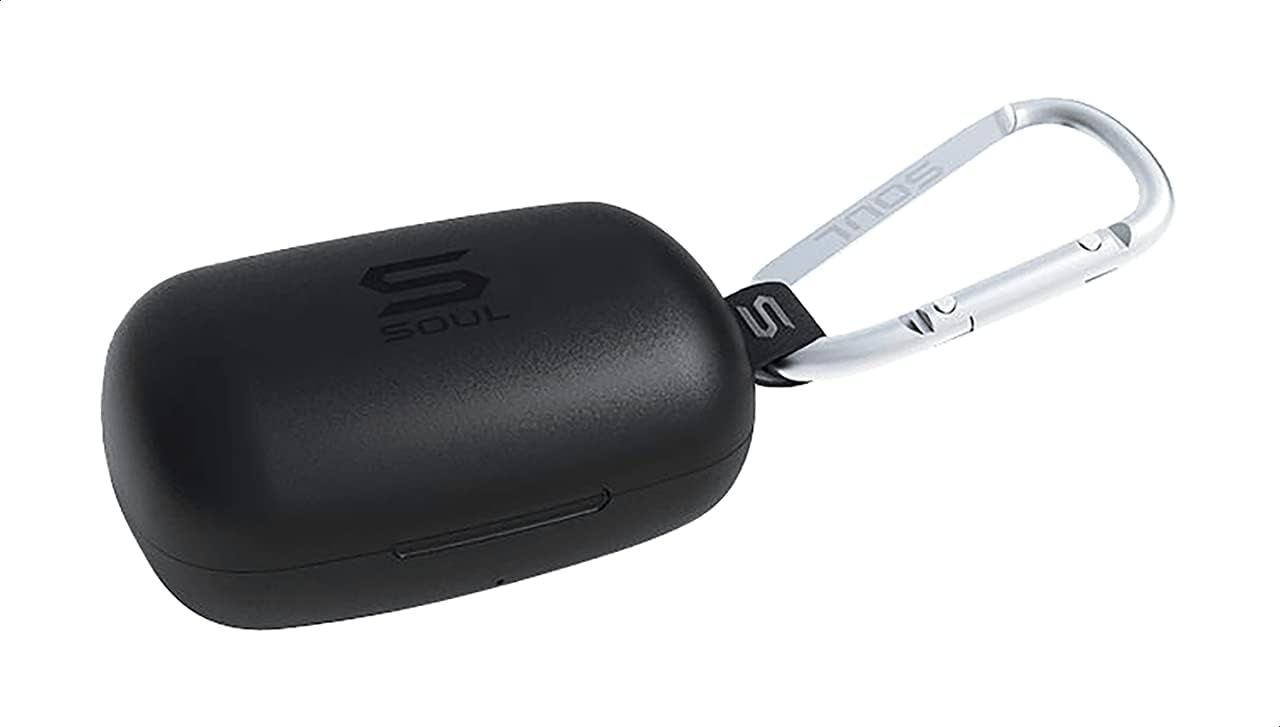
Foto 1: The Soul S-GEAR charging case in black, with the Soul logo visible. A carabiner clip is attached for portability.
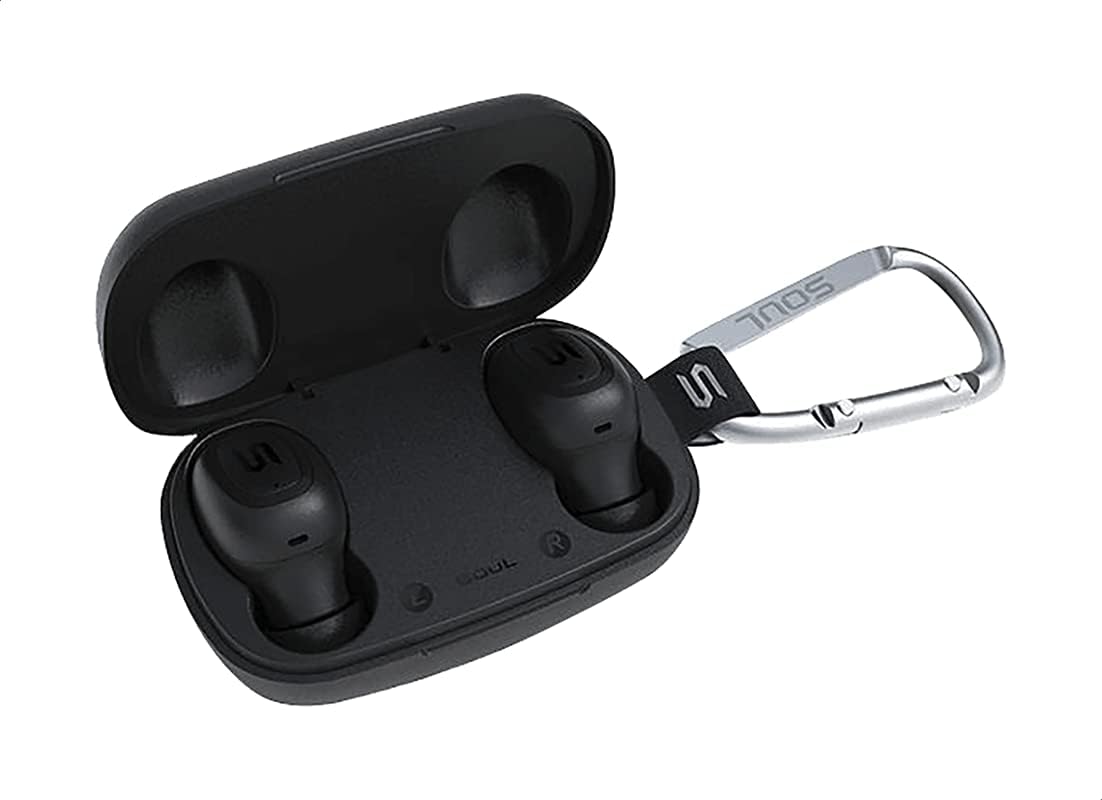
Foto 2: The Soul S-GEAR charging case opened, revealing the two black earbuds securely placed inside their charging slots. The carabiner clip is also visible.
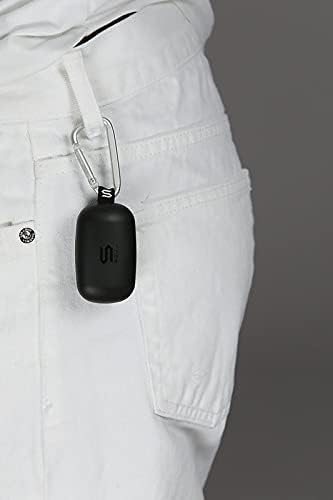
Foto 3: The Soul S-GEAR charging case, with its carabiner clip, attached to the belt loop of white pants, demonstrating its portability.
Melite
1. Ịchaji ihe ntị na akpa
- Place the earbuds into the charging case. Ensure they are correctly seated in their respective L/R slots.
- Connect the USB-C charging cable to the charging port on the case and plug the other end into a USB power source (e.g., wall adapter, computer USB port).
- The indicator lights on the case will show the charging status. Allow approximately 1-2 hours for a full charge.
- Ozugbo chajịrị chaja zuru oke, kwụpụ eriri nchaji.
2. Njikọ mbụ na ngwaọrụ
- Open the charging case. The earbuds will automatically power on and enter pairing mode. The indicator lights on the earbuds will flash, indicating they are ready to pair.
- Na ngwaọrụ gị (smartphone, tabletị, wdg), gbanye Bluetooth wee chọọ ngwaọrụ dịnụ.
- Select "Soul S-GEAR" from the list of found devices.
- Once connected, you will hear an audible confirmation, and the earbud indicator lights will stop flashing.
- The earbuds feature automatic pairing. After the initial setup, they will automatically connect to the last paired device when removed from the case.
Ntuziaka ọrụ
The Soul S-GEAR earbuds feature touch controls for easy management of audio and calls.
Gbanyụọ/ Gbanyụọ
- Ike Na: Open the charging case, or press and hold the touch sensor on both earbuds for 3 seconds.
- Gbanyụọ: Place the earbuds back into the charging case and close the lid, or press and hold the touch sensor on both earbuds for 5 seconds.
Egwu Egwu
- Gwuo/kwụsịtụ: Kpatụ ihe mmetụta mmetụ na ntị ntị otu ugboro.
- Track na-esote: Kpatụ ihe mmetụta mmetụ dị na ntị ntị aka nri ugboro abụọ.
- Gara aga Track: Pịa ihe mmetụta mmetụ dị na ntị ntị aka ekpe ugboro abụọ.
Njikwa Oku
- Azịza/Kwụsị Oku: Kpatụ ihe mmetụta mmetụ na ntị ntị otu ugboro.
- Jụ oku: Press and hold the touch sensor on either earbud for 2 seconds.
Nkagbu Noise nọchiri anya (ANC)
- Mee ka ANC rụọ ọrụ/gbanyụọ ya: Triple-tap the touch sensor on the left earbud to cycle through ANC On, Ambient Mode, and ANC Off.
Onye enyemaka olu
- Mee ka onye enyemaka olu rụọ ọrụ: Triple-tap the touch sensor on the right earbud.
Ịchaji
The Soul S-GEAR earbuds and charging case provide up to 24 hours of total playtime. The case supports USB-C fast charging.
- Nchaji ntị ntị: Place earbuds into the charging case. They will charge automatically.
- Ileba ikpe: Connect the USB-C cable to the case and a power source. The LED indicator on the case will show charging status.
- A full charge for the case typically takes 1.5-2 hours.
Nlekọta
- Nhicha: Jiri akwa dị nro, kpọrọ nkụ na-adịghị na-ehicha ntị ntị na chaja mgbe niile. Ejila kemịkalụ siri ike ma ọ bụ ihe abrasive.
- Ndụmọdụ ntị: Wepụ nsọtụ ntị gị ma jiri mmiri na ncha dị nro hichaa ha ma ọ bụrụ na ọ dị mkpa. Hụ na ha kpọrọ nkụ kpamkpam tupu ị tinye ha ọzọ.
- Nguzogide mmiri: The earbuds are IPX4 rated, meaning they are resistant to splashing water from any direction. They are not designed for submersion in water. Do not expose them to heavy rain or immerse them. Ensure earbuds are dry before placing them back in the charging case.
- Nchekwa: Chekwaa ntị ntị n'akpa chaja ha mgbe anaghị eji ya iji chebe ha ma debe ya ebubo. Zere oke okpomọkụ.
Nchọpụta nsogbu
| Okwu | Ngwọta |
|---|---|
| Igwe ntị anaghị ejikọta ọnụ |
|
| Enweghị ụda sitere na otu ntị ntị |
|
| Nchaji anaghị akwụ ụgwọ |
|
| Active Noise Cancellation not working |
|
Nkọwapụta
| Njirimara | Nkọwa |
|---|---|
| Ụdị | Mkpụrụ obi |
| Aha Nlereanya | S-GEAR (Soul S Gemar) |
| Nọmba nlereanya | SS56BK |
| Teknụzụ Njikọta | Ikuku (Bluetooth 5.0) |
| Ihe kpatara ụdị ekweisi | Na Ntị |
| Njikwa mkpọtụ | Nkagbu mkpọtụ nọ n'ọrụ |
| Igwe okwu | Ejikọtara |
| Usoro njikwa | Metụ aka |
| Mmiri & Uzuzu Nguzogide | IPX4 |
| Oge egwuregwu | Ruo awa 24 (ya na akpa chaja) |
| Nchaji ọdụ ụgbọ mmiri | USB-C (Nchaji ngwa ngwa) |
| Ngwa dakọtara | Multiple Bluetooth-enabled devices |
| Ihe onwunwe | Plastic |
| Agba | Nwa |
| Akụkụ ngwugwu | 11.8 x 9.8 x 4.2 cm |
| Ibu Ibu | 152 grams |
Ozi nchekwa
- Ewepụla, rụkwaa, ma ọ bụ gbanwee ngwaahịa.
- Ewepụla ngwaahịa a na ọkụ ma ọ bụ oke okpomọkụ.
- Avoid using the earbuds at excessively high volumes for prolonged periods to prevent hearing damage.
- Debe ngwaahịa ahụ n'ebe ụmụaka nọ na anụ ụlọ.
- Jiri naanị eriri na nkwụnye ụgwọ enyere ma ọ bụ gbaara ezi àmà.
- Tụfuo ngwaahịa ahụ nke ọma dịka iwu mpaghara siri dị.
Akwụkwọ ikike na nkwado
The Soul S-GEAR Wireless Bluetooth Earbuds come with a standard manufacturer's warranty. For detailed warranty terms and conditions, please refer to the warranty card included in your package or visit the official Soul websaịtị.
For technical support, troubleshooting assistance, or any inquiries regarding your product, please contact Soul customer service through their official websaịtị ma ọ bụ ozi kọntaktị enyere na nkwakọ ngwaahịa gị.