
1. Ngwaahịa gafereview
The PHEANOO D5 is a 2.1 channel sound bar system designed to enhance your television's audio experience. It includes a main sound bar unit and a dedicated wired subwoofer for deep bass. The system offers multiple connectivity options, including HDMI (ARC), Bluetooth 5.0, Optical, and AUX, ensuring compatibility with a wide range of devices. Its compact and stylish design allows for flexible placement, either on a TV stand or wall-mounted.

Image: The PHEANOO D5 sound bar and its wired subwoofer, both in black, shown together. The sound bar is long and cylindrical, and the subwoofer is a rectangular box.
2. Kedu ihe dị na Igbe ahụ
Biko lelee ihe dị n'ime ngwugwu ahụ nke ọma. Ọ bụrụ na ihe ọ bụla efuo ma ọ bụ mebie, kpọtụrụ ndị ọrụ nkwado ndị ahịa.
- Soundbar and Wired Subwoofer
- HDMI eriri
- RCA ọdịyo USB
- Remote Control (Bass, Treble Adjustable) - Agụnyeghị batrị
- Kit mgbidi mgbidi

Image: All components included in the PHEANOO D5 package: the sound bar, subwoofer, power adapter, remote control, HDMI cable, RCA audio cable, and wall mounting hardware.
3. Ntọala na nwụnye
3.1 Ntinye anụ ahụ
The PHEANOO D5 sound bar offers flexible placement options to suit your home entertainment setup.
- Ndokwa tebụl: Place the sound bar directly on a flat surface below your television. Ensure there is adequate space and that the sound bar is stable.
- Ịkwanye mgbidi: Use the included wall mount kit to securely attach the sound bar to a wall. It is recommended to measure and mark drilling points accurately using a level, rather than relying solely on paper stencils, to ensure proper alignment.

Foto: Abụọ examples of sound bar placement: one mounted on a wall below a television, and another placed on a TV stand. This illustrates the flexible installation options.
The sound bar has a slim design with dimensions of 2.8"D x 29.5"W x 2.4"H, making it suitable for placement in front of most televisions without obstructing the screen.
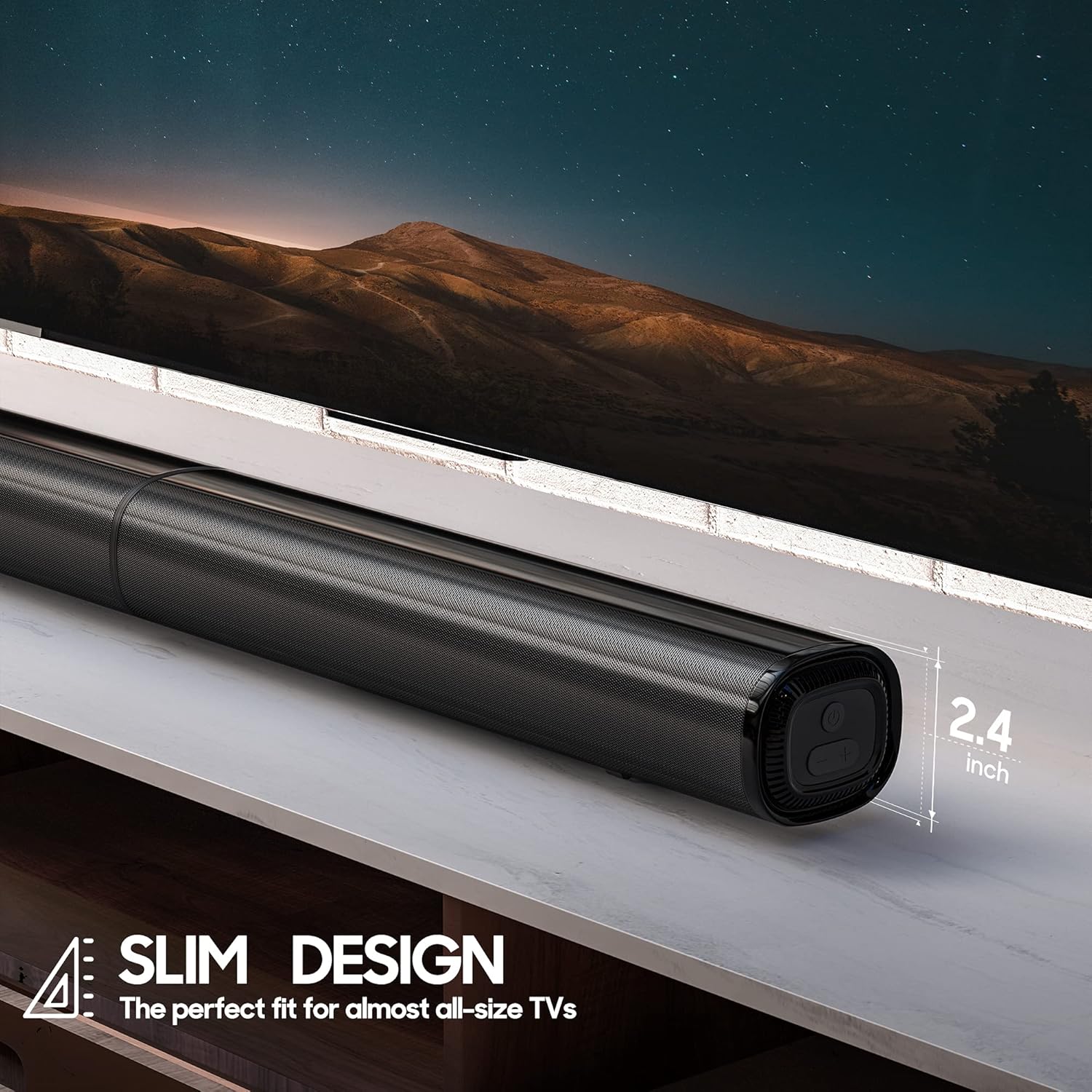
Foto: A nso nso view of the PHEANOO D5 sound bar placed under a television, highlighting its slim profile of 2.4 inches in height.
3.2 Jikọọ Subwoofer
The dedicated subwoofer connects to the sound bar via a wired connection. Ensure the subwoofer is placed in a location that allows for optimal bass distribution, ideally in a corner for enhanced effect.
3.3 Connecting to Your TV or Device
The D5 sound bar offers multiple connectivity options for seamless integration with your devices. Choose the connection method that best suits your television or audio source.
- HDMI (ARC): For the best audio quality and control, connect the sound bar to your TV's HDMI ARC port using the provided HDMI cable. This allows your TV remote to control the sound bar's volume.
- Ngwa anya: Connect using an optical cable (not included) for high-quality digital audio.
- AUX: Use the provided RCA audio cable to connect to devices with a 3.5mm audio output.
- Bluetooth Bluetooth: For wireless audio streaming from smartphones, tablets, or other Bluetooth-enabled devices.

Image: The rear panel of the PHEANOO D5 sound bar showing the various input ports: AUX, Optical, HDMI (ARC), and USB. Bluetooth connectivity is also indicated.
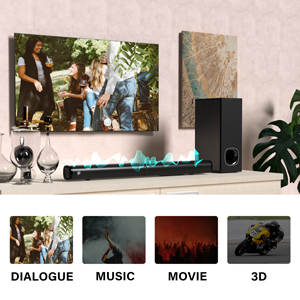
Image: A diagram illustrating the AUX, Optical, and HDMI (ARC) connection options available on the PHEANOO D5 sound bar.
3.4 Roku TV Ready Setup
The D5 is certified to work seamlessly with any Roku TV through the HDMI (ARC) connection. This provides a smooth setup process, easy access to sound settings, and compatibility with your existing Roku TV remote.
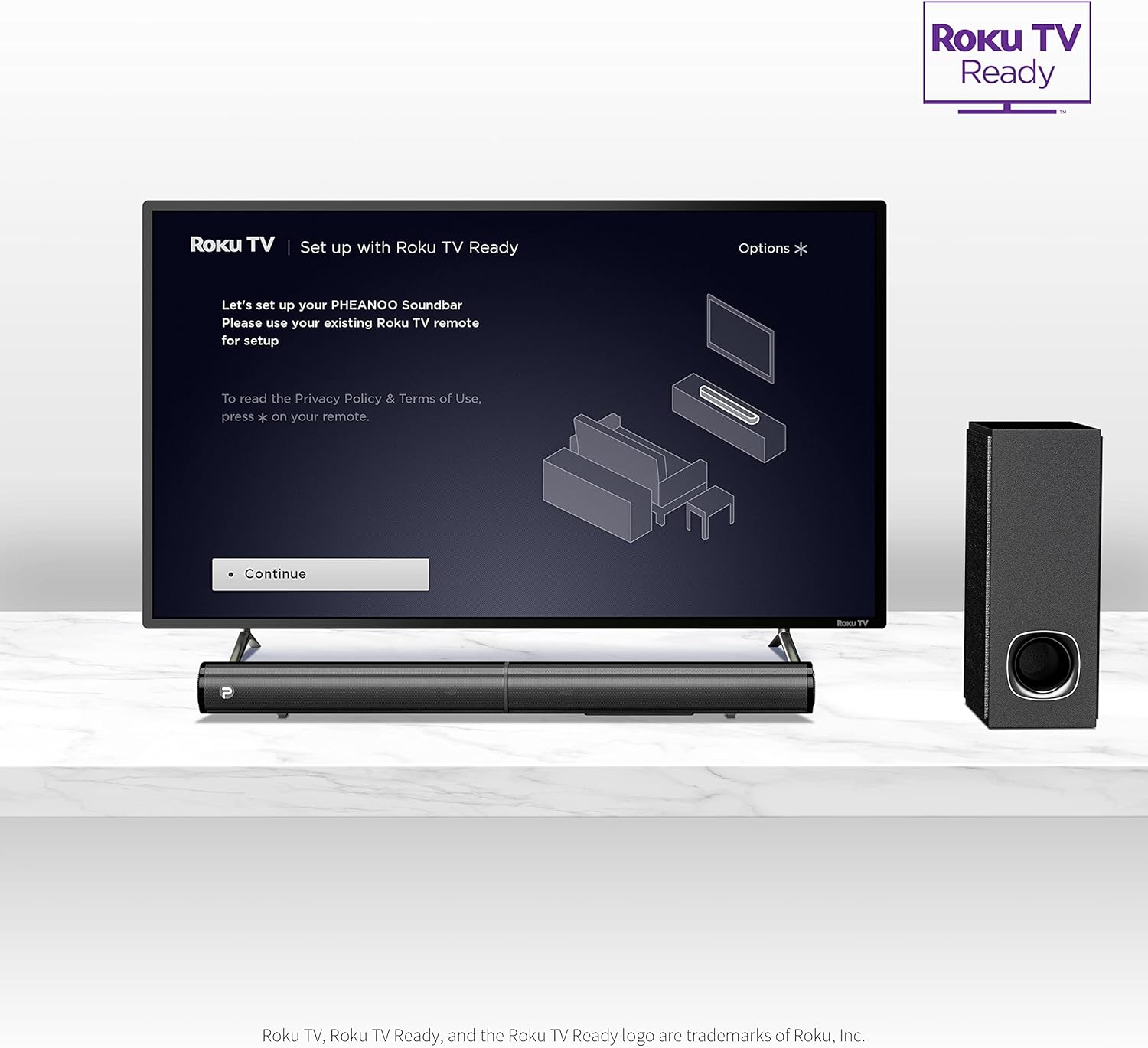
Image: A television screen displaying the "Roku TV | Set up with Roku TV Ready" interface, with the PHEANOO sound bar and subwoofer positioned below the TV, indicating easy integration.
4. Ntuziaka ọrụ
4.1 Gbanyụọ ma ọ bụ gbanyụọ
Press the power button on the sound bar or the remote control to turn the unit on or off. The indicator light on the sound bar will show its status.

Image: A close-up of the sound bar's indicator light and a remote control, highlighting the 'PAIR' and 'INDICATOR' buttons for status and pairing.
4.2 Nhọrọ Isi mmalite ntinye
Use the "Input" button on the remote control or the sound bar to cycle through available input sources: HDMI (ARC), Optical, AUX, and Bluetooth.
4.3 Njikwa olu
Adjust the master volume using the Volume Up (+) and Volume Down (-) buttons on the remote control or the sound bar. The remote also allows for independent bass and treble adjustments.
4.4 Ụdị ụda
The D5 sound bar features various sound modes optimized for different content types. Use the remote control to select:
- Ụdị mkparịta ụka: Enhances vocal clarity, making speech easier to understand.
- Ụdị egwu: Emebere ya nke ọma maka ịkpọ egwu.
- Ọnọdụ ihe nkiri: Provides an immersive audio experience for films.
- Ụdị 3D: Na-emepụta ụda sara mbara ma dị elu karịatage.
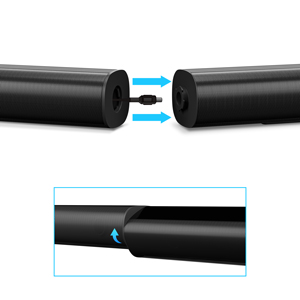
Image: A visual representation of the four sound modes: Dialogue, Music, Movie, and 3D, with corresponding icons and a sound wave graphic emanating from the sound bar.
4.5 Njikọ Bluetooth
Ijikọ ngwaọrụ Bluetooth:
- Select Bluetooth input on the sound bar. The indicator light will flash.
- Enable Bluetooth on your device (e.g., smartphone).
- Chọọ maka "PHEANOO D5" in your device's Bluetooth settings and select it to pair.
- Once paired, the indicator light will become solid, and you can stream audio wirelessly.
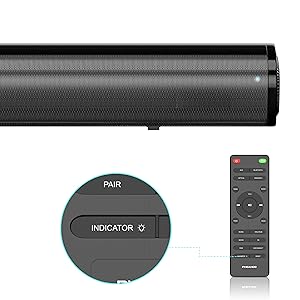
Image: A smartphone displaying a music player interface, with a Bluetooth icon and a sound wave connecting it wirelessly to the PHEANOO D5 sound bar.
5. Atụmatụ igodo
5.1 Clear and Precise Dialogue
The D5 sound bar features a specially tuned dialogue mode that makes speech crystal clear and easier to understand, enhancing your viewing experience, especially for movies and TV shows.

Image: A group of people watching TV with the PHEANOO D5 sound bar, accompanied by a "CRYSTAL-CLEAR DIALOGUE" graphic, illustrating enhanced speech clarity.
5.2 Enhanced Bass Performance
The dedicated wired subwoofer provides deep and powerful bass, significantly improving the overall sound quality compared to standalone sound bars. The 5.25-inch subwoofer delivers a robust low-frequency response.

Image: A close-up of the PHEANOO D5 subwoofer, with a graphic indicating "BETTER BASS" and ripples suggesting powerful sound waves emanating from the unit.
5.3 Compact and Stylish Design
With overall dimensions of 29.5"W x 2.4"H x 2.8"D, the D5 sound bar features a compact and sleek design that blends easily into any living space, complementing your television without being obtrusive.
6. Nkọwapụta
| Njirimara | Nkọwa |
|---|---|
| Aha Nlereanya | Sound Bar 4 (D5) |
| Ụdị Ọkà Okwu | Ogwe ụda, Subwoofer |
| Nhazi ọwa ụda gburugburu | 2.1 |
| Teknụzụ Njikọta | Auxiliary, Bluetooth, HDMI (ARC), Optical, USB |
| Teknụzụ nzikọrịta ozi ikuku | Bluetooth 5.0 |
| Ike Nwepu kacha elu | 200 Watt |
| Akụkụ ngwaahịa | 2.8"D x 29.5"W x 2.4"H |
| Ibu Ibu | 11.57 pound |
| Dayameta nke subwoofer | 8.27 Inches (Woofer Diameter) |
| Ụdị nkwụnye | Mgbidi mgbidi, tebụl |
| Agba | Nwa |
| Usoro njikwa | Ime ime |
| Isi Iyi Ike | Igwe ọkụ eletrik |
| Ngwa dakọtara | Television, Smartphones, Tablets |
7. Nlekọta
To ensure the longevity and optimal performance of your PHEANOO D5 Sound Bar, follow these maintenance guidelines:
- Nhicha: Use a soft, dry cloth to clean the surfaces of the sound bar and subwoofer. Avoid using liquid cleaners, aerosols, or abrasive materials, as these can damage the finish.
- Igwe ikuku: Gbaa mbọ hụ na ogwe ụda na subwoofer nwere ikuku ikuku zuru oke. Akwụsịla oghere ikuku ikuku ọ bụla.
- gburugburu: Keep the unit away from direct sunlight, heat sources, excessive dust, moisture, and strong magnetic fields.
- eriri ike: Regularly inspect the power cord for any damage. If damaged, discontinue use and contact customer support.
8. Nchọpụta nsogbu
If you encounter issues with your PHEANOO D5 Sound Bar, refer to the following common troubleshooting steps:
| Nsogbu | Ngwọta enwere ike |
|---|---|
| Enweghị ụda sitere na ogwe ụda. |
|
| Subwoofer is not producing bass. |
|
| Nsogbu njikọta Bluetooth. |
|
| Njikwa anya anaghị arụ ọrụ. |
|
9. Akwụkwọ ikike na nkwado
The PHEANOO D5 Sound Bar comes with a limited warranty. Please refer to the warranty card included in your package for specific terms and conditions.
For further assistance, technical support, or warranty claims, please refer to the official PHEANOO support channels or the comprehensive User Manual PDF available online.
Online User Manual (PDF): Download Ebe a