
EuroFone S2 Black
EuroFone S2 Motorcycle Bluetooth Headset User Manual
Model: S2 Black
1. Okwu mmalite
The EuroFone S2 Motorcycle Bluetooth Headset is designed to provide seamless communication and entertainment for motorcycle riders. Featuring Bluetooth 5.1 technology, it offers stable connections, clear audio, and a range of functions including rider-to-rider intercom, hands-free calling, music playback, and FM radio. Its robust IP67 waterproof and dustproof design ensures reliable performance in various weather conditions.
2. Atụmatụ igodo
- 2-Rider Full Duplex Intercom: Communicate with a riding partner up to 800 meters away.
- IP67 anaghị egbochi mmiri na uzuzu: Designed to withstand rain, dust, snow, and low temperatures.
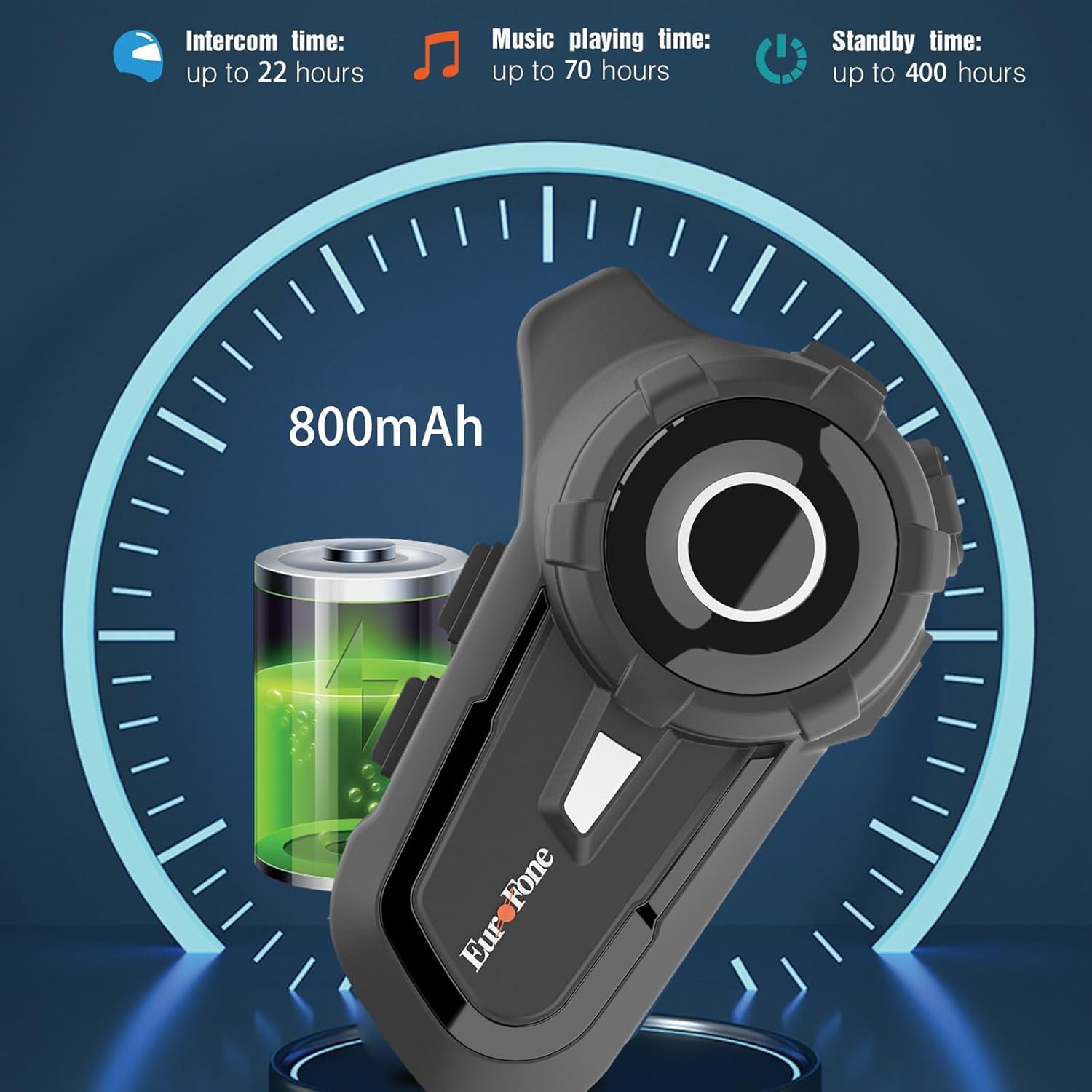
- Ogologo ndụ batrị: 800 mAh battery provides up to 20 hours of working time and 18 months standby.
- Auto Answer & Voice Control: Automatically answers calls in 10 seconds and supports voice assistant/Siri.
- Noise Reduction & Hi-Fi Stereo Sound: CVC advanced noise cancellation for clear audio and high-fidelity sound quality.
- Bluetooth Bluetooth: Na-eme ka njikọ ikuku kwụsiri ike ma dị irè.
- Igwe Redio: Built-in FM radio for entertainment on the go.
- Ndokwa GPS: Can connect to GPS devices for navigation.
3. Ihe ngwugwu
Chọpụta na ihe niile dị na ngwugwu gị:
- EuroFone S2 Bluetooth Headset Unit
- Hard Microphone (Boom Mic)
- Soft Microphone (Wired Mic)
- Ọkà okwu Set
- USB Type-C Nchaji USB
- Ịkwalite Clamp
- Velcro Pads maka ndị na-ekwu okwu
- Akwụkwọ ntuziaka onye ọrụ

4. Ntọala na nwụnye
4.1 Ịchaji ngwaọrụ
Before first use, fully charge the EuroFone S2 headset. Connect the provided USB Type-C cable to the charging port on the unit and to a USB power source. The indicator light will show charging status. A full charge takes approximately 2.5 hours.

4.2 Installing into Helmet
Follow these steps to install the headset into your motorcycle helmet:
- Prepare Helmet: Carefully remove the internal padding of your helmet to access the ear pockets and inner shell.
- Attach Speakers: Use the provided velcro pads to attach the speakers inside the helmet's ear pockets. Ensure they are positioned directly over your ears for optimal sound quality. Route the speaker wires neatly under the lining.
- Install Microphone: Choose either the hard boom microphone (for open-face/modular helmets) or the soft wired microphone (for full-face helmets). Attach the microphone to the helmet lining near your mouth using the adhesive base. Route the microphone cable along with the speaker wires.
- Mount Main Unit: Secure the main headset unit to the side of the helmet using the mounting clamp. Tighten the screws to ensure a firm attachment.
- Jikọọ eriri: Plug the speaker and microphone cables into the corresponding ports on the main headset unit. Ensure connections are secure.
- Reassemble Helmet: Carefully reinsert the helmet's internal padding, ensuring all wires are tucked away and do not interfere with comfort or safety.

5. Ntuziaka ọrụ
5.1 Na-achịkwaview
The EuroFone S2 features intuitive controls for easy operation:
| Njikwa | Ọrụ |
|---|---|
| On / Off Key | Gbanyụọ/ Gbanyụọ |
| Igodo ọrụ ọtụtụ | Play/Pause music, Answer/End calls, Activate voice assistant |
| Knob (Jog Dial) | Rotate clockwise for Volume Up, Counter-clockwise for Volume Down. Short press rotate for Next/Previous track. |
| Igodo FM | Activate/Deactivate FM Radio |
| Talkback Key (Intercom Button) | Initiate/End intercom communication |
| Charging Port & K-wire Interface | For charging and connecting external devices. |
| Jack ekwentị | For wired audio connection (if applicable). |

5.2 Bluetooth Pairing (Phone)
To pair your EuroFone S2 headset with your mobile phone:
- Gbaa mbọ hụ na agbanyụrụ ekweisi.
- Pịa ma jide n'otu oge ahụ bọtịnụ Intercom na nke Bọtịnụ ọrụ ọtụtụ for approximately 5 seconds until you hear a "di di" voice prompt indicating factory settings restoration. Release the buttons.
- Turn on the power button until you hear a voice prompt. The indicator light will flash blue and red, indicating pairing mode.
- On your mobile phone, go to Bluetooth settings and search for available devices.
- Select "S2" from the list of Bluetooth devices.
- Once paired, the headset will confirm with a voice prompt, and the indicator light will show a steady blue light or slow flashes.
5.3 Intercom Pairing (Two Units)
To pair two EuroFone S2 units for intercom communication:
- Ensure both headsets are powered off.
- On the first headset, turn on the power button and press and hold the bọtịnụ Intercom for approximately 5 seconds until the indicator flashes with a quick blue light. You will hear a "pairing mode" voice prompt.
- On the second headset, turn on the power button and press and hold the bọtịnụ Intercom for approximately 5 seconds until the indicator flashes with a quick blue light. You will also hear a "pairing mode" voice prompt.
- Wait for a few seconds. The two headsets will automatically pair with each other. The indicator lights will change to a steady blue or slow flashes once connected.
5.4 Reconnecting Intercom
If the intercom connection is lost or you wish to re-establish it:
- Short click the Bọtịnụ ọrụ ọtụtụ on either headset to hear the prompt "end intercom".
- Pịa ugboro abụọ bọtịnụ Intercom on any one of the headsets.
- Wee pịa Bọtịnụ ọrụ ọtụtụ. You will hear the "start intercom" voice prompt again, indicating the connection is re-established.
5.5 Nghaghachi egwu
After pairing with your phone, you can control music playback:
- Gwuo/kwụsịtụ: Pịa Bọtịnụ ọrụ ọtụtụ ịkpọ ma ọ bụ kwụsịtụ egwu.
- Njikwa olu: Tugharia ihe Ịkpọ oku clockwise to increase volume, counter-clockwise to decrease volume.
- Next / Gara aga Track: Short press and rotate the Ịkpọ oku counter-clockwise to play the next song. Short press and rotate clockwise to play the previous song.
5.6 Oku ekwentị
Manage phone calls hands-free:
- Oku azaa: The headset will automatically answer incoming calls after 10 seconds. You can also click the Bọtịnụ ọrụ ọtụtụ to answer immediately.
- Oku ngwụcha: Pịa Bọtịnụ ọrụ ọtụtụ to end an ongoing call.
- Jụ oku: Pịa ma jide Bọtịnụ ọrụ ọtụtụ maka sekọnd 2 iji jụ oku mbata.
- Onye enyemaka olu/Siri: Pịa Bọtịnụ ọrụ ọtụtụ twice to activate your phone's voice assistant (Siri, Google Assistant, etc.).
Igwe redio FM 5.7
Iji jiri redio FM arụnyere n'ime:
- Turn On/Off FM: Pịa Igodo FM to activate or deactivate the FM radio.
- Scan Stations: While FM is on, press and hold the Igodo FM to automatically scan and save available stations.
- Ọdụ Mgbanwe: Tugharia ihe Ịkpọ oku to switch between saved FM stations.
6. Nlekọta na nlekọta
- Nhicha: Jiri ihe dị nro, d hichaa ngwaọrụ ekweisi ahụamp akwa . Ejila kemịkalụ siri ike ma ọ bụ ihe mkpocha abrasive.
- Mkpughe mmiri: While IP67 waterproof, avoid prolonged submersion. Ensure charging port cover is securely closed when not charging.
- Nchekwa: Chekwaa ekweisi n'ebe dị jụụ, kpọrọ nkụ na-adịghị na ìhè anyanwụ kpọmkwem na oke okpomọkụ.
- Nlekọta batrị: Maka ndụ batrị kacha mma, na-ana ngwaọrụ ahụ oge niile, ọbụlagodi ma ọ bụrụ na ejighị ya eme ihe mgbe niile. Zere ịchaji batrị kpamkpam ruo ogologo oge.
7. Nchọpụta nsogbu
| Nsogbu | Ihe nwere ike ime | Ngwọta |
|---|---|---|
| Device won't turn on. | Batrị dị ala. | Chajie ngwaọrụ ahụ nke ọma. |
| Enweghị ike ijikọ na ekwentị. | Headset not in pairing mode; phone Bluetooth off; previously paired device interfering. | Ensure headset is in pairing mode (flashing blue/red). Turn phone Bluetooth off/on. Forget previous pairings on phone. Perform factory reset on headset. |
| Intercom not connecting. | Headsets not in intercom pairing mode; out of range. | Ensure both headsets are in intercom pairing mode. Move closer to each other. Re-initiate intercom connection as per section 5.4. |
| Enweghị ụda ma ọ bụ obere olu. | Volume too low; speakers not positioned correctly; loose connections. | Increase volume using the Jog Dial. Adjust speaker position in helmet. Check all cable connections. |
| Poor sound quality/noise. | Microphone not positioned correctly; excessive wind noise; interference. | Adjust microphone position. Ensure microphone foam cover is in place. Reduce speed if wind noise is excessive. |
8. Nkọwapụta
| Njirimara | Nkọwa |
|---|---|
| Aha Nlereanya | S2 ojii |
| Ụdị Bluetooth | 5.1 |
| Intercom Range | Up to 800 meters (2-riders) |
| Ike batrị | 800 mAh |
| Oge Nchaji | Awa 2.5 |
| Working Time (Intercom) | Ruo awa iri abụọ |
| Working Time (Music) | Ruo awa iri abụọ |
| Oge Njikere | Ruo ọnwa isii |
| Ọkwa Nguzogide mmiri | IP67 Waterproof & Dustfree |
| Njikwa mkpọtụ | Active Noise Cancellation (CVC) |
| Akụkụ | 3.35 x 2.17 x 0.98 sentimita asatọ |
| Ibu Ibu | 12.7 ounces |
| Onye nrụpụta | Shenzhen Goldstar Electronics Co., Ltd |
9. Akwụkwọ ikike na nkwado
For warranty information and technical support, please refer to the official EuroFone websaịtị ma ọ bụ kpọtụrụ ndị ahịa ha ozugbo. Debe nnata nzụta gị dị ka ihe akaebe nke ịzụrụ ihe maka akwụkwọ ikike ọ bụla.
Ị nwere ike ịga na EuroFone Store on Amazon maka ozi ngwaahịa na akụrụngwa nkwado.
Ask a question about this manual
Ask about setup, troubleshooting, compatibility, parts, safety, or missing instructions. Manuals+ will review the question and use this page’s manual context to help answer it.