
Okwu mmalite
This manual provides essential information for the proper use and maintenance of your Blitzwolf BW-AT2C Smartwatch. Please read these instructions carefully before using the device to ensure optimal performance and longevity. This smartwatch features Bluetooth calling, comprehensive health monitoring, various sports modes, and smart notifications.
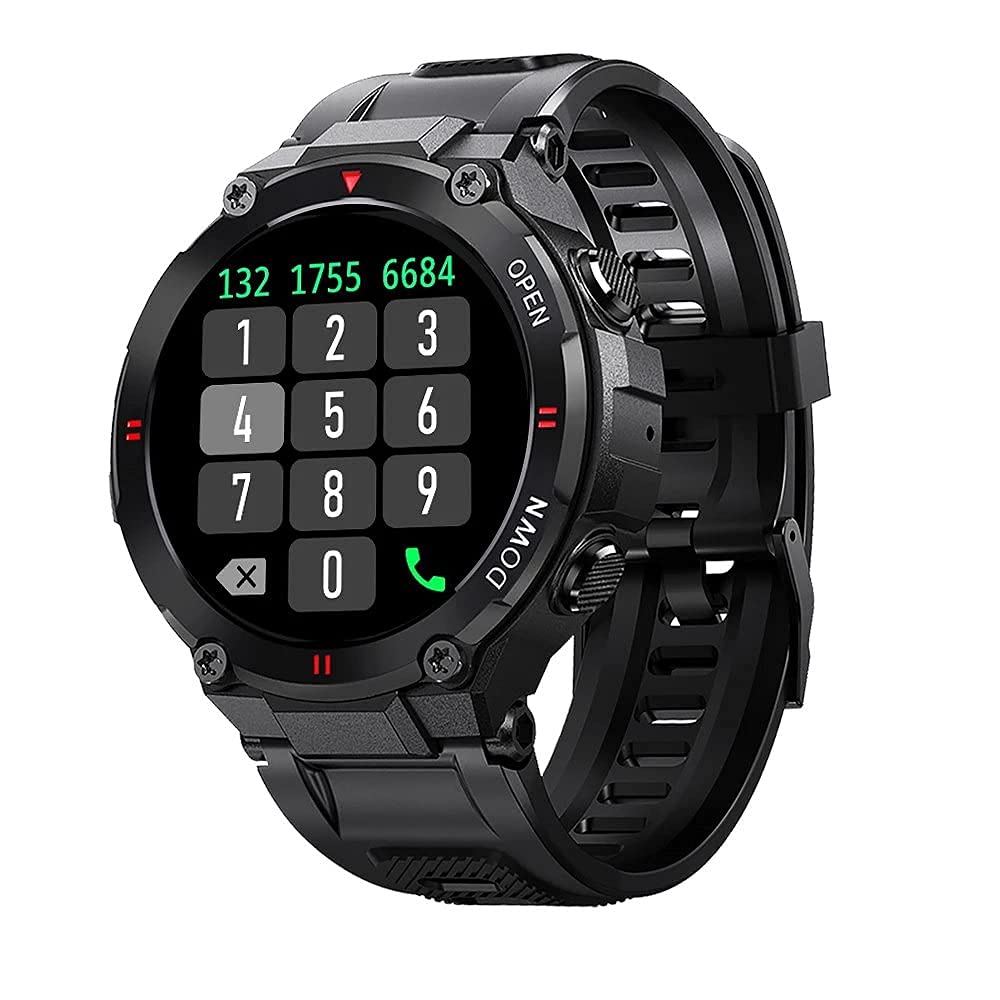
Foto: N'ihu view of the Blitzwolf BW-AT2C Smartwatch, displaying a digital watch face with time, date, battery, and step count.
Ngwaahịa gafereview
The Blitzwolf BW-AT2C Smartwatch is designed for daily use, fitness tracking, and communication. It features a durable build and a clear display.
- Ngosipụta: 1.3-inch IPS full touch screen.
- Njikwa: Full touch screen and two side buttons.
- Ihe mmetụta: Heart rate, blood pressure, blood oxygen, pedometer, sleep monitor.
- Njikọta: Bluetooth 5.0 for calls and data synchronization.
- Ogologo oge: IP54 mmiri na-eguzogide.

Image: The smartwatch displaying weather information, highlighting its robust design and metal buttons.

Foto: N'azụ view of the smartwatch, showing the optical heart rate sensor and magnetic charging contacts, along with the model number BW-AT2C.
Melite
1. Ịchaji ngwaọrụ
Before initial use, fully charge your smartwatch. Connect the magnetic charging cable to the charging contacts on the back of the watch and plug the USB end into a power adapter (not included) or a computer's USB port. The watch screen will indicate charging status. A full charge takes approximately 2 hours.
2. Ngwa nwụnye na ijikọ
- Budata ngwa: Chọọ maka "Da Fit" in your smartphone's app store (Google Play Store for Android or Apple App Store for iOS) and install it.
- Kwado Bluetooth: Gbaa mbọ hụ na agbanyere Bluetooth na ekwentị gị.
- Open Da Fit App: Launch the "Da Fit" application on your smartphone.
- Tinye ngwaọrụ: In the app, navigate to the "Device" section and select "Add Device". The app will search for available devices.
- Select Your Watch: Choose "BW-AT2C" from the list of found devices to initiate pairing.
- Kwenye njikọ: Follow any on-screen prompts on both your phone and watch to confirm the pairing.
- Enable Call Function: For the Bluetooth call feature, you may need to pair the watch a second time through your phone's Bluetooth settings. Look for "BW-AT2C_CALL" or similar in your phone's Bluetooth device list and connect to it.
Mara: For full functionality, ensure the "Da Fit" app has all necessary permissions (e.g., location, notifications, contacts) enabled on your smartphone.
Ntuziaka ọrụ
Nsoro ụzọ
- Ihuenyo mmetụ aka: Mịgharịa aka ekpe/aka nri, elu/ala iji lelee menu na atụmatụ dị iche iche. Pịa iji họrọ.
- Bọtịnụ akụkụ: The top button typically acts as a power/wake button and a back button. The bottom button may be a shortcut to sports modes or other functions, depending on customization.
- Ihuenyo Teta: Raise your wrist or press a side button to wake the screen.
- Ndozi ihie: Adjust screen brightness through the watch settings or the Da Fit app for better visibility in various lighting conditions.
- Ihu nche omenala: Change watch faces directly on the watch or via the Da Fit app. You can also customize watch faces with your own photos.
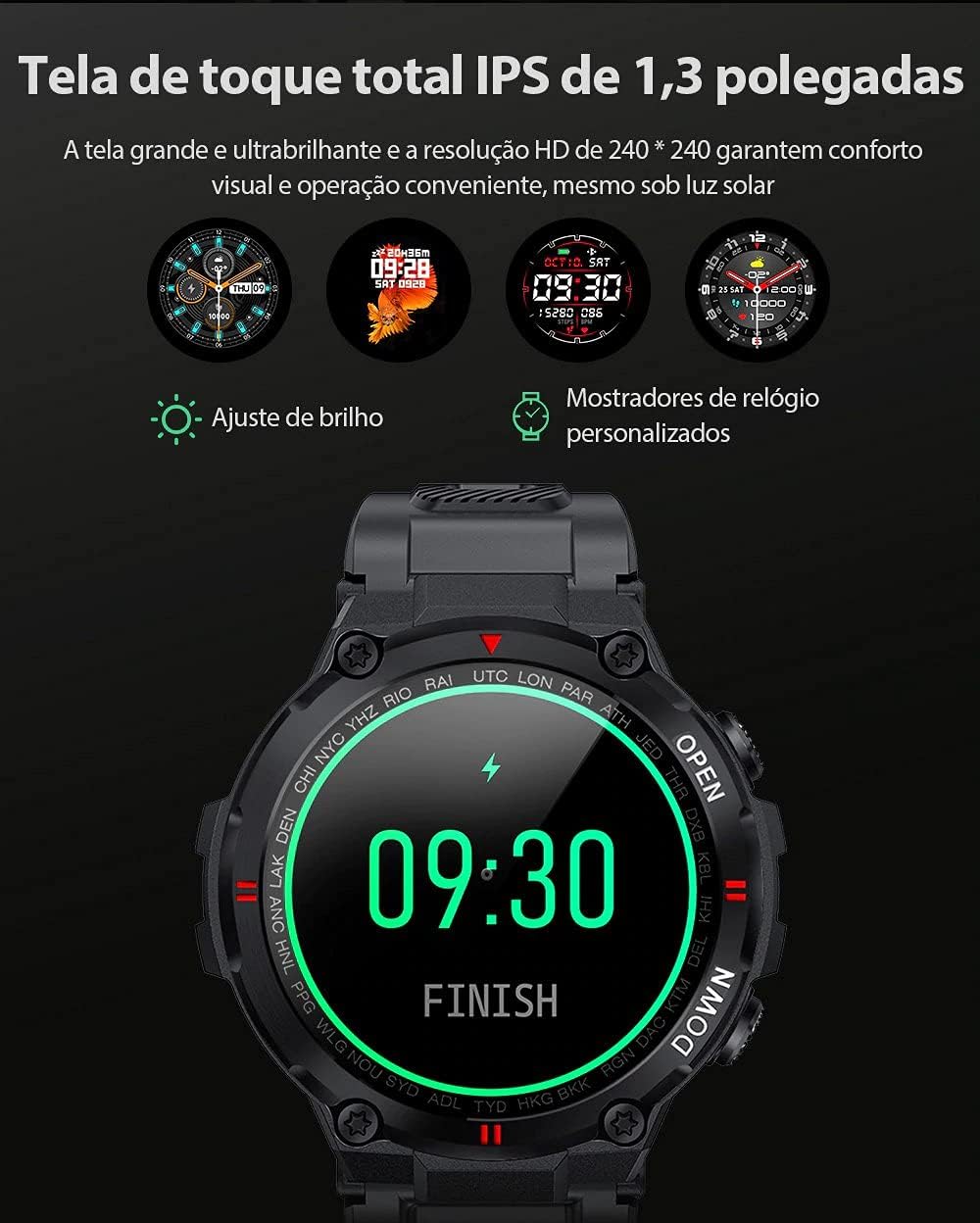
Image: The smartwatch displaying multiple customizable watch faces and options for brightness adjustment.
Ịkpọ na ịnata oku
The BW-AT2C allows you to make and receive calls directly from your wrist after successful Bluetooth pairing (including the call function pairing).
- Ịnata oku: When a call comes in, the watch will display the caller ID. You can answer or reject the call directly from the watch screen.
- Ịkpọ oku: Access the dial pad or contact list on the watch to initiate a call.

Image: A comparison showing the BW-AT2C model with its Bluetooth call function (dial pad visible) next to the BW-AT2 model without this feature.
Njikwa egwu
Control music playback on your smartphone directly from your watch. Functions include play, pause, skip forward, and skip backward.
Nlekọta ahụike
The smartwatch continuously monitors various health metrics.
- Ọnụọgụgụ obi: Nlekota obi n'oge a. View your current heart rate and historical data in the app.
- Ọbara Ọbara: Measure your blood pressure on demand.
- Oxygen ọbara (SpO2): Lelee ọkwa oxygen dị n'ọbara gị.
- Nleba anya ụra: Tracks your sleep patterns, including deep sleep, light sleep, and wake times.
- Ntughari: Na-agụta nzọụkwụ gị kwa ụbọchị, anya gị na kalori gbara ọkụ.

Image: The smartwatch screen showing a graph of heart rate data, indicating current BPM and historical trends.
Ụdị egwuregwu
The watch supports multiple sports modes to track your workouts accurately. Available modes include Walking, Running, Cycling, Skipping Rope, Badminton, Basketball, and Football. Select your desired mode before starting an activity to record relevant data.
Amamọkwa
Receive notifications from your smartphone directly on your watch. This includes call reminders, message alerts, and app notifications from platforms like WhatsApp, Instagram, Facebook, and Twitter. Ensure notification permissions are granted in the Da Fit app and your phone's settings.

Image: The smartwatch on a user's wrist, showing an incoming call alert and SMS reminder, indicating its notification capabilities.
Atụmatụ ndị ọzọ
- Elekere mkpu: Set up to three alarms via the app.
- Oge elekere: Use the built-in stopwatch for timing activities.
- Ncheta ịnọdụ ala: The watch will alert you if you remain inactive for too long.
- Njikwa igwefoto dị anya: Jiri elekere gị dị ka ihe mkpuchi anya maka igwefoto ekwentị gị.
- Find Watch/Find Phone: Locate your watch or phone using the respective functions in the app or on the watch.
- Kalenda: Access calendar information.
Nlekọta
- Nhicha: Jiri ákwà dị nro ma kpọrọ nkụ hichaa elekere ahụ ma kechie ya mgbe niile. Maka unyi siri ike, jiri obere damp ákwà ma kpọọ nkụ nke ọma. Zere kemịkalụ siri ike.
- Nguzogide mmiri (IP54): The BW-AT2C is IP54 water-resistant, meaning it is protected against dust ingress and splashing water from any direction. It is suitable for daily use like hand washing or light rain. Do not submerge the watch in water, wear it while swimming, showering, or in saunas. Prolonged exposure to water or high-pressure water jets may cause damage.
- Kọntaktị na-akwụ ụgwọ: Keep the magnetic charging contacts clean and dry to ensure proper charging.
- Nchekwa: Chekwaa elekere n'ebe dị jụụ, kpọrọ nkụ mgbe anaghị eji ya.
Nchọpụta nsogbu
| Nsogbu | Ngwọta |
|---|---|
| Elekere anaghị agbanye. | Gbaa mbọ hụ na chajịrị elekere ahụ nke ọma. Jikọọ ya na chaja opekata mpe nkeji iri atọ. |
| Enweghị ike ijikọ na smartphone. |
|
| Anabataghị ọkwa. |
|
| Call function not working. | Ensure you have paired the "BW-AT2C_CALL" device in your phone's Bluetooth settings in addition to the main watch pairing. |
| Data ahụike na-ezighi ezi. | Ensure the watch is worn snugly on your wrist, not too tight or too loose. Keep the sensor clean. Note that this device is not a medical device and data is for reference only. |
Nkọwapụta

Image: Diagram illustrating the dimensions of the Blitzwolf BW-AT2C Smartwatch, including watch face diameter, strap width, and total length.
| Njirimara | Nkọwa |
|---|---|
| Ụdị | Blitzwolf |
| Nlereanya | BW-AT2C |
| Agba | Nwa |
| Ụdị Bluetooth | 5.0 |
| OS dakọtara | Android 4.4+ / iOS 8.0+ |
| Ụdị ọrụ | Full Touch Screen + 2 Side Buttons |
| Ngwa Ngwa | Da Fit |
| Mmiri Nguzogide | IP54 |
| Nlekọta ahụike | Heart Rate, Blood Pressure, Blood Oxygen, Sleep, Pedometer |
| Ụdị egwuregwu | Walking, Running, Cycling, Skipping Rope, Badminton, Basketball, Football |
| Nha ihuenyo | 1.3 anụ ọhịa IPS |
| Mkpebi | 240 x 240 pikselụ |
| Ike batrị | 400mAh |
| Oge Njikere | Ihe ruru. Ụbọchị 30 |
| Oge eji | Approx. 4-7 days (varies by usage) |
| Oge Nchaji | Ihe ruru. awa 2 |
| Ụdị Nchaji | Nchaji magnetik |
| Ihe eriri eriri | Silikoni |
| Ogologo eriri | 22mm (Removable) |
| Akụkụ ngwaahịa | 52 x 12 mm (Watch Face) |
| Ibu ngwaahịa | 55 grams |
Akwụkwọ ikike na nkwado
For warranty information and technical support, please refer to the documentation provided with your purchase or visit the official Blitzwolf websaịtị. Debe ihe akaebe nke ịzụrụ maka akwụkwọ ikike.
If you encounter issues not covered in the troubleshooting section, please contact customer support for assistance.