
1. Ngwaahịa gafereview
The BACKWIN Wired In-Ear Headphones are designed to provide high-fidelity audio with convenient controls for music and calls. They feature a built-in microphone, volume control, and a 3.5mm jack for wide compatibility.

Image: The BACKWIN Wired In-Ear Headphones, showcasing their sleek design and 3.5mm audio jack.
2. Ihe ngwugwu
Biko lelee ngwungwu maka ihe ndị a:
- BACKWIN Wired In-Ear Headphones (with integrated microphone and control)
- Ear tips (S/M/L sizes)
- Akwụkwọ ntuziaka (akwụkwọ a)
3. Nhazi
3.1 Selecting Ear Tips
For optimal sound quality and comfort, choose the ear tips that best fit your ears. The headphones come with three sizes (Small, Medium, Large). Experiment with each size to find the most secure and comfortable fit that also provides good sound isolation.

Image: Illustration of earbuds with various ear tip sizes for a customized fit.
3.2 Jikọọ na ngwaọrụ gị
These headphones utilize a standard 3.5mm audio jack for connectivity. To connect:
- Locate the 3.5mm audio port on your smartphone, tablet, laptop, or other compatible device.
- Insert the 3.5mm jack of the headphones firmly into the device's audio port.
The headphones are compatible with most devices running iOS and Android operating systems, as well as laptops and tablets with a 3.5mm audio jack.
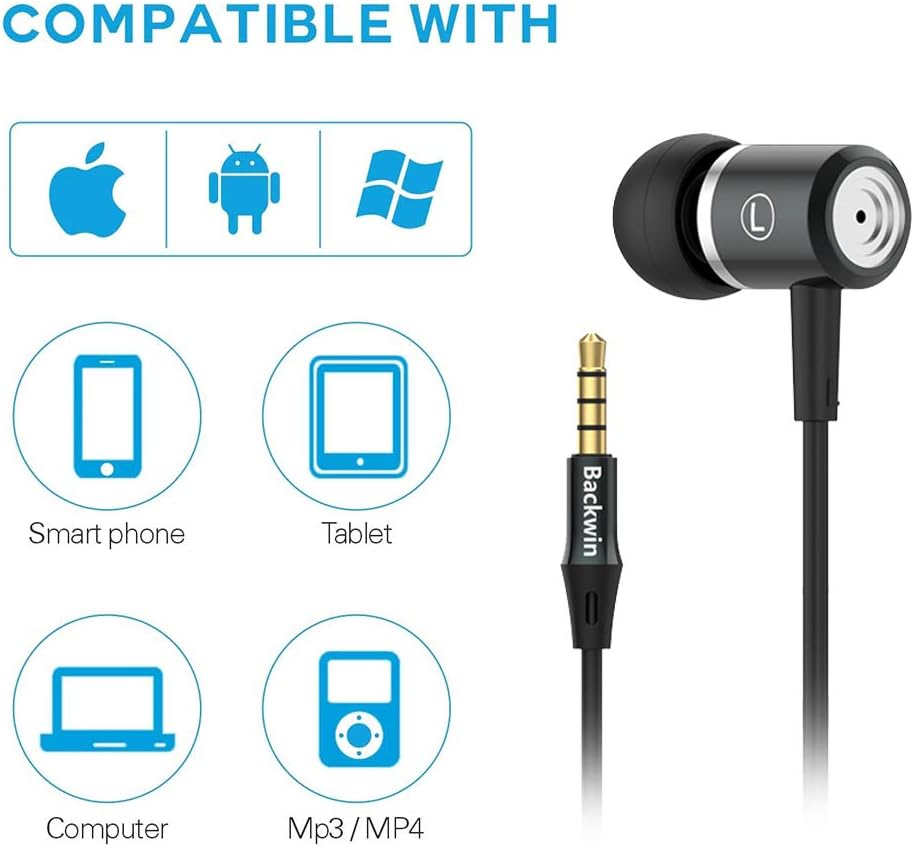
Image: Icons indicating compatibility with smartphones, tablets, computers, and MP3/MP4 players.
4. Ntuziaka ọrụ
The in-line remote control allows for easy management of music playback and calls.

Image: Close-up of the in-line remote control, showing the volume up (+), volume down (-), and multi-function (center) buttons, along with the microphone.
4.1 Njikwa egwu
- Gwuo/kwụsịtụ: Pịa bọtịnụ etiti otu ugboro.
- Track na-esote: Pịa bọtịnụ etiti ugboro abụọ ọsọ ọsọ.
- Gara aga Track: Pịa bọtịnụ etiti ugboro atọ ọsọ ọsọ.
4.2 Njikwa oku
- Azịza/Kwụsị Oku: Pịa bọtịnụ etiti otu ugboro.
- Jụ oku: Pịa ma jide bọtịnụ etiti.
4.3 Njikwa olu
- Olu elu: Pịa bọtịnụ '+'.
- Olu ala: Pịa bọtịnụ '-'.
The built-in microphone ensures clear voice transmission during calls.
5. Nlekọta na nlekọta
5.1 Nhicha
- Gently wipe the earbuds and cable with a soft, dry cloth.
- Wepụ nsọtụ ntị gị ma jiri ncha na mmiri dị nro hichaa ha ma ọ bụrụ na ọ dị mkpa. Hụ na ha kpọrọ nkụ kpamkpam tupu ị tinye ha ọzọ.
- Ejila kemịkalụ siri ike ma ọ bụ ihe abrasive maka ihicha.
5.2 Nchekwa
To prolong the life of your headphones:
- Store the headphones in a clean, dry place when not in use.
- Avoid wrapping the cable too tightly to prevent damage. The cable is designed to be tangle-free for convenience.
- Keep away from extreme temperatures and direct sunlight.

Foto: nkọwa zuru ezu view of the headphone cable's internal structure, highlighting its durable construction.
6. Nchọpụta nsogbu
| Nsogbu | Ngwọta enwere ike |
|---|---|
| Enweghị ụda ma ọ bụ olu dị ala |
|
| Igwe okwu anaghị arụ ọrụ |
|
| Sound quality is poor or "tinny" |
|
| Earbuds are uncomfortable or fall out |
|
7. Nkọwapụta
| Njirimara | Nkọwa |
|---|---|
| Ụdị | BACKWIN |
| Nọmba nlereanya | 0 |
| Teknụzụ Njikọta | Waya (Jak 3.5mm) |
| Teknụzụ nzikọrịta ozi ikuku | None (Not Bluetooth compatible) |
| Njikwa mkpọtụ | Sound Isolation, Noise Cancellation |
| Igwe okwu | gụnyere |
| Ụdị njikwa | In-line Remote (Volume Control, Call Control) |
| Njirimara USB | Tangle efu |
| Ihe onwunwe | Plastic |
| Ntinye ntị | Na Ntị |
| Ụdị Ihe | Na Ntị |
| Mgbochi | 32 ohms |
| Ibu Ibu | 1.41 ounces (0.04 Kilogram) |
| Akụkụ ngwaahịa | 47.24 x 0.14 x 0.14 sentimita asatọ |
| Ngwa dakọtara | Phones, Tablets, Laptops, Smartphones with Android and iOS operating systems |
| UPC | 712215782502 |
8. Akwụkwọ ikike na nkwado
BACKWIN products undergo extensive quality verification to ensure reliability. If you encounter any issues or have questions regarding your headphones, please contact the seller directly via email for satisfactory after-sales service.
Please refer to your purchase documentation for specific warranty terms and conditions, as these may vary.